




If you've ever tried to train a LoRA from scratch on a cloud GPU, you know the drill: clone a repo, wrestle with Python environments, realize your CUDA version doesn't match, install a second tool for captioning, a third for inference testing, and burn an hour of GPU time before a single training step fires. Multiply that by every new model architecture like SDXL, FLUX, LTX, Wan 2,3, and the setup tax becomes a serious productivity drain. Runpod community member notrius got fed up with exactly this. The result is LoRA Pilot, an open-source Docker image that packages the entire training and testing lifecycle into a single, persistent workspace. Dataset tagging, model downloading, training, inference validation, and service orchestration all live under one roof, ready to go the moment your Pod spins up.
LoRA Pilot isn't a thin wrapper around a single trainer. It's an integrated workstation that bundles the tools most LoRA creators reach for and wires them together so they share the same model store, dataset directories, and output paths.At the center of it all sits ControlPilot, a custom web dashboard running on port 7878 that serves as mission control for the entire workspace. From a single browser tab you can start and stop services, pull models, manage datasets, browse training logs, view documentation, and monitor runtime telemetry. There's even a global chat drawer with prompt execution and output display built in.For CLI-oriented users, the same operations are available via clean shell commands: pilot status, pilot start, pilot stop. Need the SDXL base checkpoint? Run models pull sdxl-base and it lands in the shared model directory that every tool in the container already knows about.
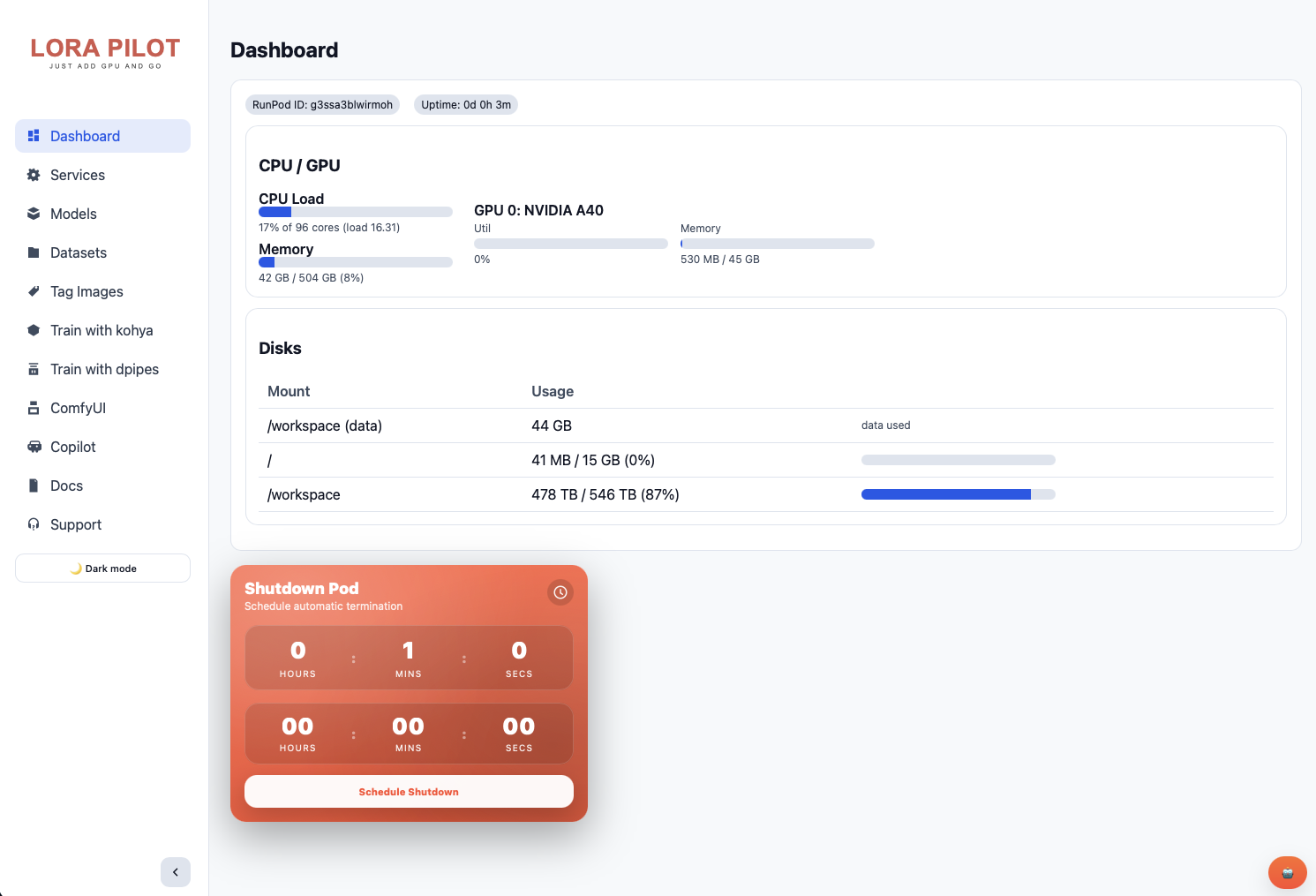
If you've trained LoRAs before, you know the pain: every tool has its own virtual environment, its own model directory convention, its own config format. You download a checkpoint for Kohya, then realize ComfyUI can't see it. You set up a training run, close your terminal, and lose your session (although this isn't good procedure to train in the web terminal, the fact that it 'works' until it doesn't means a lot of folks have lost their first runs to something like this when they're first learning.)
LoRA Pilot addresses this by design. Everything writes to /workspace. Models are shared across all tools. When you pull a checkpoint with the built-in models pull sdxl-base command (or through the web UI), it's immediately available in Kohya, ComfyUI, and InvokeAI. Your Jupyter settings, VS Code extensions, and service configurations all persist between reboots.
For people newer to LoRA training, the project also includes TrainPilot, a guided workflow that lets you select a dataset, choose a quality preset, and generate a working Kohya training config without manually editing TOML files. TagPilot handles dataset tagging and captioning. The goal is to remove the setup tax so you can focus on the actual training.
The fastest way to get started is the pre-configured Runpod template. Deploy it, expose the ports you need, and you'll have the full stack running within a few minutes. For storage, notrius recommends 20 to 30 GB for the root/container disk and at least 100 GB for the /workspace volume (more if you're working with multiple base models). The template works with both network volumes and local storage.
Default ports:
Credentials for Jupyter and code-server are generated on first boot and stored in /workspace/config/secrets.env.
LoRA Pilot is MIT licensed, open source, and actively maintained. Feature requests and issues are handled through GitHub. This is exactly the kind of project that makes the Runpod community valuable: someone hit a real workflow problem, built a thorough solution, and shared it openly so everyone benefits. Whether you're training your first character LoRA or running parallel experiments across model families, LoRA Pilot gives you a workspace that magically just works out of the box.
It's also a fine example of our referral program in use; if you see a need that the community has, you can develop and push your own template and for every dollar that users spend on the template, you get a cut of the revenue as credits with the potential for cash earnings as well; see our terms and conditions here.
Questions about the template? Feel free to ask on our Discord where notrius is one of our community helpers!
Author profile: Brendan McKeag
此内容由惯性聚合(RSS阅读器)自动聚合整理,仅供阅读参考。 原文来自 — 版权归原作者所有。