惯性聚合 高效追踪和阅读你感兴趣的博客、新闻、科技资讯
阅读原文 在惯性聚合中打开

推荐订阅源

S
Schneier on Security
有赞技术团队
有赞技术团队
T
The Blog of Author Tim Ferriss
F
Fortinet All Blogs
D
DataBreaches.Net
F
Full Disclosure
腾讯CDC
博客园 - 【当耐特】
MyScale Blog
MyScale Blog
Stack Overflow Blog
Stack Overflow Blog
小众软件
小众软件
Hugging Face - Blog
Hugging Face - Blog
Last Week in AI
Last Week in AI
OSCHINA 社区最新新闻
OSCHINA 社区最新新闻
爱范儿
爱范儿
The GitHub Blog
The GitHub Blog
Engineering at Meta
Engineering at Meta
大猫的无限游戏
大猫的无限游戏
freeCodeCamp Programming Tutorials: Python, JavaScript, Git & More
S
SegmentFault 最新的问题
The Register - Security
WordPress大学
WordPress大学
博客园 - 聂微东
雷峰网
雷峰网
J
Java Code Geeks
Exploit-DB.com RSS Feed
P
Privacy International News Feed
酷 壳 – CoolShell
酷 壳 – CoolShell
A
Arctic Wolf
Scott Helme
Scott Helme
C
Cyber Attacks, Cyber Crime and Cyber Security
T
Tor Project blog
博客园 - 三生石上(FineUI控件)
Know Your Adversary
Know Your Adversary
AWS News Blog
AWS News Blog
G
Google Developers Blog
www.infosecurity-magazine.com
C
CERT Recently Published Vulnerability Notes
O
OpenAI News
Project Zero
Project Zero
K
KPMG report finds enterprise disconnect between AI and its ROI | CIO
Application and Cybersecurity Blog
云风的 BLOG
云风的 BLOG
N
News and Events Feed by Topic
MongoDB | Blog
MongoDB | Blog
让小产品的独立变现更简单 - ezindie.com
Microsoft Security Blog
Cisco Talos Blog
Cisco Talos Blog
P
Palo Alto Networks Blog
Schneier on Security

相逢一场 - 日常

再次 - 相逢一场 阴天 - 相逢一场 放假 - 相逢一场 六月 - 相逢一场 内耗 - 相逢一场 假期 - 相逢一场 久违 - 相逢一场 工作 - 相逢一场 搞笑 - 相逢一场 忙碌 - 相逢一场 新年快乐 - 相逢一场 游戏 - 相逢一场 fuck makeding - 相逢一场 梦 - 相逢一场
adobe Illustrator 莫名卡顿解决方法 - 相逢一场
相逢一场 · 2026-06-19 · via 相逢一场 - 日常

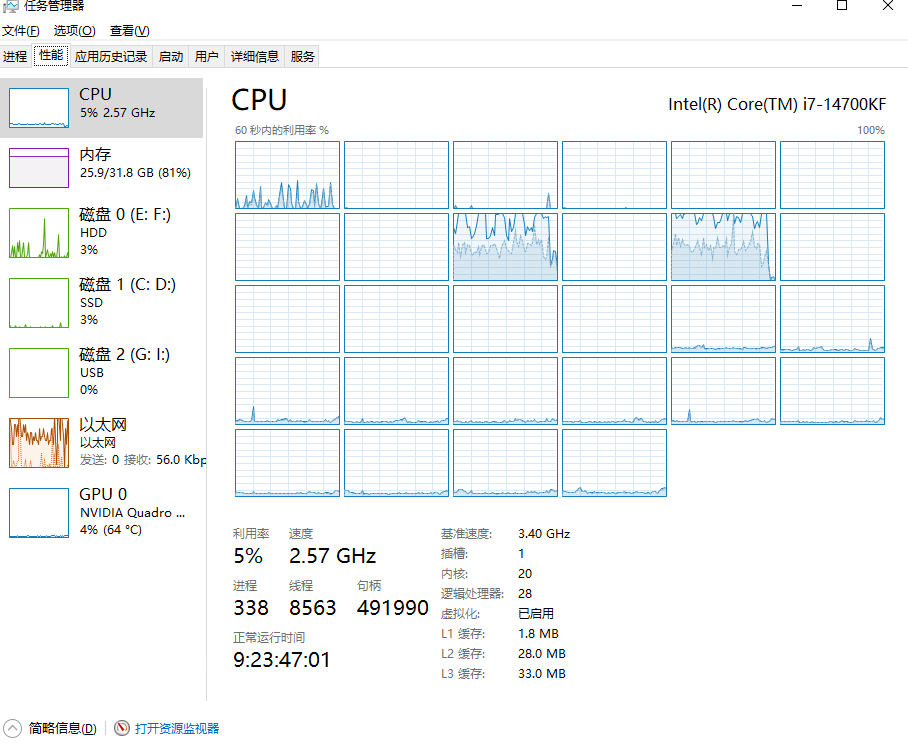
明明电脑配置很高,
cpu和内存占用不满,
但是ai读写文件、导出图片还是卡卡的。
2026-06-19T08:04:56.png

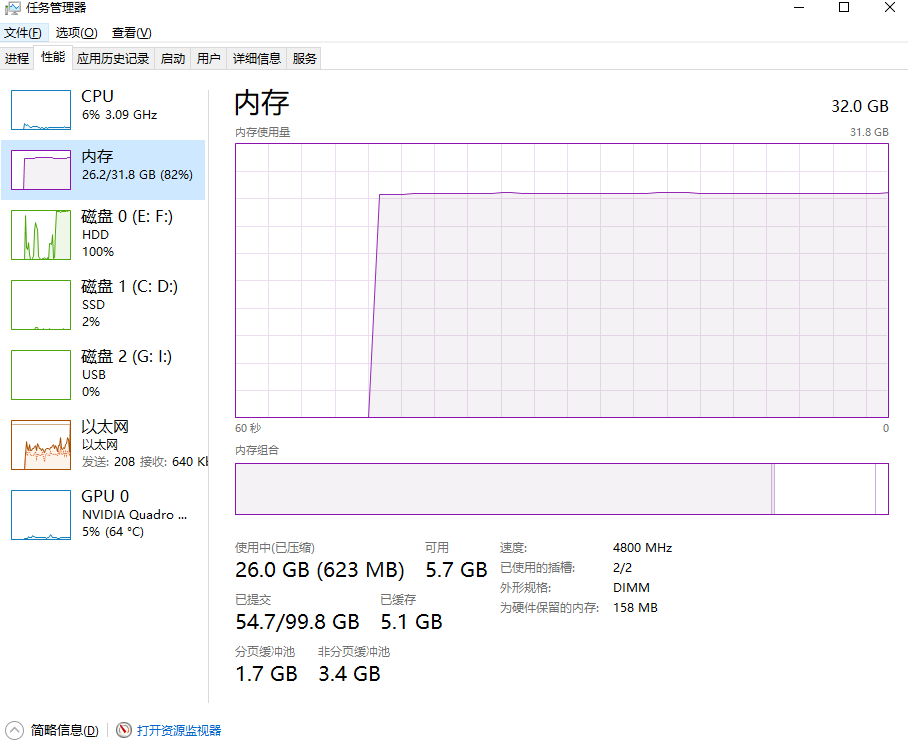
可能问题1 可能是硬盘瓶颈,Illustrator在读写文件,

导出图片,渲染时候会疯狂占用暂存盘,

之前默认的是机械硬盘,读写大文件时候是这样。
2026-06-19T08:08:01.png
机械盘直接100%占用,导致电脑 特别的卡。

解决方案1

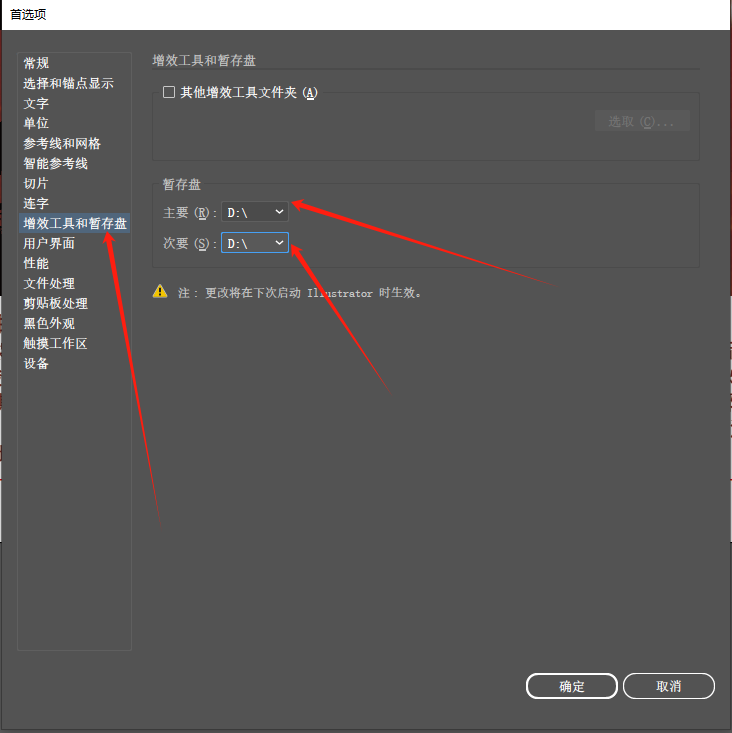
1.打开Illustrator 按Ctrl+K 打开首选项, 把暂存盘设置为固态硬盘。
2026-06-19T08:11:59.png

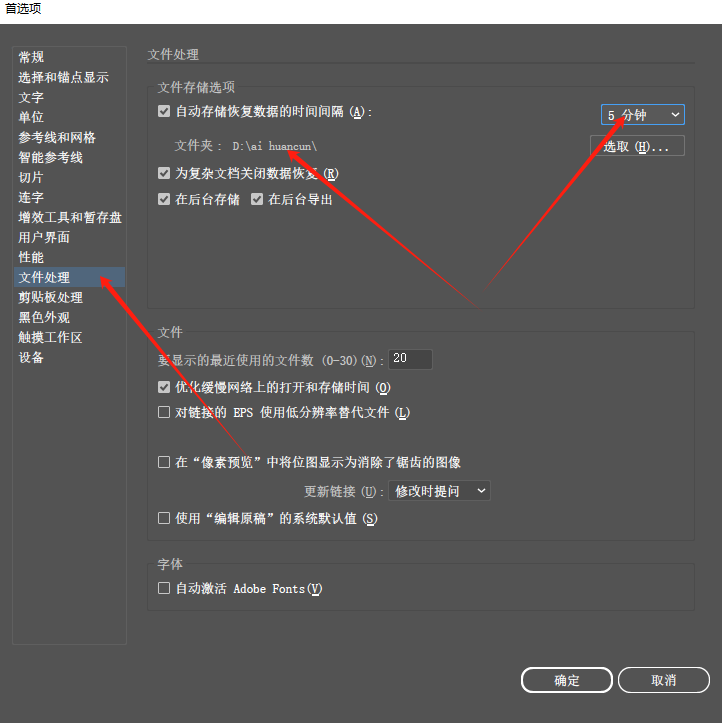
2.还有文件处理,把文件储存选项的位置也更改为固态硬盘位置, 自动储存恢复数据的时间间隔 也根据电脑性能酌情修改,我这里是5分钟。
2026-06-19T08:13:05.png

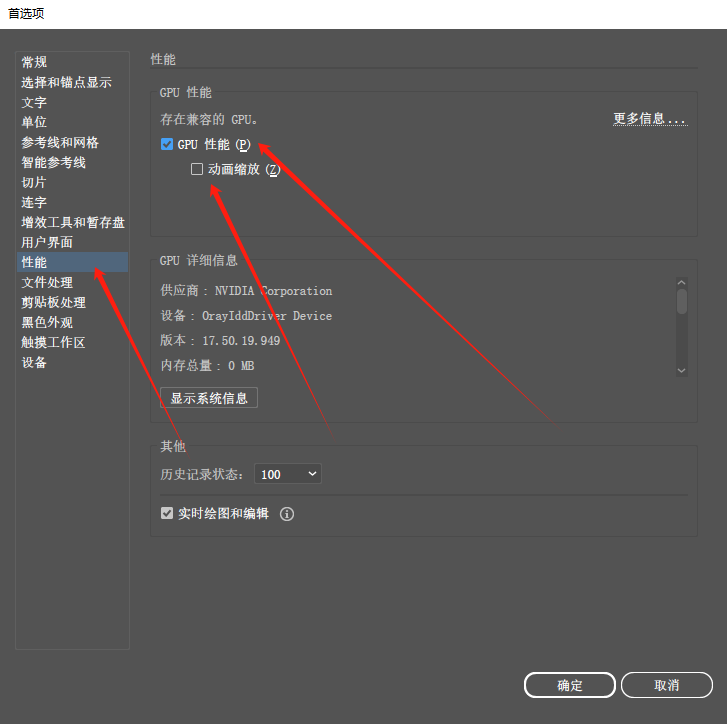
3.点到性能,打开GPU性能。 下面的动画缩放我不习惯使用,就没有勾选。

2026-06-19T08:15:17.png

就这样,应该能解决大部分软件卡顿。

基于adobe Illustrator2024发布。