






AstroPaper v6 is a complete rewrite built on Astro v6, Tailwind CSS v4, and TypeScript v6. This release replaces the legacy SITE / constants.ts configuration with a single unified config file and introduces several structural improvements across the codebase.
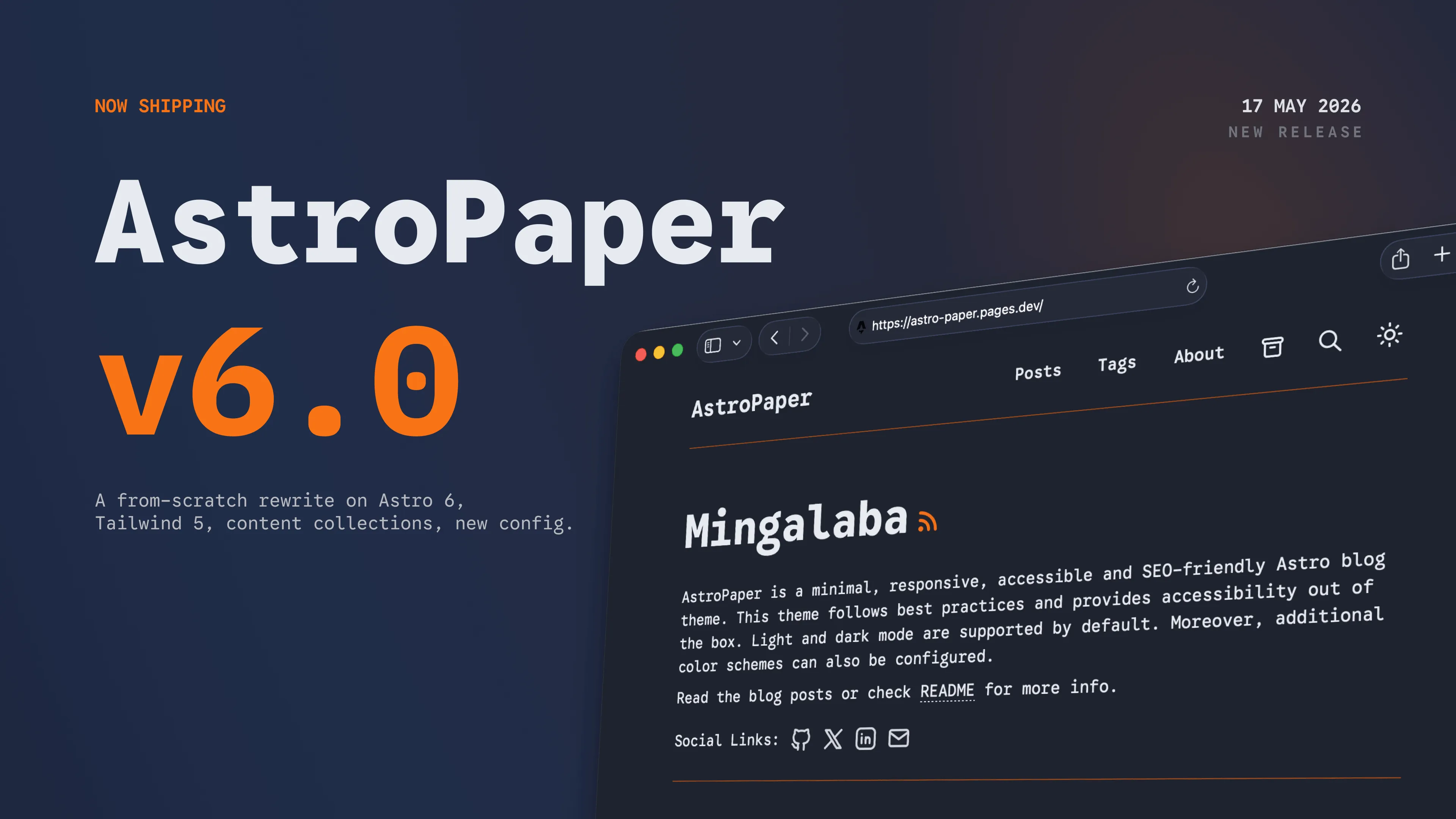
Table of contents
Open Table of contents
- Major Changes
- Upgrade to Astro v6
- New unified config system
- Stable Fonts API
- MDX support
- Content collection restructure
- Design token system
- i18n string extraction
- Base path and subdirectory deploy support
- Google Site Verification via config
- Other Notable Changes
- Summary
- See also
Major Changes
Upgrade to Astro v6
AstroPaper now ships with Astro v6.3, which includes:
- Stable Content Layer API —
glob()loader replaces the oldtype: "content"collection pattern. - Stable Fonts API —
experimental.fontshas graduated to a top-levelfontskey inastro.config.ts. - TypeScript v6 — full support for the latest TypeScript compiler.
New unified config system
The flat SITE object in src/config.ts and the separate constants.ts file have been replaced by a single astro-paper.config.ts at the project root. Use defineAstroPaperConfig() for full IntelliSense:
import { defineAstroPaperConfig } from "./src/types/config";

export default defineAstroPaperConfig({
  site: {
    url: "https://your-site.com/",
    title: "AstroPaper",
    description: "…",
    author: "Your Name",
    lang: "en",
    timezone: "UTC",
    googleVerification: "your-verification-value",
  },
  posts: {
    perPage: 4,
    perIndex: 4,
    scheduledPostMargin: 15 * 60 * 1000, // ms
  },
  features: {
    lightAndDarkMode: true,
    dynamicOgImage: true,
    showArchives: true,
    showBackButton: true,
    editPost: { enabled: true, url: "https://github.com/…/edit/main/" },
    search: "pagefind",
  },
  socials: [{ name: "github", url: "https://github.com/…" }],
  shareLinks: [{ name: "x", url: "https://x.com/intent/post?url=" }],
});astro-paper.config.ts
All options — site metadata, pagination, feature flags, social links, and share links — now live in one file.
Stable Fonts API
Font configuration has graduated from experimental.fonts to a top-level fonts key in astro.config.ts, matching Astro v6’s stable API:
export default defineConfig({
  fonts: [
    {
      name: "Google Sans Code",
      cssVariable: "--font-google-sans-code",
      provider: fontProviders.google(),
      weights: [300, 400, 500, 600, 700],
      styles: ["normal", "italic"],
    },
  ],
});astro.config.ts
MDX support
@astrojs/mdx is now included. Posts can use the .mdx extension to embed components, use JSX expressions, and import from other files. The content loader pattern **/[^_]*.{md,mdx} picks up both formats automatically.
Content collection restructure
Blog posts have moved from src/data/blog/ to src/content/posts/, aligning with Astro conventions. A new pages collection at src/content/pages/ covers standalone pages (About, etc.). The posts collection uses Astro’s glob() loader — defineCollection with type: "content" is no longer used:
const posts = defineCollection({
  loader: glob({ pattern: "**/[^_]*.{md,mdx}", base: "./src/content/posts" }),
  schema: ({ image }) =>
    z.object({
      author: z.string(),
      pubDatetime: z.date(),
      title: z.string(),
      tags: z.array(z.string()).default(["others"]),
      description: z.string(),
      // …
    }),
});src/content.config.ts
Design token system
The 5-token color palette from v5 has grown to 7 tokens in src/styles/theme.css. Tokens are defined as CSS custom properties and registered to Tailwind v4 via @theme inline:
@theme inline {
  --color-background: var(--background);
  --color-foreground: var(--foreground);
  --color-accent: var(--accent);
  --color-accent-foreground: var(--accent-foreground);
  --color-muted: var(--muted);
  --color-muted-foreground: var(--muted-foreground);
  --color-border: var(--border);
}

:root,
[data-theme="light"] {
  --background: #fdfdfd;
  --foreground: #282728;
  --accent: #006cac;
  --accent-foreground: #ffffff;
  --muted: #e6e6e6;
  --muted-foreground: #6b7280;
  --border: #ece9e9;
}

[data-theme="dark"] {
  --background: #212737;
  --foreground: #eaedf3;
  --accent: #ff6b01;
  --accent-foreground: #ffffff;
  --muted: #343f60;
  --muted-foreground: #afb9ca;
  --border: #ab4b08;
}src/styles/theme.css
theme.css is a separate file imported by global.css. The two new tokens are --accent-foreground and --muted-foreground.
All UI strings are extracted to src/i18n/lang/en.ts with the UIStrings interface. Adding a new language requires only a new file in src/i18n/lang/:
export default {
  nav: { home: "Home", posts: "Posts" /* … */ },
  post: { publishedAt: "Published at" /* … */ },
  /* … */
} satisfies UIStrings;src/i18n/lang/en.ts
The tplStr() helper handles parameterized strings so translators can reorder tokens freely.
Base path and subdirectory deploy support
All internal links go through getRelativeLocaleUrl() and the withBase.ts helpers (stripLocale, stripBase, getAssetPath). Deploying to a subdirectory (e.g. /astro-paper) works without manual link updates.
Google Site Verification via config
The preferred way to set Google Site Verification is site.googleVerification in astro-paper.config.ts:
export default defineAstroPaperConfig({
  site: {
    // …
    googleVerification: "your-google-site-verification-value",
  },
});astro-paper.config.ts
The PUBLIC_GOOGLE_SITE_VERIFICATION environment variable is still supported as a fallback for cases where you prefer not to commit the value to the config file.
PUBLIC_GOOGLE_SITE_VERIFICATION=your-google-site-verification-value.envWhen both are set, site.googleVerification takes precedence.
Other Notable Changes
- Updated and renamed helper/util functions.
- Adjacent post navigation (prev/next) is now computed once in
getStaticPathsand passed as props — the component no longer fetches all posts per page. _components/scoping: post-specific components live underpages/posts/[...slug]/_components/and do not pollute the globalsrc/components/directory.PostLayout.astrohandles structured data and SEO only — post page logic lives in the page file itself.
Summary
AstroPaper v6 retains its minimal, clean look while rebuilding the internals around Astro v6’s new primitives. The config system is simpler, the codebase is easier to navigate, and the theme ships ready for i18n and subdirectory deployments out of the box.