


Thanks to the hard work from our contributors, Lubuntu 24.04 LTS has been released. With the codename Noble Numbat, Lubuntu 24.04 is the 26th release of Lubuntu, the 12th release of Lubuntu with LXQt as the default desktop environment.
With Lubuntu 24.04 being a long-term support interim release, it will follow the standard LTS support period of three years, and will be supported until April 2027.
You can download Lubuntu 24.04 here. If you would like to upgrade your existing 23.10 installation, please visit our manual page describing the process. Common Ubuntu instructions can be found here.
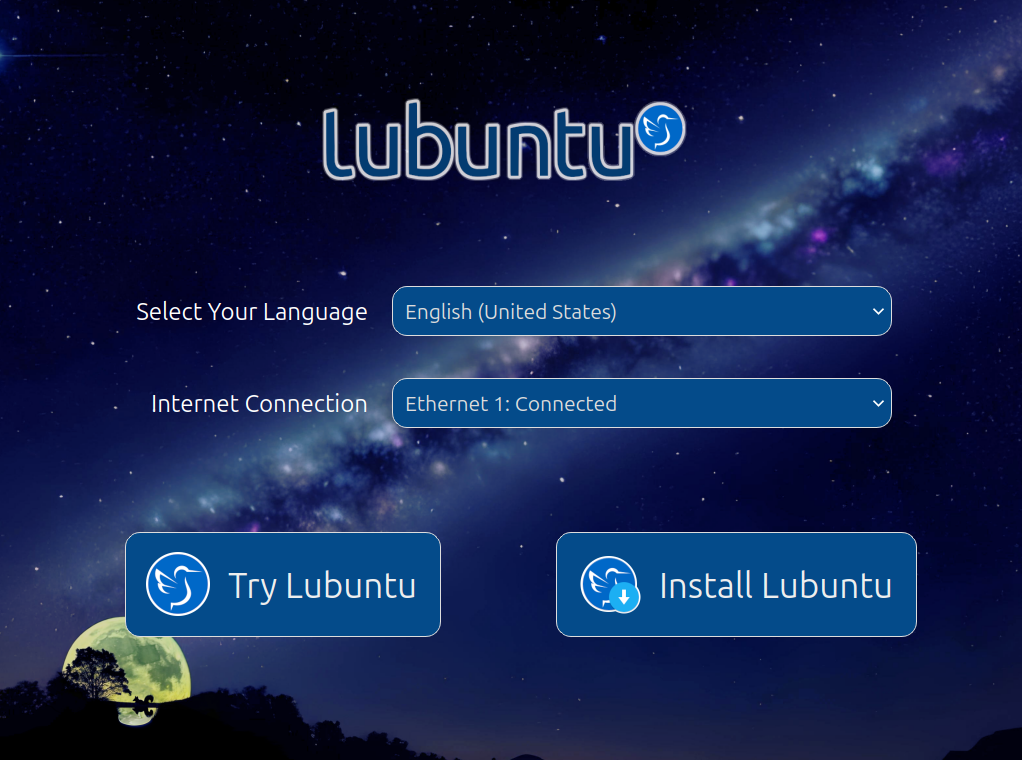
Lubuntu now ships an attractive "installer prompt", which provides a simple, intuitive, and beautiful environment from which to connect to the Internet, set your desired language, and choose to Try or Install Lubuntu. If you select a different language and choose to Try Lubuntu, the live session will automatically be updated for that language.
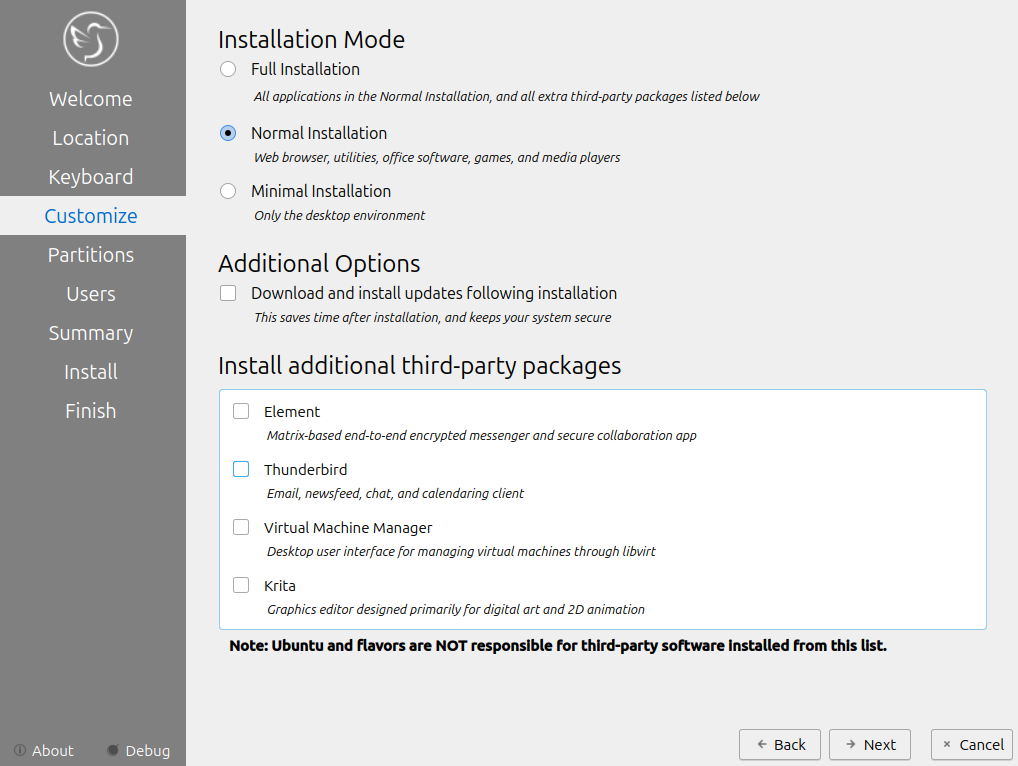
Traditionally, installing Lubuntu only provides a regular installation mode (a single option for installs). This changes with Lubuntu 24.04, where you can now pick between Normal, Full, and Minimal. A Normal installation gives you a traditional Lubuntu experience. The Minimal mode ships with just the desktop environment and essential components (no web browser or snapd). A Full installation is the same as Normal, but comes with several recommended third-party apps:
In addition, you can choose to download and install updates during the installation procedure rather than having to install them afterwards. This can help speed up the installation process and get you up-and-running quicker.
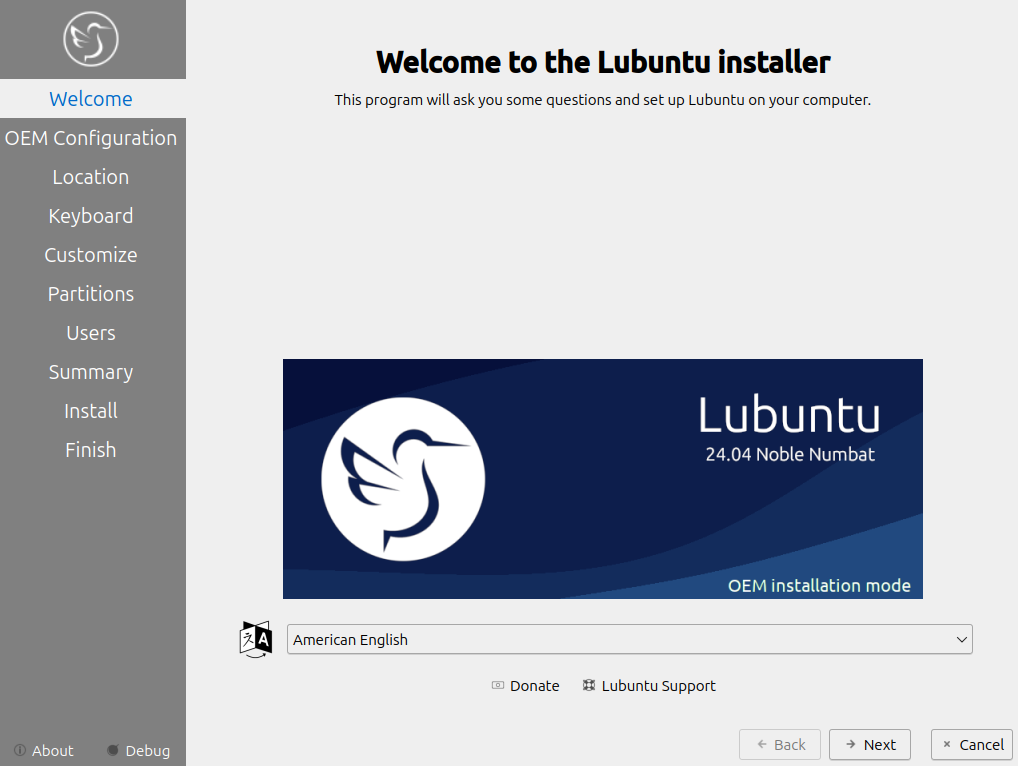
Since our transition to LXQt over five years ago, we've been notably missing one very useful feature – an OEM installation mode. In the past, it was possible to install and configure Lubuntu on a system, then prepare it for shipping to an end-user. This is useful for hardware manufacturers or people giving a computer to someone else, but is not functionality we retained.
We are pleased to report that the OEM installer has made a comeback in Lubuntu 24.04.
If you're looking to sell, provision, or donate hardware with Lubuntu preinstalled, the OEM installation mode is meant for you. OEM installation is exactly the same as normal installation, except for the user account created at install time is a temporary OEM user rather than a permanent user. After installation, you can:
Once the system is configured properly, you can activate the "Prepare for shipping to end user" icon on the desktop, confirm that you are finished configuring the system, shut the computer down, and then send it to its intended destination. When the user receives it and powers it on, they will be shown a first-boot setup screen allowing them to configure their own user account.
You can activate OEM installation mode by selecting "OEM install (for manufacturers)" in the ISO boot menu. Alternatively, you can boot the ISO normally, click Try Lubuntu, and then launch the OEM installer from the Application Menu > System > Install Lubuntu 24.04 LTS (OEM mode).
It's not often that we add new utilities to Lubuntu, but this cycle we added several new applications to our default install, providing several new and powerful features we think you'll enjoy using.
We now ship Blueman as our Bluetooth manager. This provides a convenient system tray icon for managing bluetooth devices. If your system is Bluetooth-enabled, a status icon will automatically appear in the toolbar.
Have you always wanted to configure the login screen? Good news, you now can! The SDDM configuration editor allows you to modify the login screen settings, changing the theme used, adjusting the reboot and shutdown commands used, and much more.
Our previous software update installer has been replaced by a new-and-improved utility, "Lubuntu Update". The UI has been substantially revamped, update notifications have been integrated into the system better, and you can now manually check for updates and install them whenever you want.
If you are one of the many users that benefit from having a night color mode on your system, you'll be happy to hear that Lubuntu now ships a night color feature via Redshift-Qt. You can enable it by running Redshift from the application menu.
Lubuntu is the lightest official Ubuntu flavor. That is by design – we try to keep things small, sleek, and clean, rather than big, heavy, and fancy. This commitment to a lightweight experience is most evident in our lack of fancy desktop effects.
What if you actually want some fancy desktop effects?
With the Picom Configuration utility, you can now easily enable window transparency, titlebar transparency, shadows, and fade-in/fade-out effects on your desktop, and more. Note that changes made in this utility will require you to log out and log back in before they take effect.

Thanks to the efforts of our team and the work of other open-source artists and designers, we have significantly refreshed the artwork in Lubuntu 24.04:
lxqt-themes-extra package to get two new LXQt themes (win-eleven-dark and sombre-et-rond).Please also check the Ubuntu Release Notes for more common issues and bugs affecting all Ubuntu flavors.
Lubuntu is an official Ubuntu flavor which uses the Lightweight Qt Desktop Environment (LXQt). The project’s goal is to provide a lightweight yet functional Linux distribution based on a rock-solid Ubuntu base. Lubuntu provides a simple but modern and powerful graphical user interface, and comes with a wide variety of applications so you can browse, email, chat, play, and be productive. You can find the following major applications and toolkits installed by default in this release:
You can find a variety of other applications installed which aim to enhance your experience while staying out of the way of your normal workflow. New features and bugfixes in core Ubuntu components can be found here.
The Lubuntu Team has been hard at work in polishing the Lubuntu Manual to make it easy for new and experienced users alike to use their system more productively. The manual can be found at manual.lubuntu.me. We want to thank Lyn Perrine for all the hard work she has put into the Lubuntu Manual. Thank you! Versions of the Lubuntu Manual:
Need help quickly? The Lubuntu Manual can be accessed via the “Lubuntu Manual” desktop icon.
We can always use more help! No matter your skill level or your technical experience, there’s something you can help with that can make a huge difference in Lubuntu. Join us on our chat (which is bridged three ways to Matrix, Telegram, and IRC) and talk to us there. Whether you know another language, have some spare time to help us test Lubuntu, are good at writing documentation, or just want to stay “in the know,” that is the place to be. More information about contributing can be found here. If you want to contribute to Lubuntu but do not feel you have the time or skills, consider buying a t-shirt or donating to Lubuntu. Another great method to get involved is bug reporting. If you notice an issue, please file a bug using the instructions on the Lubuntu Wiki. Don’t want to file a bug? Let us know what the problem is (in detail, enough that we can reproduce it) and we can assist you in filing one or do it ourselves.
We would like to thank the following contributors for dedicating their time to Lubuntu this cycle. Thank you!
The Lubuntu Global Team has been created to foster communities in non-English languages and locales. An up-to-date list of our communities can be found on our Links page, but the existing groups include: Spanish, Portuguese, Russian, Italian, Chinese, German, Japanese, Arabic, and French. If you would like to start a language group, join our development channel and talk with the Global Team. At minimum, you should have a few interested drivers of the community, and at least one administrator that speaks English. We now have multiple languages available in the support section of our Discourse forum.
此内容由惯性聚合(RSS阅读器)自动聚合整理,仅供阅读参考。 原文来自 — 版权归原作者所有。