


If you are using Cloudflare DNS and need to get a DNS Zone API key and Account ID, this post is for you. Why would you need this information? There are two primary reasons that come to mind:
Why get a DNS Zone API token vs. a global token? A global token has “root” like access to your Cloudflare account. This is way more permission than any DDNS or Letsencrypt services need and is a big security risk. You should only scope API tokens to the bare minimum access required to do the job.
Tip: Cloudflare DNS is free, and does NOT require that you use Cloudflare as your domain registrar. You can use any registrar you want and configure it to use the Cloudflare DNS servers for free.
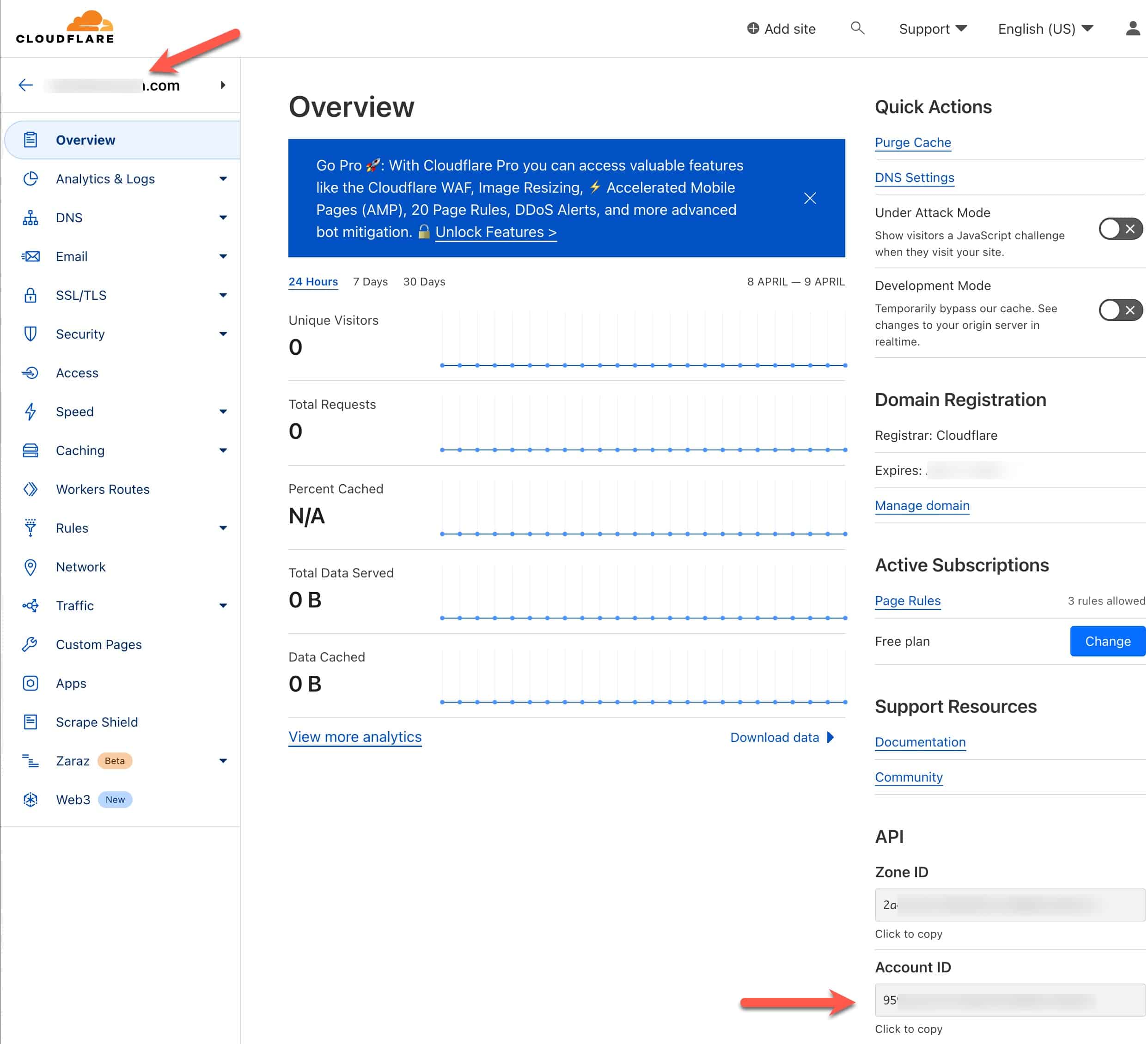
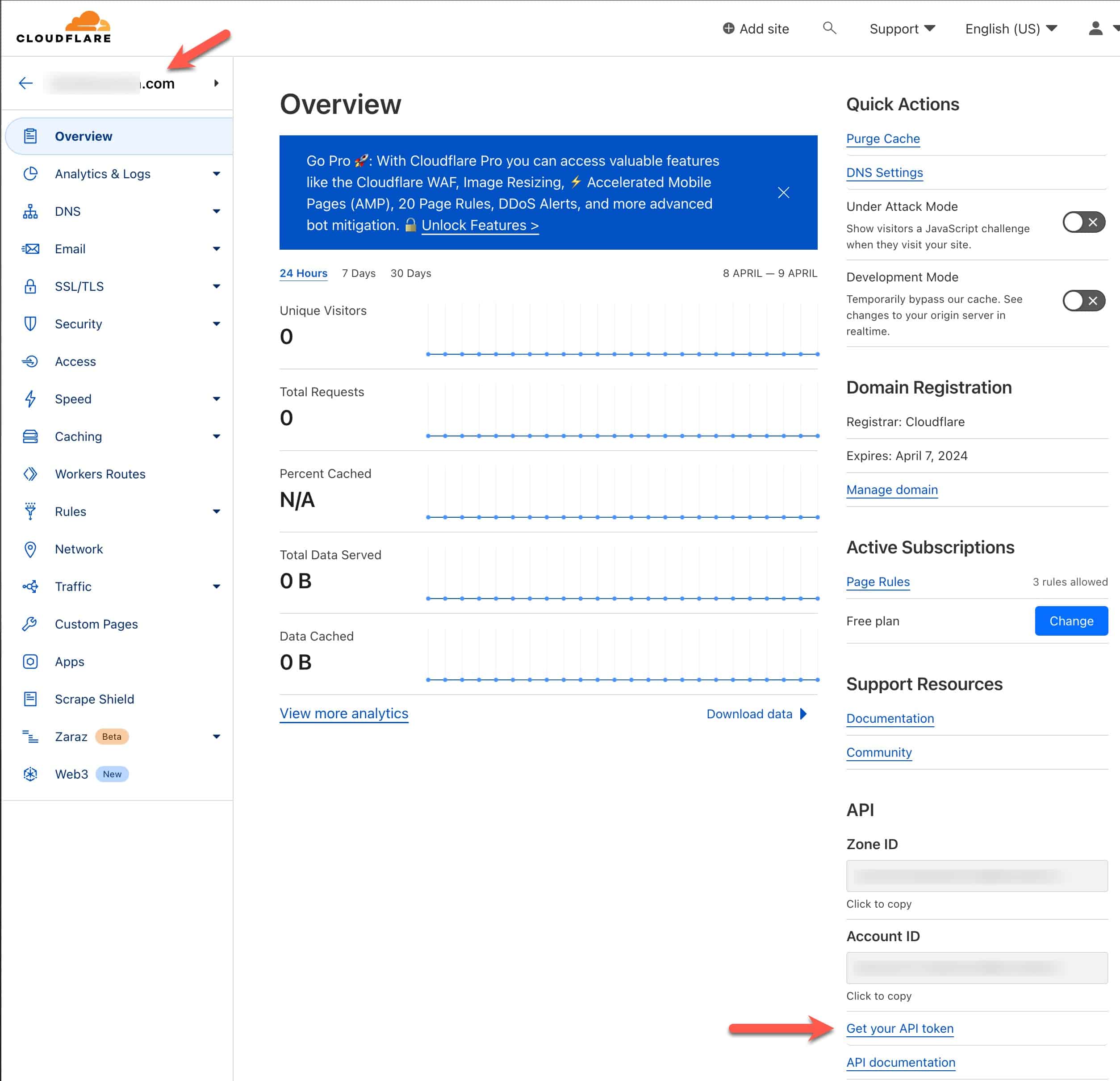
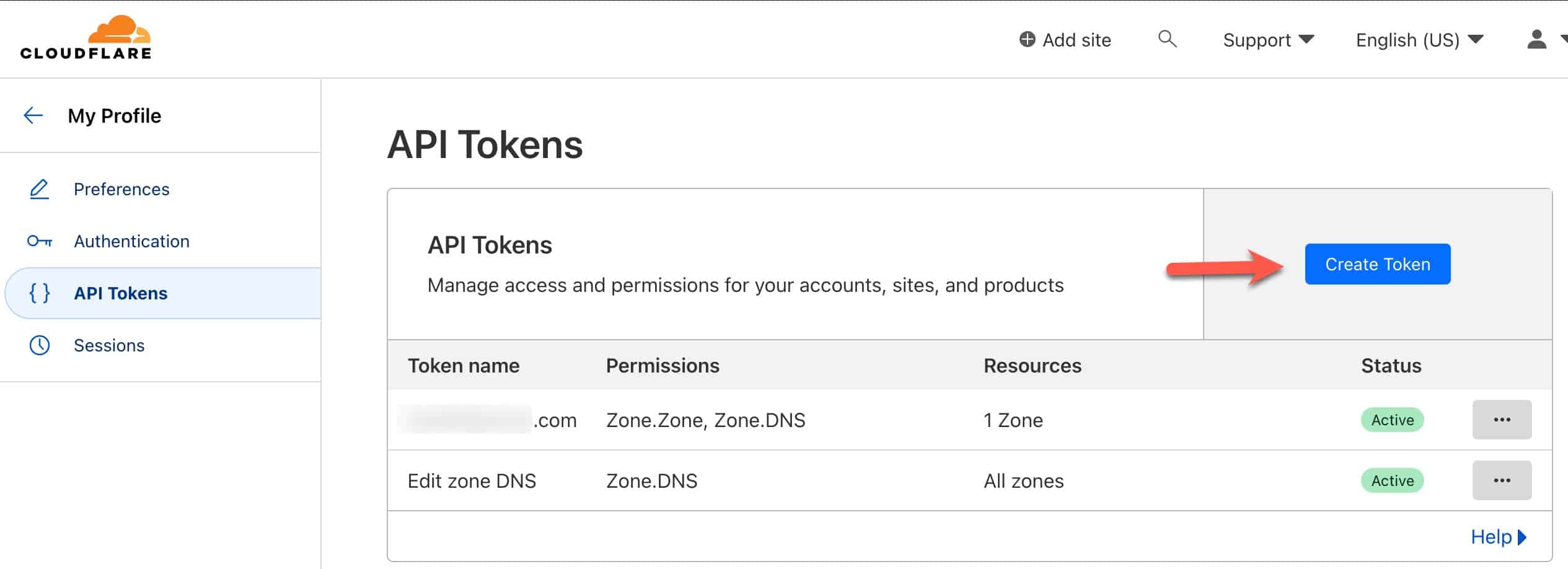
2. On the next page click on Create Token.
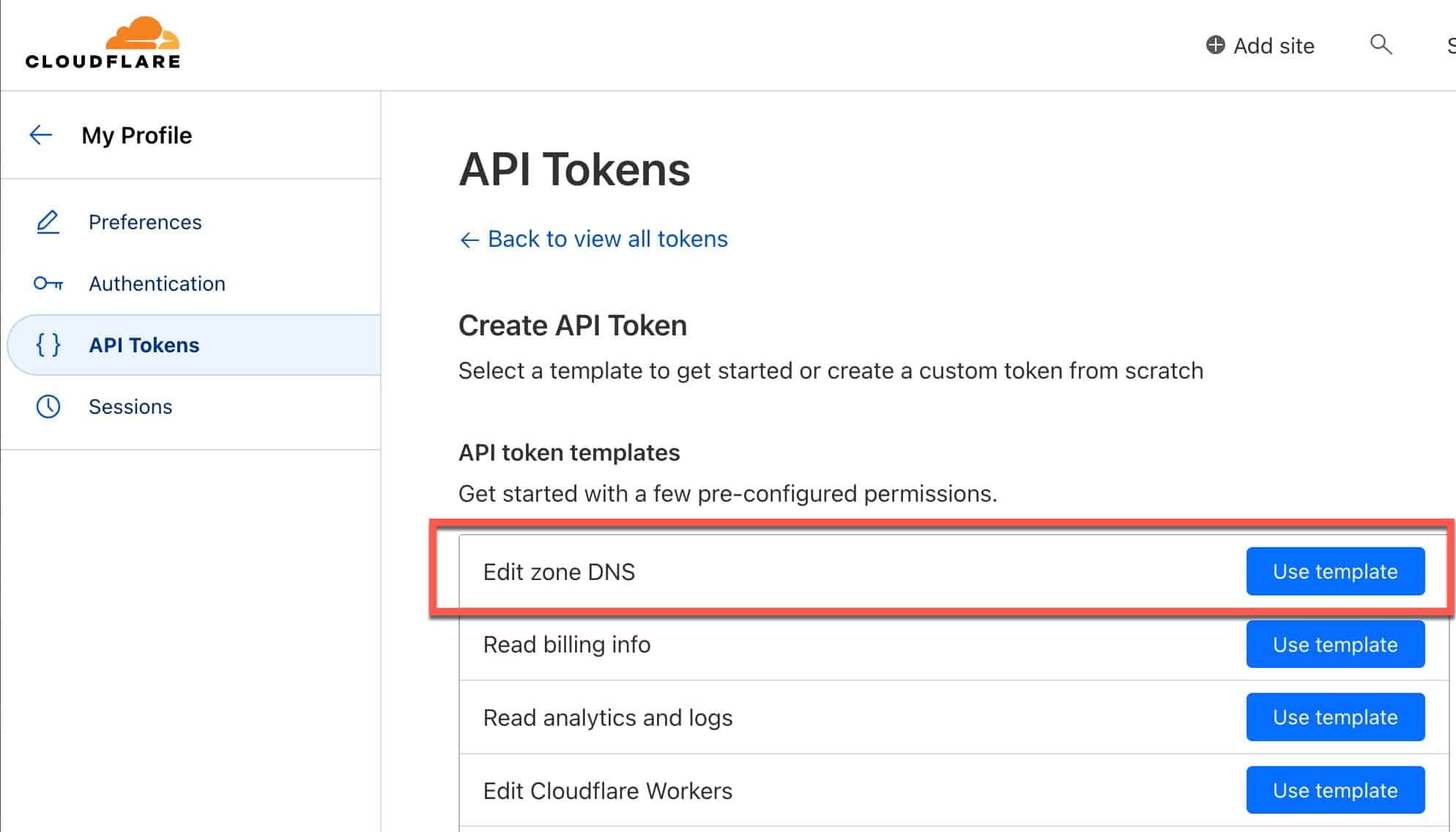
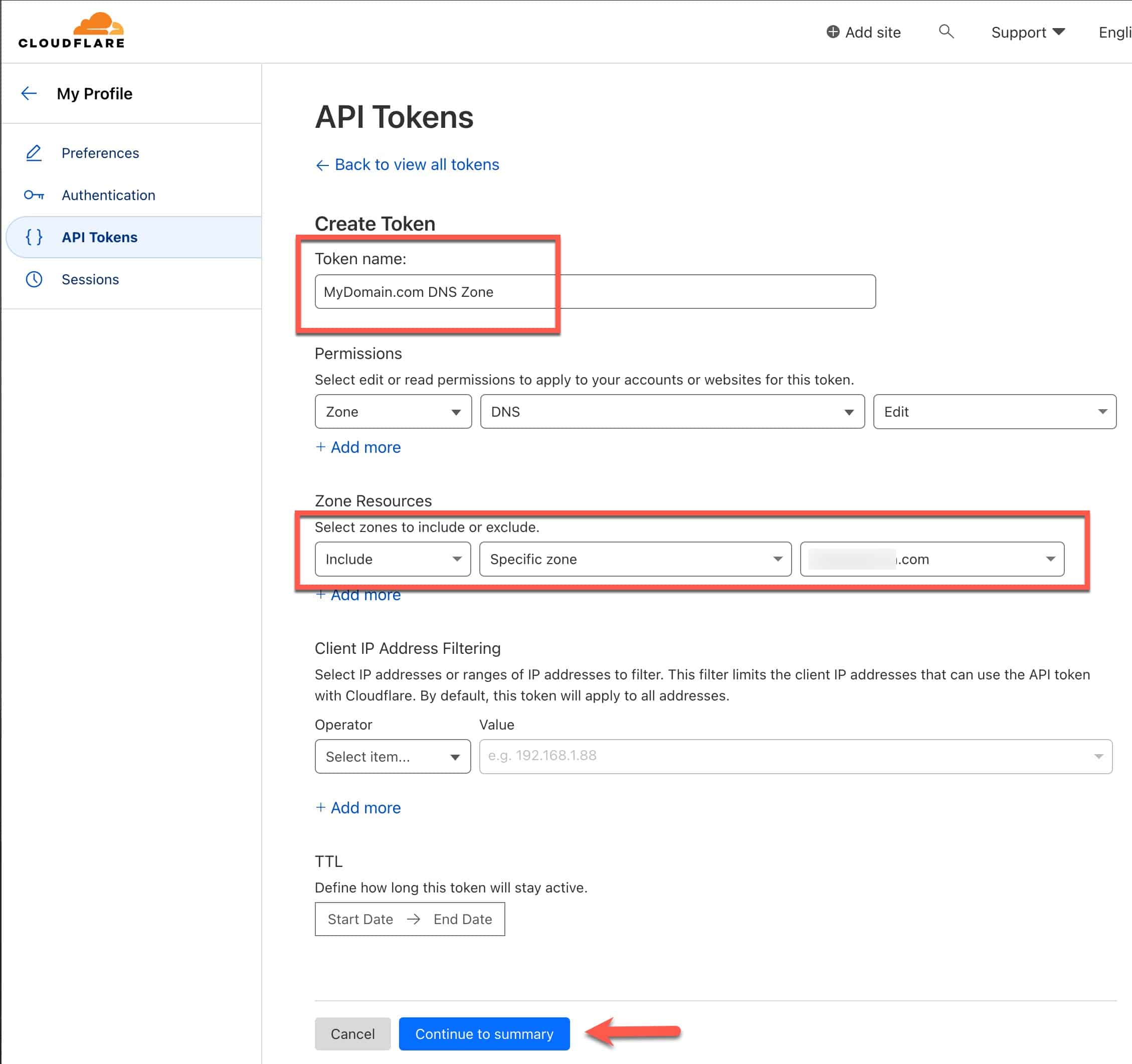
3. On the API Tokens screen next to Edit zone DNS click on Use Template.
4. Create a name for your token. I suggest using a name such as FQDN DNS Zone (e.g. mydomain.com DNS Zone).
5. Under Zone Resources use the domain drop down to select the domain you want to create the API token for.
6. Click on Continue to summary.
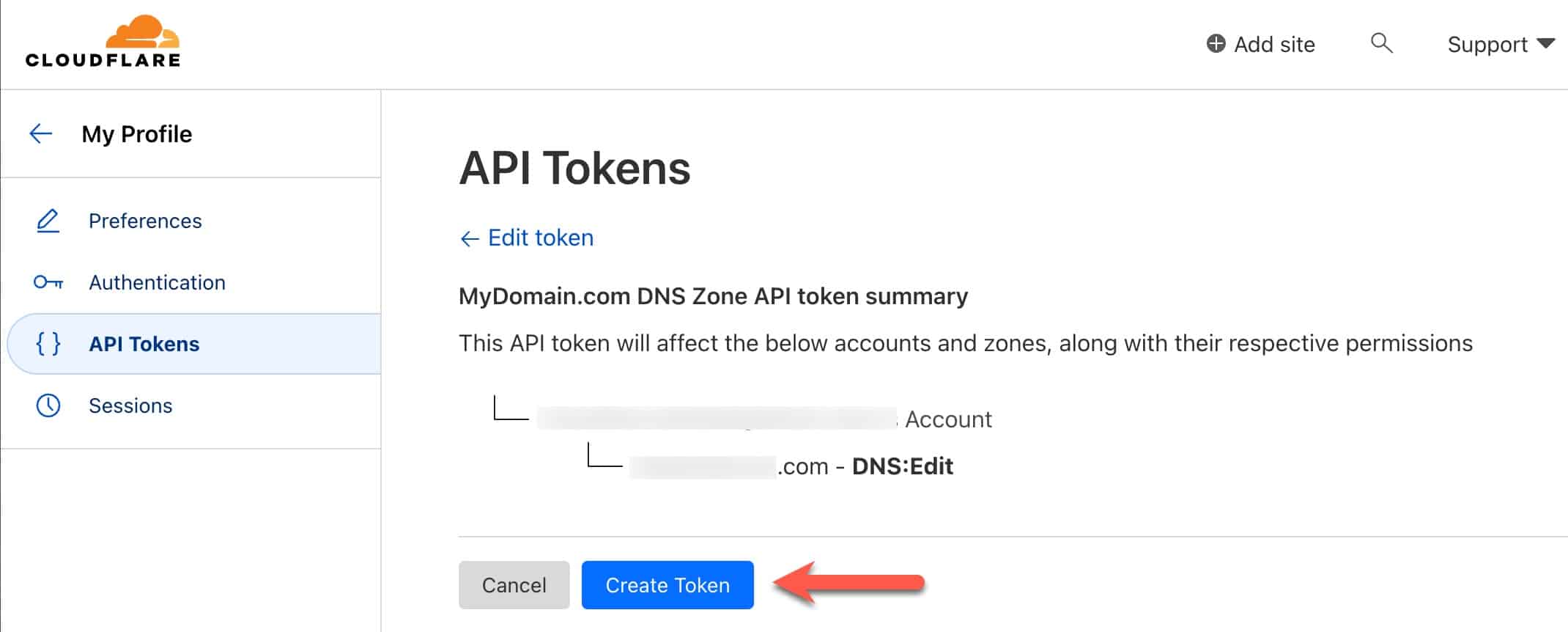
7. Review the API Tokens summary and click Create Token.
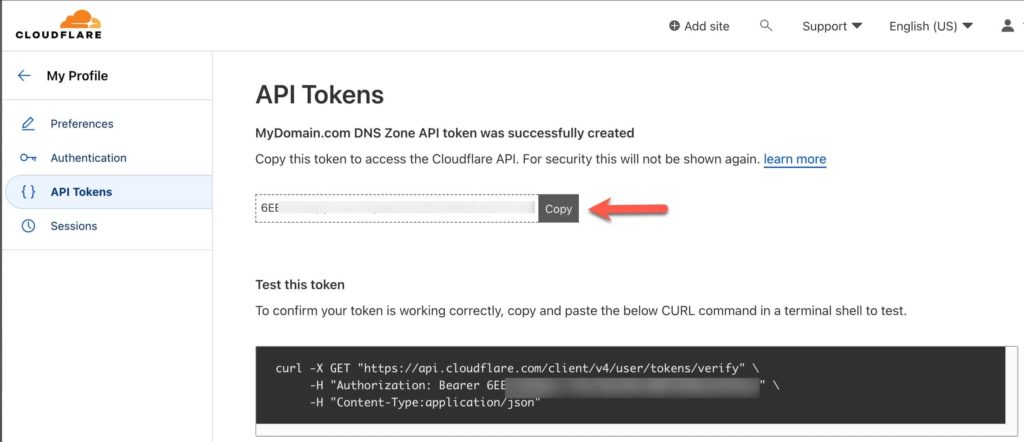
8. Copy the API token to and save it in a safe place, like a password manager. It will never be displayed again.
Getting your Cloudflare Zone API key and Account ID is very straight forward. Using a Zone API key is much more secure than using a Global API key. You can use this information for Dynamic DNS (DDNS) or services such as Letsencrypt to issue trusted SSL certificates for your domain.
此内容由惯性聚合(RSS阅读器)自动聚合整理,仅供阅读参考。 原文来自 — 版权归原作者所有。