
惯性聚合 高效追踪和阅读你感兴趣的博客、新闻、科技资讯
阅读原文 在惯性聚合中打开

推荐订阅源

Cloudbric
Cloudbric
有赞技术团队
有赞技术团队
CTFtime.org: upcoming CTF events
T
Threat Research - Cisco Blogs
L
LangChain Blog
Simon Willison's Weblog
Project Zero
Project Zero
Latest news
Latest news
S
Schneier on Security
Cisco Talos Blog
Cisco Talos Blog
MyScale Blog
MyScale Blog
C
Check Point Blog
IT之家
IT之家
P
Palo Alto Networks Blog
Threat Intelligence Blog | Flashpoint
C
CERT Recently Published Vulnerability Notes
Scott Helme
Scott Helme
The Hacker News
The Hacker News
C
CXSECURITY Database RSS Feed - CXSecurity.com
G
Google Developers Blog
T
Tor Project blog
T
Threatpost
D
DataBreaches.Net
博客园 - 【当耐特】
酷 壳 – CoolShell
酷 壳 – CoolShell
T
Troy Hunt's Blog
奇客Solidot–传递最新科技情报
奇客Solidot–传递最新科技情报
Vercel News
Vercel News
云风的 BLOG
云风的 BLOG
NISL@THU
NISL@THU
P
Privacy & Cybersecurity Law Blog
cs.AI updates on arXiv.org
C
Cisco Blogs
博客园_首页
S
Securelist
T
The Exploit Database - CXSecurity.com
Last Week in AI
Last Week in AI
量子位
U
Unit 42
Know Your Adversary
Know Your Adversary
Hugging Face - Blog
Hugging Face - Blog
S
Security Affairs
Google Online Security Blog
Hacker News: Ask HN
Hacker News: Ask HN
Webroot Blog
Webroot Blog
S
SegmentFault 最新的问题
Engineering at Meta
Engineering at Meta
N
News and Events Feed by Topic
P
Proofpoint News Feed
阮一峰的网络日志
阮一峰的网络日志

Derek Seaman's Tech Blog

SmartWings Blinds Review: Matter over Thread Zebra Shades Aqara Camera Hub G350: World’s First Matter v1.5 Camera ESPHome: Micro-Air EasyStart Integration ESPHome: Introducing the Seeed Studio Xiao ESP32-C5 Seeed Studio ESP32 Showdown: C3 vs. C6 vs. S3 (ESPHome Edition) Home Assistant: Updating Aqara FP300 Zigbee Firmware How-To: Using my ESPHome Bluetooth IRK Capture Package Vibe Coding: My ESPHome Bluetooth IRK Capture Tool Home Assistant: Track Who’s in Each Room with ESPHome + Bermuda BLE 3-2-1-1 Go: Implementing Foolproof Backups Proxmox Backup Server (PBS) 4.0 Blog Series How To: Proxmox Backup Server 4 as a Synology VM How To: Backblaze B2 as a Proxmox Backup Server 4 S3 Datastore How To: Synology NFS for Proxmox Backup Server Datastore (2025) How To: Proxmox Backup Server 4 (VM) Installation How MVNOs Like US Mobile Can Save You Money on Your Cell Phone Bill Data Brokers Exposed: How to Opt Out and Secure Your Personal Data Digital Privacy Decoded: Simple Ways to Secure Your Information Part 2: Ruckus Unleashed (200.18+) Best Practices Guide Part 1: Ruckus Unleashed (200.18+) Best Practices Guide 3-2-1 Go: A Step-by-Step Guide to Implementing Foolproof Backups Geek Chic Eyewear: My Optometrist Saga, Eyewear Collection & More Geek Chic Eyewear: Optometry Tools, Eye Health and Insurance Geek Chic Eyewear: Understanding Lens Materials and Designs Essential Tips for a Stable Matter over Thread Network Aqara U200 Thread/Matter/Homekey Smart Lock Impressions Home Assistant: The Ultimate Light Automation Blueprints 6 GHz Wi-Fi: Are Your Devices ready for Standard Power? Demystifying Ruckus Home Wi-Fi: Getting Started Guide Mastering Home Wi-Fi: A Guide to Predictive RF Planning Part 2: Ruckus Unleashed Best Practices Guide Part 2: Ruckus One Home Wi-Fi Best Practices Guide Part 1: Ruckus One Home Wi-Fi Best Practices Guide Smartwings Thread/Matter Blinds Review Ruckus One: Provisioning ICX Switches Goodbye NextDNS, Hello Control D : My New DNS Service Ruckus Unleashed to Ruckus One Migration Guide Unleashing the Power of 6 GHz Wi-Fi: Re-Think Everything Enterprise Grade Home Wi-Fi: Ruckus Unleashed vs. Ruckus One Home Assistant: Ecowitt Weather Station Setup Configuring Netgear M4300 IGMP & MLD Multicast Snooping Configuring TP-Link IGMP & MLD Multicast Snooping Part 3: Smart Home Matter and Thread Deep Dive Part 2: Smart Home Matter and Thread Deep Dive Part 1: Smart Home Matter and Thread Deep Dive Unraveling Apple Shortcuts: A Journey with the Apple Watch Ultra Top macOS App picks (mid-2023) Stecker: Trigger macOS Shortcuts with USB Devices (FREE) Home Assistant: Tracking Apple's Sleep Focus Mode How-to: Proxmox Backup Server 2.4 to 3.0 Upgrade Guide Proxmox VE 8: Windows 11 vGPU (VT-d) Passthrough with Intel Alder Lake Home Assistant: Auto-renewing Let’s Encrypt SSL Designing your own Custom Under Desk Mounting Bracket Home Assistant: Hands-on Adding a Matter Smart Plug (Eve Energy) Ubuntu Kernel Upgrades: The Easy Button Hands On: Beelink Mini-PCs for Proxmox, Home Assistant and Plex Migration Guide: Plex on Synology to Proxmox LXC Proxmox Let’s Encrypt SSL: The Easy Button InfluxDB + Chronograf: Configuring Let’s Encrypt SSL Getting your Cloudflare DNS Zone API Key and Account ID Home Assistant: Installing Grafana (LXC) with Let’s Encrypt SSL Home Assistant: InfluxDB Data Management (LXC) Home Assistant: Proxmox VE 7.4 Quick Start Guide Home Assistant: Getting Started Guide My Stream Deck Productivity Setup (2023 Edition) Home Network Upgrade (2023 Edition) My Dream Desk Setup (2023 Edition) NOTICE: RSS Feed URL Changing (Action Needed) Email aliases: How to easily protect your inbox from spam Top macOS App picks for 2023
InfluxDB 1.x Automated Backups
2023-04-04 · via Derek Seaman's Tech Blog

If you are using InfluxDB 1.x and want to do automated application consistent backup, this post is for you. What is InfluxDB? It’s a time-series database designed to hold long term time-series data, like sensor readings from Home Assistant. It is optimized for time-series data, and is NOT a traditional relational database. 

I’m running InfluxDB 1.x as a LXC container for Home Assistant on Proxmox. However, I want to ensure that I can restore the InfluxDB in a consistent matter should I need to. Just doing a basic Proxmox backup doesn’t ensure a 100% consistent database. However, you can do a “portable” database backup via InfluxDB that ensures the resulting backup is application consistent. 

I have this scheduled to run at 2am every night via cron, and I only keep the last two backups (to conserve space). Then at 2:30am I perform a Proxmox backup of the LXC container. This means the Proxmox backup has both the “portable” application consistent backup and a crash consistent backup. 

I created the InfluxDB LXC container via tteck’s Promox Helper Scripts. The procedure below may differ if your configuration is different. If you are running InfluxDB inside of Home Assistant OS as an add-on, don’t use this script. In stead, I would configure your HAOS backup application (like Google Drive) to stop InfluxDB before it takes a backup.

Backup Configuration

This procedure creates a /backup folder at the root level of the container. Then a folder is automatically created for each day in the format yyyy_mm_dd. All backups for that day are in this folder. 

1. Open a console to your InfluxDB LXC instance and type the following commands. When prompted chose the editor of your choice.

				
					mkdir /home/influxdb_scripts
mkdir /backups
sudo crontab -e


2. Once your crontab file is open add the following line, save, and exit:

				
					0 2 * * * python3 /home/influxdb_scripts/influx_backup.py


3. Run the following command to create the python script:

				
					nano /home/influxdb_scripts/influx_backup.py


4. Copy and paste the script below into nano, save, and exit. Note: If you want to change the retention of the backup from 2 days, then modify the “2” on line 16. 

				
					import os
from datetime import date

today = date.today()

d1 = today.strftime("%Y_%m_%d")
print("Date", d1)

command = "mkdir /backups/" + d1
#print(command)
os.system(command)

command = "influxd backup -portable /backups/" + d1
os.system(command)

command = "sudo find /backups/* -mtime +2 -type d -exec rm -rf {} \;"
os.system(command)

os.system("echo Backups Done!")


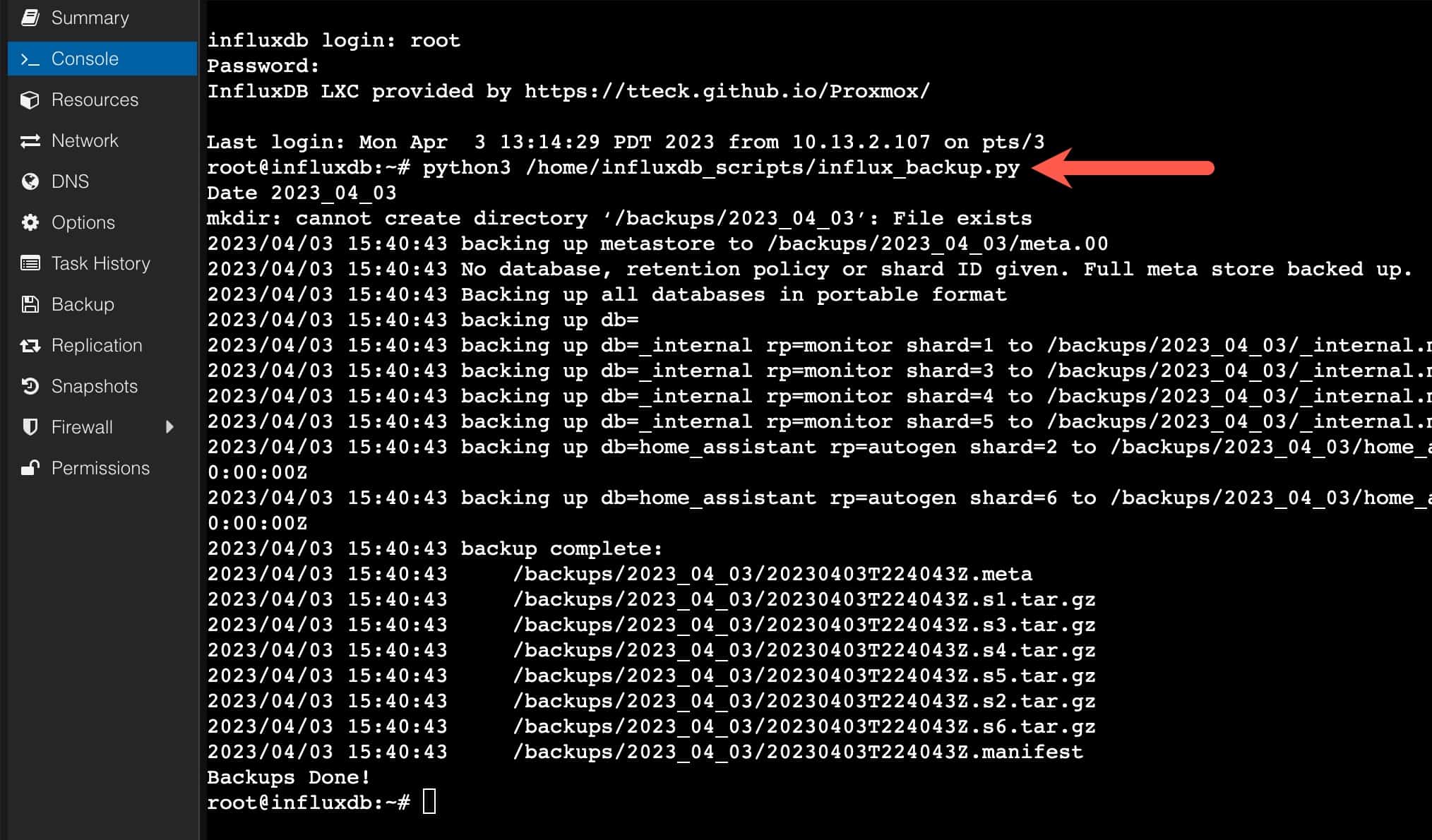
5. You can now run the backup script and see if there are any errors:

				
					python3 /home/influxdb_scripts/influx_backup.py


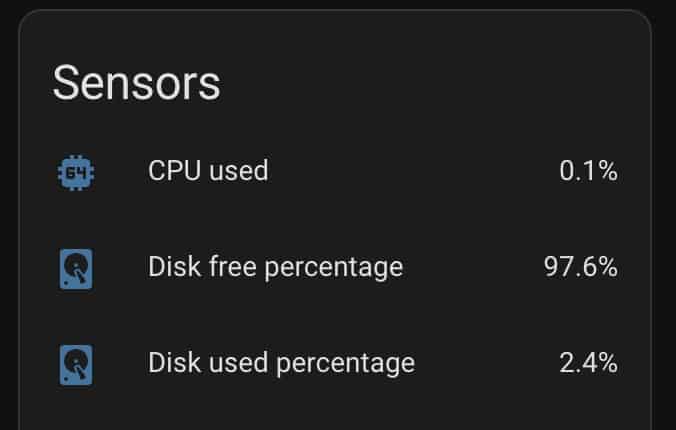
6. If you are using Home Assistant and have the Proxmox integration, you can leverage the sensors on the LXC container to monitor your disk utilization. Since your database can get quite large over time, monitoring disk space is very important. I’d setup some type of notification when disk space gets low.
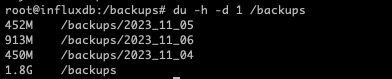
7. After some period of time after the backups have been running you can check how much disk space is being used:

				
					du -h -d 1 /backups


Summary

If you want to ensure your InfluxDB is backed up in a consistent state, then relying on Proxmox snapshot backups is not a good idea. By using cron to schedule a “portable” nightly backup and only keeping two copies, then Proxmox backup has an application consistent backup that you can restore from should the need arise. Be sure your container has enough disk space for 3 copies (1 production, 2 backups) plus a bit of space to spare.

Related Posts

SmartWings Blinds Review: Matter over Thread Zebra Shades

Aqara Camera Hub G350: World’s First Matter v1.5 Camera

ESPHome: Micro-Air EasyStart Integration

ESPHome: Introducing the Seeed Studio Xiao ESP32-C5

2 thoughts on “InfluxDB 1.x Automated Backups”

  1. Steve

    How do I restore the backup?

    1. I haven’t written a post on that, but I’ll add it to my backlog.