惯性聚合 高效追踪和阅读你感兴趣的博客、新闻、科技资讯
阅读原文 在惯性聚合中打开

推荐订阅源

F
Fortinet All Blogs
宝玉的分享
宝玉的分享
酷 壳 – CoolShell
酷 壳 – CoolShell
T
The Exploit Database - CXSecurity.com
Help Net Security
Help Net Security
腾讯CDC
Project Zero
Project Zero
C
CXSECURITY Database RSS Feed - CXSecurity.com
IT之家
IT之家
C
Cyber Attacks, Cyber Crime and Cyber Security
T
Tailwind CSS Blog
Threat Intelligence Blog | Flashpoint
D
Darknet – Hacking Tools, Hacker News & Cyber Security
L
LINUX DO - 最新话题
K
KPMG report finds enterprise disconnect between AI and its ROI | CIO
T
Threatpost
N
News | PayPal Newsroom
C
Cybersecurity and Infrastructure Security Agency CISA
Hacker News - Newest:
Hacker News - Newest: "LLM"
S
SegmentFault 最新的问题
cs.AI updates on arXiv.org
P
Proofpoint News Feed
A
Arctic Wolf
B
Blog RSS Feed
Forbes - Security
Forbes - Security
P
Privacy & Cybersecurity Law Blog
Attack and Defense Labs
V2EX - 技术
V2EX - 技术
P
Proofpoint News Feed
I
Intezer
Application and Cybersecurity Blog
阮一峰的网络日志
阮一峰的网络日志
aimingoo的专栏
aimingoo的专栏
T
Tenable Blog
MyScale Blog
MyScale Blog
U
Unit 42
Cyber Security Advisories - MS-ISAC
WordPress大学
WordPress大学
W
WeLiveSecurity
D
DataBreaches.Net
奇客Solidot–传递最新科技情报
奇客Solidot–传递最新科技情报
G
GRAHAM CLULEY
有赞技术团队
有赞技术团队
Martin Fowler
Martin Fowler
罗磊的独立博客
The Last Watchdog
The Last Watchdog
让小产品的独立变现更简单 - ezindie.com
V
Vulnerabilities – Threatpost
美团技术团队
Microsoft Security Blog

Derek Seaman's Tech Blog

SmartWings Blinds Review: Matter over Thread Zebra Shades Aqara Camera Hub G350: World’s First Matter v1.5 Camera ESPHome: Micro-Air EasyStart Integration ESPHome: Introducing the Seeed Studio Xiao ESP32-C5 Home Assistant: Updating Aqara FP300 Zigbee Firmware How-To: Using my ESPHome Bluetooth IRK Capture Package Vibe Coding: My ESPHome Bluetooth IRK Capture Tool Home Assistant: Track Who’s in Each Room with ESPHome + Bermuda BLE 3-2-1-1 Go: Implementing Foolproof Backups Proxmox Backup Server (PBS) 4.0 Blog Series How To: Proxmox Backup Server 4 as a Synology VM How To: Backblaze B2 as a Proxmox Backup Server 4 S3 Datastore How To: Synology NFS for Proxmox Backup Server Datastore (2025) How To: Proxmox Backup Server 4 (VM) Installation How MVNOs Like US Mobile Can Save You Money on Your Cell Phone Bill Data Brokers Exposed: How to Opt Out and Secure Your Personal Data Digital Privacy Decoded: Simple Ways to Secure Your Information Part 2: Ruckus Unleashed (200.18+) Best Practices Guide Part 1: Ruckus Unleashed (200.18+) Best Practices Guide 3-2-1 Go: A Step-by-Step Guide to Implementing Foolproof Backups Geek Chic Eyewear: My Optometrist Saga, Eyewear Collection & More Geek Chic Eyewear: Optometry Tools, Eye Health and Insurance Geek Chic Eyewear: Understanding Lens Materials and Designs Essential Tips for a Stable Matter over Thread Network Aqara U200 Thread/Matter/Homekey Smart Lock Impressions Home Assistant: The Ultimate Light Automation Blueprints 6 GHz Wi-Fi: Are Your Devices ready for Standard Power? Demystifying Ruckus Home Wi-Fi: Getting Started Guide Mastering Home Wi-Fi: A Guide to Predictive RF Planning Part 2: Ruckus Unleashed Best Practices Guide Part 2: Ruckus One Home Wi-Fi Best Practices Guide Part 1: Ruckus One Home Wi-Fi Best Practices Guide Smartwings Thread/Matter Blinds Review Ruckus One: Provisioning ICX Switches Goodbye NextDNS, Hello Control D : My New DNS Service Ruckus Unleashed to Ruckus One Migration Guide Unleashing the Power of 6 GHz Wi-Fi: Re-Think Everything Enterprise Grade Home Wi-Fi: Ruckus Unleashed vs. Ruckus One Home Assistant: Ecowitt Weather Station Setup Configuring Netgear M4300 IGMP & MLD Multicast Snooping Configuring TP-Link IGMP & MLD Multicast Snooping Part 3: Smart Home Matter and Thread Deep Dive Part 2: Smart Home Matter and Thread Deep Dive Part 1: Smart Home Matter and Thread Deep Dive Unraveling Apple Shortcuts: A Journey with the Apple Watch Ultra Top macOS App picks (mid-2023) Stecker: Trigger macOS Shortcuts with USB Devices (FREE) Home Assistant: Tracking Apple's Sleep Focus Mode How-to: Proxmox Backup Server 2.4 to 3.0 Upgrade Guide Proxmox VE 8: Windows 11 vGPU (VT-d) Passthrough with Intel Alder Lake Home Assistant: Auto-renewing Let’s Encrypt SSL Designing your own Custom Under Desk Mounting Bracket Home Assistant: Hands-on Adding a Matter Smart Plug (Eve Energy) Ubuntu Kernel Upgrades: The Easy Button Hands On: Beelink Mini-PCs for Proxmox, Home Assistant and Plex Migration Guide: Plex on Synology to Proxmox LXC Proxmox Let’s Encrypt SSL: The Easy Button InfluxDB + Chronograf: Configuring Let’s Encrypt SSL Getting your Cloudflare DNS Zone API Key and Account ID Home Assistant: Installing Grafana (LXC) with Let’s Encrypt SSL Home Assistant: InfluxDB Data Management (LXC) InfluxDB 1.x Automated Backups Home Assistant: Proxmox VE 7.4 Quick Start Guide Home Assistant: Getting Started Guide My Stream Deck Productivity Setup (2023 Edition) Home Network Upgrade (2023 Edition) My Dream Desk Setup (2023 Edition) NOTICE: RSS Feed URL Changing (Action Needed) Email aliases: How to easily protect your inbox from spam Top macOS App picks for 2023
Seeed Studio ESP32 Showdown: C3 vs. C6 vs. S3 (ESPHome Edition)
2026-01-26 · via Derek Seaman's Tech Blog

I’ve recently gone down the ESPHome rabbit hole with Home Assistant. My primary uses cases are Bluetooth proxies and capturing Bluetooth IRKs for room-level presence detection. In this post I cover three popular Seeed Studio ESP32 devices: C3, C6 and S3. I’ve created Github repos for each model to simplify their use with ESPHome. If you have any interest in getting started with ESPHome, this post is for you. 

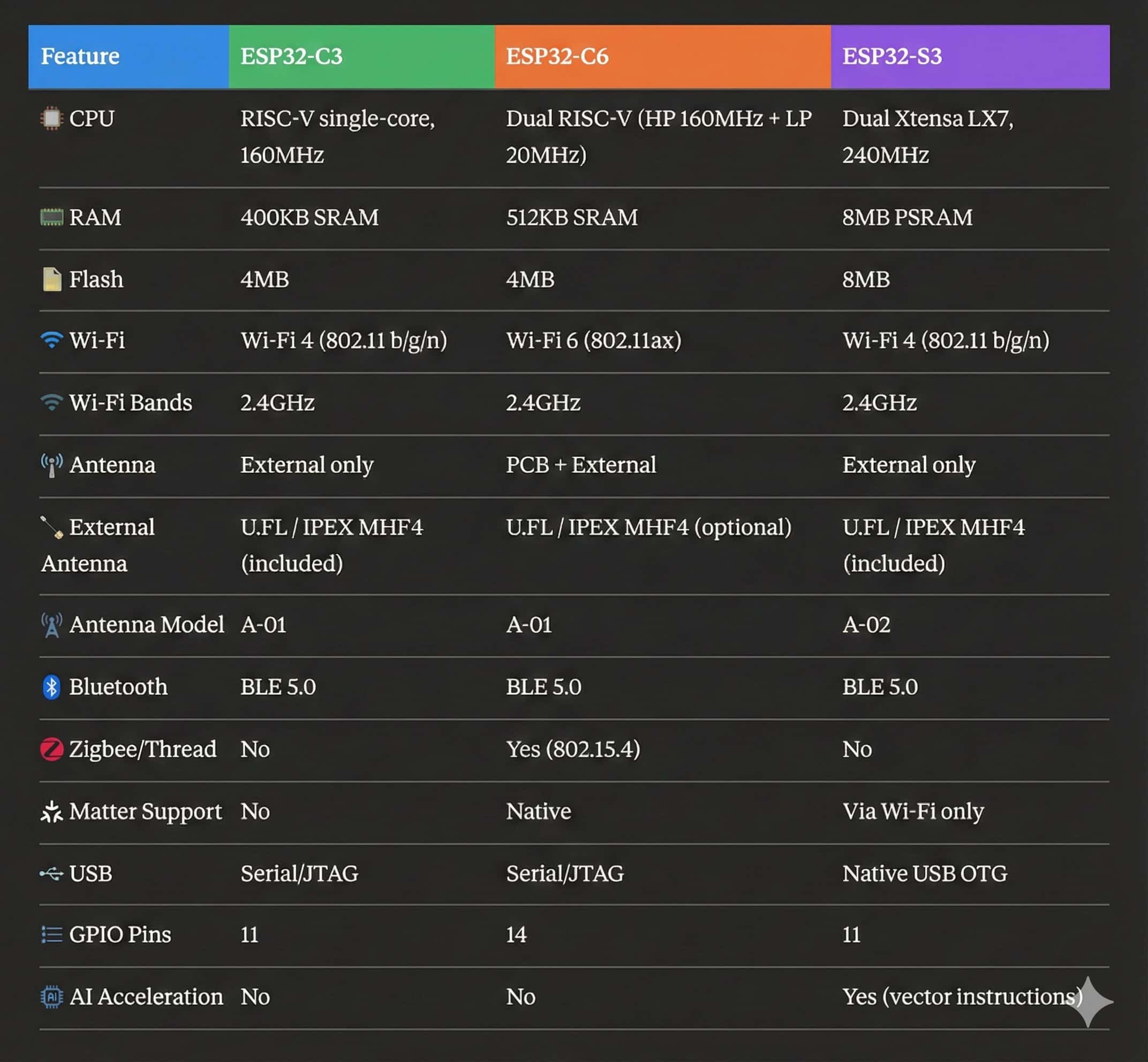
Seeed ESP32 Model Comparison

Seeed Studio has a number of ESP32 models including the C3, C6 and S3. New to their lineup is also the C5, but they won’t be available until March 2026. I have a few on order, so assuming they work with ESPHome I’ll update my Github repo. The big features in the C5 are the support for dual band Wi-Fi (2.4 & 5 GHz) along with Thread/Zigbee. 

Your intended use(s) will influence which ESP32 model you will want to use. Up until recently the C3 series made a poor Bluetooth proxy, but the 2026.1 ESPHome build has made this more possible through platform optimizations. However, I would consider a different model for the Bluetooth proxy use case. 

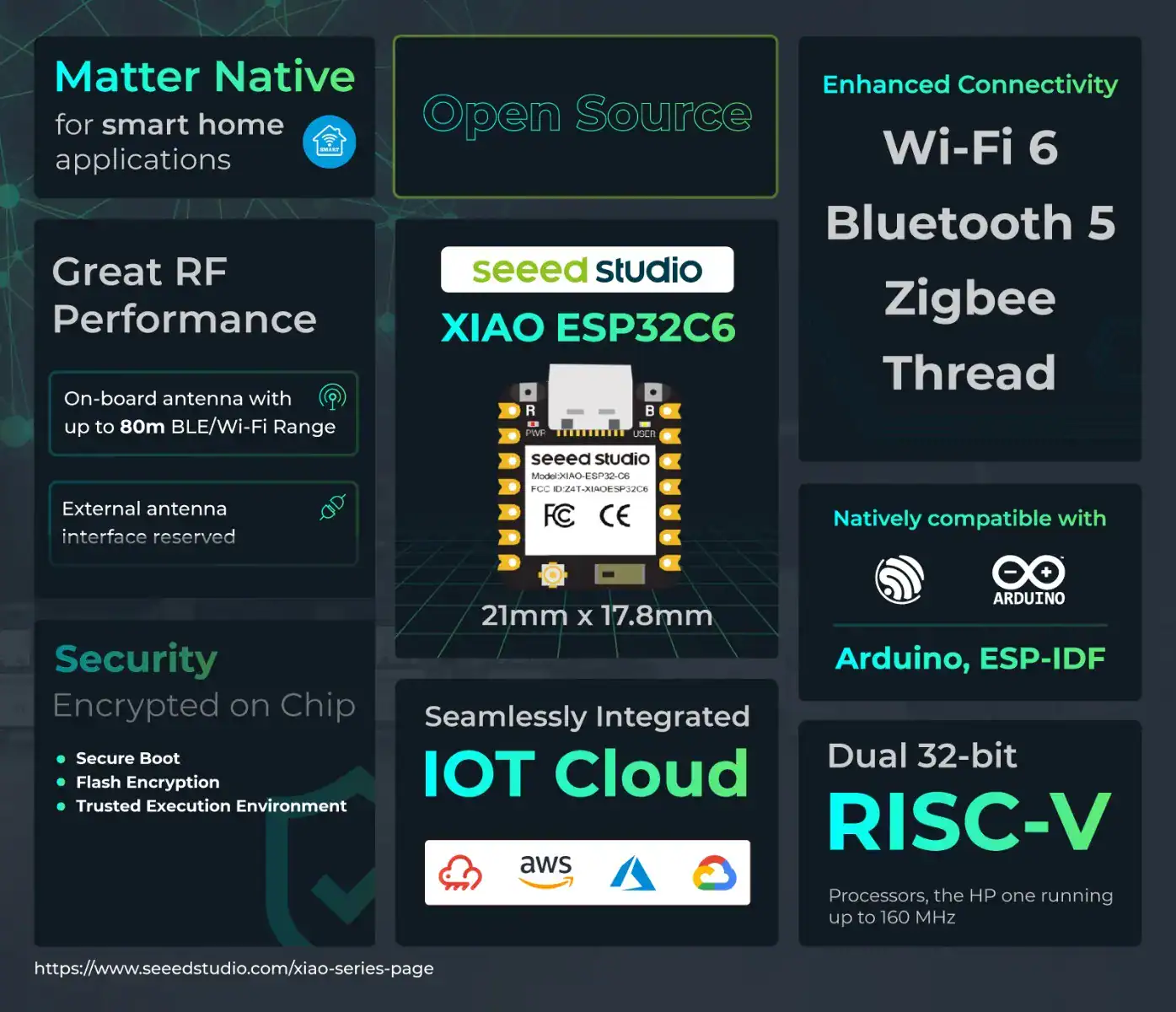
I’ve personally standardized on the Seeed Studio ESP32-C6 for my Bluetooth proxy and IRK capture devices. It’s future looking with Wi-Fi 6 support as well as Thread and Zigbee. I also like the fact the C6 has a user controllable status LED, which I leverage for status feedback.

If you have heavier processing needs such as cameras or AI/ML, then the S3 is a good choice. I use the unsoldered versions (no header), since I don’t need to access any of the GPIO pins. All of these models are the same size at roughly 2 cm square. Tiny! 
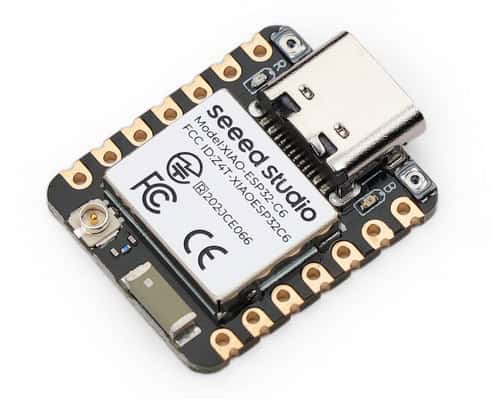
Seeed Studio Xiao ESP32-C6
Seeed Studio ESP32-C6 Specs

The table below lists all of the major features of each Seeed Studio ESP32 module. 
My Github ESPHome Package Repos

ESPHome Bluetooth Proxy Package

One of the most common use cases is that of a Bluetooth Proxy. The screenshot below is from the Seeed Xiao ESP32-C3 Bluetooth Proxy package. The S3 is the same, however the C6 has a toggle control for the external antenna.
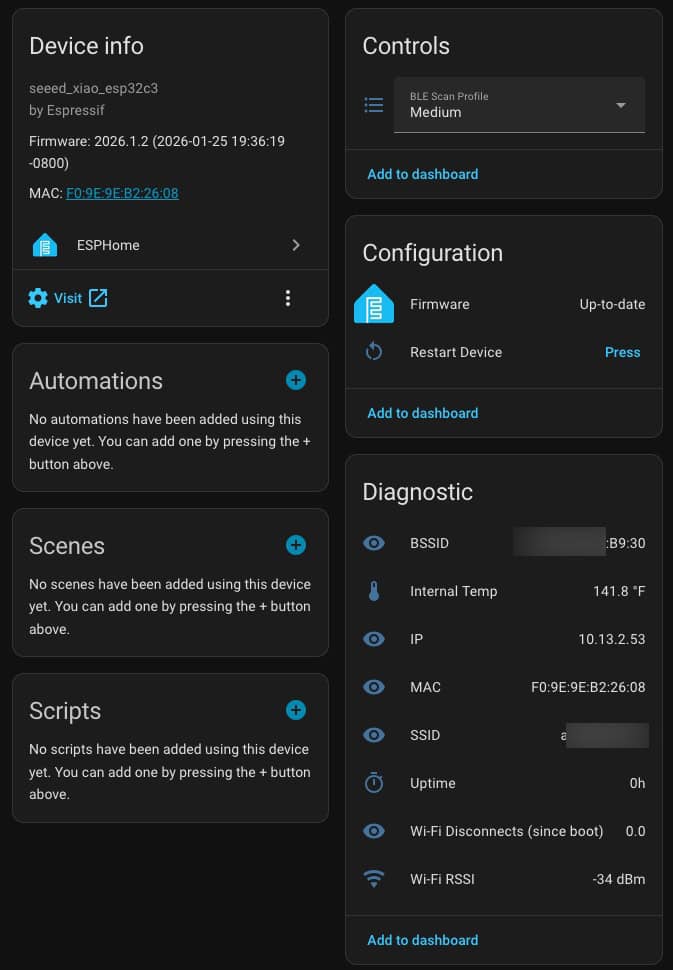
Bluetooth Proxy Package

I tried to include as much diagnostic information as possible to aid with future troubleshooting. I’ve also included three preset Bluetooth scanning profiles: Low, medium (default) and high. I’m personally using medium with excellent results on the ESP32-C6. According to my Ruckus Wi-Fi APs, ‘medium’ consumes about 99MB of traffic every 24 hours, per Bluetooth proxy.
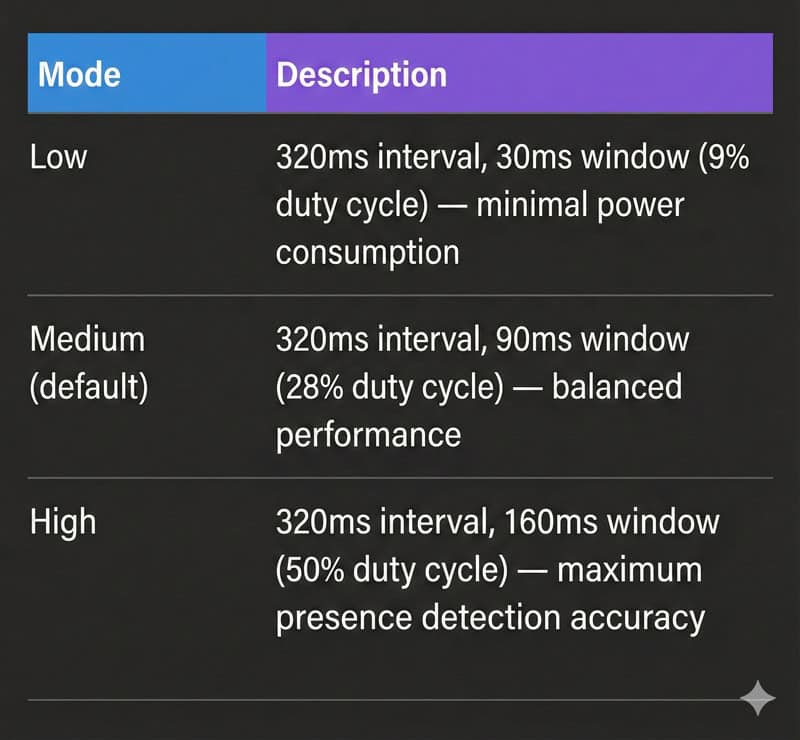
Bluetooth Proxy Scanning Options

ESPHome Bluetooth IRK Capture Package

The second package that I’ve included for each model is the Bluetooth IRK capture package. I’ve tested the package to grab Bluetooth IRKs on the iPhone, Apple Watch, Android phones and watches. 

Many modern smart devices—including iPhones and Apple Watches—use Bluetooth Resolvable Private Addresses (RPA) to protect your privacy. Instead of broadcasting a fixed Bluetooth address that could be used to track you, these devices constantly change their MAC address.

While great for privacy, this makes home presence detection challenging. The solution is Private BLE Device tracking in Home Assistant. By obtaining your device’s Identity Resolving Key (IRK), Home Assistant can identify which rotating addresses belong to your device, enabling reliable presence detection at home without compromising your privacy protection elsewhere.

For more information about room-level tracking with Bluetooth IRKs see my other posts:

How-To: Using my ESPHome Bluetooth IRK Capture Package
Home Assistant: Track Who’s in Each Room with ESPHome + Bermuda BLE
Vibe Coding: My ESPHome Bluetooth IRK Capture Tool
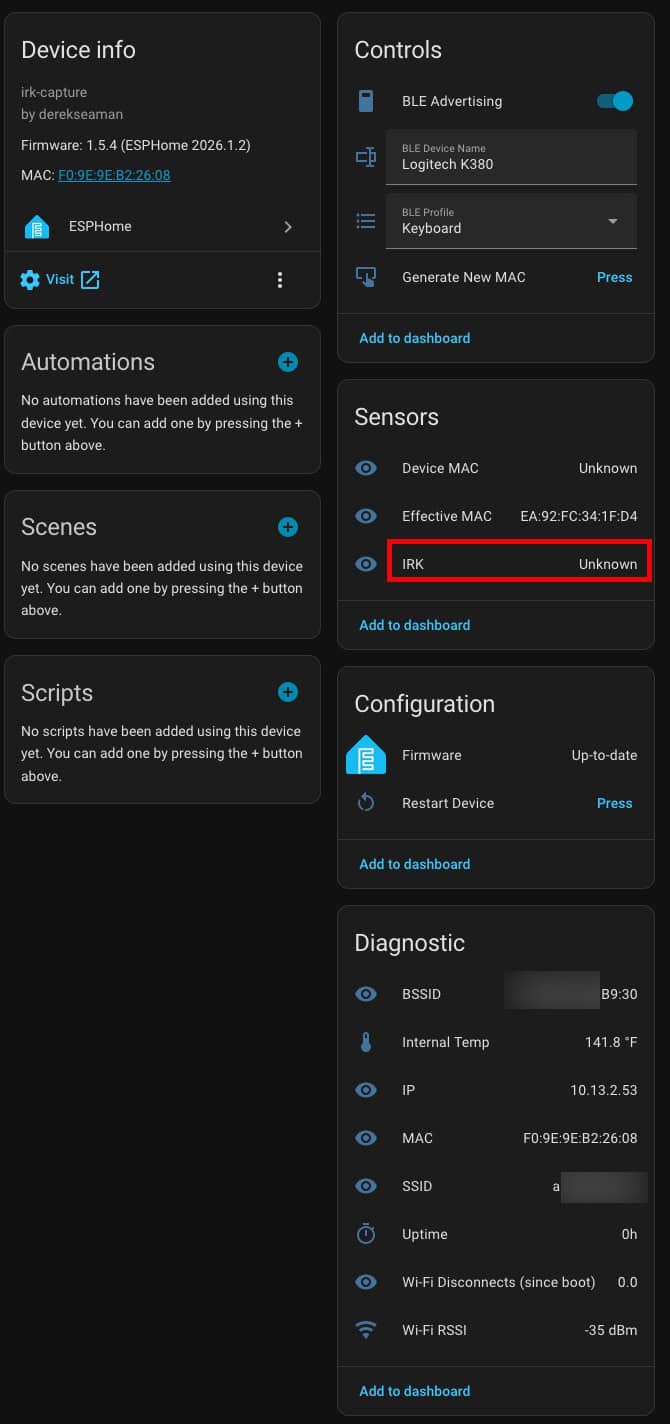
Bluetooth IRK Capture Package

3D Printed Cases

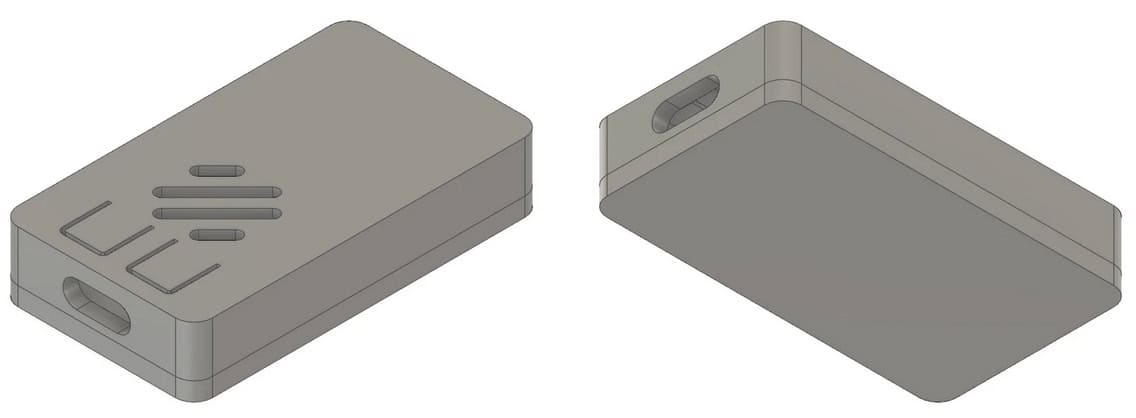
Although I personally haven’t tried them, if you want to print your own here is a case that claims to support all three models. However, notice that this model does not support the version specific PCB buttons.
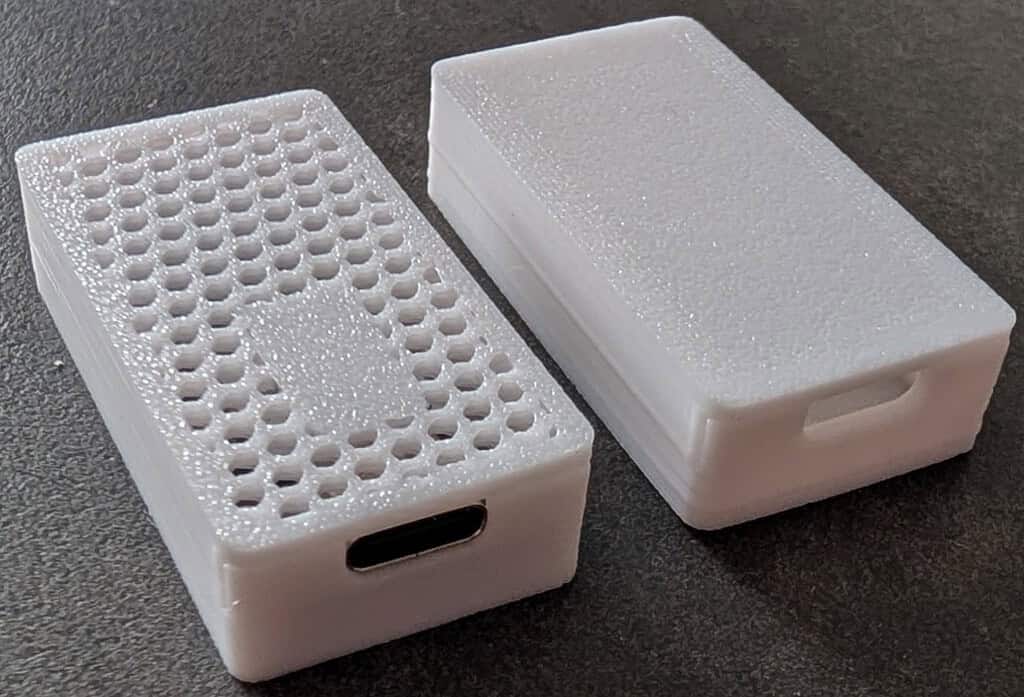
Seeed Studio Antenna Case (ESP32-C3, ESP32-C6, S3)

Summary

Seeed Studio has a large range of ESP32 devices for all kinds of use cases. Many of these are compatible with ESPHome and by extension, Home Assistant. I’ve created a Github ESPHome repo for the C3, C6 and S3 variants which support the Bluetooth proxy and Bluetooth IRK capture packages. 

These ESP32 devices are super cheap, so it won’t break the bank to get a few and play around with them. They have endless uses! Don’t blame me if you end up going deep into the ESPHome rabbit hole.