


Check out some of our favorite ways to tailor your Google Maps journeys.

Google Maps is the ultimate sidekick for navigating and discovering the world around you — and there are so many ways to use it beyond navigation. You can customize it for your specific needs, whether that’s avoiding routes with highways or tolls, or finding your favorite places quickly on the map. Check out a few easy ways to make Google Maps your own.
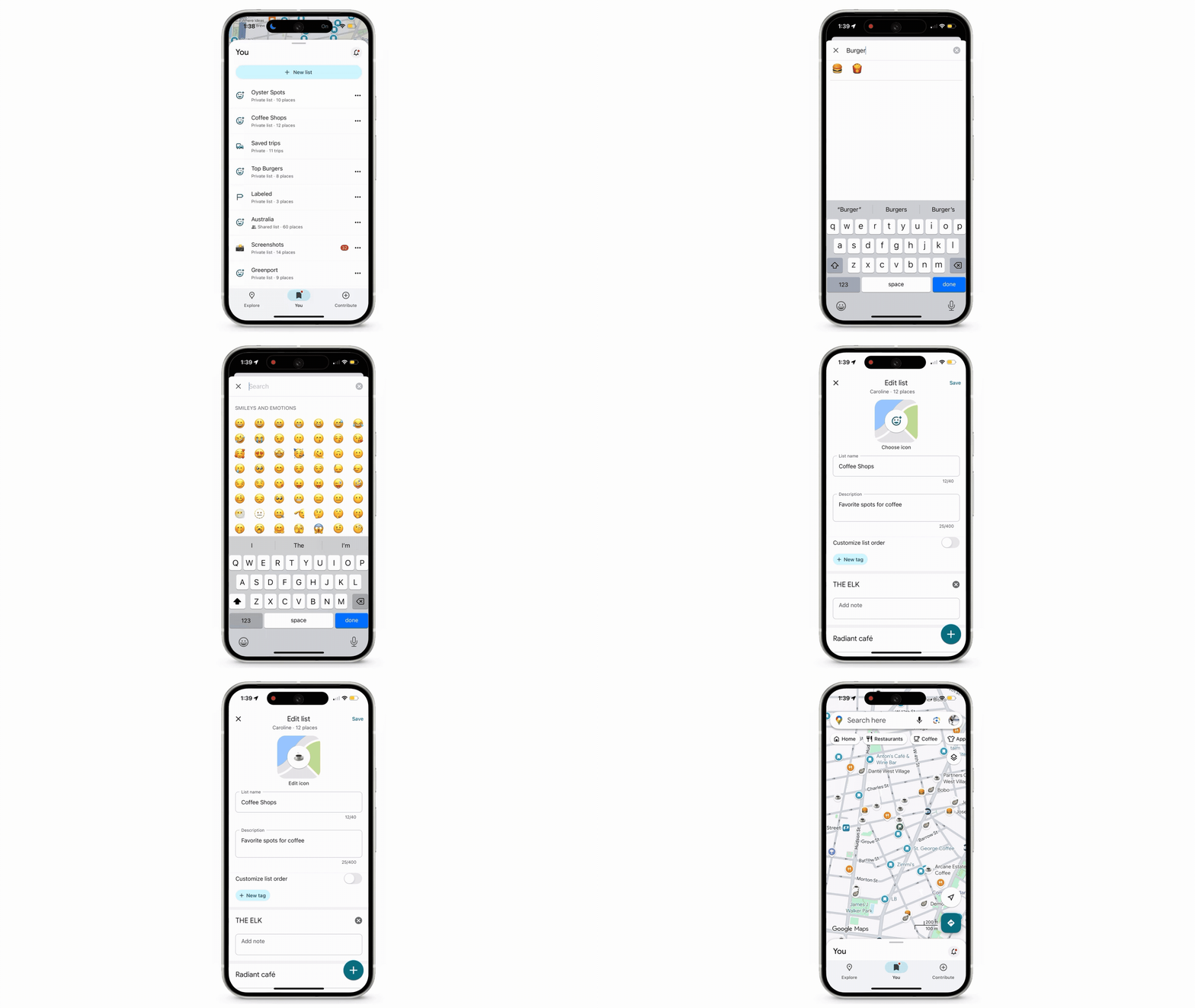
1. Organize lists with your favorite emojis.
Saving places to lists is one of Google Maps’ most popular features. To help you keep track of all of the cool spots you’ve saved, you can label each list with a fun emoji — like a 🍔 for your “Top Burger” list, or a ⛰️ for your “Future Hikes” list. Your map becomes customized with your favorites or must-try spots — making it super easy to organize and understand the different types of places you’ve saved. Simply start a new list and select “Choose icon.”
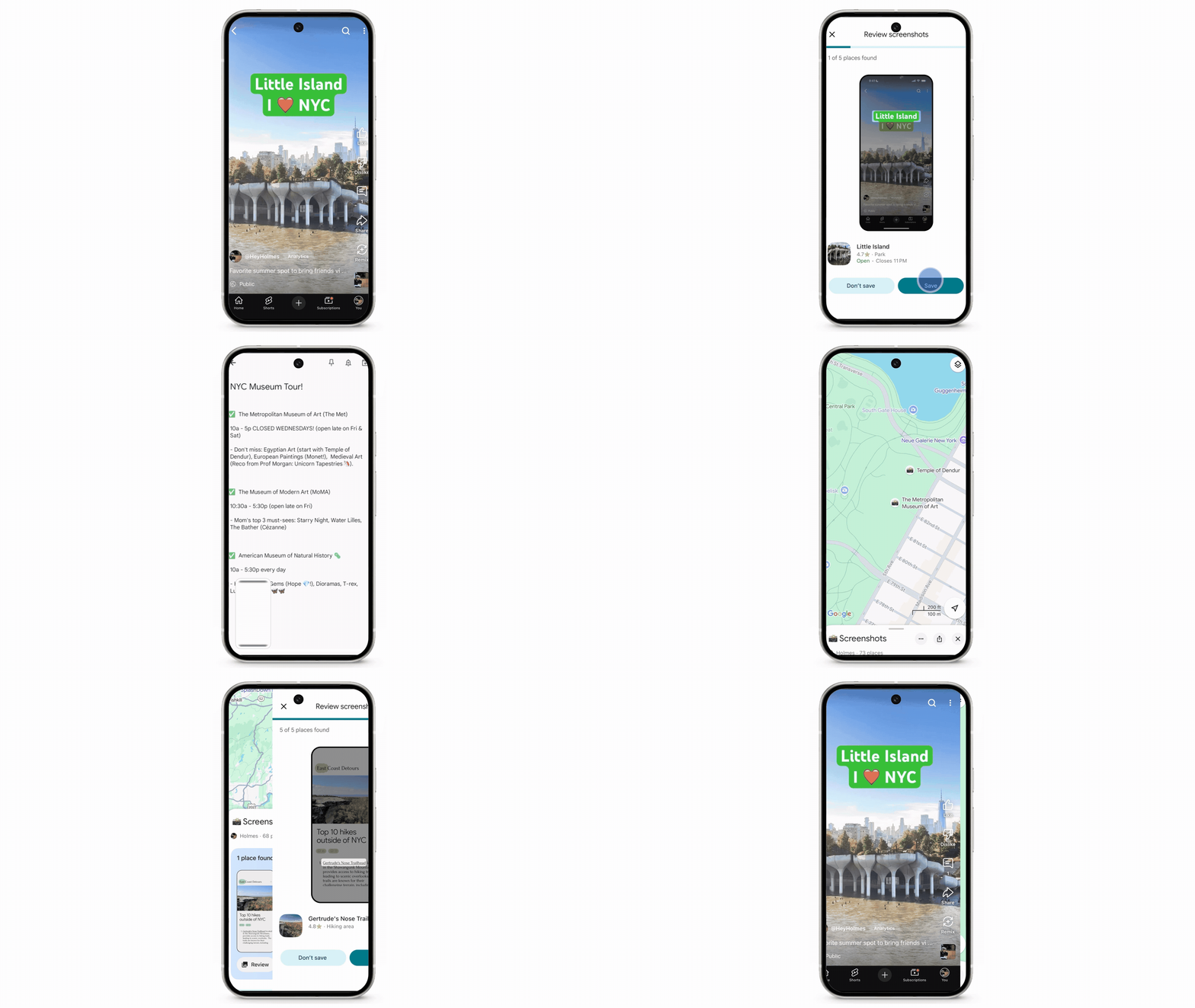
2. Turn your screenshots into your personal travel guide.
When you’re planning a trip, you’re likely researching by taking screenshots of places to go and things to do in travel blogs, news articles and social media posts. Maps can find place names in these screenshots and save them to a custom list for you so you can reference them on the go. It’s like having Maps create a custom itinerary for you!
3. Quickly check ETAs for home and work.
Knowing exactly when to leave for home and work can be tricky. But with Maps, all you need to do is set up your Home and Work addresses to see real-time ETAs right from your homescreen. You can even customize the icons for each location: Select either place, click the three-dot menu and then “Change Icon.”
4. Let Maps plan around your schedule.
For a reliable and easy way to arrive on time every time, set your desired arrival time on Maps. This way when you’re trying to make a dinner reservation or get to an appointment, Maps will tell you when it’s time to hit the road — just tap “Directions” to go to Driving mode, select the three-dot menu and choose your arrival time.
5. Find the best spot for your taste and budget.
Ever find yourself struggling to pick a dining spot? Maps makes it easy to find one that fits your needs. Just search for restaurants or coffee shops, and tap the helpful buttons, including “Open Now,” “Accepts Reservations” and “Price” (you can even set your target price per person!) to quickly tailor your results.
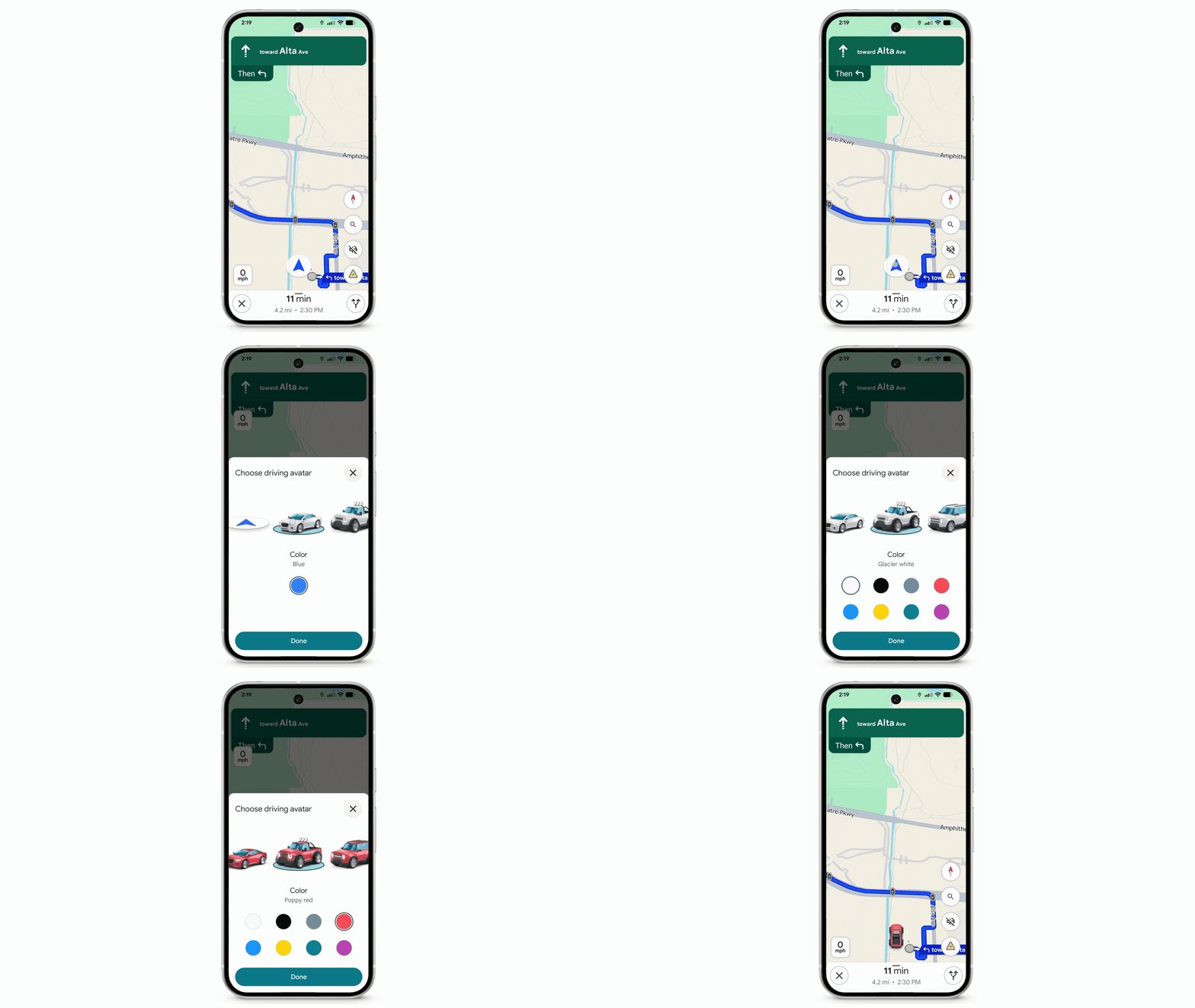
6. Customize your ride.
Why not drive in style? You can trade the usual navigation arrow for a custom navatar. Just tap the navigation arrow when you start your trip to choose your ride. Whether you feel like a racecar driver for the day or a road-tripper in a pickup truck, it’s a fun way to make your journey a little more you.
7. Map your drive, your way.
Every driver has different preferences, and Maps can help you find the best routes for you. Before you start your trip, tell Maps if you prefer routes that avoid tolls, highways and ferries. You can also specify if you want Maps to suggest routes with HOV lanes, or even fuel-efficient routes based on your vehicle type (whether that’s gas, diesel, hybrid or electric). Head to your Settings and tap on “Navigation” to set your preferences.
8. Helpful direction hints, customized for when you’re on the go.
When you’re heading to a familiar place, sometimes all you need is a quick gut check. With glanceable directions, Maps will instantly give you helpful hints right on your lock screen when you’re en route to make sure you stay on track — like a heads up to turn right, or get off at the next stop.