


Spoiler: It’s your phone’s proximity sensor.

Samsung
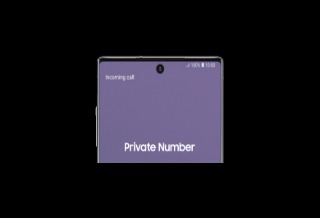
Have you ever noticed a tiny blinking light on the screen of your Samsung phone close to the camera? That light indicates that your phone's proximity sensor is being activated, and it's blinking not because it's broken, but because it's working as intended. On older devices, you might have seen a similar blinking light in the bezel. But on Samsung's newer models like the S20 series, which are pretty much all screen with minimal bezel, the sensor is located under the display.
 Samsung
The proximity sensor is what signals to your phone that it should switch the screen off when you bring the device to your ear during a call. It's what prevents your cheek from accidentally pressing apps and other elements onscreen with the side of your face, and it's why the screen automatically switches on when you lower your phone after you're done. Samsung can detect the angle of the device, too, so your screen doesn't turn off if you just happened to cover it with your hand or a finger.
The company's devices also use the proximity sensor in partnership with the light sensor for accidental touch protection, which prevents your phone from switching on inside bags and pockets. If you turn on the accidental touch protection feature under Display in Settings, you may see the proximity sensor blink in the dark, as it tries to determine whether your phone is in an enclosed space.
In its support page, Samsung explains how the sensor's light-emitting and light-receiving components work in tandem. Simply put, the sensor emits infrared rays, and then it analyzes light reflected from physical objects to measure their distance from the device.
Not all Samsung phones come with physical proximity sensors, however. Some come with the virtual, software-based version of the feature that uses AI algorithms and the accelerometer instead of infrared rays. Those models include Samsung's Galaxy A and Galaxy M devices, as well as the Samsung Galaxy S24 FE and S23 FE. Based on all the complaints we've seen online about virtual proximity sensors not doing their job properly, though, it sounds like they may be prone to errors.
How to tell if the proximity sensor is causing problems
If you've been having issues that you now believe could be connected to proximity sensors, Samsung says the first thing you should do is to make sure your phone's software is up to date. Go to "Software update" in Settings and tap "Download and install." If, after that, your screen still doesn't go dark during calls, switch on the "Double tap to turn on screen" function under "Motions and gestures" inside the Settings page's "Advanced features" section.
Samsung also advises to clean your screen with a soft cloth and then use your phone's diagnostics tools to see if the sensor truly isn't working. You can either go to Diagnostics under Device Care and then begin the "Phone diagnostics" process or fire up the Samsung Members app and then select Get Help > View Tests > Diagnostics. On that page, tap on "Proximity recognition" and follow the onscreen instructions. You'll immediately get notified if your sensor is working properly or not. Finally, Samsung suggests removing all your phone's accessories and restarting your device to see if that would help.