惯性聚合 高效追踪和阅读你感兴趣的博客、新闻、科技资讯
阅读原文 在惯性聚合中打开

推荐订阅源

Google Online Security Blog
博客园_首页
酷 壳 – CoolShell
酷 壳 – CoolShell
Jina AI
Jina AI
博客园 - Franky
大猫的无限游戏
大猫的无限游戏
Hugging Face - Blog
Hugging Face - Blog
博客园 - 司徒正美
V
V2EX
雷峰网
雷峰网
云风的 BLOG
云风的 BLOG
V
Visual Studio Blog
F
Full Disclosure
Y
Y Combinator Blog
V
V2EX - 技术
Attack and Defense Labs
S
Security @ Cisco Blogs
Schneier on Security
Microsoft Azure Blog
SecWiki News
SecWiki News
Cyber Security Advisories - MS-ISAC
The GitHub Blog
The GitHub Blog
量子位
PCI Perspectives
PCI Perspectives
S
Secure Thoughts
D
Darknet – Hacking Tools, Hacker News & Cyber Security
AWS News Blog
AWS News Blog
Blog — PlanetScale
Blog — PlanetScale
爱范儿
爱范儿
K
Kaspersky official blog
B
Blog
A
Arctic Wolf
Hacker News: Ask HN
Hacker News: Ask HN
L
LangChain Blog
T
Tor Project blog
P
Privacy & Cybersecurity Law Blog
Recent Announcements
宝玉的分享
宝玉的分享
The Register - Security
freeCodeCamp Programming Tutorials: Python, JavaScript, Git & More
L
Lohrmann on Cybersecurity
D
Docker
A
About on SuperTechFans
H
Hackread – Cybersecurity News, Data Breaches, AI and More
Google DeepMind News
The Last Watchdog
The Last Watchdog
S
Security Affairs
钛媒体:引领未来商业与生活新知
钛媒体:引领未来商业与生活新知
P
Privacy International News Feed
Simon Willison's Weblog

6Jyc5p+a

【笔记】Solidity计算字符串的MD5值 【笔记】Hardhat学习笔记 【笔记】Go安装笔记 【笔记】CVE-2024-3094漏洞利用 【笔记】CVE-2026-43284和CVE-2026-43500漏洞利用 【笔记】CVE-2023-3567漏洞利用 【代码】Python3读写M1卡 【笔记】M1卡学习笔记 【笔记】Python3中文转拼音 【代码】Python3生成中国大陆姓名拼音 【代码】Python3爬取中国大陆手机号段 【笔记】Nodejs发送请求 【笔记】Nodejs的流和缓冲区 【笔记】Nodejs的事件 【笔记】Nodejs的文件和目录操作 【笔记】CNVD-2020-10487漏洞利用 【笔记】CVE-2017-12617漏洞利用 【笔记】PHP输出源码 【笔记】PHP的Phar 【笔记】通过Docker部署OnlineTools 【笔记】XML学习笔记 【笔记】Windows的用户和组 【笔记】CVE-2006-7243漏洞利用 【代码】JS将目录编号转换为十六进制 【笔记】PHP抑制所有报错 【笔记】HFish学习笔记 【笔记】JumpServer学习笔记 【笔记】Conpot学习笔记 【笔记】南墙WAF学习笔记 【笔记】堡塔云WAF学习笔记 【笔记】Windows的远程桌面服务 【笔记】Windows的防火墙
【笔记】Trello通过API添加待办事项
6Jyc5p+a · 2026-06-01 · via 6Jyc5p+a

前言

Trello通过API添加待办事项
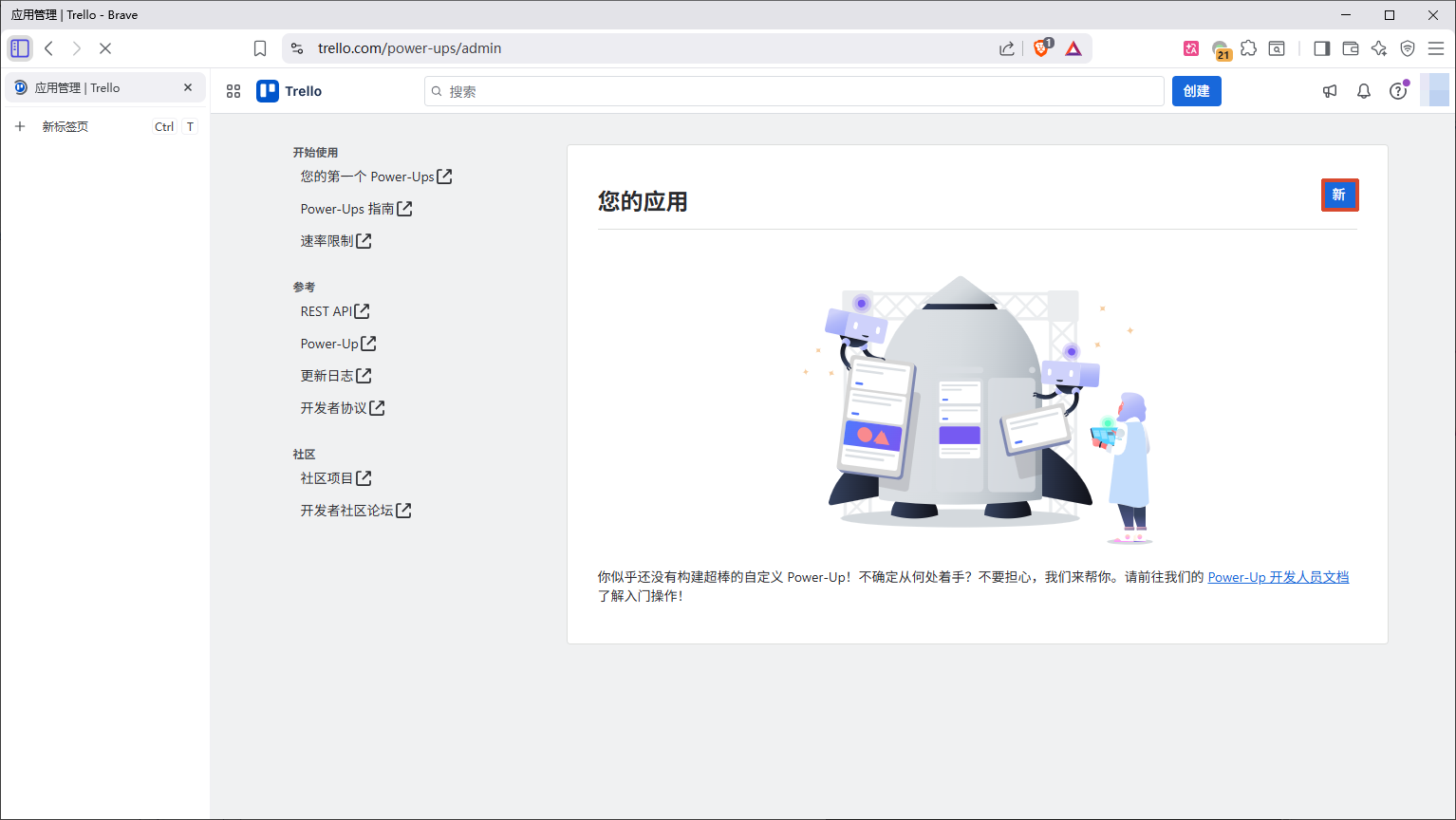
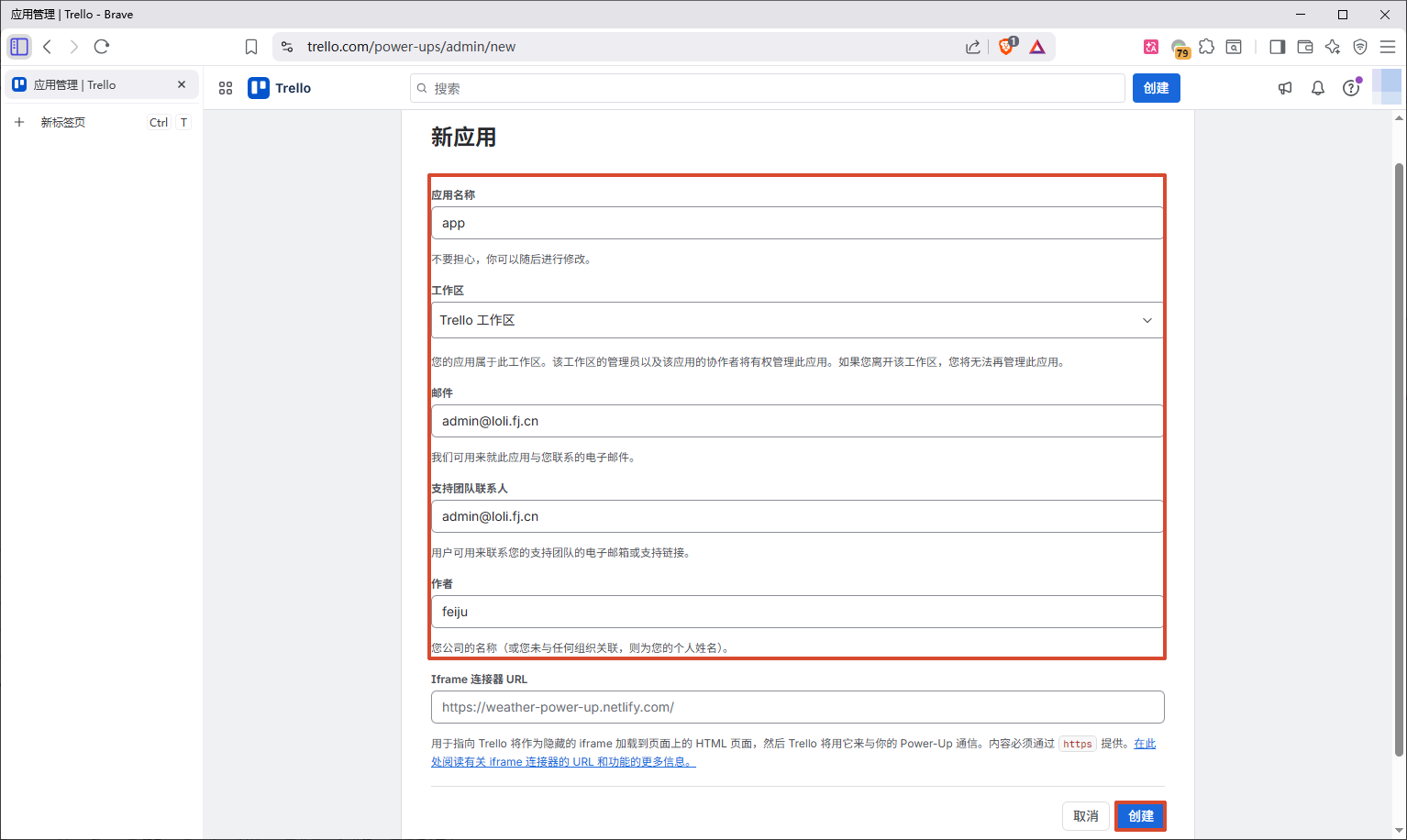
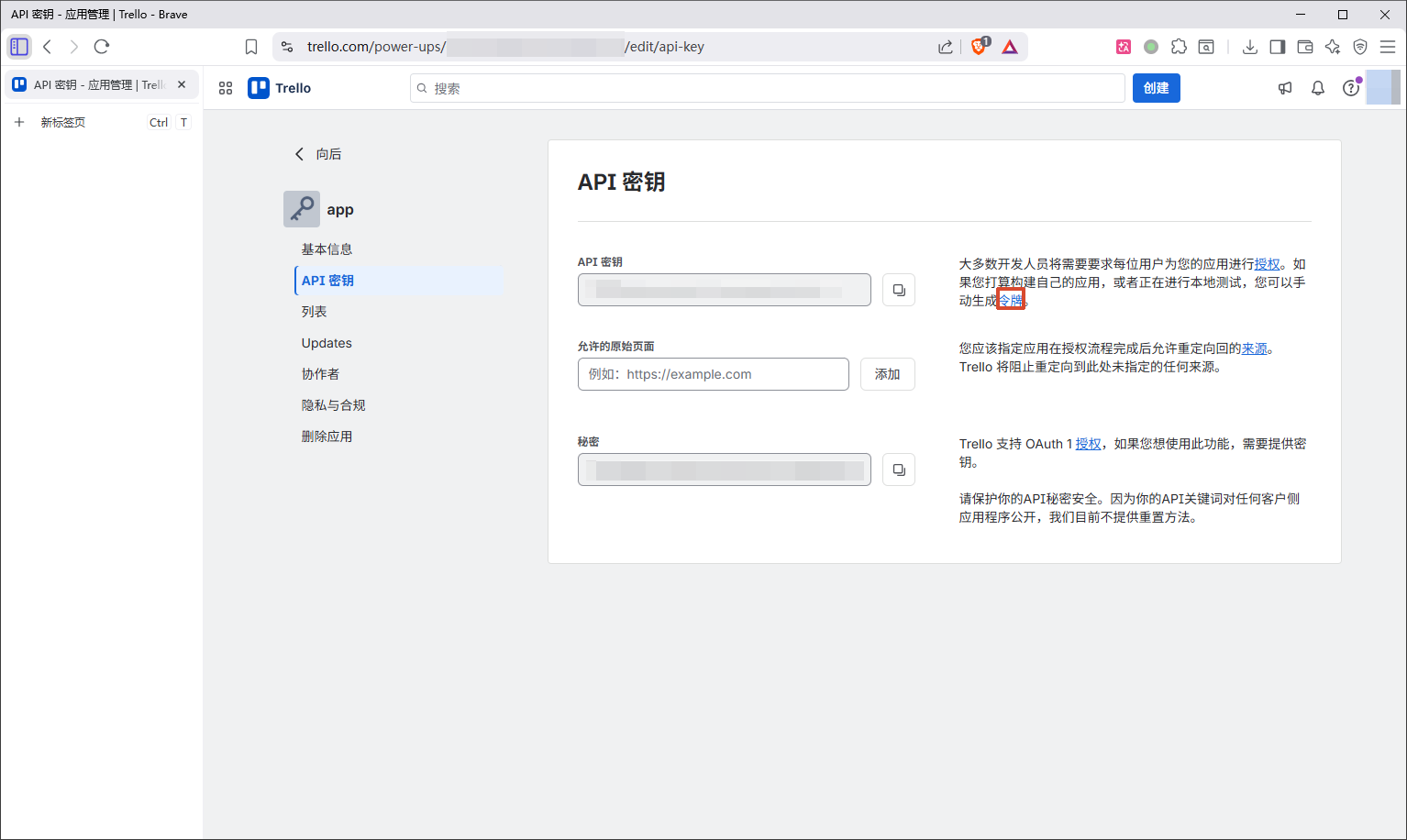
  • 添加应用信息->创建

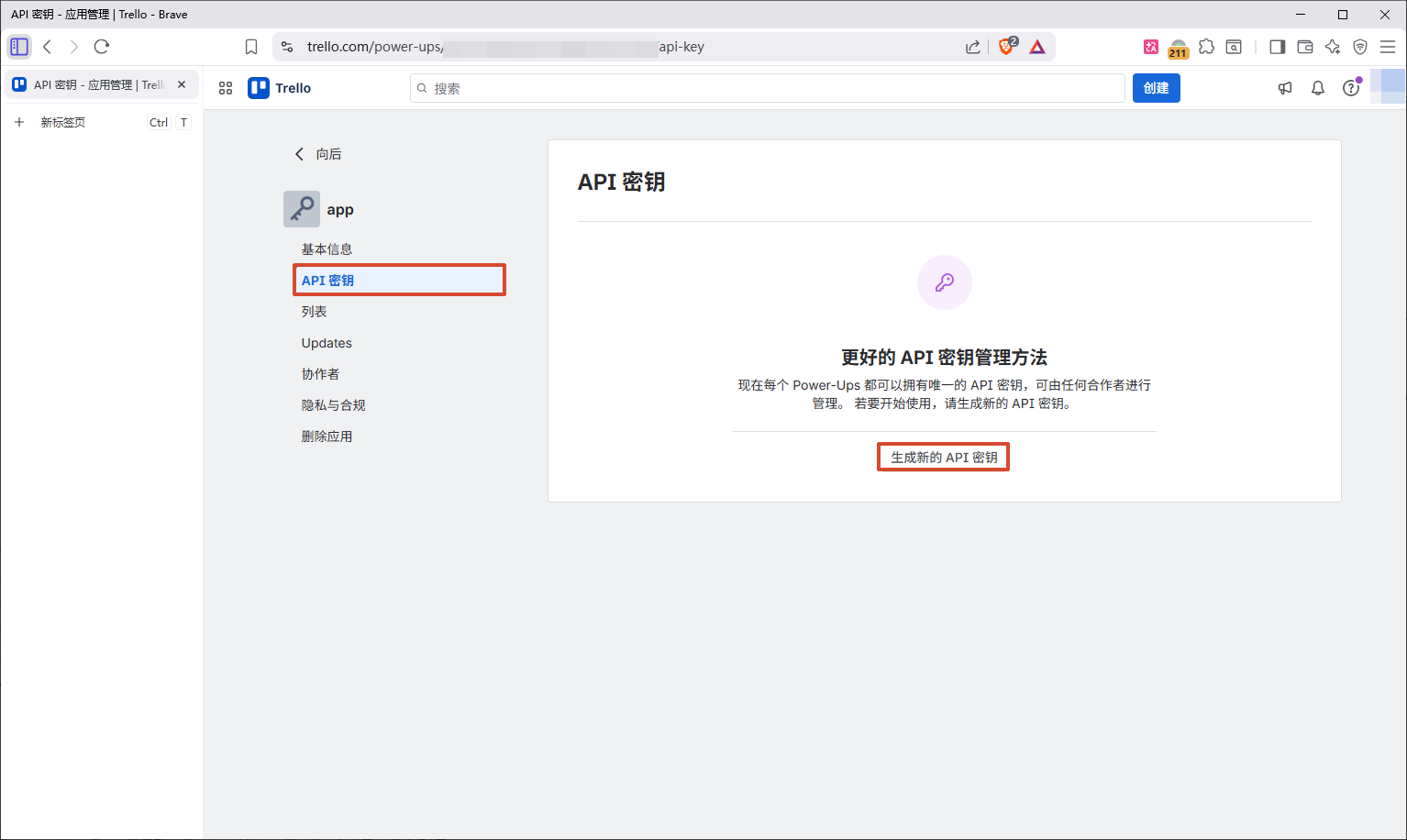
  • API密钥->生成新的API密钥

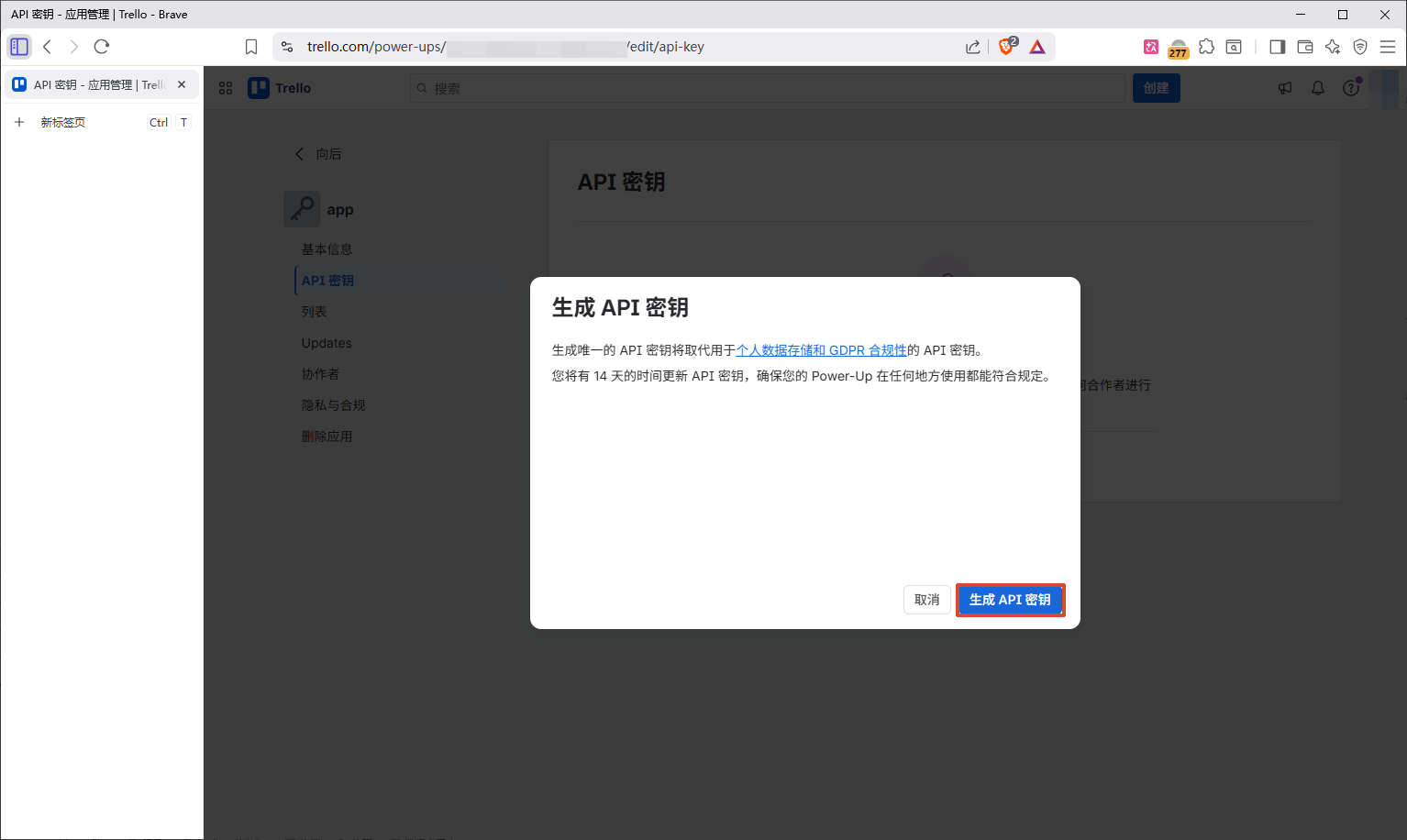
  • 生成API密钥

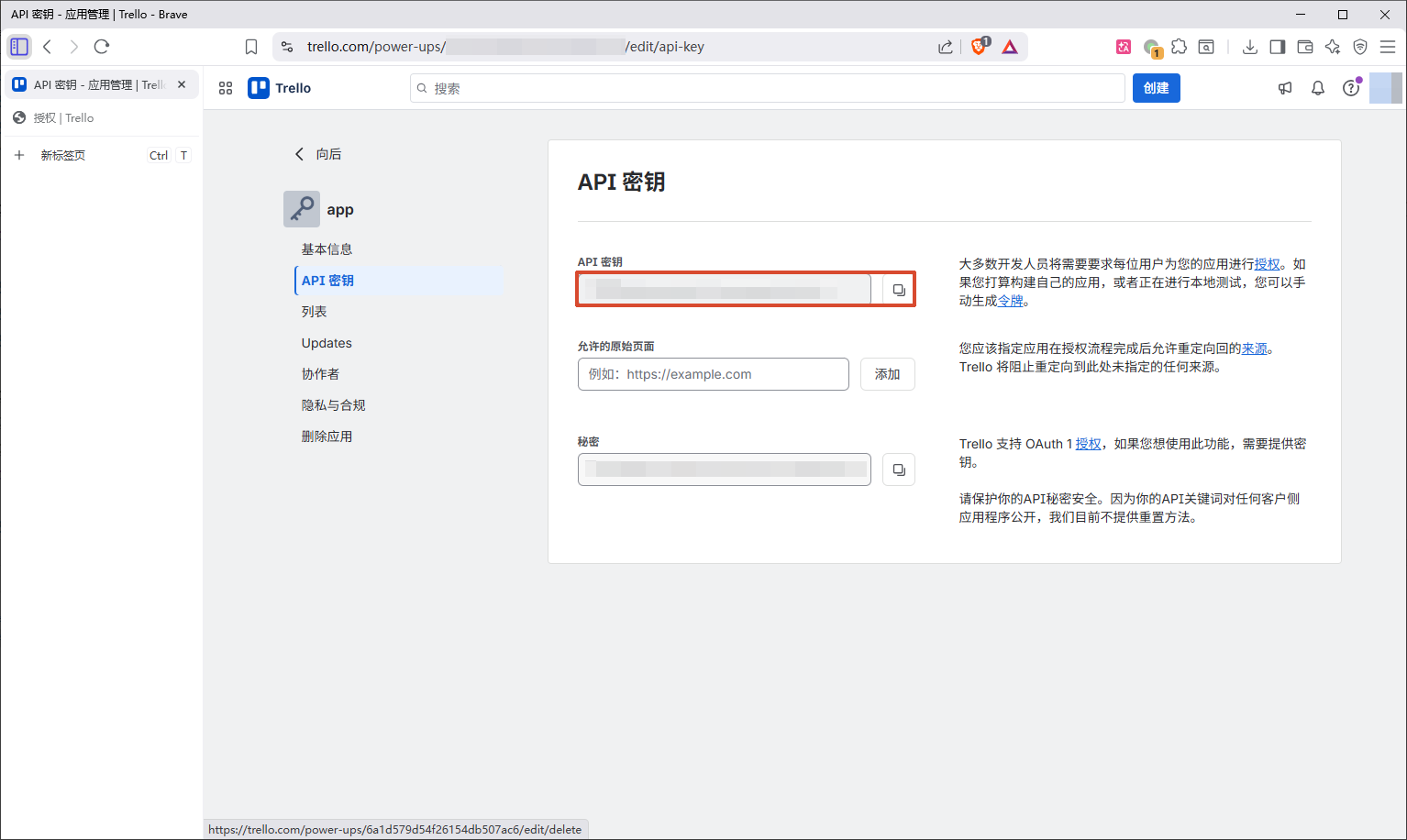
  • 获取API密钥

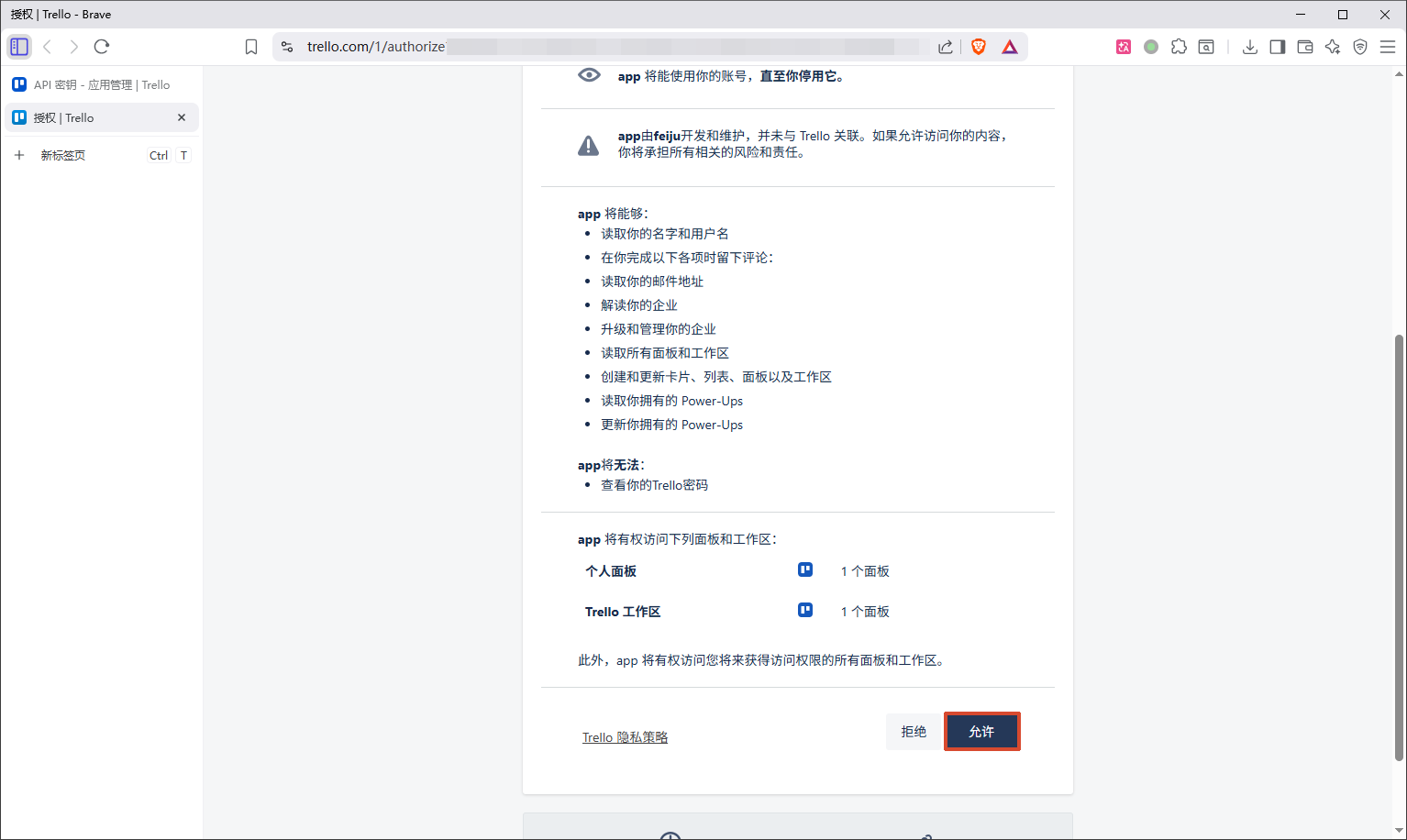
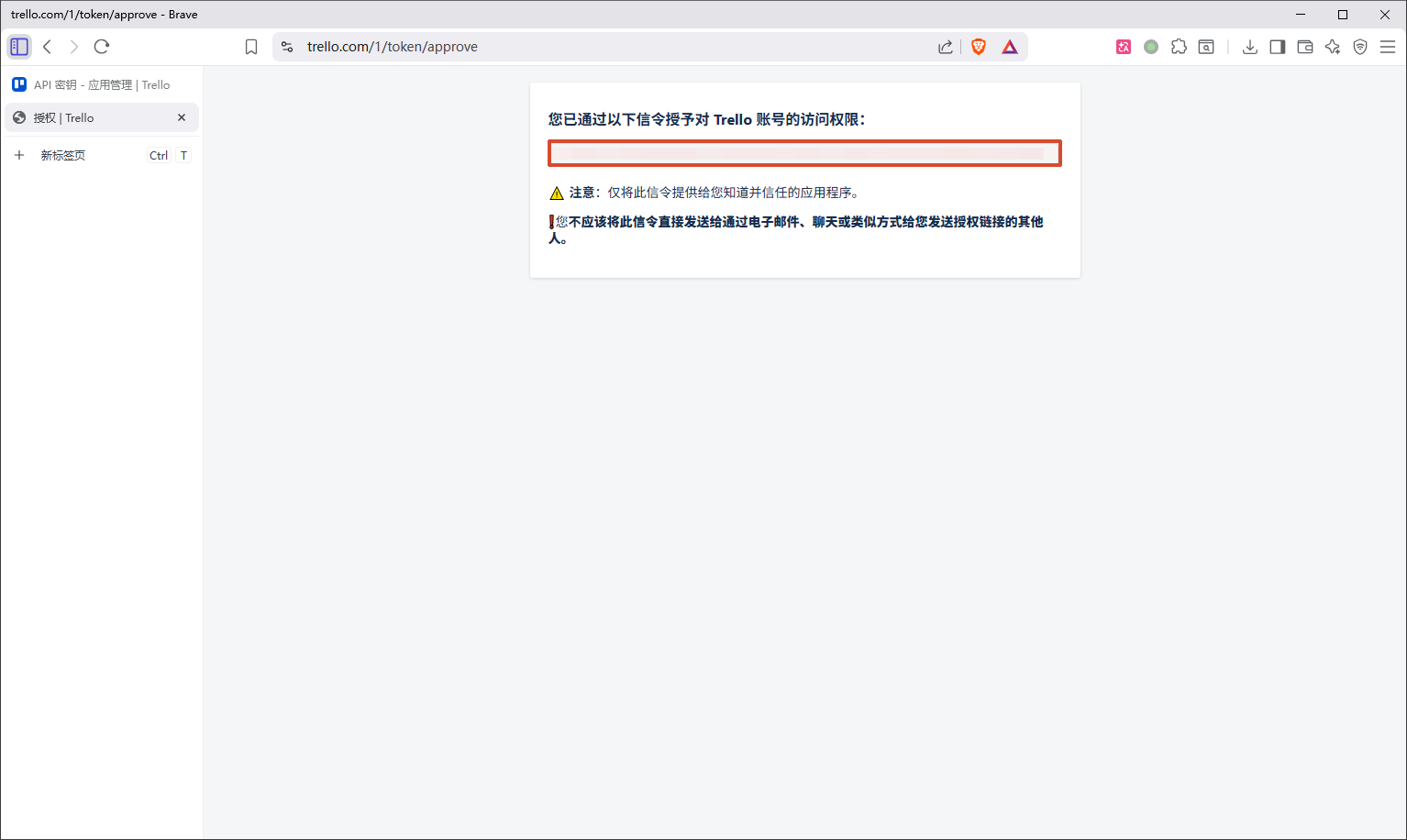
获取API令牌

  • 令牌

  • 允许

  • 获取API令牌

API

<api_key>:API密钥
<api_token>:API令牌

获取所有面板

request
1
2
3
4
GET https://api.trello.com/1/members/me/boards
?key=<api_key>
&token=<api_token>
&fields=id,name,shortLink
1
2
3
4
5
6
7
[
{
"id": "<short_id>",
"name": "我的 Trello 面板",
"shortLink": "<short_link>"
}
]
  • 得到<short_link>

通过面板shortLink获取所有列表

request
1
2
3
GET https://api.trello.com/1/boards/<short_link>/lists
?key=<api_key>
&token=<api_token>
1
2
3
4
5
6
7
8
9
10
11
12
13
14
15
16
[
{
"id": "<list_id>",
"name": "待办",
"closed": false,
"color": null,
"idBoard": "<board_id>",
"pos": 0,
"subscribed": false,
"softLimit": null,
"type": null,
"datasource": {
"filter": false
}
}
]
  • 得到<list_id>

通过面板shortLink创建列表

request
1
2
3
4
POST https://api.trello.com/1/boards/<short_link>/lists
?key=<api_key>
&token=<api_token>
&name=列表名称
1
2
3
4
5
6
7
8
9
10
11
12
13
14
15
{
"limits": {},
"id": "<list_id>",
"name": "待办",
"closed": false,
"color": null,
"idBoard": "<board_id>",
"pos": 0,
"subscribed": false,
"softLimit": null,
"type": null,
"datasource": {
"filter": false
}
}
  • 得到<list_id>

通过列表id创建卡片

pos:定义卡片插入位置

bottom:缺省值,底部
top:顶部

request
1
2
3
4
5
6
7
POST https://api.trello.com/1/cards
?key=<api_key>
&token=<api_token>
&idList=<list_id>
&name=卡片名称
&desc=卡片描述
&pos=bottom

完成

参考文献

CSDN——安果移不动
Atlassian官方文档