
惯性聚合 高效追踪和阅读你感兴趣的博客、新闻、科技资讯
阅读原文 在惯性聚合中打开

推荐订阅源

博客园 - 【当耐特】
让小产品的独立变现更简单 - ezindie.com
AI
AI
酷 壳 – CoolShell
酷 壳 – CoolShell
D
Docker
宝玉的分享
宝玉的分享
Hugging Face - Blog
Hugging Face - Blog
云风的 BLOG
云风的 BLOG
Cyber Security Advisories - MS-ISAC
奇客Solidot–传递最新科技情报
奇客Solidot–传递最新科技情报
博客园 - 三生石上(FineUI控件)
J
Java Code Geeks
cs.CL updates on arXiv.org
Y
Y Combinator Blog
P
Palo Alto Networks Blog
P
Privacy & Cybersecurity Law Blog
T
Tenable Blog
B
Blog
大猫的无限游戏
大猫的无限游戏
L
LINUX DO - 热门话题
Cisco Talos Blog
Cisco Talos Blog
IT之家
IT之家
Engineering at Meta
Engineering at Meta
C
CERT Recently Published Vulnerability Notes
A
Arctic Wolf
Scott Helme
Scott Helme
C
Cisco Blogs
F
Fortinet All Blogs
Jina AI
Jina AI
W
WeLiveSecurity
Hacker News: Ask HN
Hacker News: Ask HN
GbyAI
GbyAI
L
LangChain Blog
P
Privacy International News Feed
Martin Fowler
Martin Fowler
The GitHub Blog
The GitHub Blog
Project Zero
Project Zero
TaoSecurity Blog
TaoSecurity Blog
A
About on SuperTechFans
N
News | PayPal Newsroom
Threat Intelligence Blog | Flashpoint
G
GRAHAM CLULEY
I
InfoQ
K
Kaspersky official blog
钛媒体:引领未来商业与生活新知
钛媒体:引领未来商业与生活新知
T
Troy Hunt's Blog
博客园_首页
K
KPMG report finds enterprise disconnect between AI and its ROI | CIO
I
Intezer
博客园 - 聂微东

Mengke's blog - Mengke's coding journey

年轻不是健康的免死金牌 深圳工作机会,前端 2025 年终总结 Skill 不是 MCP 的替代品:我理解的渐进式披露与选型原则 独立开发者如何开具发票 香港银行卡开户完整指南(2025年9月最新) 招商银行储蓄卡微信动账提醒恢复方法 再谈 MCP - Model Context Protocol(MCP)详解和开发教程 Get Human-Readable "Time Ago" in TypeScript 以「asset-price-mcp」为例,从 0 开发 MCP Server Model Context Protocol (MCP) 快速开始 An elegant solution for implementing optional property types using TypeScript 2024 年终总结 Quickly Create a Fullscreen WebView with Autoplay Support for Testing 以数字开头的 ID 在 querySelector 中的处理 String casing utilities in JavaScript Check if a string is a valid color Simple Event-Emitter/PubSub pattern Find which process is running on a certain port and kill it Markdown Code block's basic and advanced syntaxes Common npm commands to use locally Pnpm aliases How to safely rename a case sensitive file/directory in a git repo? A custom hooks to use an async effect A custom hooks to use local storage state 🤩 Mengke'blog 上线的这一年 🗼 五月底去了一趟日本,记录一下我的游记和攻略 网站性能优化:如何高效预加载大型静态资源 闰年之约 - 2024年2月29日 A collection of some useful websites 2023 年终总结 WebGL 学习笔记(一)基础概念与实践 Android Webview <video> 标签去除默认播放按钮图 📷 纯前端也可以实现「用户无感知录屏」? Getting Spotify token to display now playing track on your website AVP - Web 端特效视频播放器 IndexedDB 基础入门 直接下载网易云音乐中歌曲MP3格式的方法 什么!一个项目给了8个字体包??? flex 布局中 start/end 和 flex-start/flex-end 的区别 深入 Pinia:从代码出发探索 Vue 状态管理的奥秘 Pinia 快速上手指南 Nest.js Typrorm 多对多关系如何创建 Strapi 快速入门 CentOS7 MySQL 数据库安装与卸载 Next.js 上手指南 Vue 数据响应式原理 deno 快速上手 - Hello World 案例 快速上手 Vue3 尝鲜 Vue 3.0 Combination API react-router-dom 路由基础教程 JavaScript 数组扁平化处理的方法总结
DeepSeek + Dify 搭建本地知识库
Mengke · 2025-03-12 · via Mengke's blog - Mengke's coding journey

Mengke's blog

Penglaige.webp

Published on
/

5 mins read

/

––– views

Share:

本文将介绍如何在本地部署 DeepSeek 模型,并通过 Chatbox AI 和 Dify 搭建完整的知识库应用。

设备

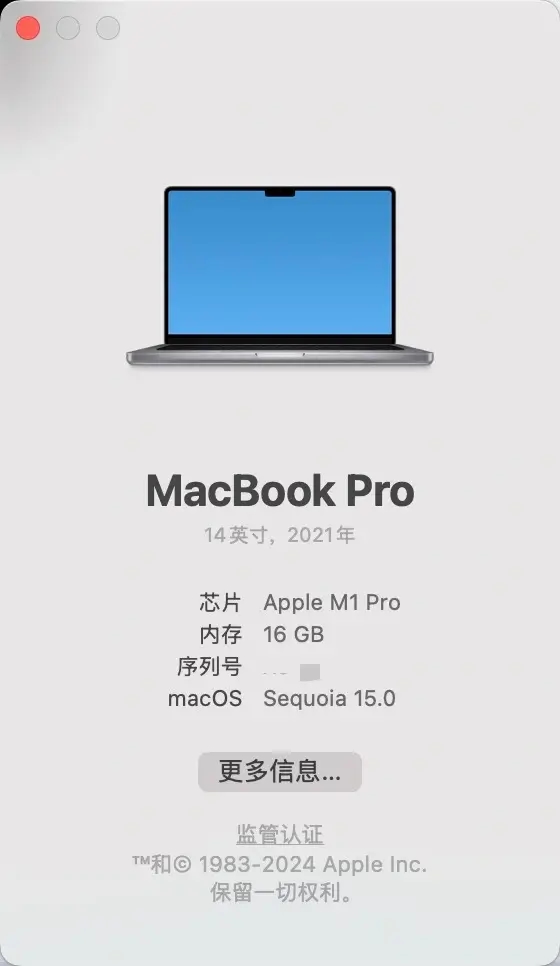
我用的电脑是 MacBook Pro 2021 版,芯片:M1 Pro,内存 16GB

device info

1. Ollama 安装

Ollama 官方下载地址:https://ollama.com/download

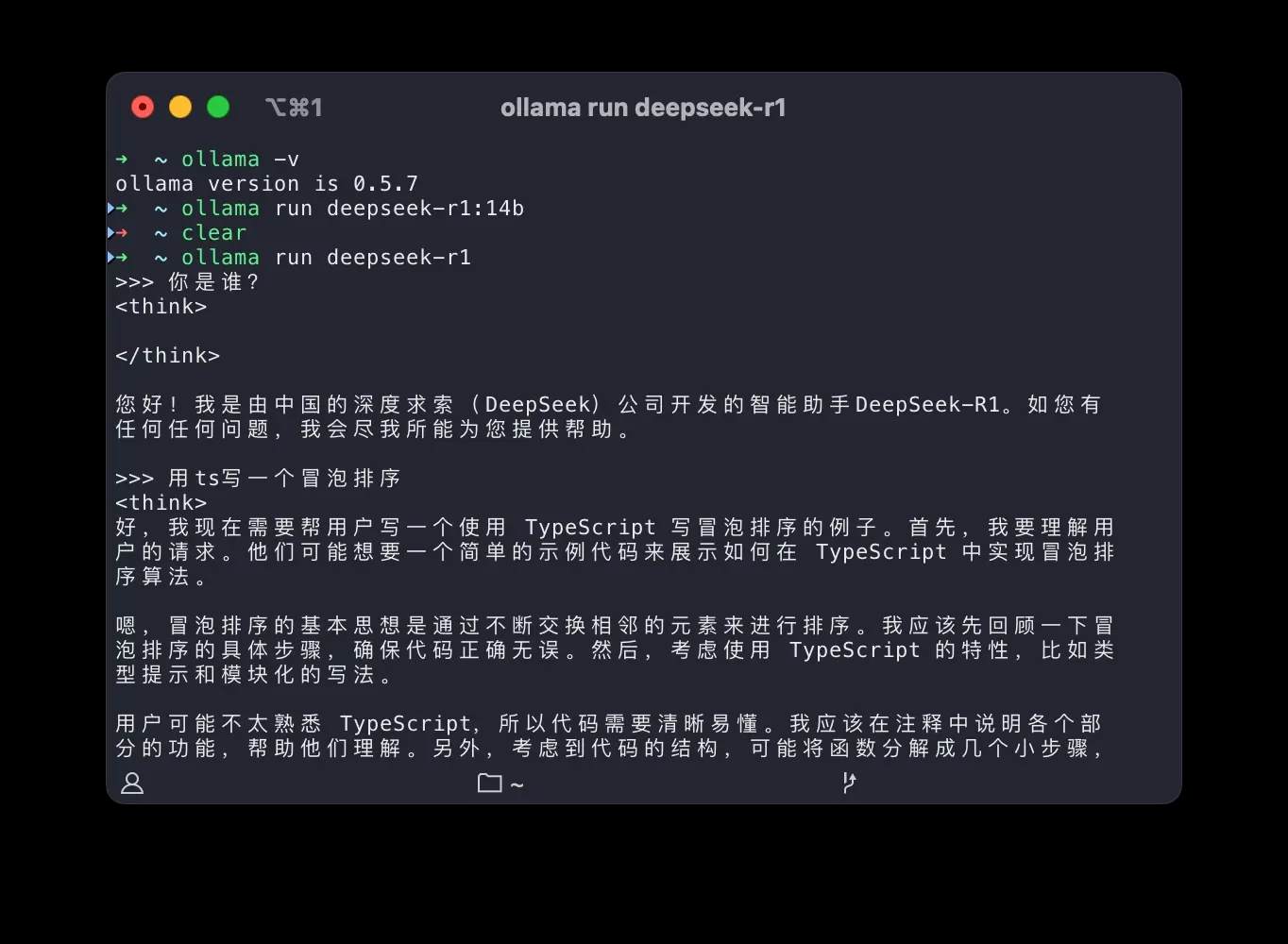
安装完成后验证:
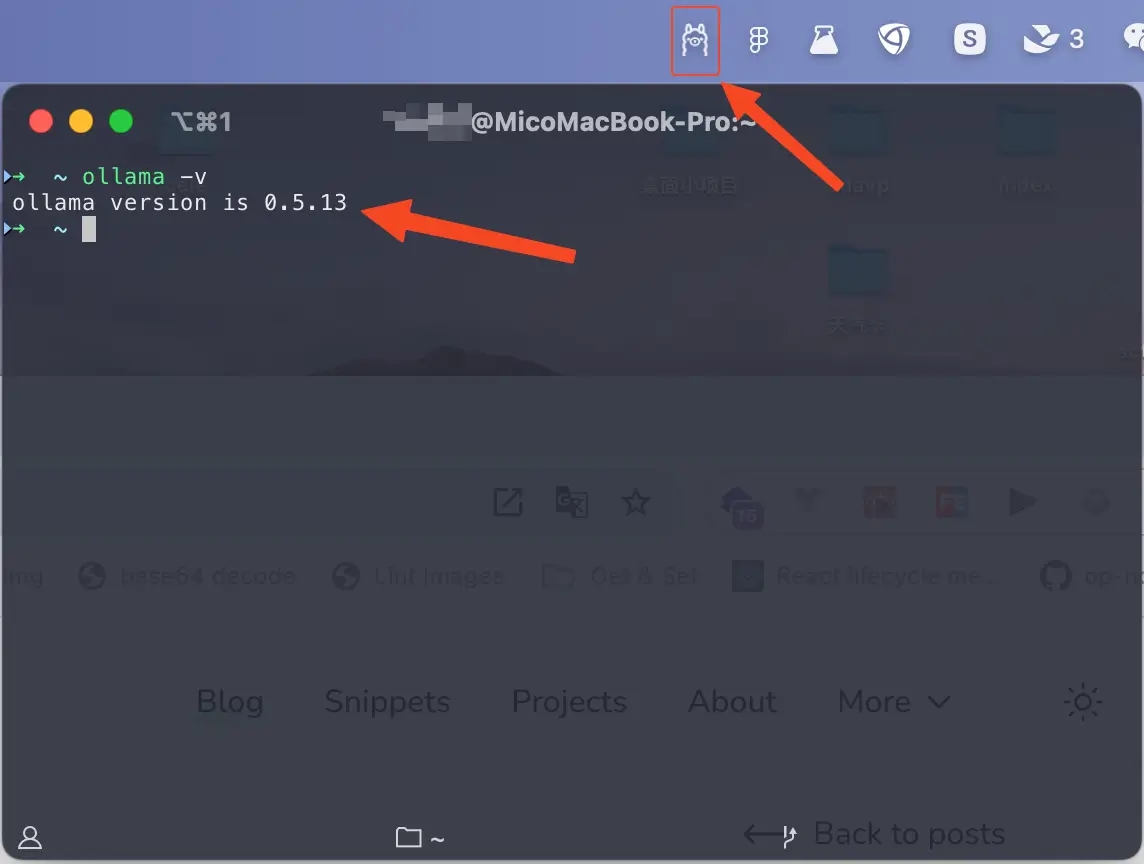
device info

也可打开 http://localhost:11434 查看是否启动成功。

2. DeepSeek 模型部署

DeepSeek 提供了多个版本的模型:

  • 7B:适合入门级硬件(16GB+)
  • 14B:性能和资源消耗均衡(32GB+)
  • 33B:更强大的性能(64GB+)

下载与安装

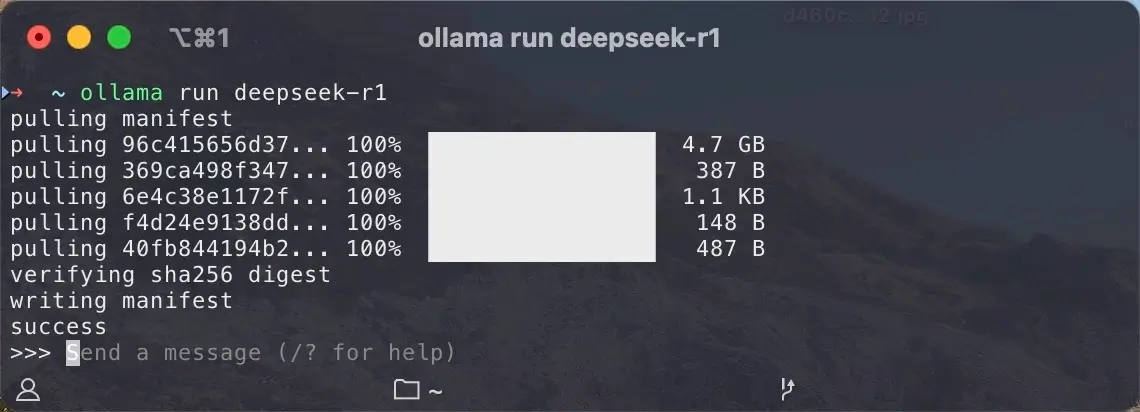
以 deepseek r1 模型为例:

  1. 访问 https://ollama.com/library/deepseek-r1 ,默认为 7b 模型,如需其他模型,可以在当前页搜索。
  2. 所需模型模型详情页复制安装命令 ollama run deepseek-r1
  3. 安装完成后在终端执行:ollama run deepseek-r1

性能提示:如果硬件条件允许,建议选择 14b 或更高参数量的模型,以获得更好的推理效果。
device info

3. 测试

device info

4. 使用 Dify 搭建知识库

Dify 是一个强大的 AI 应用开发平台,支持多种文档格式、自动向量化,并提供完整的对话管理界面。

1. 部署 Dify

2. 配置 DeepSeek 模型

初次进入,需要设置邮箱、用户名、密码。

3. 添加模型

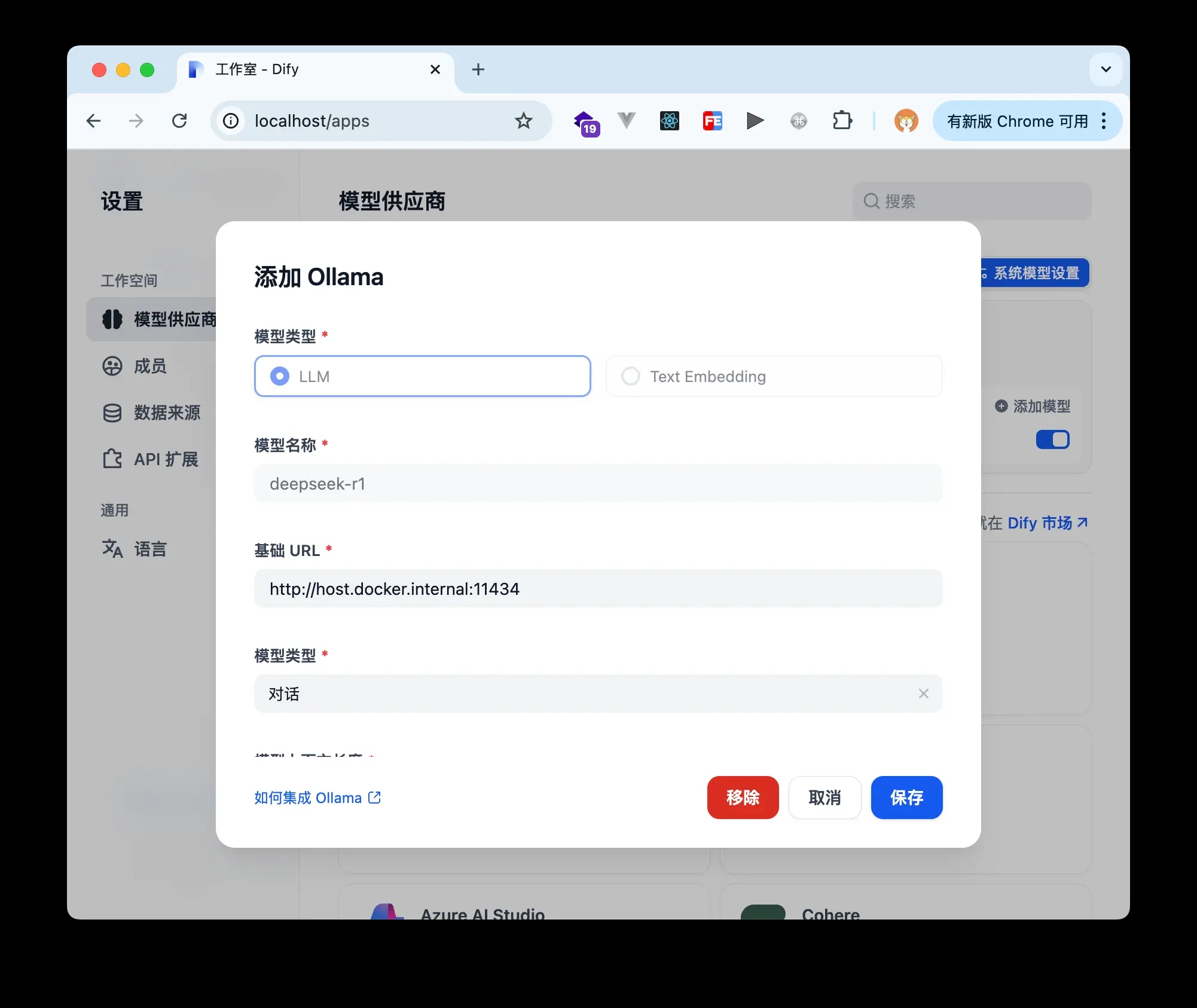
  1. 点击 Dify 平台右上角头像 ➜ 设置 ➜ 模型供应商 ➜ Ollama ➜ 添加模型。
  2. 配置信息:
    • 模型类型:LLM
    • 模型名称:deepseek-r1
    • 基础URL:http://host.docker.internal:11434

注:使用 host.docker.internal 是为了从容器内访问宿主机的 Ollama 服务。

dify test

4. 创建知识库

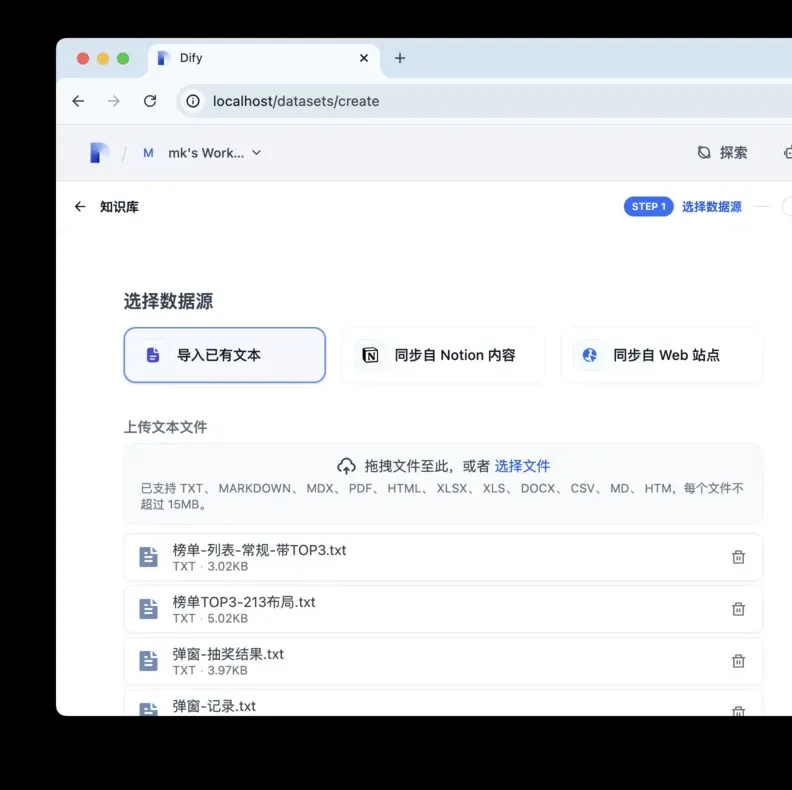
知识库 ➜ 创建知识库 ➜ 上传知识 ➜ 等待处理完成

dify test

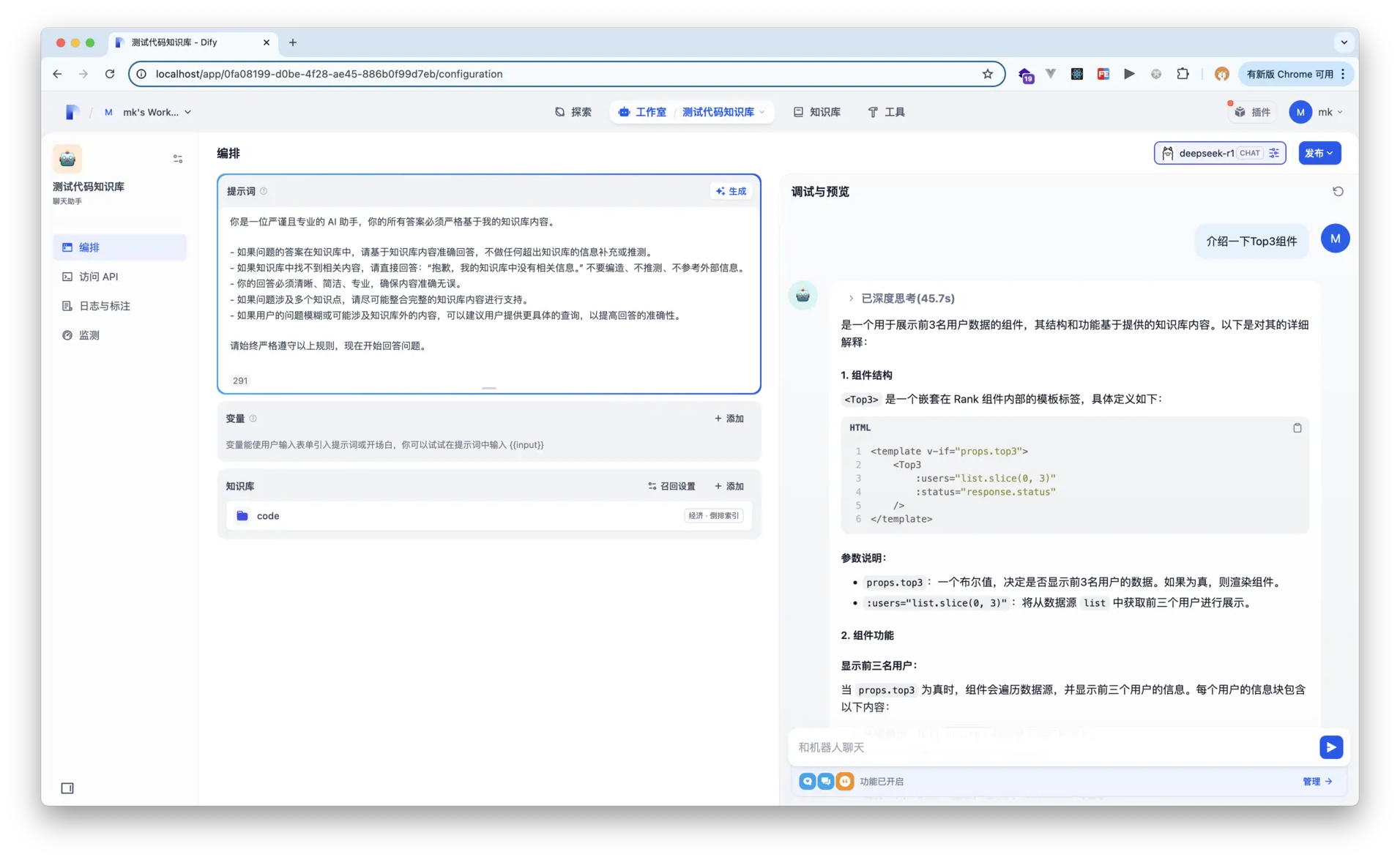
5. 将机器人和 AI 关联

  1. 打开机器人页面。
  2. 知识库中选择我们创建的知识库。
  3. 发布。

dify test

  1. 优化提示词:

建议:为不同主题创建独立的知识库,可以提高回答的精确度。

5. 安装交互 UI —— Chatbox AI

官网地址:https://chatboxai.app/

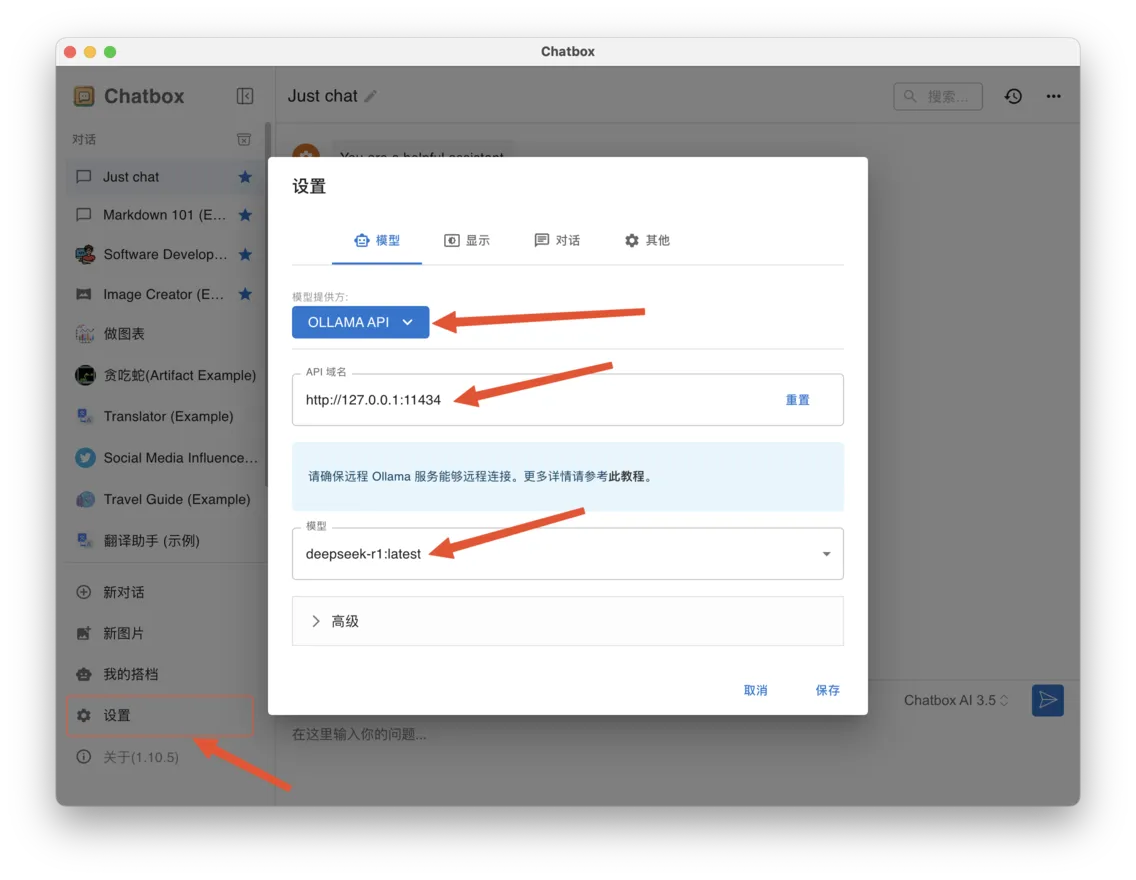
配置步骤:

  1. 设置 ➜ 模型提供方选择「Ollama」
  2. API 域名:http://127.0.0.1:11434
  3. 模型:deepseek-r1:latest

chatbox setting

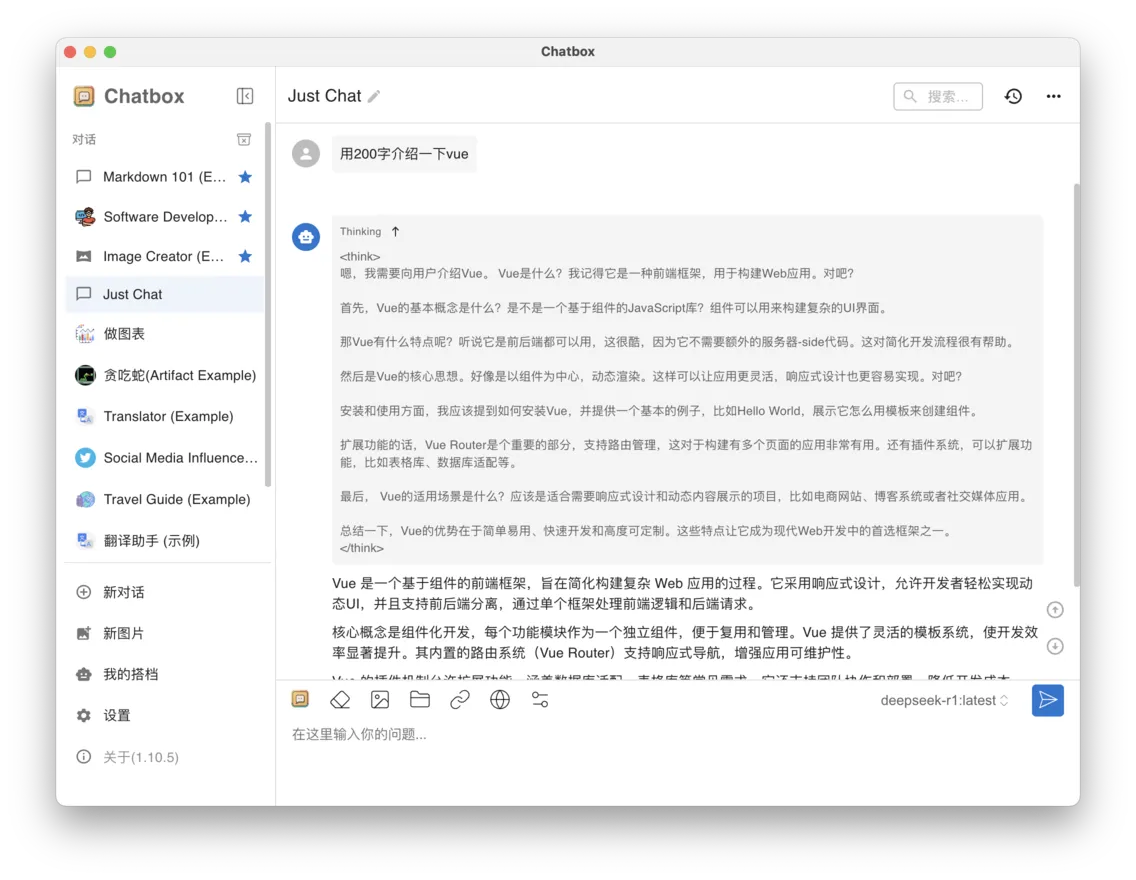
Chatbox AI 支持联网搜索,也可以正确显示思考过程。

chatbox test