


惯性聚合 高效追踪和阅读你感兴趣的博客、新闻、科技资讯
阅读原文 在惯性聚合中打开

推荐订阅源

让小产品的独立变现更简单 - ezindie.com
人人都是产品经理
人人都是产品经理
Cisco Talos Blog
Cisco Talos Blog
钛媒体:引领未来商业与生活新知
钛媒体:引领未来商业与生活新知
V
V2EX
博客园 - 三生石上(FineUI控件)
Martin Fowler
Martin Fowler
WordPress大学
WordPress大学
D
Docker
S
SegmentFault 最新的问题
博客园 - 聂微东
美团技术团队
Apple Machine Learning Research
月光博客
月光博客
奇客Solidot–传递最新科技情报
奇客Solidot–传递最新科技情报
Last Week in AI
Last Week in AI
M
MIT News - Artificial intelligence
F
Fortinet All Blogs
freeCodeCamp Programming Tutorials: Python, JavaScript, Git & More
The GitHub Blog
The GitHub Blog
GbyAI
GbyAI
L
LangChain Blog
Vercel News
Vercel News
博客园 - 叶小钗
MongoDB | Blog
MongoDB | Blog
Stack Overflow Blog
Stack Overflow Blog
H
Help Net Security
OSCHINA 社区最新新闻
OSCHINA 社区最新新闻
The Cloudflare Blog
Engineering at Meta
Engineering at Meta
T
Threat Research - Cisco Blogs
T
Threatpost
Scott Helme
Scott Helme
T
Tailwind CSS Blog
Latest news
Latest news
Stack Overflow Blog
Stack Overflow Blog
Blog — PlanetScale
Blog — PlanetScale
The Register - Security
罗磊的独立博客
P
Proofpoint News Feed
腾讯CDC
S
Schneier on Security
雷峰网
雷峰网
A
About on SuperTechFans
T
Tenable Blog
F
Full Disclosure
Cyberwarzone
Cyberwarzone
博客园_首页
有赞技术团队
有赞技术团队
K
Kaspersky official blog

Comments for Tech Journey

Chrome / Edge Disables .CRX Installed Extensions (Workarounds to Turn On) Remove Disable Developer Mode Extensions Warning Popup in Chrome / Edge How to Convert SRT to Create 3D Subtitles (ASS or SUB/IDX) Cannot Connect to CIFS / SMB / Samba Network Shares & Shared Folders in Windows 10 Unrecognised Disk Label When Creating Partition How to Decrypt an Enrypted SSL RSA Private Key (PEM / KEY) Install Microsoft .NET Framework 1.1 on Windows 10 / 8 / 7 / Vista (Fix RegSvcs.exe Error) Fix Windows Not Remember & Save Folder Types or Folder Views Setting (Increase BagMRU Size Cache Memory Size) How to Change the Logo of vBulletin Forum to Custom Image
How to Allow Local Network When Using WireGuard VPN Tunnel in Windows 10
LK · 2020-05-13 · via Comments for Tech Journey
Skip to content
How to Allow Local Network When Using WireGuard VPN Tunnel in Windows 10

When using WireGuard to connect to a remote VPN server, such as Cloudflare WARP, for secure VPN tunnel, the default WireGuard tunnel configuration profile changes the private and local IP addresses routing for both IPv4 and IPv6 addresses.

Essentially, all traffic, including those to local network and private network, is routed through WireGuard. However, WireGuard is blocking all untunneled traffic. It’s a kill switch designed to ensure that no traffic and real IP address accidentally leak to outside world. Thus, by default WireGuard attempts to restrict all traffic to the tunnel and all attempts to get outgoing traffic that bypasses the tunnel, i.e. traffic within the local network, fail.

The issue of broken local network routing appears to only happen in WireGuard for Windows, where all traffic is force to go through WireGuard first prior to routing. To resolve the issue that local network routing is prohibited by WireGuard involved adding static route. However, there is easier solution built into WireGuard’s Windows client.

To allow traffic within local network to bypass WireGuard so that the route does not get killed, follow these steps:

  1. Open the WireGaurd Windows client.
  2. In the left pane, select the tunnel that you want local network routing to work, if you have more than one tunnel.
  3. Hit the Edit button.
  4. Uncheck Block untunneled traffic (kill-switch) option.
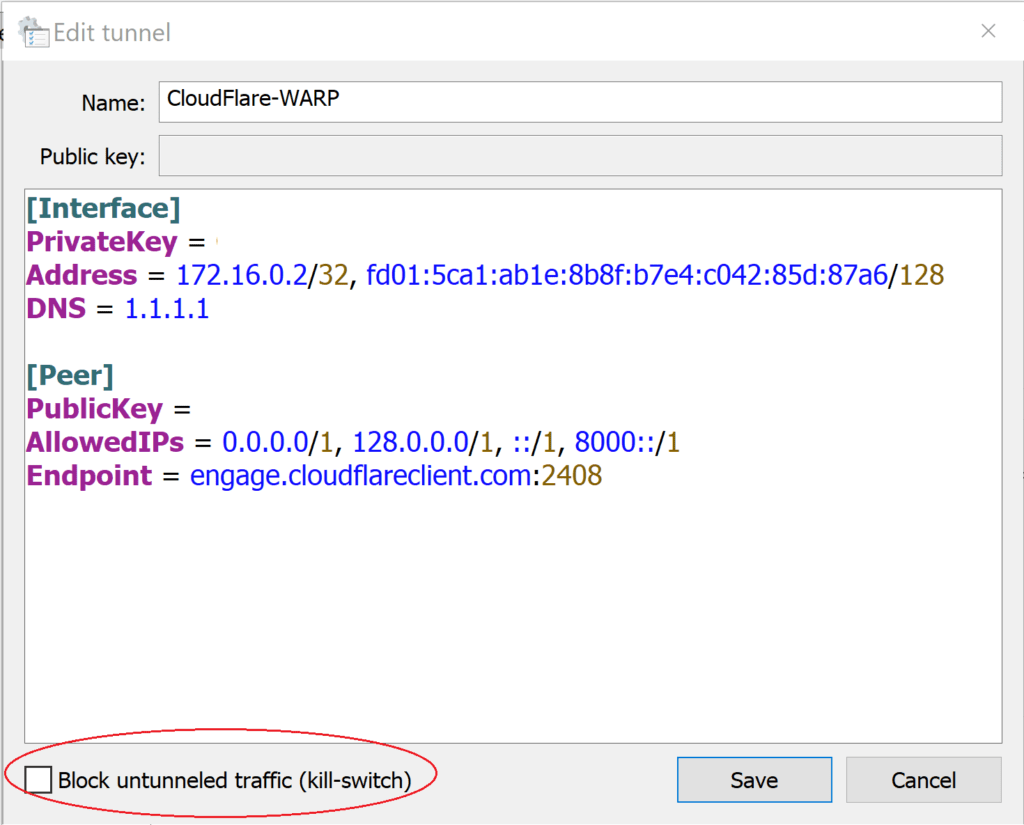
    Unblock Untunneled Traffic Kill Switch

  5. Hit Save button.
  6. Deactivate and re-activate the tunnel, if the app not yet already done so.
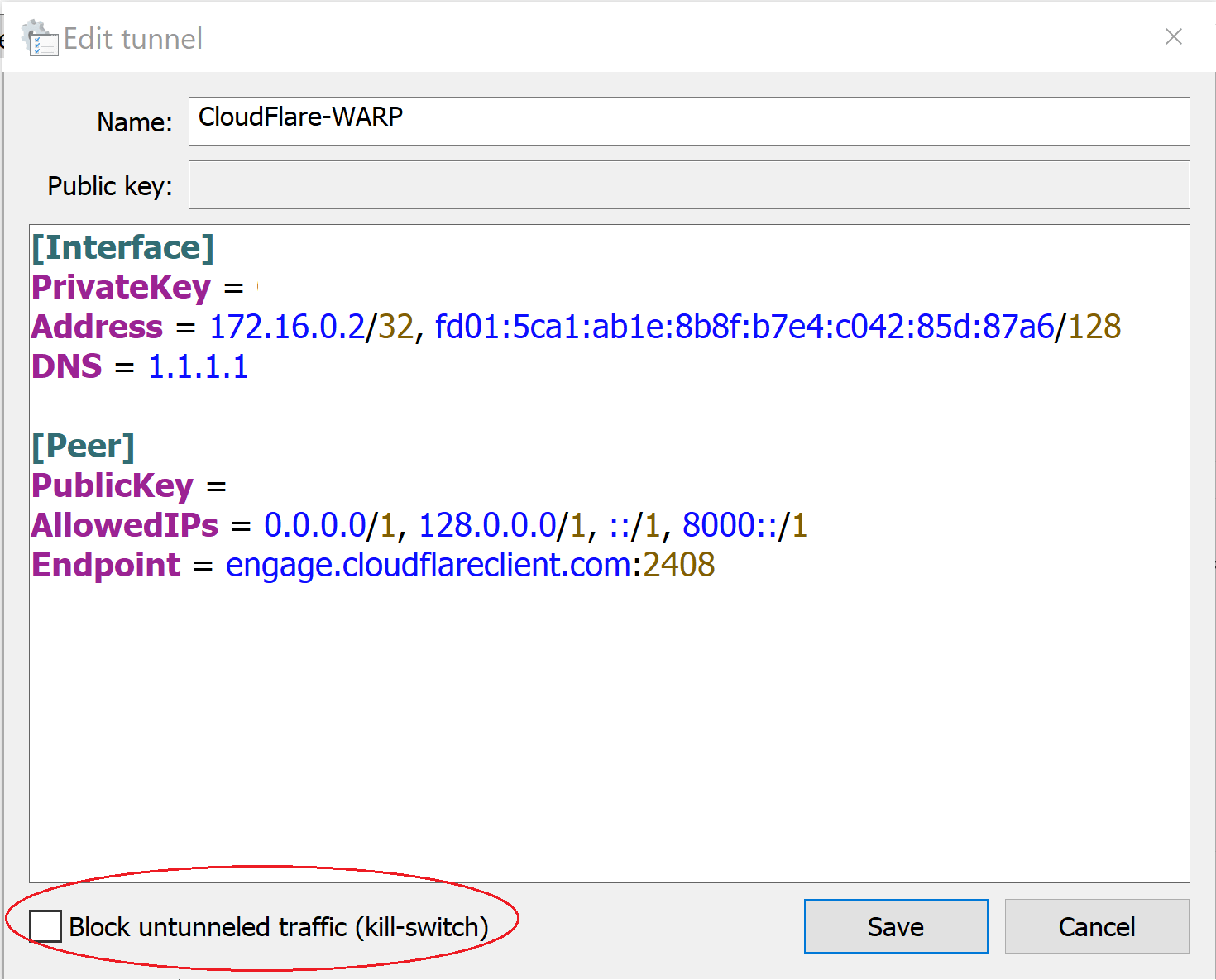
The deselecting of “block untunneled traffic (kill-switch)” option changes the following line:

AllowedIPs = 0.0.0.0/0, ::/0

To:

AllowedIPs = 0.0.0.0/1, 128.0.0.0/1, ::/1, 8000::/1

The allowed IPs value tells WireGuard tunnel from which incoming traffic for this peer is allowed and to which outgoing traffic for this peer is directed. By using a more specific route which is always preferred over a more general route, it may be triggering some specific actions or controls from within WireGuard on Windows machine that allows local network traffic to be routed properly, instead of blocking them.

Go to Top