






We want to sync a private repo(https://github.com/mafeifan/vue-press.git) to gitlab
go to https://github.com/settings/tokens to generate a Personal access tokens (classic)
only check scope repo
remember the token: which like ghp_QabT1sLA*****d839uR1alj5S
you can make a test on your local
bash
GITHUB_TOKEN=ghp_QabT1sLA*****j5S
git clone https://ghp_QabT1sLA*****j5S:x-oauth-basic@github.com/mafeifan/vue-press.git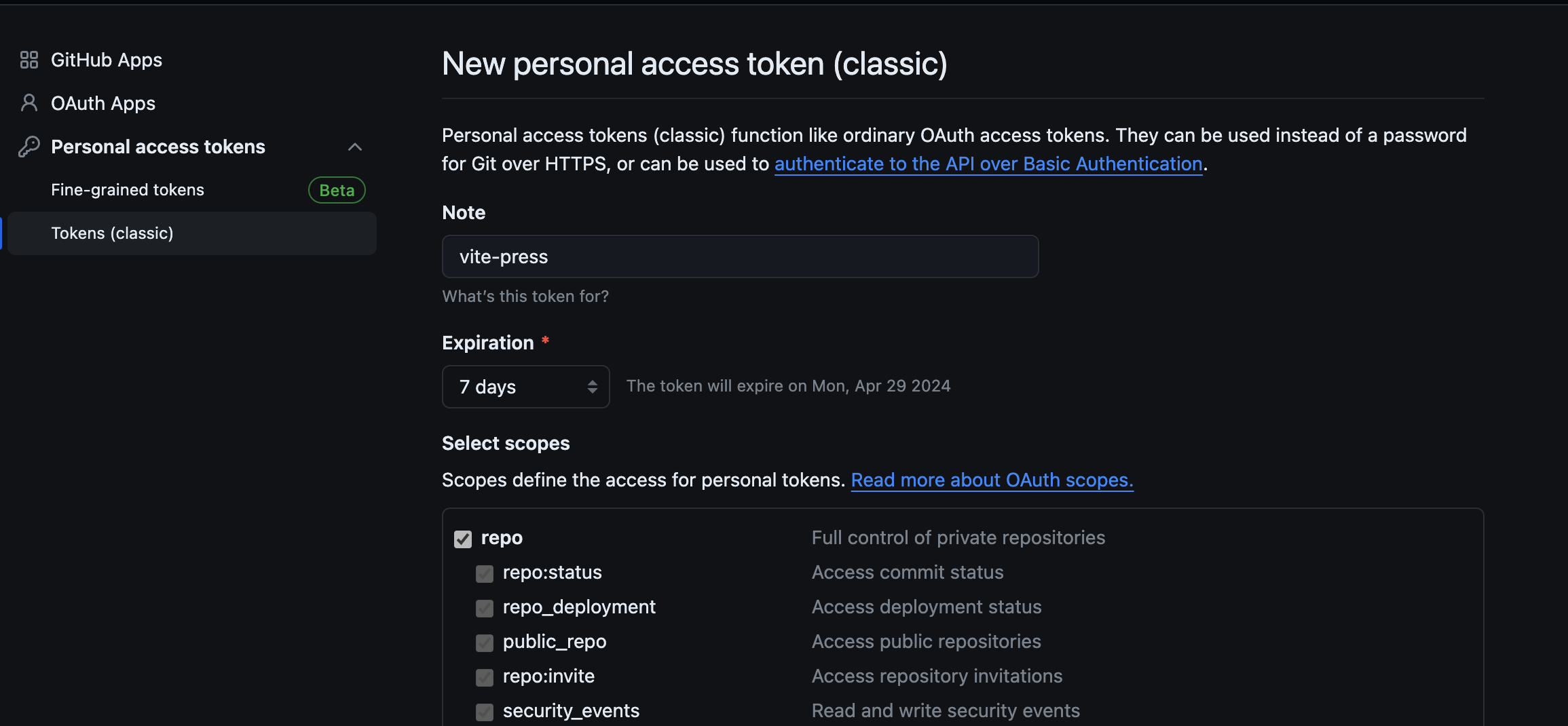
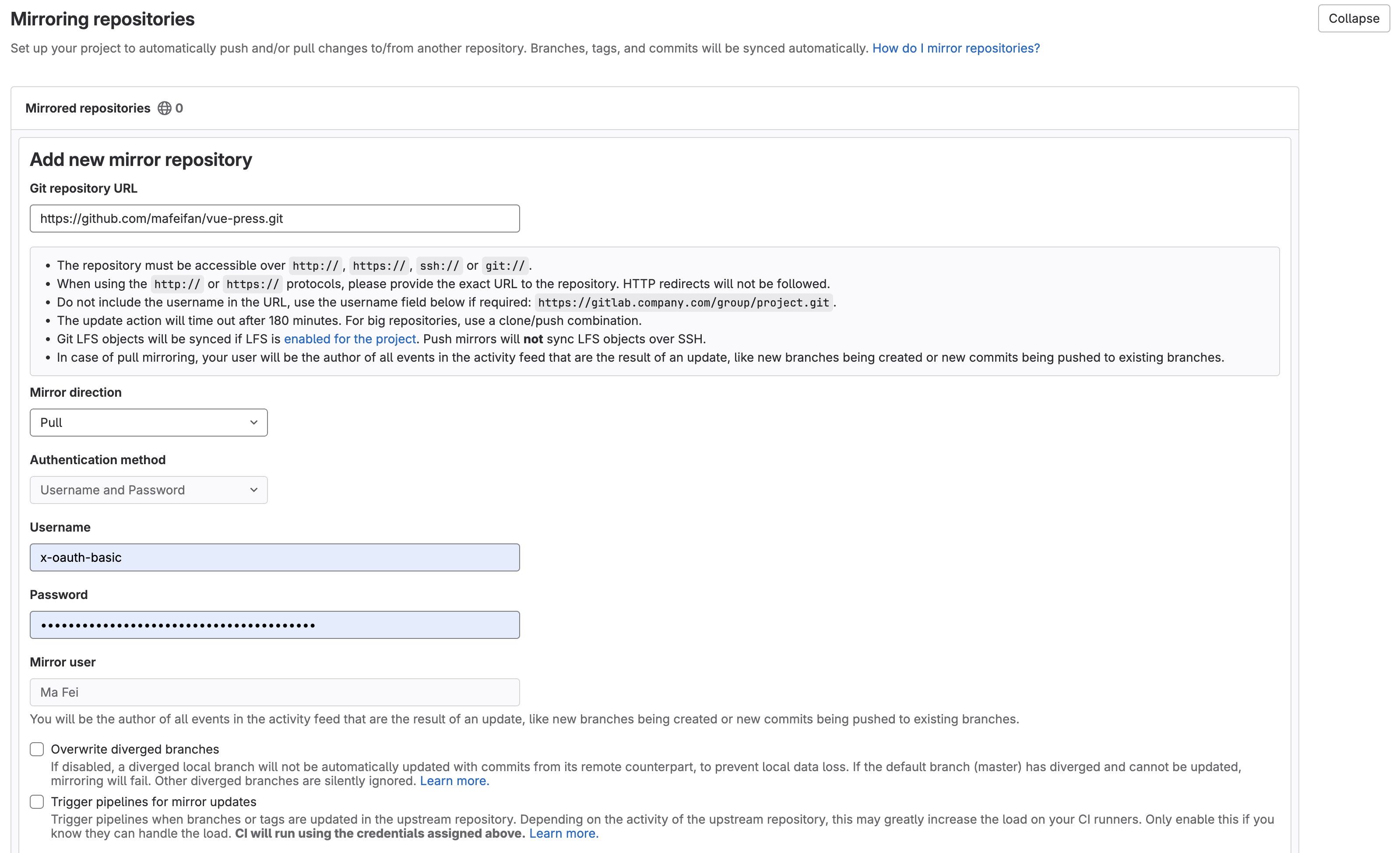
then go to Settings - repository - Mirroring repositories
fill in the below content in form
Not to use mirror feature, Use gitlab pipeline to sync code automatically
we need to generate a gitlab token to access gitlab repo

bash
sync-code-from-github:
  image: public.ecr.aws/bitnami/git:2
  stage: sync
  services: []
  when: manual
  script: |
    set -x
    # define $GITHUB_TOKEN and $GITLAB_TOKEN in gitlab pipeline variables first
    git clone https://$GITHUB_TOKEN:x-oauth-basic@github.com/mafeifan/vue-press.git
    cd vue-press
    ls
    GITLAB_USERNAME=gitlab
    git remote add gitlab https://$GITLAB_USERNAME:$GITLAB_TOKEN@gitlab.cn/cndevops/vue-press.git
    git push gitlab master
此内容由惯性聚合(RSS阅读器)自动聚合整理,仅供阅读参考。 原文来自 — 版权归原作者所有。