当有大量的pipeline项目构建任务,有很多代码是重复的,这时需要提取和复用共同的逻辑。 其实pipeline本质就是一个Groovy脚本,所以可以在pipeline中自定义函数,并使用Groovy语言自带的特性。 比如下面的Jenkinsfile,我们自定义了一个 createVersion 函数,并使用了内置的Date类。
groovy
pipeline {
    agent any

    stages {
        stage ('build') {
            steps {
                // 输出 当前日期和构建编号
                echo "${createVersion(BUILD_NUMBER)}"
            }
        }
    }
}

def createVersion(String BUILD_NUMBER) {
    return new Date().format('yyyy-MM-dd') + "-${BUILD_NUMBER}"
}
还有一种更优雅的写法,将变量定义在environment内
groovy
pipeline {
    agent any

    environment {
       _version = createVersion()
    }

    stages {
        stage ('build') {
            steps {
                echo "${_version}"
            }
        }
    }
}

def createVersion() {
    return new Date().format('yyyy-MM-dd') + "-${env.BUILD_NUMBER}"
}大致流程:
(root)
+- src                     # Groovy source files
|   +- org
|       +- foo
|           +- Bar.groovy  # for org.foo.Bar class
+- vars
|   +- foo.groovy          # for global 'foo' variable
|   +- foo.txt             # help for 'foo' variable
+- resources               # resource files (external libraries only)
|   +- org
|       +- foo
|           +- bar.json    # static helper data for org.foo.Bar
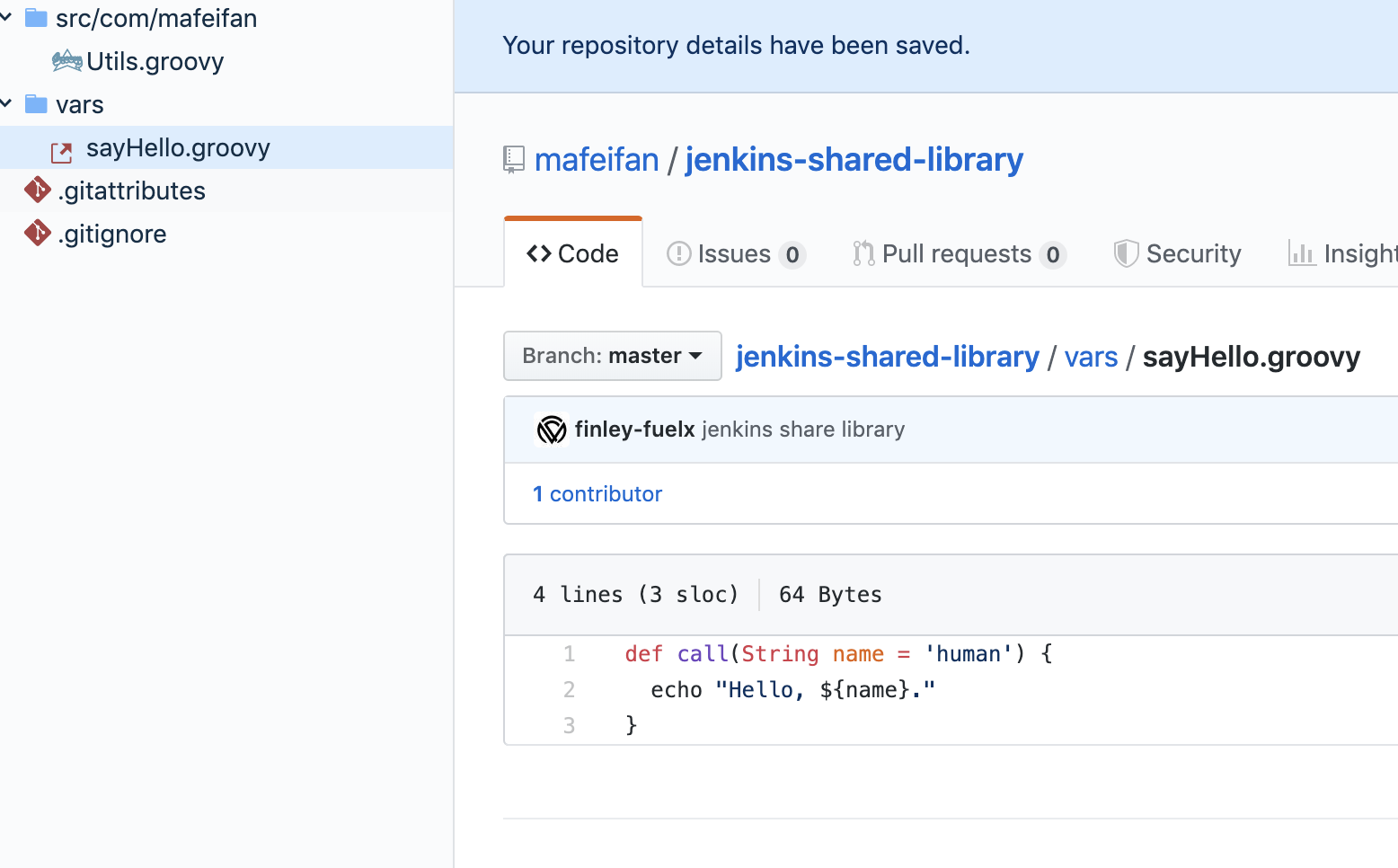
这里已经建好 jenkins-shared-library,文件结构如下:
vars 目录下的全局变量可以直接在pipeline中使用,即当写sayHello('world'),实际调用的是sayHello.groovy中的call函数
src 目录是标准的Java源码结构,目录中的类被称为类库(Library class),而 @Library('global-shared-library@master') 就是一次性静态加载src目录下所有代码到classpath中。
TIP
src目录中的类,可以使用Groovy中的@Grab注解,自动下载第三方依赖包
groovy
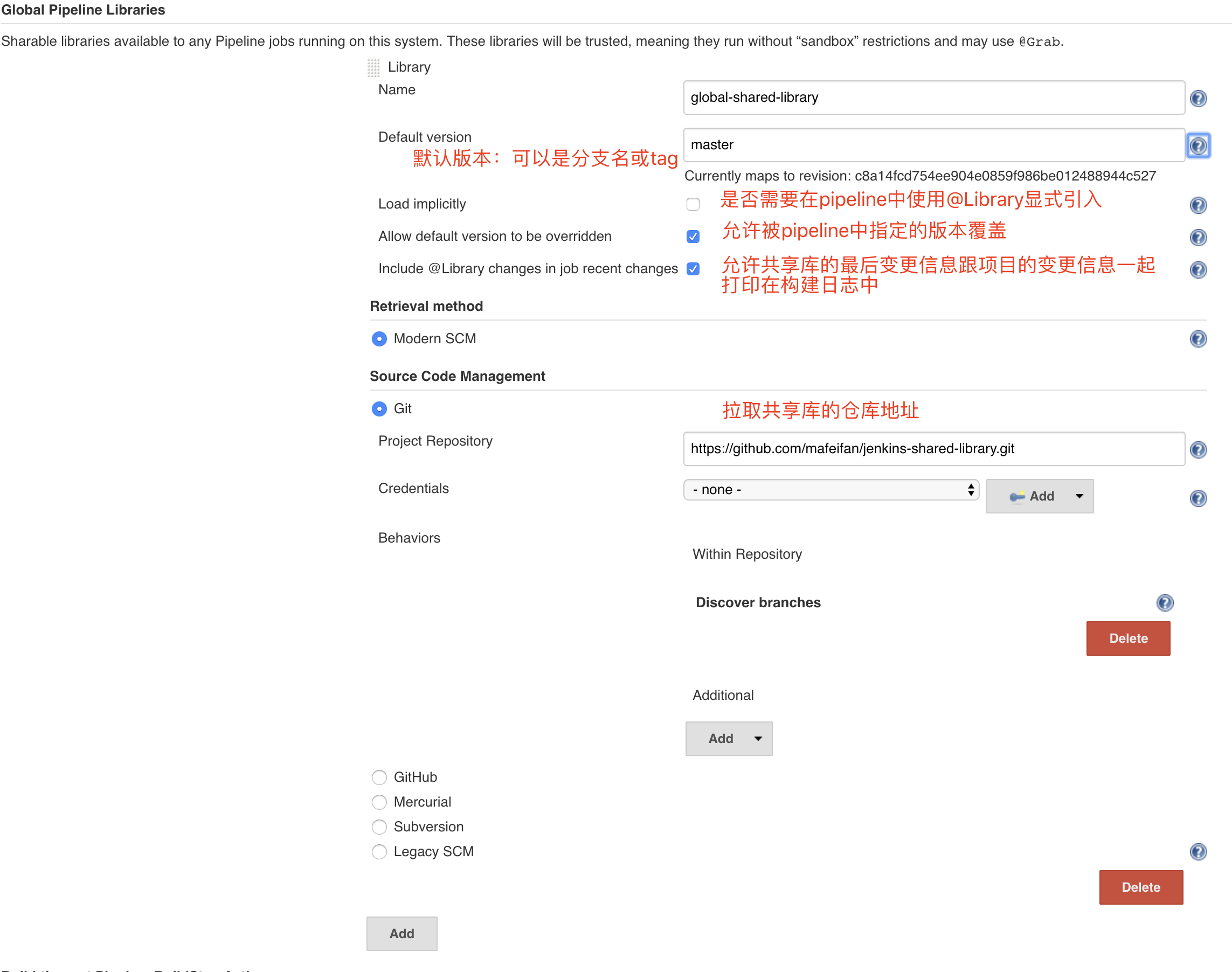
// 配置页面开启隐式加载后,可以直接使用共享库
// 定义library,命名为_
@Library('global-shared-library@master') _
pipeline {
    agent any

    environment {
       _version = createVersion()
    }

    stages {
        stage ('build') {
            steps {
                script {
                    def util = new com.mafeifan.Utils()
                    def version = util.createVersion("${BUILD_NUMBER}")
                    echo "${version}"
                    sayHello 'yes'
                    echo "${_version}"
                }
            }
        }
    }
}

def createVersion() {
    return new Date().format('yyyyMM') + "-${env.BUILD_NUMBER}"
}
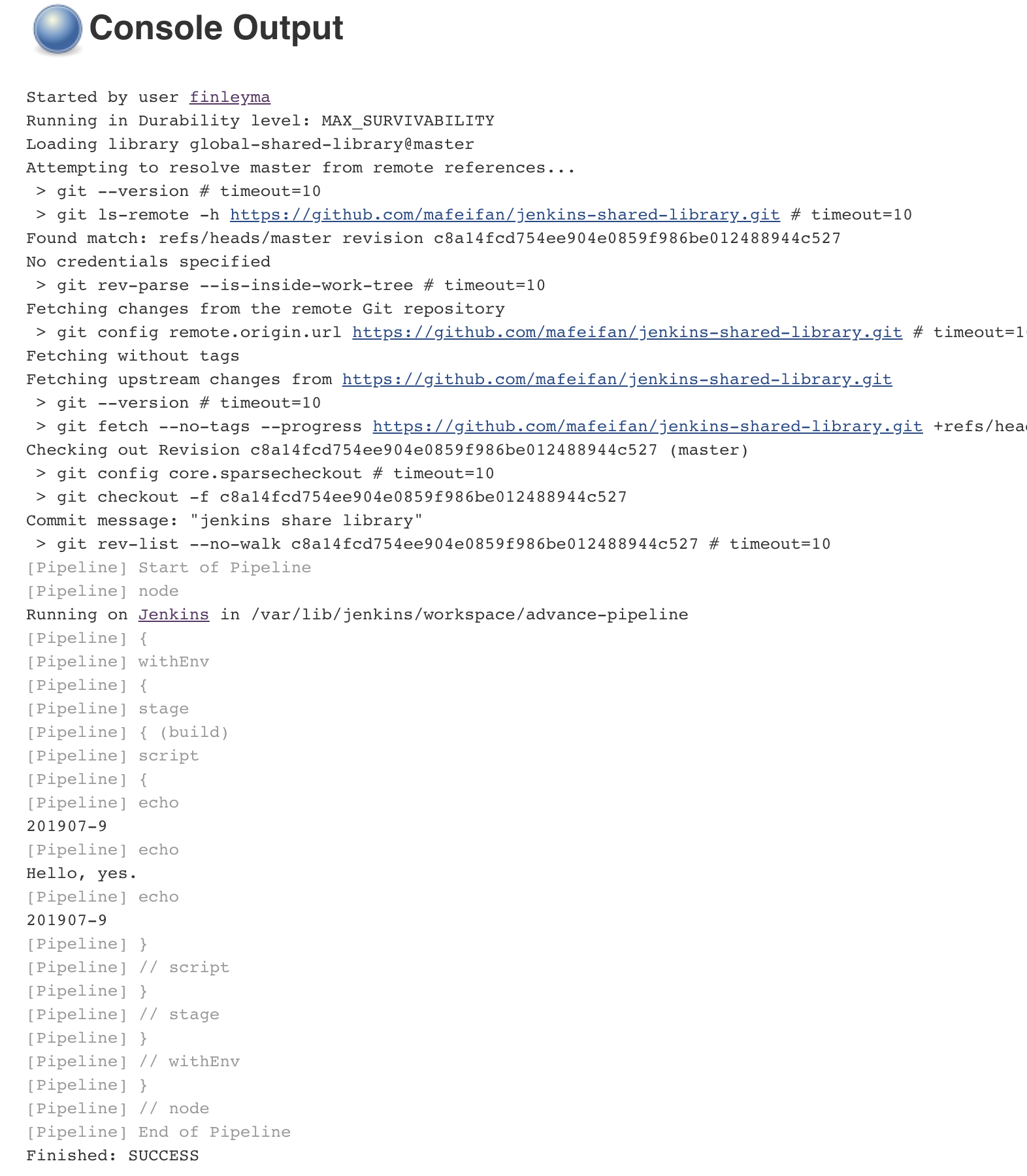
查看构建日志,发现Jenkins首先拉取共享库代码,执行成功。
后台配置共享库是非必须的,我们可以直接在pipeline中指定共享库的位置,如下面的例子,指定共享库的位置是https://gitee.com/finley/devops-jenkins-shared-library.git 引入后直接调用共享库中的方法
groovy
library identifier: 'devops-ws-demo@master', retriever: modernSCM([
    $class: 'GitSCMSource',
    remote: 'https://gitee.com/finley/devops-jenkins-shared-library.git',
    traits: [[$class: 'jenkins.plugins.git.traits.BranchDiscoveryTrait']]
])

// 另外的写法,需要在后台配置,注意名称要一致
//@Library('devops-ws-demo') _
//@Library('devops-ws-demo@test') _

pipeline {
    agent any

    stages {
        stage('Demo') {
            steps {
                script {
                    mvn.fake()
                }
            }
        }
    }
}// vars/generatePipeline.groovy
groovy
def call(String lang) {
  if (lang == 'go') {
    pipeline {
      agent any
       stages {
         stage ('set go path') {
            steps {
               echo "GO path is ready"
            }
         }
       }
    }
  } else if (lang == 'java') {
    pipeline {
      agent any
       stages {
         stage ('clean install') {
            steps {
               sh "mvn clean install"
            }
         }
       }
    }
  }
  // 其他语言
}
使用时,Jenkinsfile 只有两行
groovy
@Library['global-shared-library'] _
generatePipeline('go')
如果大多数项目都是标准化的,可以利用共享库的pipeline模块技术来降低维护成本。
这里只是抛砖引玉,想写出更强大的共享库需要多了解Groovy。
TIP
优先考虑使用自定义函数,如果此函数出现在了至少三个项目中,考虑移到共享库里,当发现项目的pipeline非常相似,考虑使用pipeline模块。
此内容由惯性聚合(RSS阅读器)自动聚合整理,仅供阅读参考。 原文来自 — 版权归原作者所有。