惯性聚合 高效追踪和阅读你感兴趣的博客、新闻、科技资讯
阅读原文 在惯性聚合中打开

推荐订阅源

Google DeepMind News
S
Security Affairs
阮一峰的网络日志
阮一峰的网络日志
L
LangChain Blog
Microsoft Azure Blog
雷峰网
雷峰网
Recent Announcements
WordPress大学
WordPress大学
The GitHub Blog
The GitHub Blog
博客园_首页
The Cloudflare Blog
M
MIT News - Artificial intelligence
博客园 - 【当耐特】
MyScale Blog
MyScale Blog
S
SegmentFault 最新的问题
P
Proofpoint News Feed
Y
Y Combinator Blog
Jina AI
Jina AI
博客园 - 聂微东
A
About on SuperTechFans
Blog — PlanetScale
Blog — PlanetScale
博客园 - 司徒正美
G
Google Developers Blog
云风的 BLOG
云风的 BLOG
F
Full Disclosure
CTFtime.org: upcoming CTF events
Microsoft Security Blog
爱范儿
爱范儿
T
Tailwind CSS Blog
J
Java Code Geeks
Vercel News
Vercel News
钛媒体:引领未来商业与生活新知
钛媒体:引领未来商业与生活新知
Stack Overflow Blog
Stack Overflow Blog
罗磊的独立博客
小众软件
小众软件
酷 壳 – CoolShell
酷 壳 – CoolShell
T
The Blog of Author Tim Ferriss
cs.AI updates on arXiv.org
博客园 - 三生石上(FineUI控件)
W
WeLiveSecurity
PCI Perspectives
PCI Perspectives
Attack and Defense Labs
Exploit-DB.com RSS Feed
cs.CV updates on arXiv.org
宝玉的分享
宝玉的分享
IT之家
IT之家
Hacker News: Ask HN
Hacker News: Ask HN
The Register - Security
T
The Exploit Database - CXSecurity.com
T
Threat Research - Cisco Blogs

mafeifan 的编程技术分享

mafengwo-mp3-downloader | mafeifan 的编程技术分享 示例页面 | mafeifan 的编程技术分享 mafeifan 的编程技术分享 mafeifan 的编程技术分享 mafeifan 的编程技术分享 mafeifan 的编程技术分享 mafeifan 的编程技术分享 mafeifan 的编程技术分享 mafeifan 的编程技术分享 mafeifan 的编程技术分享 mafeifan 的编程技术分享 查看 default namespace 下的 default service account名称 mafeifan 的编程技术分享 检查日志 | mafeifan 的编程技术分享 bridge fdb show dev flannel.1 mafeifan 的编程技术分享 mafeifan 的编程技术分享 mafeifan 的编程技术分享 mafeifan 的编程技术分享 mafeifan 的编程技术分享 mafeifan 的编程技术分享 mafeifan 的编程技术分享 mafeifan 的编程技术分享 mafeifan 的编程技术分享 mafeifan 的编程技术分享 mafeifan 的编程技术分享 mafeifan 的编程技术分享 mafeifan 的编程技术分享 mafeifan 的编程技术分享 mafeifan 的编程技术分享 数据收集原理分析 | mafeifan 的编程技术分享 mafeifan 的编程技术分享 mafeifan 的编程技术分享 mafeifan 的编程技术分享 mafeifan 的编程技术分享 mafeifan 的编程技术分享 mafeifan 的编程技术分享 mafeifan 的编程技术分享 mafeifan 的编程技术分享 mafeifan 的编程技术分享 mafeifan 的编程技术分享 mafeifan 的编程技术分享 mafeifan 的编程技术分享 mafeifan 的编程技术分享 mafeifan 的编程技术分享 几种方法 | mafeifan 的编程技术分享 mafeifan 的编程技术分享 mafeifan 的编程技术分享 mafeifan 的编程技术分享 mafeifan 的编程技术分享 mafeifan 的编程技术分享 mafeifan 的编程技术分享 mafeifan 的编程技术分享 mafeifan 的编程技术分享 mafeifan 的编程技术分享 mafeifan 的编程技术分享 mafeifan 的编程技术分享 mafeifan 的编程技术分享 mafeifan 的编程技术分享 mafeifan 的编程技术分享 mafeifan 的编程技术分享 mafeifan 的编程技术分享 mafeifan 的编程技术分享 mafeifan 的编程技术分享 mafeifan 的编程技术分享 mafeifan 的编程技术分享 mafeifan 的编程技术分享 mafeifan 的编程技术分享 mafeifan 的编程技术分享 mafeifan 的编程技术分享 mafeifan 的编程技术分享 mafeifan 的编程技术分享 mafeifan 的编程技术分享 mafeifan 的编程技术分享 mafeifan 的编程技术分享 mafeifan 的编程技术分享 mafeifan 的编程技术分享 mafeifan 的编程技术分享 mafeifan 的编程技术分享 mafeifan 的编程技术分享 mafeifan 的编程技术分享 mafeifan 的编程技术分享 mafeifan 的编程技术分享 mafeifan 的编程技术分享 mafeifan 的编程技术分享 mafeifan 的编程技术分享 mafeifan 的编程技术分享 mafeifan 的编程技术分享 mafeifan 的编程技术分享 mafeifan 的编程技术分享 mafeifan 的编程技术分享 mafeifan 的编程技术分享 mafeifan 的编程技术分享 check the export on the very top of this document so we can use $do mafeifan 的编程技术分享 mafeifan 的编程技术分享 mafeifan 的编程技术分享 mafeifan 的编程技术分享 延伸 -- 关于前端路由 xdebug 3 和 2 的区别
mafeifan 的编程技术分享
2026-01-16 · via mafeifan 的编程技术分享

Jenkins2 学习系列13 -- 邮件和Slack通知 里发送邮件的内容是写死到了pipeline里,这样不太灵活

groovy

emailext (
to: 'mafeifan@qq.com', 
subject: "Job [${env.JOB_NAME}] - Status: ${currentBuild.result?: 'success'}", 
body: 
"""
<p>EXECUTED: Job <b>\' ${env.JOB_NAME}:${env.BUILD_NUMBER}\'
</b></p><p>View console output at "<a href= "${env.BUILD_URL}">
${env.JOB_NAME}:${env.BUILD_NUMBER}</a>"</p>
<p><i>(Build log is attached.)</i></p>
""")

这里我们通过 Config File Provider 插件,创建邮件模板,然后实现复用的目的,具体步骤:

  1. 安装插件,略
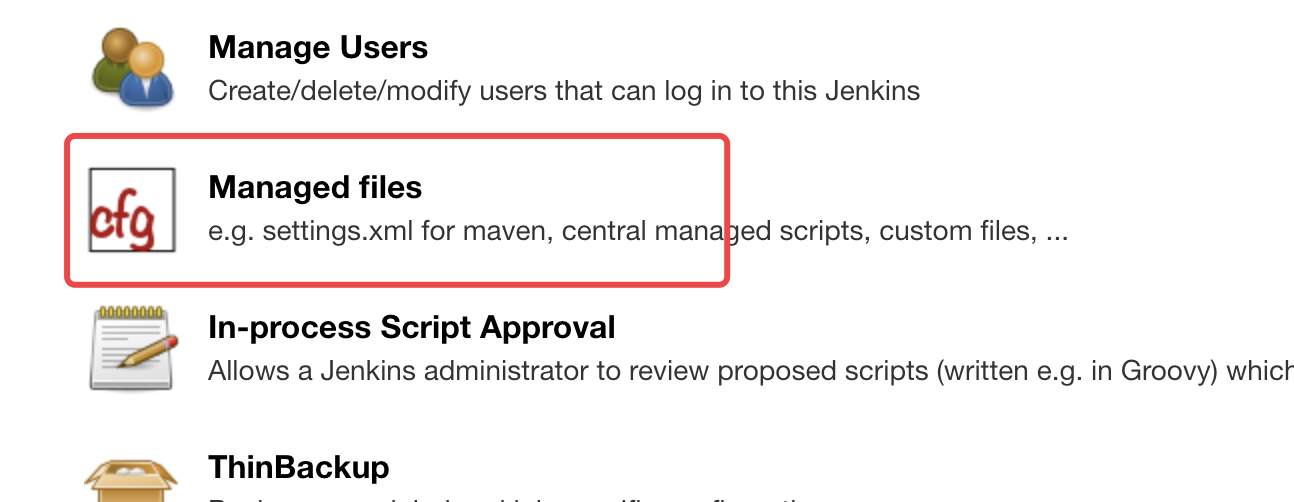
  2. 安装后管理页面多了 "Managed files" 菜单项, 进入后点 Add a new Config

image.png

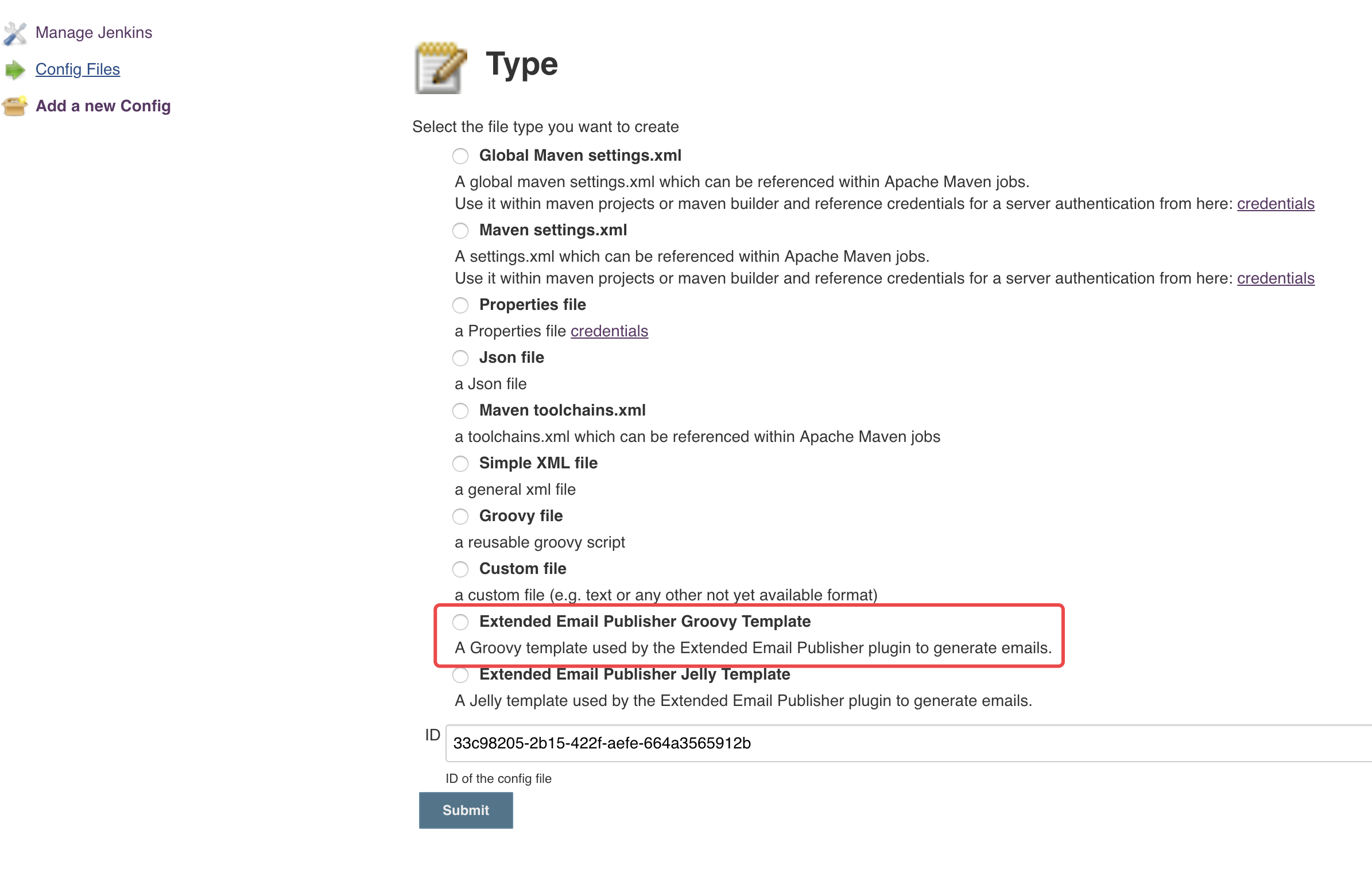
Type 选择 "Extended Email Publisher Groovy Template"

image.png

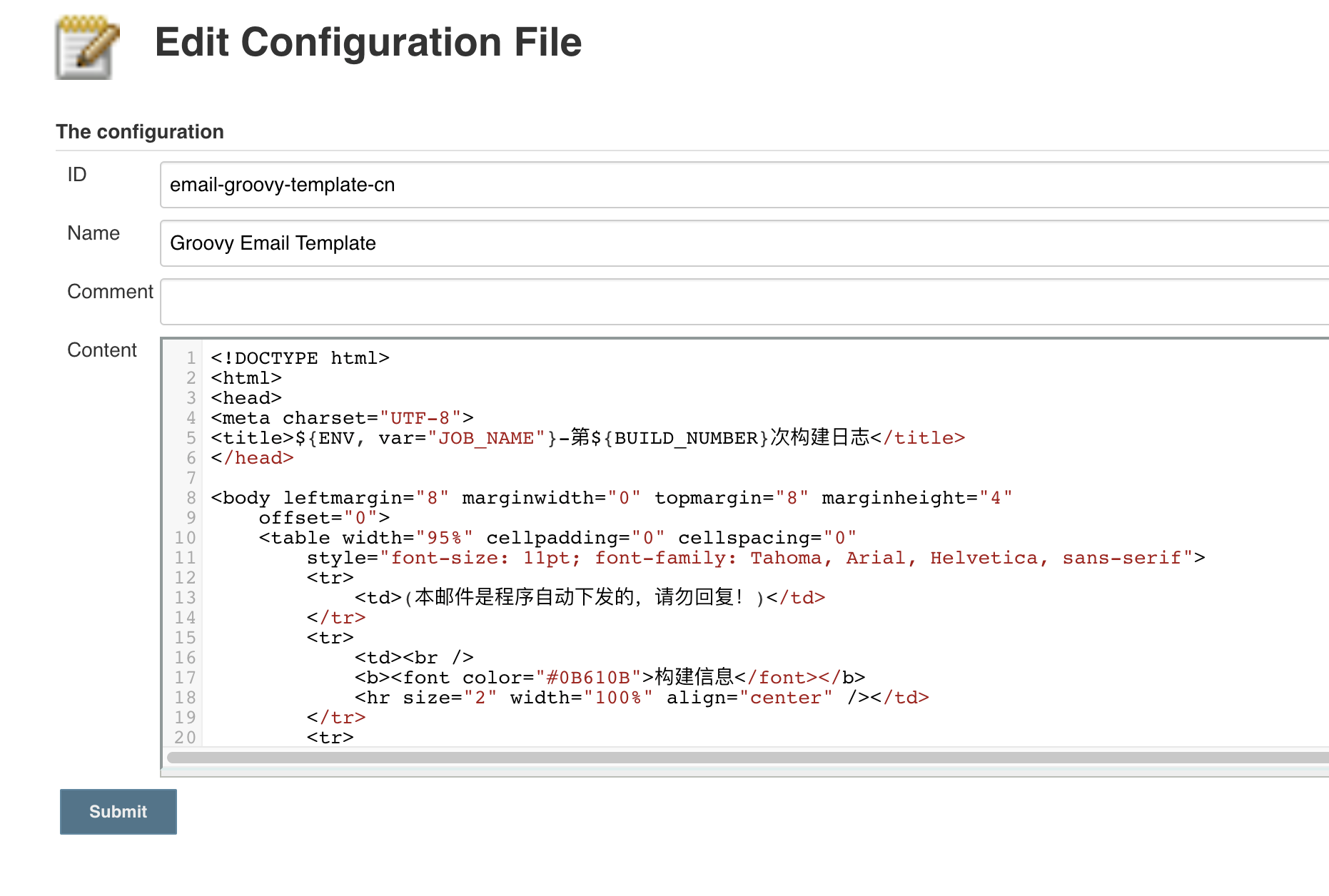
ID 可以自行填写

image.png

Content 填写如下

html

<!DOCTYPE html>
<html>
<head>
<meta charset="UTF-8">
<title>${ENV, var="JOB_NAME"}-第${BUILD_NUMBER}次构建日志</title>  
</head>
 
<body leftmargin="8" marginwidth="0" topmargin="8" marginheight="4"
    offset="0">
    <table width="95%" cellpadding="0" cellspacing="0"
        style="font-size: 11pt; font-family: Tahoma, Arial, Helvetica, sans-serif">
        <tr>
            <td>(本邮件是程序自动下发的,请勿回复!)</td>
        </tr>
        <tr>
            <td><br />
            <b><font color="#0B610B">构建信息</font></b>
            <hr size="2" width="100%" align="center" /></td>
        </tr>
        <tr>
            <td>
                <ul>
                    <li>项目名称 : ${JOB_NAME}</li>
                    <li>构建编号 : 第${BUILD_NUMBER}次构建</li>
                    <li>触发原因 : ${CAUSE}</li>
                    <li>构建日志 : <a href="${BUILD_URL}console">${BUILD_URL}console</a></li>
                    <li>工作目录 : <a href="${PROJECT_URL}">${PROJECT_URL}</a></li>
                </ul>
            </td>
        </tr>

        <tr>
            <td><b style="color='#0B610B'">历史变更记录:</b>
            <hr size="2" width="100%" align="center" /></td>
        </tr>
        <tr>
            <td>
                ${CHANGES_SINCE_LAST_SUCCESS,reverse=true, format="Changes for Build #%n:<br />%c<br />",showPaths=true,changesFormat="<pre>[%a]<br />%m</pre>",pathFormat="&nbsp;&nbsp;&nbsp;&nbsp;%p"}
            </td>
        </tr>
        <tr>
            <td><b style="color='#0B610B'">构建日志(最后100行):</b>
            <hr size="2" width="100%" align="center" /></td>
        </tr>
        <tr>
            <td><p><pre>${BUILD_LOG, maxLines=100}</pre></p></td>
        </tr>
    </table>
</body>
</html>
  1. 最后修改流水线脚本,通过插件提供的configFileProvider实现获取文件 如果是脚本式流水线。

groovy

node () {
    stage('email'){
        echo "测试发送邮件"
        // 设置生成模板文件
        configFileProvider([configFile(fileId: '0ad43176-c202-4ebc-aaff-441ef79f49d8',
                                       targetLocation: 'email.html', 
                                       variable: 'failt_email_template')]) {
            //  读取模板
            template = readFile encoding: 'UTF-8', file: "${failt_email_template}"
            //  发送邮件
            emailext(subject: '任务执行失败',
            	     attachLog: true,
            	     recipientProviders: [requestor()], 
            	     to: '32*****47@qq.com',
            	     body: """${template}""")
        }
    }
}

如果是声明式流水线

groovy

post {
        always {
            configFileProvider([configFile(fileId: 'email-groovy-template-cn', targetLocation: 'email.html', variable: 'content')]) {
               script {
                   template = readFile encoding: 'UTF-8', file: "${content}"
                   emailext(
                       to: "${email_to}",
                       subject: "Job [${env.JOB_NAME}] - Status: ${currentBuild.result?: 'success'}",
                       body: """${template}"""
                   )
               }
           }
        }
    }
}

大致流程,configFileProvider 通过传入的 fileId 读取具体文件,然后通过 targetLocation 给模板起起名,假如 WORKSPACE=/var/jenkins_home/workspace/email-test,targetLocation: 'email.html',执行时,通过构建日志你会发现 copy managed file [Groovy Email Template] to file:/var/jenkins_home/workspace/email-test/email.html

参考 ​

Jenkins Email 邮件配置