ansible 中的模块可以用在ansible命令行或后面要讲的playbook中。不同的模块提供不同的功能,官方提供的非常多,几千种,常用的有几十种,这里只介绍常见的几种模块。 模块是Ansible基本的可复用的单元。模块的功能范围很小,可能只针对某操作系统。
ansible绝大多数模块都天然具有 幂等 特性,只有极少数模块如shell和command模块不具备幂等性。所谓的幂等性是指多次执行同一个操作不会影响最终结果。例如,ansible的yum模块安装rpm包时,如果待安装的包已经安装过了,则再次或多次执行安装操作都不会真正的执行下去。再例如,copy模块拷贝文件时,如果目标主机上已经有了完全相同的文件,则多次执行copy模块不会真正的拷贝。ansible具有幂等性的模块在执行时,都会自动判断是否要执行。
自己编写的脚本有可能执行第二次的时候有可能带来不一样的意外或影响,而模块的幂等性可以降低一定的风险。

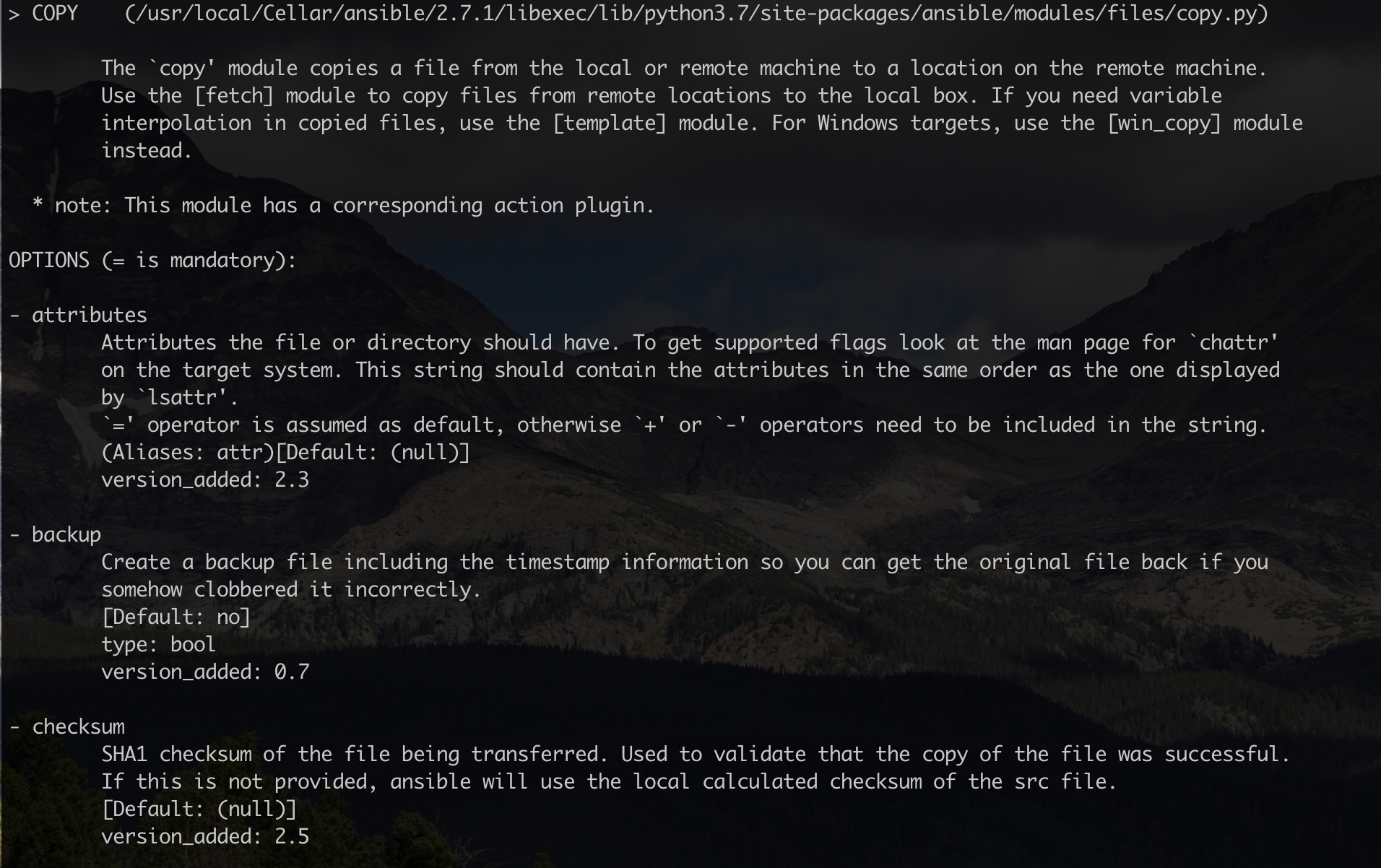
学习ansible模块时,可以先用ansible-doc命令,阅读相关模块的说明文档 比如我想通过ansible执行拷贝文件操作,先用ansible-doc -l | grep 'copy'过滤出所有包含copy的模块名。
ansible-doc copy 查看copy模块的使用详情
ansible-doc -s copy 查看copy模块的精简信息

Ad-Hoc 执行方式,可以通过shell或者command模块来执行命令。一条条来执行
bash
ansible-doc command
# 查看某服务器的内存使用情况
ansible myserver -m command -a "free -m"
# 可简写, 因为 command 是默认模块
ansible myserver -a "free -m"
# 模块包括 command, script(在远程主机执行主控端的shell脚本), shell (执行远程主机的shell脚本文件)
ansible myserver -m command -a "cat /etc/os-release"
# 先切换到目录再执行
ansible myserver -m command -a "chdir=/etc cat os-release"
# 用 command 模块执行不成功, shell 模块可以
ansible cloud -m command -a "sudo rm -rf /var/log/mysql/*.gz"
ansible cloud -m shell -a "sudo rm -rf /var/log/mysql/*.gz"
ansible myserver -m script -a "/home/local.sh"
ansible myserver -m shell -a "/home/server.sh"
# 实际上shell模块执行命令的方式是在远程使用/bin/sh来执行的
ansible merch -m shell -a "touch demo.txt"
打开 ansible.cfg 搜索 module_name 可修改默认模块名
查看 shell 模块提供的参数 ansible-doc -s shell
- name: Execute commands in nodes.
  shell:
      chdir:                 # cd into this directory before running the command
                             # 执行命令前,先cd到指定目录
      creates:               # a filename, when it already exists, this step will *not* be run.
                             # 用于判断命令是否要执行。如果指定的文件(可以使用通配符)存在,则不执行。
      executable:            # change the shell used to execute the command. Should be an absolute path to the executable.
                             # 不再使用默认的/bin/sh解析并执行命令,而是使用此处指定的命令解析。例如使用expect解析expect脚本。必须为绝对路径。
      free_form:             # (required) The shell module takes a free form command to run, as a string.  There's not an actual option
                               named "free form".  See the examples!
      removes:               # a filename, when it does not exist, this step will *not* be run.
                               # 用于判断命令是否要执行。如果指定的文件(可以使用通配符)不存在,则不执行。
      stdin:                 # Set the stdin of the command directly to the specified value.
      warn:                  # if command warnings are on in ansible.cfg, do not warn about this particular line if set to no/false.
例如:
tasks:
   - shell: touch helloworld.txt creates=/tmp/hello.txt
但建议,在参数可能产生歧义的情况下,使用args来传递ansible的参数。如:
yaml
- shell: touch helloworld.txt
   args:
creates: /tmp/hello.txt实现主控端向目标主机拷贝文件,类似于scp的功能。 拷贝当前目录的 demo.png 到远程服务器的/home/ubuntu目录下,并修改文件权限
bash
ansible cloud -m copy -a "src=demo.png dest=/home/ubuntu mode=755 owner=ubuntu"
# 指定内容,生成文件
ansible cloud -m copy -a "content='test line1\ntest line2' dest=/tmp/test.txt"
# src为本地文件内容 拷贝到远程服务器
ansible cloud -m copy -a "src=/etc/hosts dest=/tmp/test.txt"拷贝远程服务器的文件到本地, 会基于inventory创建目录
bash
# 本地创建目录 `/Users/mafei/demo/49.232.138.70/etc`
ansible cloud -m fetch -a "src=/etc/hosts dest=~/demo"
template 模块用法和 copy 模块用法基本一致,它主要用于复制配置文件。
ansible-doc -s template
 - name: Templates a file out to a remote server.
   action: template
      dest  # 必填,拷贝到远程机器的目标路径
      src # 必填,Ansible控制机模板文件所在位置
      force # 是否覆盖同名文件
      group # 设置远程文件的所属组
      owner # 设置远程文件的所有者
      mode  # 设置远程文件权限,如 0644,'u+rw', 'u=rw,g=r,o=r' 等方式
      backup # 拷贝的同时也创建一个包含时间戳信息的备份文件,默认为no
类似的模块
用于输出自定义的信息,类似于echo、print等输出命令。ansible中的debug主要用于输出变量值、表达式值,以及用于when条件判断时。使用方式非常简单。 ansible-doc -s debug
- name: Print statements during execution
  debug:
      msg:                   # The customized message that is printed. If omitted, prints a generic message.
                             # 输出自定义信息。如果省略,则输出普通字符。
      var:                   # A variable name to debug.  Mutually exclusive with the 'msg' option.
                             # 指定待调试的变量。只能指定变量,不能指定自定义信息,且变量不能加{{}}包围,而是直接的变量名。
      verbosity:             # A number that controls when the debug is run, if you set to 3 it will only run debug when -vvv or above
# 控制debug运行的调试级别,有效值为一个数值N。script模块用于控制远程主机执行脚本。在执行脚本前,ansible会将本地脚本传输到远程主机,然后再执行。 在执行脚本的时候,其采用的是远程主机上的shell环境。
例如,将ansible端/tmp/a.sh发送到各被控节点上执行,但如果被控节点的/tmp下有hello.t xt ,则不执行。
yaml
 - hosts: centos
   remote_user: root
   tasks:
     - name: execute /tmp/a.sh,but only /tmp/hello.txt is not yet created
       script: /tmp/a.sh hello
       args:
creates: /tmp/hello.txt自带模块,当执行playbook,会自动执行该模块,先收集主机信息过程,你会看到TASK [Gathering Facts]字样
这些不需要设置就可以直接使用的变量称为Facts变量
Facts变量可以实现更加个性化的功能需求,例如,将mysql的数据库备份到/var/db-<hostname>目录下
ansible cloud -m setup
# 列出很多服务器的系统信息
"ansible_distribution": "Ubuntu",
"ansible_distribution_file_parsed": true,
"ansible_distribution_file_path": "/etc/os-release",
"ansible_distribution_file_variety": "Debian",
"ansible_distribution_major_version": "20",
"ansible_distribution_release": "focal",
"ansible_distribution_version": "20.04",
"ansible_system_vendor": "Xen",
"ansible_uptime_seconds": 100758,
"ansible_user_dir": "/home/ubuntu",
"ansible_user_gecos": "Ubuntu",
"ansible_user_gid": 1000,
"ansible_user_id": "ubuntu",
"ansible_user_shell": "/bin/bash",
"ansible_user_uid": 1000,
"ansible_userspace_architecture": "x86_64",
"ansible_userspace_bits": "64",
Facts:是由正在通信的远程目标主机发回的信息,这些信息被保存在ansible变量中。
后续学习playbook中,这些参数可以当做变量在yaml中使用,比如 include_vars: ".yml"
模块非常多,有什么需求先去官网查,然后看文档,掌握常见的十来个模块即可 官方模块说明
此内容由惯性聚合(RSS阅读器)自动聚合整理,仅供阅读参考。 原文来自 — 版权归原作者所有。