惯性聚合 高效追踪和阅读你感兴趣的博客、新闻、科技资讯
阅读原文 在惯性聚合中打开

推荐订阅源

N
Netflix TechBlog - Medium
V
Vulnerabilities – Threatpost
Google Online Security Blog
Hugging Face - Blog
Hugging Face - Blog
L
LINUX DO - 热门话题
云风的 BLOG
云风的 BLOG
P
Proofpoint News Feed
D
Docker
C
Cyber Attacks, Cyber Crime and Cyber Security
MyScale Blog
MyScale Blog
P
Palo Alto Networks Blog
T
Tenable Blog
P
Privacy International News Feed
Google DeepMind News
小众软件
小众软件
Cisco Talos Blog
Cisco Talos Blog
aimingoo的专栏
aimingoo的专栏
Cyber Security Advisories - MS-ISAC
A
Arctic Wolf
C
Cybersecurity and Infrastructure Security Agency CISA
C
Cisco Blogs
T
Threat Research - Cisco Blogs
NISL@THU
NISL@THU
The Hacker News
The Hacker News
Project Zero
Project Zero
AWS News Blog
AWS News Blog
Simon Willison's Weblog
cs.CL updates on arXiv.org
T
Threatpost
V
Visual Studio Blog
The GitHub Blog
The GitHub Blog
The Cloudflare Blog
Last Week in AI
Last Week in AI
Jina AI
Jina AI
Cyberwarzone
Cyberwarzone
The Register - Security
C
CXSECURITY Database RSS Feed - CXSecurity.com
Vercel News
Vercel News
D
Darknet – Hacking Tools, Hacker News & Cyber Security
MongoDB | Blog
MongoDB | Blog
U
Unit 42
Scott Helme
Scott Helme
A
About on SuperTechFans
WordPress大学
WordPress大学
F
Fortinet All Blogs
大猫的无限游戏
大猫的无限游戏
G
GRAHAM CLULEY
Latest news
Latest news
让小产品的独立变现更简单 - ezindie.com
S
Schneier on Security

雾非雾 - 网络加速

暂无文章

CDN加速之Cloudflare
花非花 · 2022-10-12 · via 雾非雾 - 网络加速

申请了 Cloudflare 一直没用,一是怕麻烦(反正当前自己用也没感觉速度有问题);另一个原来有点误解,总以为不考虑那些乱七八糟的安全因素,不需要用 CDN 加速。

今天看了贴文章才知道 CDN 加速的意义,于是就想着要不试试看吧,反正操作起来好像也不难。
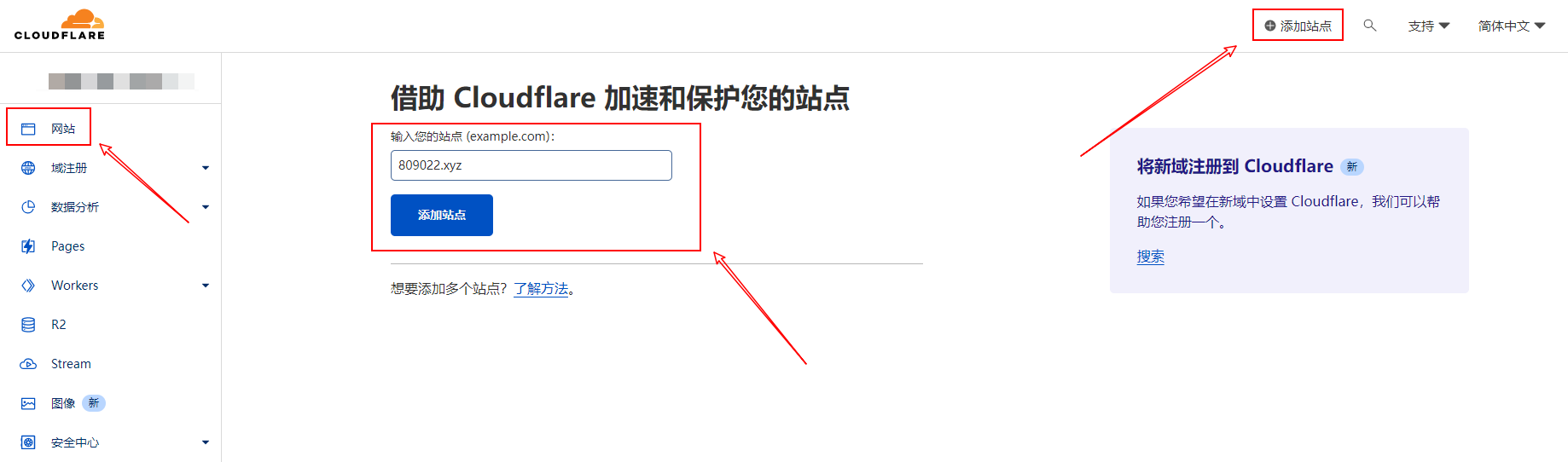
Cloudflare 1
登录 Cloudflare 后,从左边最上面的“网站”里打开右上角的“添加”;(如果您的域名是在 Cloudflare 注册的,这一步就免了)输入您要加速的域名添加站点。
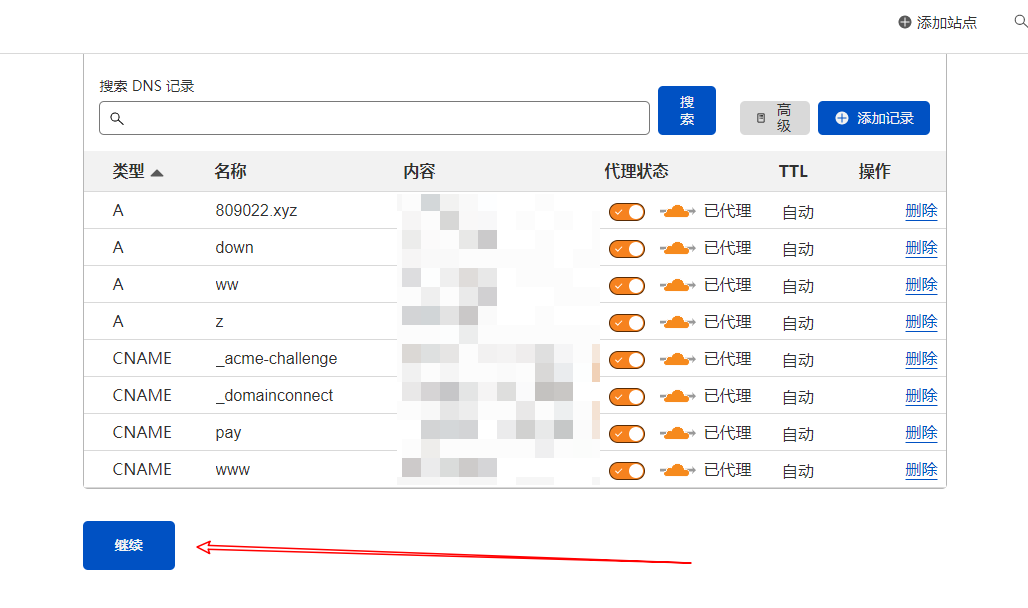
Cloudflare 2
上面内容保持默认,向下拉到最下面,继续。

Cloudflare 3
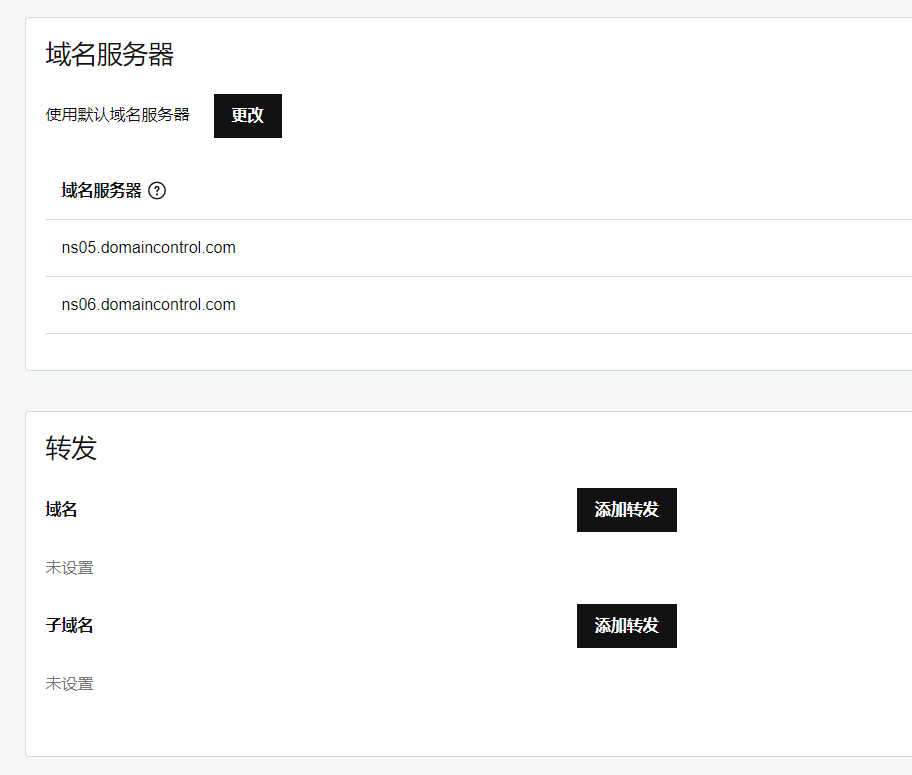
去您的域名服务商那里,找到域名服务器的设置,改成 Cloudflare 提供的。
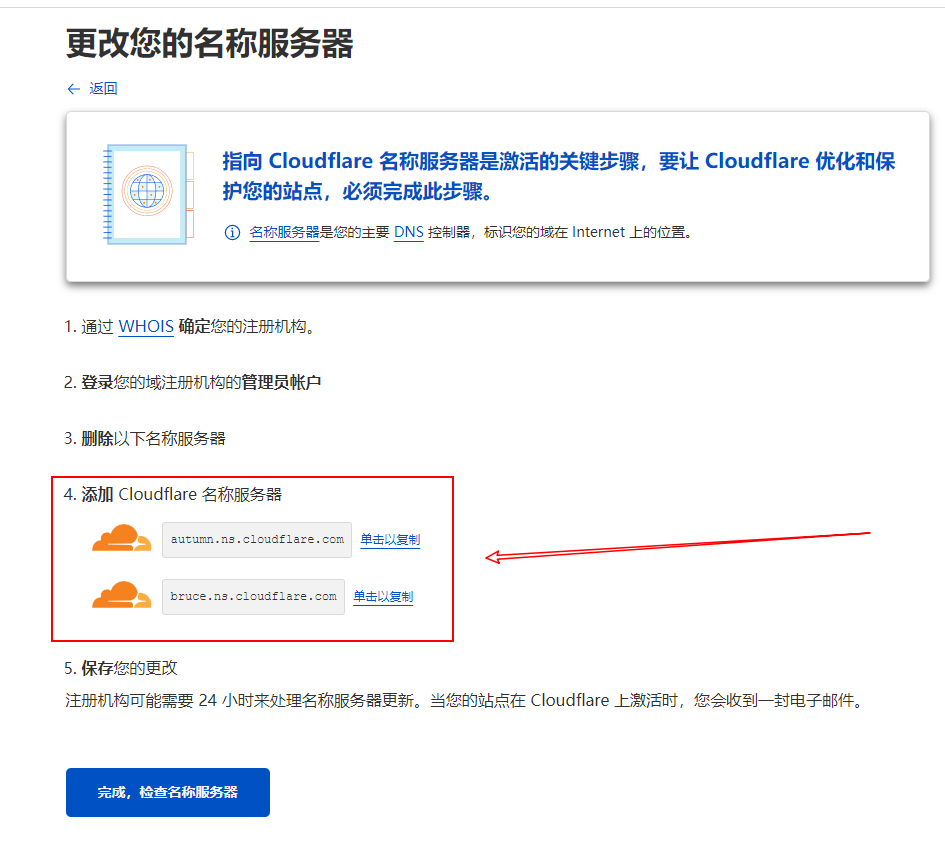
Cloudflare 4
复制 Cloudflare 提供的域名解析服务器,替换掉域名注册时 ISP 服务商提供的。
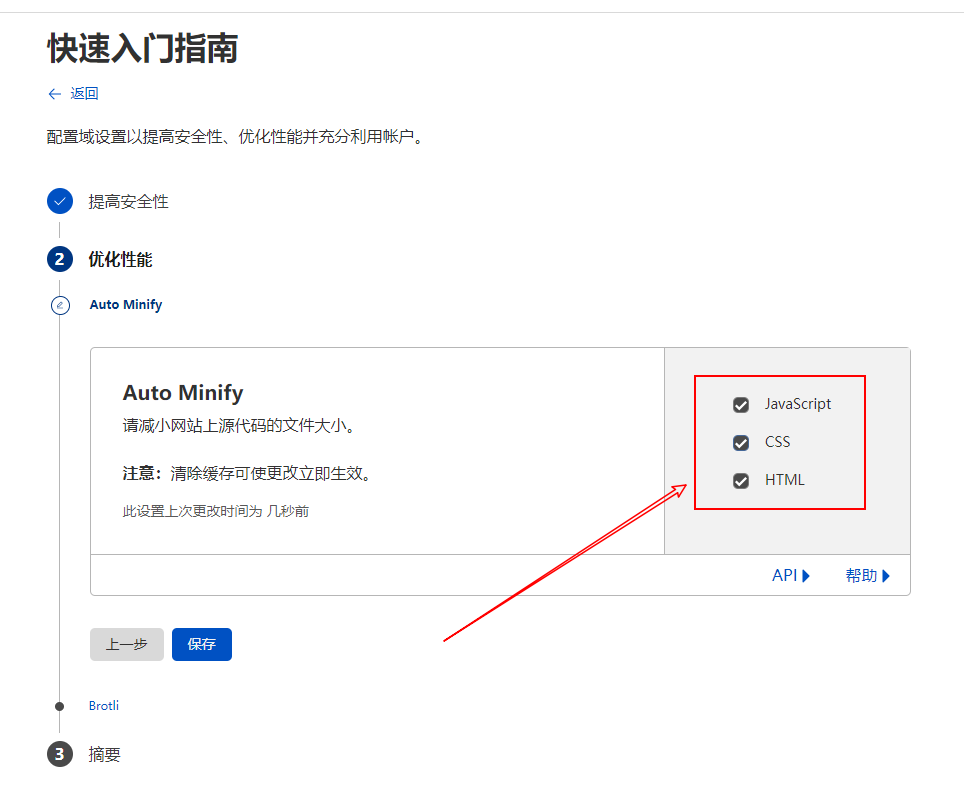
Cloudflare 5
一直到这儿,全部都勾选,保存。

Cloudflare 6
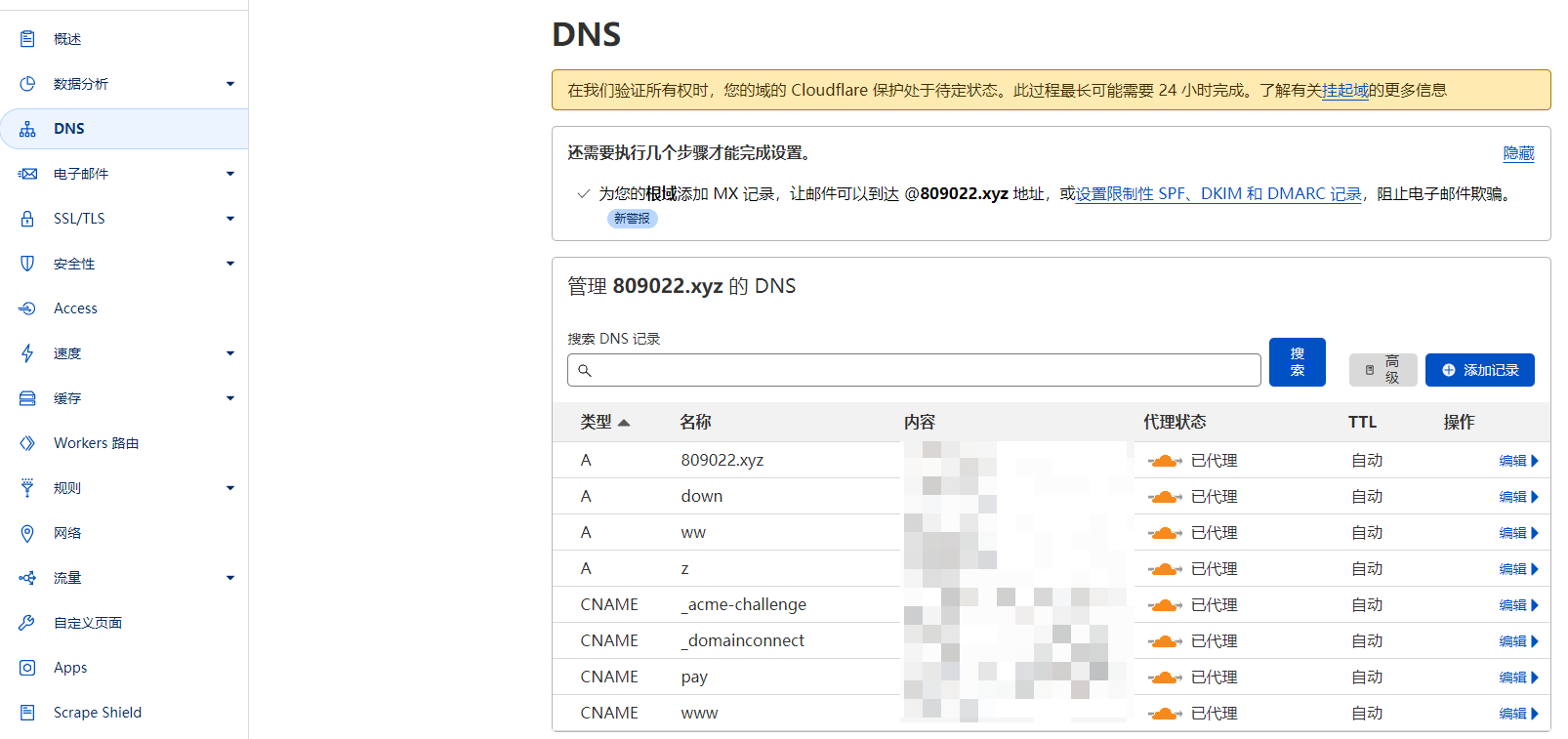
从左侧打开 DNS 菜单,注意右边上面的提示,隔段时间刷新一下,直到提示消失,说明设置生效。
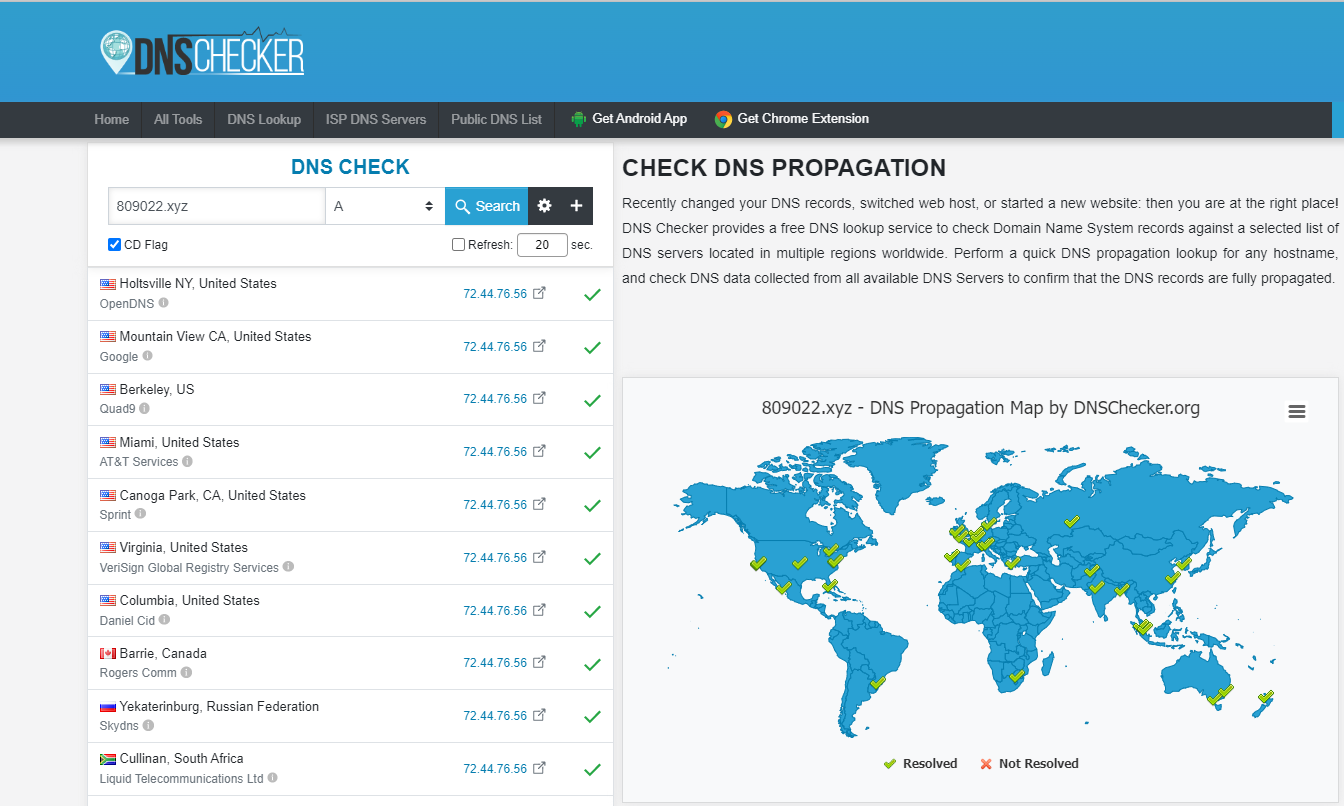
DNS Checher
打开网站 https://dnschecker.org/ 输入您的域名测试一下,如果全是绿勾(双 IP ?)说明加速成功。

附加一个测试网站:
https://gtmetrix.com/