惯性聚合 高效追踪和阅读你感兴趣的博客、新闻、科技资讯
阅读原文 在惯性聚合中打开

推荐订阅源

有赞技术团队
有赞技术团队
MyScale Blog
MyScale Blog
Cyberwarzone
Cyberwarzone
Schneier on Security
I
Intezer
Cisco Talos Blog
Cisco Talos Blog
Cloudbric
Cloudbric
Exploit-DB.com RSS Feed
NISL@THU
NISL@THU
博客园 - Franky
F
Fortinet All Blogs
Google DeepMind News
Jina AI
Jina AI
T
The Exploit Database - CXSecurity.com
P
Proofpoint News Feed
N
News and Events Feed by Topic
cs.AI updates on arXiv.org
F
Full Disclosure
T
Troy Hunt's Blog
D
Darknet – Hacking Tools, Hacker News & Cyber Security
Project Zero
Project Zero
P
Palo Alto Networks Blog
Recorded Future
Recorded Future
美团技术团队
D
Docker
PCI Perspectives
PCI Perspectives
Microsoft Azure Blog
MongoDB | Blog
MongoDB | Blog
L
LINUX DO - 最新话题
Recent Announcements
Hacker News: Ask HN
Hacker News: Ask HN
人人都是产品经理
人人都是产品经理
月光博客
月光博客
D
DataBreaches.Net
The Hacker News
The Hacker News
爱范儿
爱范儿
V
Visual Studio Blog
Engineering at Meta
Engineering at Meta
SecWiki News
SecWiki News
cs.CV updates on arXiv.org
A
About on SuperTechFans
Latest news
Latest news
GbyAI
GbyAI
T
Tor Project blog
L
LINUX DO - 热门话题
Security Latest
Security Latest
博客园 - 聂微东
Y
Y Combinator Blog
AI
AI
M
MIT News - Artificial intelligence

一个工匠

AI 发展临界点 - 快上车 流式响应(Chat):HTTP 响应体字节流的读取与解析 iPhone 截屏高效翻译 Flash Open Terminal iPhone 侧载安装 Xcode Symbolic Debug AI 指北 投资风险收益评估 Mac 快速修改系统快捷键 Git Record passkey How to pay apple frameworks Mac - Command Line Tools DNS 的 CNAME 是如何工作的 WebRTC 的一些解释 SSE 指南 1.1.1.1、WARP 和 MASQUE 移动端换端方案与场景还原 设备发现 分辨率 - 像素密度 - HiDPI Mac 字体 ESP32 trump - 川普 币圈 - 虚拟货币 【旅游】富士山 【旅游】sakura(樱花) 【旅游】千岛湖 我的 2023 【Swift】中文词语纠错 计算机字符编码与内存编码 - Unicode、UTF8、String 从汇编角度理解 “函数调用栈” 和 “有栈协程” 在 Xcode 中更好的使用 Swift 通过 Swift Package 制作二进制库 Arc 浏览器 - 意外的惊喜 【Swift 三方源码 1】SwiftShell 高效的命令行工具 Swift 脚本开发环境搭建 rime - 小鹤双拼 【旅游】沿海旅游 (威海、青岛) 好记性远远不如烂笔头 高级语言小记 又一年高考 Vision 未来已来 致敬耗子哥 Socket 与 ICMP 对互联网隐私的一些想法 网络代理是如何工作的 (致敬 Surge) 又十年 - 至三十而立 双拼 - 少有的高回报效率技能 我的 2022 三年疫情五味杂陈 - 下 老梗 - 浏览器按回车后发生了什么 三年疫情五味杂陈 生活推荐清单 Shell 和进程 有计划的努力 内卷 不确定性 数学可以保障逻辑自洽 这些年我的软件清单 决定做一些改变 函数调用栈之彻底理解 锁 - 共享数据安全指↑ 江苏女有感 碎碎念 - 2022 碎碎念 - 2021 打算记录一些碎碎念 多重性格就是逆天改命 从 Core Foundation 看更大世界 TCP 数据传输过程分析 iOS main 文件中的 @autoreleasepool 的真实用途 多线程的难点在哪里 Objective-C 和 Runtime 早起打卡计划 ing 打比方 IM 和 Socket 的关系及 Heart 的必要性 如果我的人生突然只剩下 8 小时... 胡说八道之雪粉 Array 和 LinkedList 的深刻认知 Swift struct (值类型) 与 class (引用类型) 区别及三种传参机制深刻关系和使用 逃离信用卡和花呗 Swift_let_var_struct_class 网聚人的力量 - 网易 绿皮火车 喝酒十之八九会误事 HKong 胡说八道之云服务 互联网网络传输协议理解坑点 CPU 的制作 我心里一直有一个念想 网络基础协议 为什么 32 位操作系统只能用 4G 内存空间 努力和天赋 洗牙 RAC-Api-Summer iOS 内存原理 Block 闭包简查记录 《白夜行》 谈谈事件驱动 老博新开 祭首
Vim 技巧
海驴 · 2023-01-26 · via 一个工匠

一年前写了一篇提高效率的手艺,提到了 Vim 作为划时代的文本编辑工具,可以有效的提高文本编辑的效率,对于写作或者 coding 都非常有用。
今天整理一个稍微进阶的教程。vimer 十几年的 95% 的操作使用,应该都在这里。

Vim 作者,Bram 于 2023.08.05 日去世了,享年 62 岁。像我这种只要碰键盘就离不开 vim 的人,对 vim 的感激,是十分强烈的。悼念 Bram。
计算机的基石和发展,也就这几十年。那一批有卓越贡献的人,后面二十年会相继离去。C 语言之父丹尼斯十年前走了,70 岁。后面会越来越多。

按键

单个行为操作

  • 移动:hjkl / w / e / b / $ / 0 (^)
  • 删除:dd / x
  • 行合并:J
  • 换行:o / O
  • 撤回 / 返回:u / C + r
  • 插入:i / (I-A-a)
  • 查找:f (-;-,) / t / * / #
  • 替换:r
  • 括号匹配:%
  • 黏贴复制:yy-dd/p
  • 拖屏:HLM / zz (zt-zb) / c + e / c + y / c + f (d-b-u) / :n / G / gg
  • 位置标记:ma-‘a (mx - moving - ‘x)
  • 保存退出::wq(https://stackoverflow.com/questions/11828270/how-do-i-exit-vim

4 种模式

esc:普通模式
i / a:插入模式
**shift+::** 命令模式
ctrl + v:区块模式

多个行为组合

动词:d / c / y / v / …
介词:i / a / f / t / …
名词:w / e / p / {/} / (/) / [/] / “ / ‘ / 字符 / …

  • 动词 - (数字) - (介词) - 名词
    • dw / dt? / ci) / ca} / d2w / y$ / y3w / v2i)
  • 数字 - 动词 - (名词)
    • 6ixy / 4p / 2dw / 0y$

寄存器

  • 录制:q [a-z] - anyaction - q
  • 使用录制:3@[a-z]

寄存器使用

  • 多行文本的行首 / 行尾增加同样的内容
    • 使用区块:c + v -> j/h -> $/0/^ -> I/A -> input -> esc
    • 使用寄存器:qa -> $/0/^ -> I/A -> input -> esc -> j -> q | 3@a
  • 多行文本,增加序号
    • :let i = 0(定义变量)
    • qa(开始录制)
    • 0 -> i -> input -> esc -> 0(到行首输入需要的分割等内容,然后回到普通模式,再次回到行首)
    • :let @n = i(变量放入寄存器)
    • :let i = i+1(变量 + 1,供下次使用)
    • “nP(将寄存器的值复制到行首之前)
    • j(进入下一行)
    • q(结束录制)
    • 3@a(回放 3 次)

配置

~/.vimrc,示例如下:

vimrc/basic.vim at master · amix/vimrc

插件管理器

Vundle

https://github.com/VundleVim/Vundle.vim

1
2
3
4
5
6
7
8
9
10
11
12
13
14
15
16
17
18
19
20
21
22
23
24
25
26
27
28
29
30
31
32
33
34
35
36
37
38
39
40
41
42
43
44
set nocompatible              " be iMproved, required
filetype off " required

" set the runtime path to include Vundle and initialize
set rtp+=~/.vim/bundle/Vundle.vim
call vundle#begin()
" alternatively, pass a path where Vundle should install plugins
"call vundle#begin('~/some/path/here')

" let Vundle manage Vundle, required
Plugin 'VundleVim/Vundle.vim'

" The following are examples of different formats supported.
" Keep Plugin commands between vundle#begin/end.
" plugin on GitHub repo
Plugin 'tpope/vim-fugitive'
" plugin from <http://vim-scripts.org/vim/scripts.html>
" Plugin 'L9'
" Git plugin not hosted on GitHub
Plugin 'git://git.wincent.com/command-t.git'
" git repos on your local machine (i.e. when working on your own plugin)
Plugin 'file:///home/gmarik/path/to/plugin'
" The sparkup vim script is in a subdirectory of this repo called vim.
" Pass the path to set the runtimepath properly.
Plugin 'rstacruz/sparkup', {'rtp': 'vim/'}
" Install L9 and avoid a Naming conflict if you've already installed a
" different version somewhere else.
" Plugin 'ascenator/L9', {'name': 'newL9'}

" All of your Plugins must be added before the following line
call vundle#end() " required
filetype plugin indent on " required
" To ignore plugin indent changes, instead use:
"filetype plugin on
"
" Brief help
" :PluginList - lists configured plugins
" :PluginInstall - installs plugins; append `!` to update or just :PluginUpdate
" :PluginSearch foo - searches for foo; append `!` to refresh local cache
" :PluginClean - confirms removal of unused plugins; append `!` to auto-approve removal
"
" see :h vundle for more details or wiki for FAQ
" Put your non-Plugin stuff after this line

Dein

https://github.com/Shougo/dein.vim

1
2
sh -c "$(wget -O- <https://raw.githubusercontent.com/Shougo/dein-installer.vim/master/installer.sh>)"

插件

示例:https://github.com/preservim/nerdtree

1
2
3
4
5
6
7
8
9
10
11
// Vundle
call vundle#begin()
Plugin 'preservim/nerdtree'
call vundle#end()

---
// Dein
call dein#begin()
call dein#add('preservim/nerdtree')
call dein#end()

插件就 Google 尽情的搜索吧,选择自己喜欢和必须的就好。Vim 插件装多了会卡,NeoVim 不会。
插件都是程序员非商用的产出,都是没有什么美感的。有些配置还比较繁琐,使用问题不大。
就这样。

NeoVim

和 vim 有配置上的差异,使用上一样。推荐使用 NeoVim

上面的配置、插件管理器等都是 Vim 的,NeoVim 会有一些不一样,但大体也都是一致的。插件也都是能共用的,很多插件也为 NeoVim 做了专门适配。

IDE

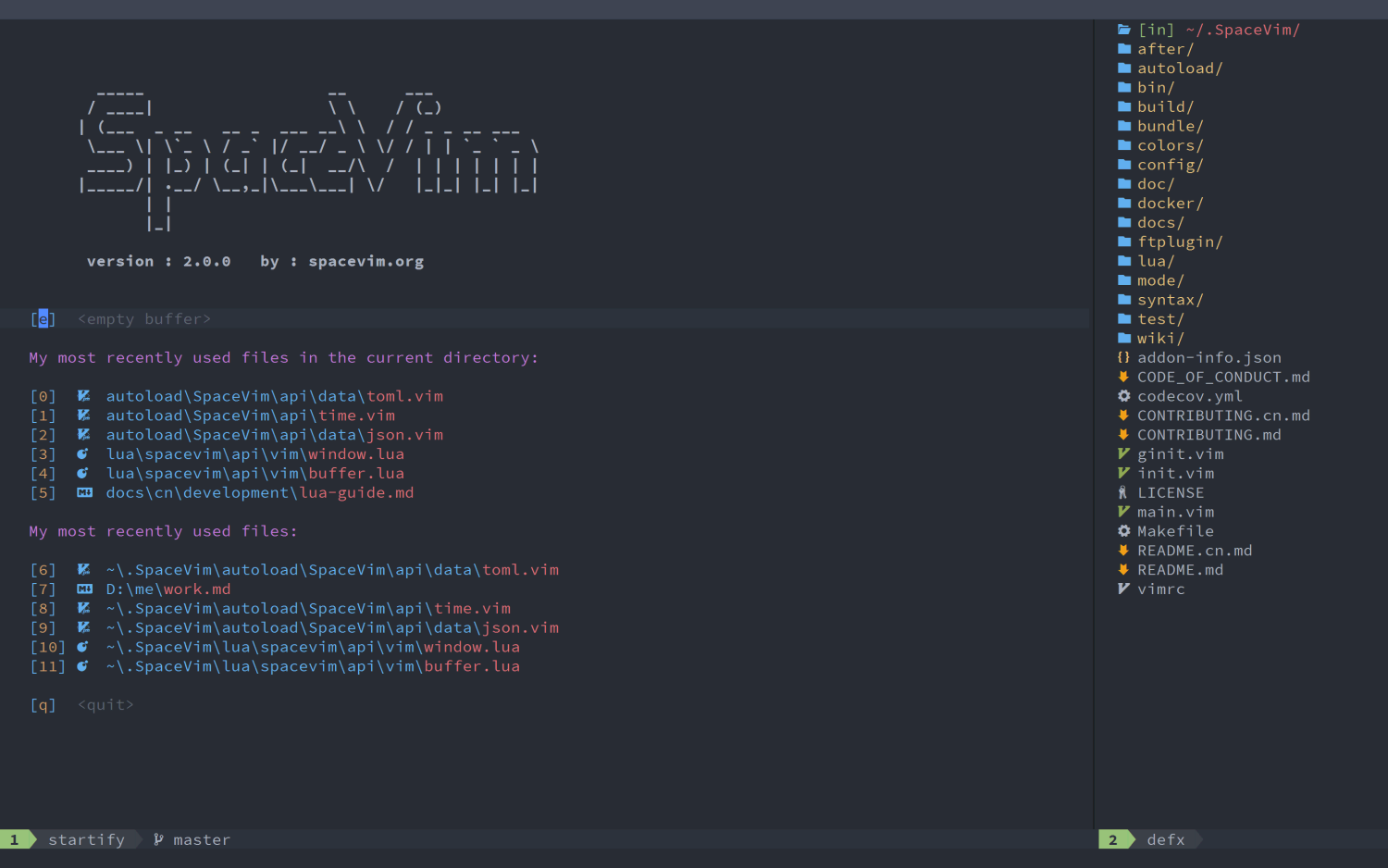
https://spacevim.org/

  1. 多种开发语言的配置箱
  2. 缓存 / 窗口管理方便
  3. 撤销树
  4. 提供的快捷帮助命令使用很方便
  5. 简化配置
  6. 命令终端使用非常方便

工作使用

  • 单文件查看 / 编辑
  • 系统文件配置
  • coding

集成 IDE

  • vscode (安装 vim 插件):全局搜索 / 代码阅读 / json 格式化
  • xcode (打开 vim 模式):函数调用链 / code

离开鼠标

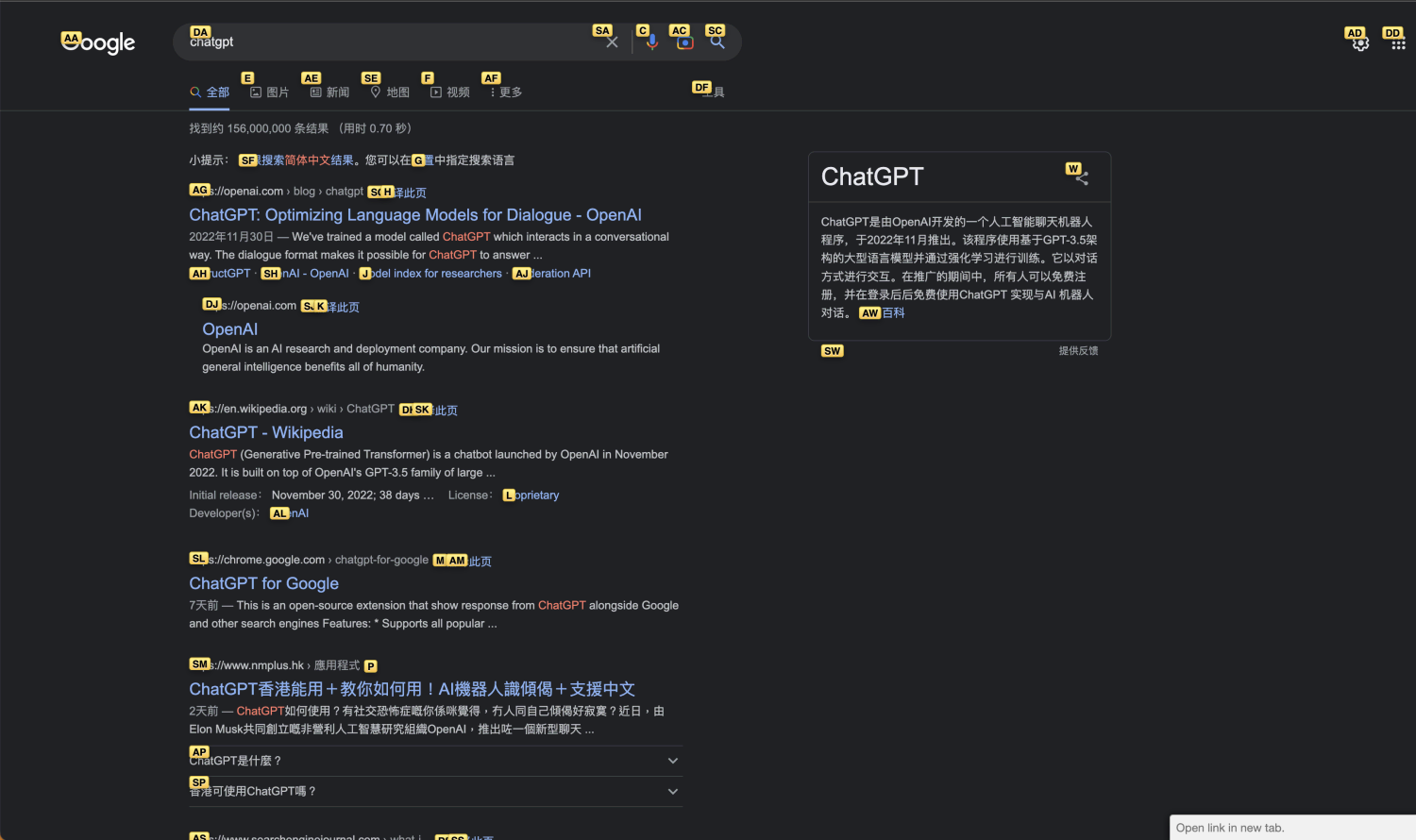
网页 vim 插件(chrome / safari)

文件浏览器 Ranger

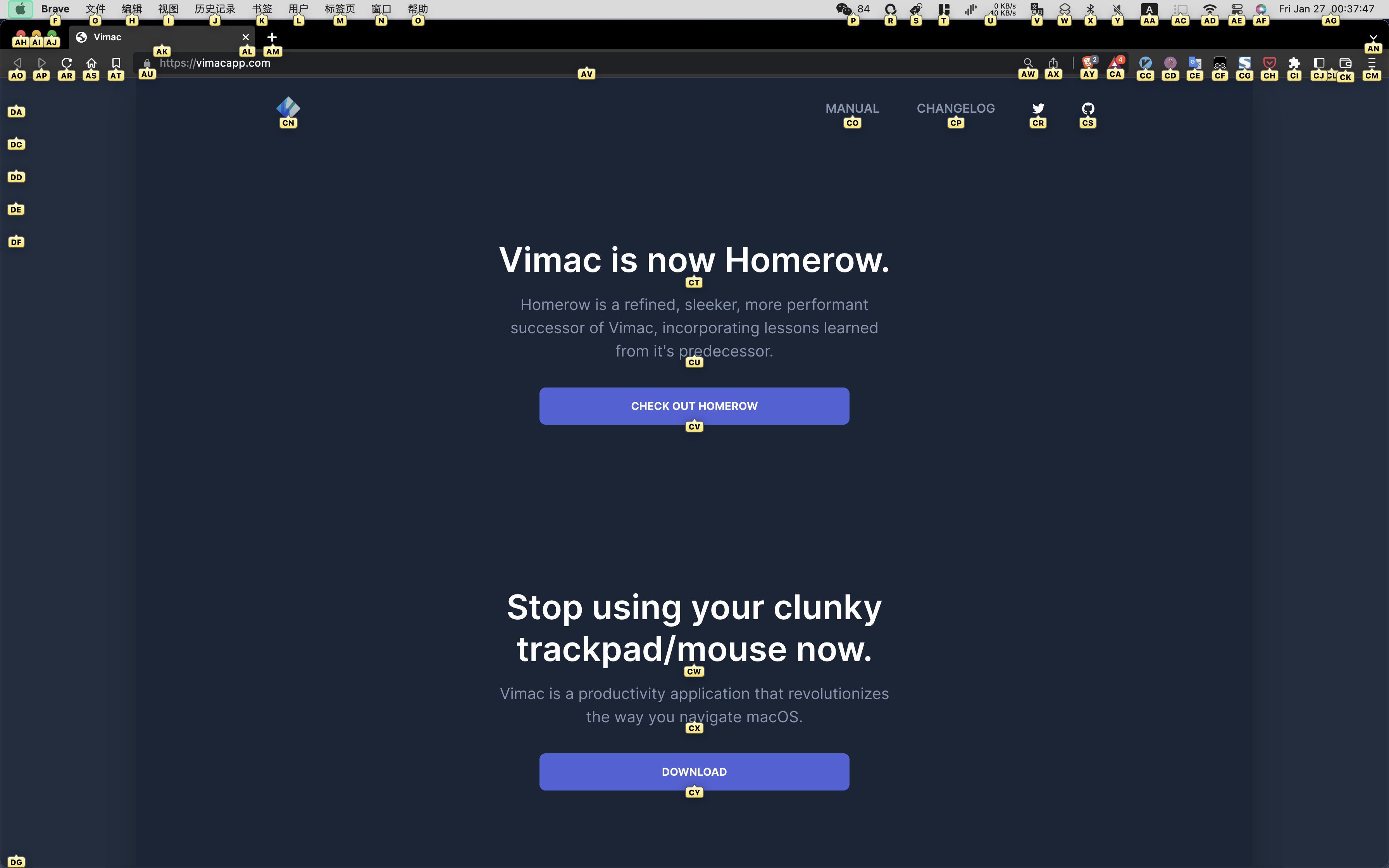
全键盘 homerow

https://www.homerow.app/

写作推荐

问题:

  • 频繁修改前面写过的内容,使用 Vim 可以更专注于内容。避免手的移动干扰思路。
  • 中文场景下 vim 体验不好(普通模式下的键盘操作需要英文)

推荐:
Xcode

  • xcode 官方自定义了一套 vim,适配中文场景非常棒。写作过程中基本不用再切换输入法。
  • 如果需要搭建复杂文档,有多个文件和文件夹,可以通过 git 、workspace、playground 自行配置。
    • git:云存储
    • workspace:多个文件系统做隔离
    • playground:markdown 和 预览