






来自书籍《计算机网络-自顶向下方法-第6版(课本)》第120页,第二章应用层的课后题第一题。
题目:在这个编程作业中,你将用Python语言开发一个简单的Web服务器,它仅能处理一个请求。具体而言,你的Web服务器将:(1)当一个客户(浏览器)联系时创建一个连接套接字;(2)从这个连接接收HTTP请求;(3)解释该请求以确定所请求的特定文件;(4)从服务器的文件系统获得请求的文件;(5)创建一个由请求的文件组成的HTTP响应报文,报文前面有首部行;(6)经TCP连接向请求的浏览器发送响应。如果浏览器请求一个在该服务器中不存在的文件,服务器应当返回一个“404 Not Found”差错报文。
参考或者说学习了github上moranzcw的仓库:Computer-Networking-A-Top-Down-Approach-NOTES的内容,完成了这道题。
代码https://github.com/moranzcw如下:
# import socket module
from socket import *

serverSocket = socket(AF_INET, SOCK_STREAM)
# Prepare a sever socket
# Fill in start
# 定义ip和端口号,然后bind绑定socket
host = ''
port = 6789
serverSocket.bind((host, port))
serverSocket.listen(1)
# Fill in end
while True:
    # Establish the connection
    print('Ready to serve...')
    connectionSocket, addr = serverSocket.accept()
    # Fill in start  #Fill in end
    try:
        message = connectionSocket.recv(1024)  # Fill in start  #Fill in end
        filename = message.split()[1]
        f = open(filename[1:])
        outputdata = f.read()  # Fill in start  #Fill in end
        # Send one HTTP header line into socket
        # Fill in start
        header = ' HTTP/1.1 200 OK\nConnection: close\nContent-Type: text/html\nContent-Length: %d\n\n' % (
            len(outputdata))
        connectionSocket.send(header.encode())

        # Fill in end

        # Send the content of the requested file to the client
        for i in range(0, len(outputdata)):
            connectionSocket.send(outputdata[i].encode())
        connectionSocket.close()
    except IOError:
        # Send response message for file not found
        # Fill in start
        header = ' HTTP/1.1 404 Found'
        connectionSocket.send(header.encode())
        connectionSocket.close()
        # Fill in end

        # Close client socket
        # Fill in start
        # Fill in end
serverSocket.close()
同时在这个文件的同级目录下,有一个html文件:helloWorld.html
<head>Hello world!</head>
<body>abcdefg</body>
在Python中启动项目:
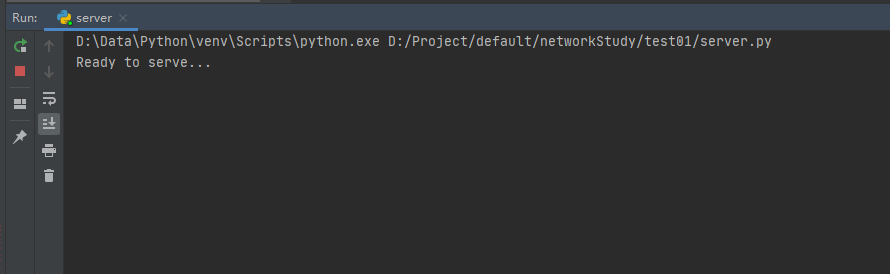
然后打开浏览器,在地址栏内输入:http://localhost:6789/helloWorld.html
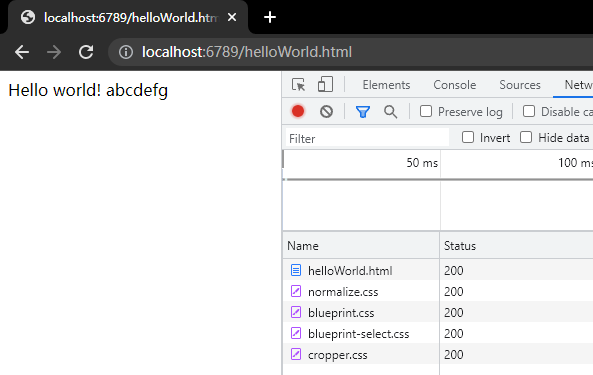
可以看到浏览器正常收到HTTP响应报文,显示正常。
如果输入的地址不是helloWorld.html,则会报404。
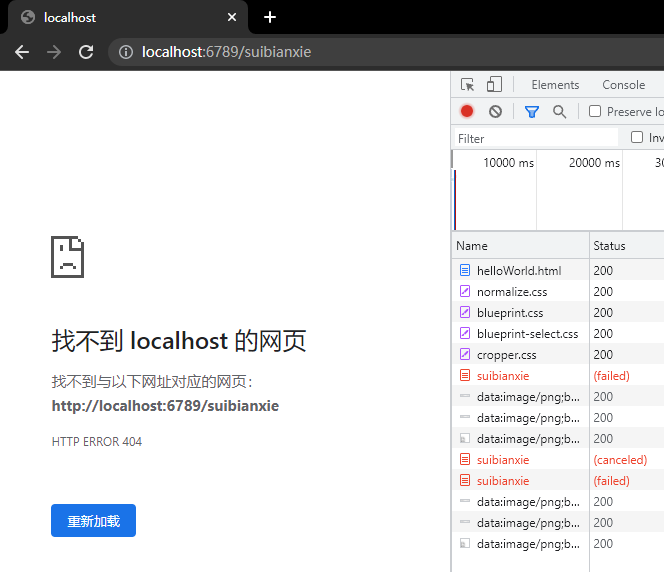
题目也是翻译自github老哥之手,感谢。
题目:目前,这个Web服务器一次只处理一个HTTP请求。请实现一个能够同时处理多个请求的多线程服务器。使用线程,首先创建一个主线程,在固定端口监听客户端请求。当从客户端收到TCP连接请求时,它将通过另一个端口建立TCP连接,并在另外的单独线程中为客户端请求提供服务。这样在每个请求/响应对的独立线程中将有一个独立的TCP连接。
不难得知,只要用线程包装一下处理socket的方法即可。
代码如下:
# import socket module
import threading
from socket import *


def sonTcpConnect(connectionSocket):
    # Fill in start  #Fill in end
    try:
        print("thread:  " + threading.currentThread().name + " is working...")
        message = connectionSocket.recv(1024)  # Fill in start  #Fill in end
        print("msg", message)
        filename = message.split()[1]
        f = open(filename[1:])
        outputdata = f.read()  # Fill in start  #Fill in end
        # Send one HTTP header line into socket
        # Fill in start
        header = ' HTTP/1.1 200 OK\nConnection: close\nContent-Type: text/html\nContent-Length: %d\n\n' % (
            len(outputdata))
        connectionSocket.send(header.encode())

        # Fill in end

        # Send the content of the requested file to the client
        for i in range(0, len(outputdata)):
            connectionSocket.send(outputdata[i].encode())
        connectionSocket.close()
    except IOError:
        # Send response message for file not found
        # Fill in start
        header = ' HTTP/1.1 404 Found'
        connectionSocket.send(header.encode())
        connectionSocket.close()
        # Fill in end

        # Close client socket
        # Fill in start
        # Fill in end


serverSocket = socket(AF_INET, SOCK_STREAM)
# Prepare a sever socket
# Fill in start
# 定义ip和端口号,然后bind绑定socket
host = ''
port = 6789
serverSocket.bind((host, port))
serverSocket.listen(100)
# Fill in end
while True:
    # Establish the connection
    print('Ready to serve...')
    connectionSocket, addr = serverSocket.accept()
    t = threading.Thread(target=sonTcpConnect, args=(connectionSocket,))
    t.start()
serverSocket.close()
有一个要注意的地方是,在53行,args这个参数的括号内必须要加上逗号,原因是因为args是一个元组,需要在元素后面增加逗号。(资料来源:https://blog.csdn.net/chpllp/article/details/54381141)
多次在浏览器请求之后,控制台输出如下:
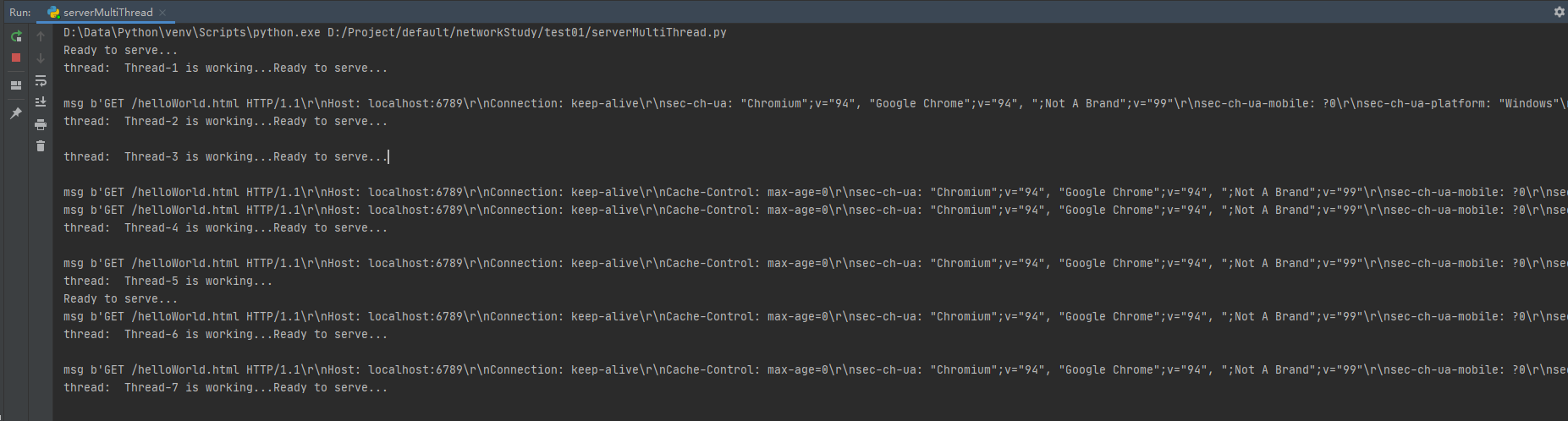
说实话感觉可能有些bug ,// TODO记得修
题目:
不使用浏览器,编写自己的HTTP客户端来测试你的服务器。您的客户端将使用一个TCP连接用于连接到服务器,向服务器发送HTTP请求,并将服务器响应显示出来。您可以假定发送的HTTP请求将使用GET方法。 客户端应使用命令行参数指定服务器IP地址或主机名,服务器正在监听的端口,以及被请求对象在服务器上的路径。以下是运行客户端的输入命令格式。
client.py server_host server_port filename
意思就是用python发送HTTP请求到服务器就可以了。
from socket import *
import sys
clientSocket = socket(AF_INET, SOCK_STREAM)
host = str(sys.argv[1])
port = int(sys.argv[2])

clientSocket.connect((host, port))
msg = 'GET ' + str(sys.argv[3])
clientSocket.send(msg.encode())
result = b""
while True:
    recv_data = clientSocket.recv(1024)
    if recv_data:
        result += recv_data
        if result.rfind(b"0\r\n") != -1:
            break
    else:
        break

print('Received', repr(result))
这里要注意的是,如果没有用While True循环接收,可能只会接收到HTTP响应报文的请求头了。
结果如下:

此内容由惯性聚合(RSS阅读器)自动聚合整理,仅供阅读参考。 原文来自 — 版权归原作者所有。