






There are plenty of reasons to call the Kubernetes API using a CLI (like curl) or GUI (like postman) HTTP client. For instance, you may need finer-grained control over Kubernetes Objects than kubectl provides or just want to explore the API before trying to access it from code.
This article is not a mere list of handy commands but a thoughtful walk-through revealing some interesting problems you may stumble upon while calling the Kubernetes API from the command line. It covers the following topics:
Happy reading!
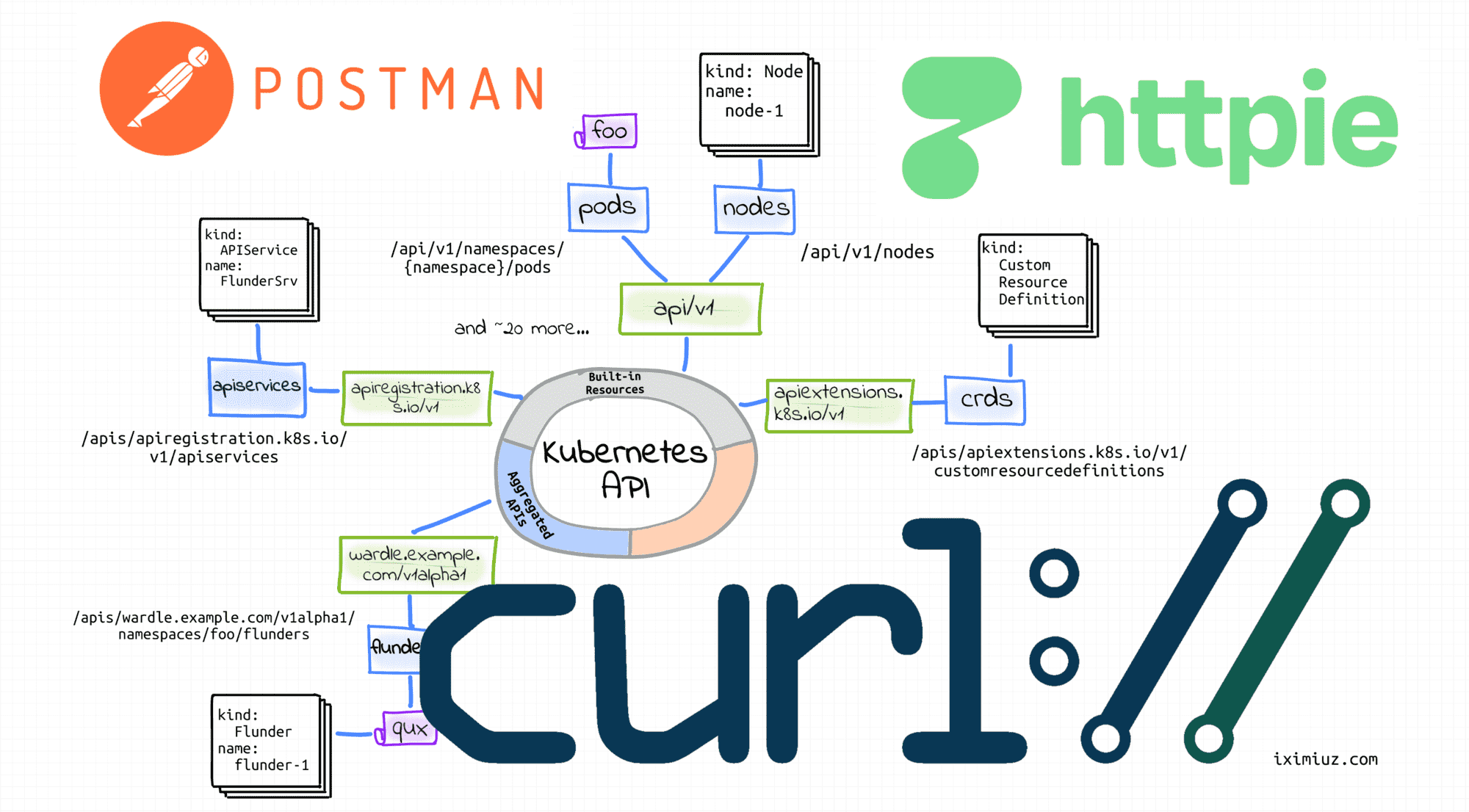
If you don't have a Kubernetes cluster to play with, you can get an ephemeral cluster on labs.iximiuz.com/playgrounds/kubernetes. It starts up in no time and can be used straight from your browser.
Alternatively, you can set up a local playground real quick using arkade and minikube:
$ curl -sLS https://get.arkade.dev | sudo sh
$ arkade get minikube kubectl
$ minikube start --profile cluster1
To call any API, you need to know its server address first. In the case of Kubernetes, there is an API server per cluster. Thus, the easiest way to find the API host and port is to look at the kubectl cluster-info output. For instance, on my Vagrant box, it produces the following lines:
$ kubectl cluster-info
Kubernetes control plane is running at https://192.168.58.2:8443
...
The cluster-info command shows the API address of the cluster that is selected in the current context. But what if you have more than one cluster?
Another way to look up the Kubernetes API server address is through looking at the kubeconfig content:
$ kubectl config view
apiVersion: v1
clusters:
- name: cluster1
  cluster:
    ...
    server: https://192.168.58.2:8443
- name: cluster2
  cluster:
    ...
    server: https://192.168.59.2:8443
...
So, pick the right cluster from the above list, and let's try to send a request to its API server:
$ KUBE_API=$(kubectl config view -o jsonpath='{.clusters[0].cluster.server}')
Actually, any HTTP client (curl, httpie, wget, or even postman) would do, but I'll stick with curl in this section because I'm simply used to it.
Let's start from querying the API's /version endpoint:
$ curl $KUBE_API/version
curl: (60) SSL certificate problem: unable to get local issuer certificate
More details here: https://curl.haxx.se/docs/sslcerts.html

curl failed to verify the legitimacy of the server and therefore could not
establish a secure connection to it. To learn more about this situation and
how to fix it, please visit the web page mentioned above.
And... it didn't work! 🙈
When I first stumbled upon a similar error, I was truly confused. But on second thought, the above error actually makes sense. By default, Kubernetes exposes its API via HTTPS, in particular, to guarantee a strong identity of the API server to the clients. However, minikube bootstrapped my local cluster using a self-signed certificate. Thus, the TLS cert of the Kubernetes API server turned out to be signed by a Certificate Authority (CA) minikubeCA that is unknown to curl. Since curl cannot trust it, the request fails.
Luckily, minikube thoughtfully saves the CA cert to ~/.minikube/ca.crt:
$ cat ~/.minikube/ca.crt | openssl x509 -text
Certificate:
    Data:
        Version: 3 (0x2)
        Serial Number: 1 (0x1)
        Signature Algorithm: sha256WithRSAEncryption
        Issuer: CN = minikubeCA
        Validity
            Not Before: Dec 15 20:46:36 2021 GMT
            Not After : Dec 14 20:46:36 2031 GMT
        Subject: CN = minikubeCA
        Subject Public Key Info:
So, to fix the GET /version request, I just need to make curl trust the issuer of the API server certificate by pointing it to the minikubeCA cert manually:
$ curl --cacert ~/.minikube/ca.crt $KUBE_API/version
{
  "major": "1",
  "minor": "22",
  "gitVersion": "v1.22.3",
  "gitCommit": "c92036820499fedefec0f847e2054d824aea6cd1",
  "gitTreeState": "clean",
  "buildDate": "2021-10-27T18:35:25Z",
  "goVersion": "go1.16.9",
  "compiler": "gc",
  "platform": "linux/amd64"
}
Yay! 🎉
Ok, let's try something more complicated. How about listing all Deployments in the cluster?
$ curl --cacert ~/.minikube/ca.crt $KUBE_API/apis/apps/v1/deployments
{
  "kind": "Status",
  "apiVersion": "v1",
  "metadata": {

  },
  "status": "Failure",
  "message": "deployments.apps is forbidden: User \"system:anonymous\" cannot list resource \"deployments\" in API group \"apps\" at the cluster scope",
  "reason": "Forbidden",
  "details": {
    "group": "apps",
    "kind": "deployments"
  },
  "code": 403
}
And... it didn't work again.
Unlike the apparently unprotected /version endpoint, Kubernetes generally restricts access to its API endpoints.
As it's clear from the error message, the request was authenticated as a User "system:anonymous", and evidently, this user is unauthorized to list Deployment resources.
The failed request didn't include any authentication means (nevertheless, it was authenticated, but as an anonymous user), so I need to provide some extra piece of information to get the desired level of access.
Kubernetes supports several authentication mechanisms, and I'll start from authenticating requests using a client certificate.
But wait a minute! What is a client certificate?
When minikube bootstrapped the cluster, it also created a user. This user got a certificate signed by the same minikubeCA authority. Since this CA is trusted by the Kubernetes API server, presenting this certificate in the request will make it authenticated as the said user.
User certificates typically can be found in the already familiar to us kubectl config view output:
$ kubectl config view -o jsonpath='{.users[0]}' | python -m json.tool
{
  "name": "cluster1",
  "user": {
    "client-certificate": "/home/vagrant/.minikube/profiles/cluster1/client.crt",
    "client-key": "/home/vagrant/.minikube/profiles/cluster1/client.key"
  }
}
Let's check the certificate content real quick to make sure it's signed by the same CA:
$ cat ~/.minikube/profiles/cluster1/client.crt | openssl x509 -text
Certificate:
    Data:
        Version: 3 (0x2)
        Serial Number: 2 (0x2)
        Signature Algorithm: sha256WithRSAEncryption
        Issuer: CN = minikubeCA
        Validity
            Not Before: Dec 26 06:35:56 2021 GMT
            Not After : Dec 26 06:35:56 2024 GMT
        Subject: O = system:masters, CN = minikube-user
And here is how to send a request authenticated by that certificate to the Kubernetes API server using curl:
$ curl $KUBE_API/apis/apps/v1/deployments \
  --cacert ~/.minikube/ca.crt \
  --cert ~/.minikube/profiles/cluster1/client.crt \
  --key ~/.minikube/profiles/cluster1/client.key
{
  "kind": "DeploymentList",
  "apiVersion": "apps/v1",
  "metadata": {
    "resourceVersion": "654514"
  },
  "items": [...]
}
Works like a charm 😍
Another way to authenticate API requests is through using a bearer header containing a valid Service Account JWT token.
Much like with users, different Service Accounts will have different levels of access. Let's see what can be achieved with the default Service Account from the default namespace:
# Kubernetes <1.24
$ JWT_TOKEN_DEFAULT_DEFAULT=$(kubectl get secrets \
    $(kubectl get serviceaccounts/default -o jsonpath='{.secrets[0].name}') \
    -o jsonpath='{.data.token}' | base64 --decode)

# Kubernetes 1.24+
$ JWT_TOKEN_DEFAULT_DEFAULT=$(kubectl create token default)
Starting from a simple task - listing known API resource types in the apps/v1 group:
$ curl $KUBE_API/apis/apps/v1/ \
  --cacert ~/.minikube/ca.crt  \
  --header "Authorization: Bearer $JWT_TOKEN_DEFAULT_DEFAULT"
{
  "kind": "APIResourceList",
  "apiVersion": "v1",
  "groupVersion": "apps/v1",
  "resources": [...]
}
Raising the bar - let's try to list the actual Deployment objects in the default namespace:
$ curl $KUBE_API/apis/apps/v1/namespaces/default/deployments \
  --cacert ~/.minikube/ca.crt  \
  --header "Authorization: Bearer $JWT_TOKEN_DEFAULT_DEFAULT"
{
  "kind": "Status",
  "apiVersion": "v1",
  "metadata": {

  },
  "status": "Failure",
  "message": "deployments.apps is forbidden: User \"system:serviceaccount:default:default\" cannot list resource \"deployments\" in API group \"apps\" in the namespace \"default\"",
  "reason": "Forbidden",
  "details": {
    "group": "apps",
    "kind": "deployments"
  },
  "code": 403
}
And apparently, the user system:serviceaccount:default:default is not powerful enough to even list Kubernetes Objects in its own namespace.
Let's try a mighty kube-system service account:
# Kubernetes <1.24
$ JWT_TOKEN_KUBESYSTEM_DEFAULT=$(kubectl -n kube-system get secrets \
    $(kubectl -n kube-system get serviceaccounts/default -o jsonpath='{.secrets[0].name}') \
    -o jsonpath='{.data.token}' | base64 --decode)

# Kubernetes 1.24+
$ JWT_TOKEN_KUBESYSTEM_DEFAULT=$(kubectl -n kube-system create token default)
The mighty account deserves a challenging task - listing cluster-level resources:
$ curl $KUBE_API/apis/apps/v1/deployments \
  --cacert ~/.minikube/ca.crt  \
  --header "Authorization: Bearer $JWT_TOKEN_KUBESYSTEM_DEFAULT"
{
  "kind": "DeploymentList",
  "apiVersion": "apps/v1",
  "metadata": {
    "resourceVersion": "656580"
  },
  "items": [...]
}
Yep, works as expected 👌
Much like any other Kubernetes service, the Kubernetes API service address is available to Pods through environment variables:
$ kubectl run -it --image curlimages/curl --restart=Never mypod -- sh
$ env | grep KUBERNETES
KUBERNETES_SERVICE_PORT=443
KUBERNETES_PORT=tcp://10.96.0.1:443
KUBERNETES_PORT_443_TCP_ADDR=10.96.0.1
KUBERNETES_PORT_443_TCP_PORT=443
KUBERNETES_PORT_443_TCP_PROTO=tcp
KUBERNETES_SERVICE_PORT_HTTPS=443
KUBERNETES_PORT_443_TCP=tcp://10.96.0.1:443
KUBERNETES_SERVICE_HOST=10.96.0.1
Pods also typically have the Kubernetes CA cert and Service Account secret materials mounted at /var/run/secrets/kubernetes.io/serviceaccount/. So, applying the knowledge from the above sections, the curl command to call the Kubernetes API server from a Pod can look as follows:
$ curl https://${KUBERNETES_SERVICE_HOST}:${KUBERNETES_SERVICE_PORT}/apis/apps/v1 \
  --cacert /var/run/secrets/kubernetes.io/serviceaccount/ca.crt \
  --header "Authorization: Bearer $(cat /var/run/secrets/kubernetes.io/serviceaccount/token)"
The Kubernetes API supports the following operations on Kubernetes Objects:
GET    /<resourcePlural>            -  Retrieve a list of type <resourceName>.


POST   /<resourcePlural>            -  Create a new resource from the JSON
                                       object provided by the client.

GET    /<resourcePlural>/<name>     -  Retrieves a single resource with the
                                       given name.

DELETE /<resourcePlural>/<name>     -  Delete the single resource with the
                                       given name.

DELETE /<resourcePlural>            -  Deletes a list of type <resourceName>.


PUT    /<resourcePlural>/<name>     -  Update or create the resource with the given
                                       name with the JSON object provided by client.

PATCH  /<resourcePlural>/<name>     -  Selectively modify the specified fields of
                                       the resource.

GET    /<resourcePlural>?watch=true -  Receive a stream of JSON objects
                                       corresponding to changes made to any
                                       resource of the given kind over time.
The API is RESTful, so the above mapping of HTTP methods on the resource actions should look familiar.
Here is how to create a new object using curl and a YAML manifest:
$ curl $KUBE_API/apis/apps/v1/namespaces/default/deployments \
  --cacert ~/.minikube/ca.crt \
  --cert ~/.minikube/profiles/cluster1/client.crt \
  --key ~/.minikube/profiles/cluster1/client.key \
  -X POST \
  -H 'Content-Type: application/yaml' \
  -d '---
apiVersion: apps/v1
kind: Deployment
metadata:
  name: sleep
spec:
  replicas: 1
  selector:
    matchLabels:
      app: sleep
  template:
    metadata:
      labels:
        app: sleep
    spec:
      containers:
      - name: sleep
        image: curlimages/curl
        command: ["/bin/sleep", "365d"]
'
Here is how to get all objects in the default namespace:
$ curl $KUBE_API/apis/apps/v1/namespaces/default/deployments \
  --cacert ~/.minikube/ca.crt \
  --cert ~/.minikube/profiles/cluster1/client.crt \
  --key ~/.minikube/profiles/cluster1/client.key
And how to get an object by a name and a namespace:
$ curl $KUBE_API/apis/apps/v1/namespaces/default/deployments/sleep \
  --cacert ~/.minikube/ca.crt \
  --cert ~/.minikube/profiles/cluster1/client.crt \
  --key ~/.minikube/profiles/cluster1/client.key
A more advanced way of retrieving Kubernetes resources is continuously watching them for changes:
$ curl $KUBE_API/apis/apps/v1/namespaces/default/deployments?watch=true \
  --cacert ~/.minikube/ca.crt \
  --cert ~/.minikube/profiles/cluster1/client.crt \
  --key ~/.minikube/profiles/cluster1/client.key
Here is how to update an existing object:
$ curl $KUBE_API/apis/apps/v1/namespaces/default/deployments/sleep \
  --cacert ~/.minikube/ca.crt \
  --cert ~/.minikube/profiles/cluster1/client.crt \
  --key ~/.minikube/profiles/cluster1/client.key \
  -X PUT \
  -H 'Content-Type: application/yaml' \
  -d '---
apiVersion: apps/v1
kind: Deployment
metadata:
  name: sleep
spec:
  replicas: 1
  selector:
    matchLabels:
      app: sleep
  template:
    metadata:
      labels:
        app: sleep
    spec:
      containers:
      - name: sleep
        image: curlimages/curl
        command: ["/bin/sleep", "730d"]  # <-- Making it sleep twice longer
'
Here is how to patch an existing object:
$ curl $KUBE_API/apis/apps/v1/namespaces/default/deployments/sleep \
  --cacert ~/.minikube/ca.crt \
  --cert ~/.minikube/profiles/cluster1/client.crt \
  --key ~/.minikube/profiles/cluster1/client.key \
  -X PATCH \
  -H 'Content-Type: application/merge-patch+json' \
  -d '{
  "spec": {
    "template": {
      "spec": {
        "containers": [
          {
            "name": "sleep",
            "image": "curlimages/curl",
            "command": ["/bin/sleep", "1d"]
          }
        ]
      }
    }
  }
}'
Last but not least - here is how to delete a collection of objects:
$ curl $KUBE_API/apis/apps/v1/namespaces/default/deployments \
  --cacert ~/.minikube/ca.crt \
  --cert ~/.minikube/profiles/cluster1/client.crt \
  --key ~/.minikube/profiles/cluster1/client.key \
  -X DELETE
And here is how to delete a single object:
$ curl $KUBE_API/apis/apps/v1/namespaces/default/deployments/sleep \
  --cacert ~/.minikube/ca.crt \
  --cert ~/.minikube/profiles/cluster1/client.crt \
  --key ~/.minikube/profiles/cluster1/client.key \
  -X DELETE
The above trickery with certificates and tokens was fun. Going through it at least once is a nice exercise to solidify the understanding of the client's and server's moving parts. However, doing it on a daily basis when you have a working kubectl at your disposal would probably be overkill.
With a properly configured kubectl tool, you can greatly simplify the API access by using the kubectl proxy command.
The kubectl proxy command creates a proxy server (or an application-level gateway) between your localhost and the Kubernetes API server. But there must be more to it than just that. Otherwise, why would it be so handy?
The proxy kubectl offloads the mutual client-server authentication responsibility from the caller. Since the communication between the caller and the proxy happens over the localhost, it's considered secure. And the proxy itself takes care of the client-server authentication using the information from the current context selected in the kubeconfig file.
$ kubectl config current-context
cluster1

$ kubectl proxy --port=8080 &
After starting the proxy server, calling the Kubernetes API server becomes much simpler:
$ curl localhost:8080/apis/apps/v1/deployments
{
  "kind": "DeploymentList",
  "apiVersion": "apps/v1",
  "metadata": {
    "resourceVersion": "660883"
  },
  "items": [...]
}
Another cool trick I learned recently is the raw mode some kubectl commands support:
# Sends HTTP GET request
$ kubectl get --raw /api/v1/namespaces/default/pods

# Sends HTTP POST request
$ kubectl create --raw /api/v1/namespaces/default/pods -f file.yaml

# Sends HTTP PUT request
$ kubectl replace --raw /api/v1/namespaces/default/pods/mypod -f file.json

# Sends HTTP DELETE request
$ kubectl delete --raw /api/v1/namespaces/default/pods
kubectl is a pretty advanced tool, and even simple commands like kubectl get have a non-trivial amount of code behind it. However, when the --raw flag is used, the implementation boils down to converting the only argument into an API endpoint URL and invoking the raw REST API client.
Some of the advantages of this method are:
-f flag.But there is also a disadvantage - I couldn't find any any PATCH or WATCH support, so curl access gives you more power.
I mentioned a couple of times already that you might be unsatisfied with the actual sequence of requests a particular kubectl command emits. But how can you even know this sequence without reading the code?
Here is a nice trick - you can add the -v 6 flag to any kubectl command, and the logs will become so verbose that you'll start seeing the issued HTTP requests to the Kubernetes API server.
For instance, that's how you can learn that the kubectl scale deployment command is implemented with a PATCH request to the /deployments/<name>/scale subresource:
$ kubectl scale deployment sleep --replicas=2 -v 6
I0116 ... loader.go:372] Config loaded from file:  /home/vagrant/.kube/config
I0116 ... cert_rotation.go:137] Starting client certificate rotation controller
I0116 ... round_trippers.go:454] GET https://192.168.58.2:8443/apis/apps/v1/namespaces/default/deployments/sleep 200 OK in 14 milliseconds
I0116 ... round_trippers.go:454] PATCH https://192.168.58.2:8443/apis/apps/v1/namespaces/default/deployments/sleep/scale 200 OK in 12 milliseconds
deployment.apps/sleep scaled
The need to access the Kubernetes API for the first time might be terrifying - there is a lot of new concepts like Resources, API Groups, Kinds, Objects, clusters, contexts, certificates, oh my! But once you decompose it on the building blocks and gain some hands-on experience through performing trivial tasks like figuring out the API server address or calling a bunch of endpoints with curl, you'll quickly realize that this zoo of ideas isn't really something new - it's just a combination of well-known mechanisms that served us well for many years - REST architectural style, TLS certificates, JWT tokens, object schemes, etc.
So, fear not and run some queries!
P.S. Can't wait any longer to try calling the API from code? Check out my collection of Kubernetes client-go examples on GitHub 😉
此内容由惯性聚合(RSS阅读器)自动聚合整理,仅供阅读参考。 原文来自 — 版权归原作者所有。