惯性聚合 高效追踪和阅读你感兴趣的博客、新闻、科技资讯
阅读原文 在惯性聚合中打开

推荐订阅源

cs.CV updates on arXiv.org
博客园 - 三生石上(FineUI控件)
博客园 - 司徒正美
博客园_首页
J
Java Code Geeks
V2EX - 技术
V2EX - 技术
让小产品的独立变现更简单 - ezindie.com
K
KPMG report finds enterprise disconnect between AI and its ROI | CIO
TaoSecurity Blog
TaoSecurity Blog
T
Troy Hunt's Blog
Forbes - Security
Forbes - Security
Schneier on Security
Hugging Face - Blog
Hugging Face - Blog
PCI Perspectives
PCI Perspectives
O
OpenAI News
OSCHINA 社区最新新闻
OSCHINA 社区最新新闻
Hacker News: Ask HN
Hacker News: Ask HN
Application and Cybersecurity Blog
H
Heimdal Security Blog
D
Darknet – Hacking Tools, Hacker News & Cyber Security
博客园 - 聂微东
量子位
酷 壳 – CoolShell
酷 壳 – CoolShell
大猫的无限游戏
大猫的无限游戏
WordPress大学
WordPress大学
美团技术团队
V
V2EX
Cisco Talos Blog
Cisco Talos Blog
小众软件
小众软件
奇客Solidot–传递最新科技情报
奇客Solidot–传递最新科技情报
C
Cybersecurity and Infrastructure Security Agency CISA
有赞技术团队
有赞技术团队
腾讯CDC
Cloudbric
Cloudbric
Google DeepMind News
博客园 - 【当耐特】
SecWiki News
SecWiki News
IT之家
IT之家
C
Cisco Blogs
雷峰网
雷峰网
aimingoo的专栏
aimingoo的专栏
B
Blog RSS Feed
S
Schneier on Security
Security Latest
Security Latest
Scott Helme
Scott Helme
H
Help Net Security
Threat Intelligence Blog | Flashpoint
P
Palo Alto Networks Blog
L
LINUX DO - 热门话题
Cyber Security Advisories - MS-ISAC

Eson Wong's Blog

我为什么开发 AI 英语听力生成器:Im-Listening Playwright E2E 测试框架入门教程 如何使用 LlamaIndex 构建一个 RAG 检索系统 批评 Milvus 入门教程 怎么在网页中实现自动调整视频的清晰度 什么是检索增强生成(Retrieval-Augmented Generation)? Phonics 自然拼读常见规则 - 辅音字母的发音规律 ESP8266EX 自动下载电路 浅聊 esp8266 墨水屏 Todo List 制作教程 2023 年我买过的最好用的商品 转变自我的密码:《Atomic Habits》读后感 Phonics 自然拼读常见规则 - 音节和元音字母的发音规律 怎么用 Github Actions 部署 Next.js 项目到服务器 使用 v4l 采集摄像头 怎么解决 Prettier 和 ESLint 在 VSCode 里的冲突? 《微习惯》 - 读书笔记 在 iPad 使用 VS Code 写代码
在 Macbook 上运行 ChatGLM-6B
本文作者: Eson Wong · 2023-08-13 · via Eson Wong's Blog
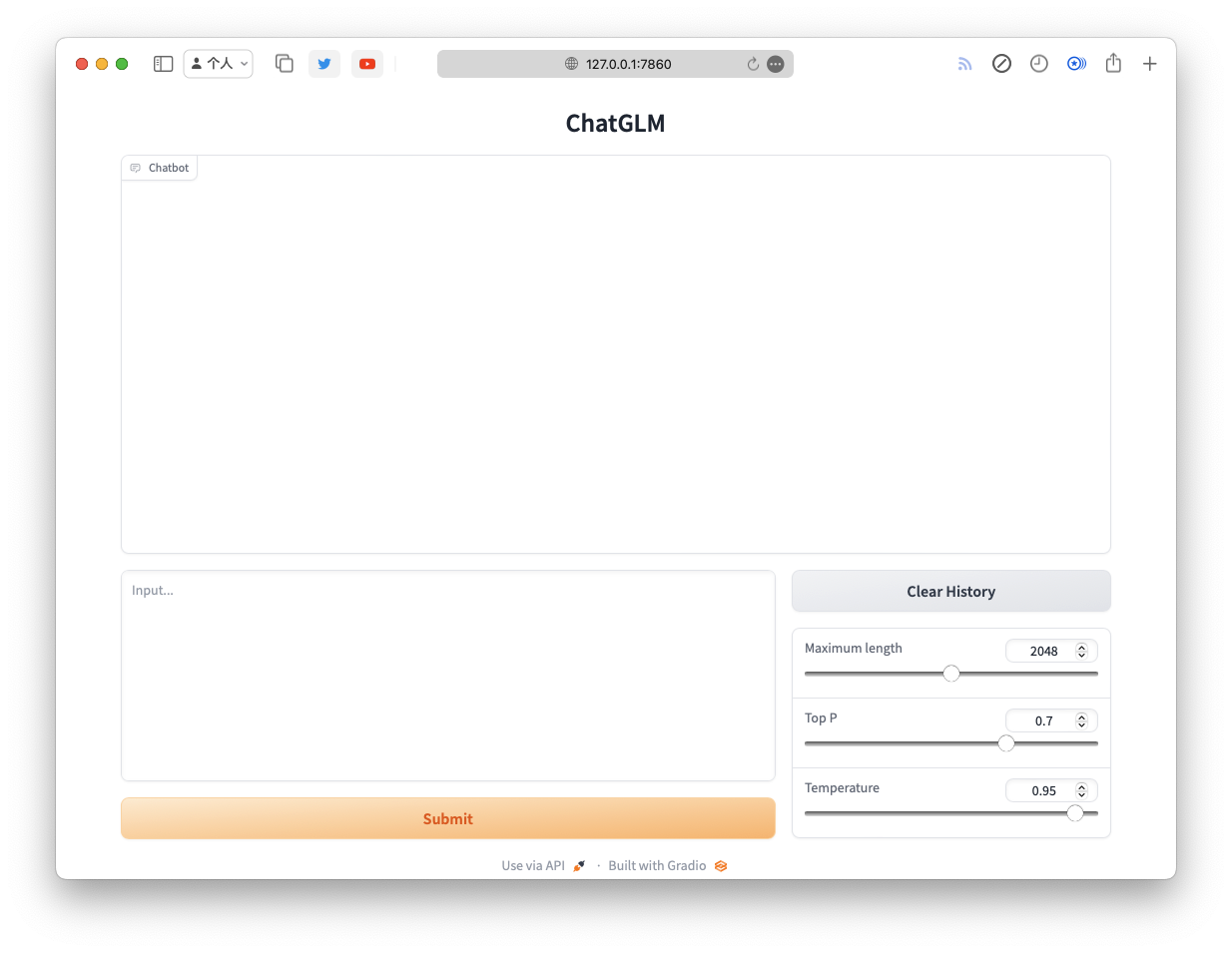
ChatGLM-6B Web
我有一台 32G 内存 Macbook Pro,想要运行大语言模型看能不能替代 OpenAI 的 API。下面是我在 Macbook 上运行 ChatGLM-6B 的步骤。

1
git clone https://github.com/THUDM/ChatGLM-6B

创建虚拟环境

1
2
cd ChatGLM-6B
python3 -m venv .venv

激活虚拟环境

1
source .venv/bin/activate

安装依赖

1
2
3
4
pip install -r requirements.txt


pip install --pre torch torchvision torchaudio --extra-index-url https://download.pytorch.org/whl/nightly/cpu

下载模型

1
2
cd ..
git clone https://huggingface.co/THUDM/chatglm-6b chatgml-6b-model

修改代码使用 MPS 后端和下载的好的模型

修改 webapp.py 文件。

  1. .cuda() 改为 .to("mps")
  2. 将模型和 tokenizer 的路径改为 huggingface 上克隆下来的 chatglm-6b 仓库本地路径。下面我的例子中,本地路径为 /Users/eson/git/chatgml-6b-model
1
2
3
4
5
6
7
8
9
10
11
12
-tokenizer = AutoTokenizer.from_pretrained("THUDM/chatglm-6b", trust_remote_code=True)
-model = AutoModel.from_pretrained("THUDM/chatglm-6b", trust_remote_code=True).half().cuda()
+tokenizer = AutoTokenizer.from_pretrained(
+ "/Users/eson/git/chatgml-6b-model", trust_remote_code=True
+)
+model = (
+ AutoModel.from_pretrained(
+ "/Users/eson/git/chatgml-6b-model", trust_remote_code=True
+ )
+ .half()
+ .to("mps")
+)

运行

1
python webapp.py

这将会在本地启动一个 web 服务,会自动打开浏览器。
