





惯性聚合 高效追踪和阅读你感兴趣的博客、新闻、科技资讯
阅读原文 在惯性聚合中打开

推荐订阅源

量子位
小众软件
小众软件
S
SegmentFault 最新的问题
人人都是产品经理
人人都是产品经理
博客园 - 【当耐特】
博客园 - 三生石上(FineUI控件)
C
Check Point Blog
S
Schneier on Security
Microsoft Azure Blog
N
Netflix TechBlog - Medium
Engineering at Meta
Engineering at Meta
GbyAI
GbyAI
罗磊的独立博客
有赞技术团队
有赞技术团队
V
V2EX
Y
Y Combinator Blog
博客园 - 叶小钗
让小产品的独立变现更简单 - ezindie.com
freeCodeCamp Programming Tutorials: Python, JavaScript, Git & More
Cyber Security Advisories - MS-ISAC
F
Fortinet All Blogs
W
WeLiveSecurity
OSCHINA 社区最新新闻
OSCHINA 社区最新新闻
Stack Overflow Blog
Stack Overflow Blog
The Cloudflare Blog
S
Security @ Cisco Blogs
TaoSecurity Blog
TaoSecurity Blog
MyScale Blog
MyScale Blog
Hugging Face - Blog
Hugging Face - Blog
cs.AI updates on arXiv.org
www.infosecurity-magazine.com
PCI Perspectives
PCI Perspectives
H
Heimdal Security Blog
Schneier on Security
Security Latest
Security Latest
AWS News Blog
AWS News Blog
月光博客
月光博客
Security Archives - TechRepublic
Recent Announcements
Google DeepMind News
博客园 - Franky
Cisco Talos Blog
Cisco Talos Blog
T
Threat Research - Cisco Blogs
M
MIT News - Artificial intelligence
T
Troy Hunt's Blog
N
News and Events Feed by Topic
Cloudbric
Cloudbric
Scott Helme
Scott Helme
云风的 BLOG
云风的 BLOG
Attack and Defense Labs

Eson Wong's Blog

我为什么开发 AI 英语听力生成器:Im-Listening Playwright E2E 测试框架入门教程 如何使用 LlamaIndex 构建一个 RAG 检索系统 批评 Milvus 入门教程 怎么在网页中实现自动调整视频的清晰度 什么是检索增强生成(Retrieval-Augmented Generation)? Phonics 自然拼读常见规则 - 辅音字母的发音规律 ESP8266EX 自动下载电路 浅聊 esp8266 墨水屏 Todo List 制作教程 2023 年我买过的最好用的商品 转变自我的密码:《Atomic Habits》读后感 Phonics 自然拼读常见规则 - 音节和元音字母的发音规律 怎么用 Github Actions 部署 Next.js 项目到服务器 使用 v4l 采集摄像头 怎么解决 Prettier 和 ESLint 在 VSCode 里的冲突? 《微习惯》 - 读书笔记 在 Macbook 上运行 ChatGLM-6B
在 iPad 使用 VS Code 写代码
本文作者: Eson Wong · 2023-08-29 · via Eson Wong's Blog

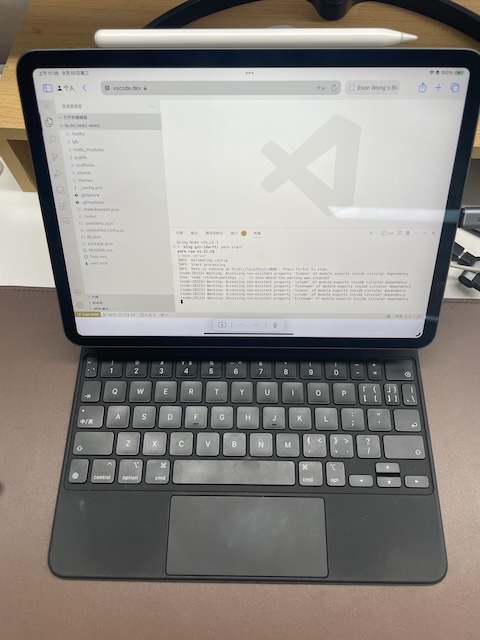
iPad 上的 VS Code

VS Code 推出了 tunnel 插件和服务,现在终于可以方便的在 iPad 的浏览器上打开 VS Code 了。

VS Code 可以在一台电脑上运行 VS Code Server ,并通过 Github 账号登录开启一个 tunnel 隧道生成一个网址,然后在其他设备上打开这个网址就可以使用 VS Code 了。
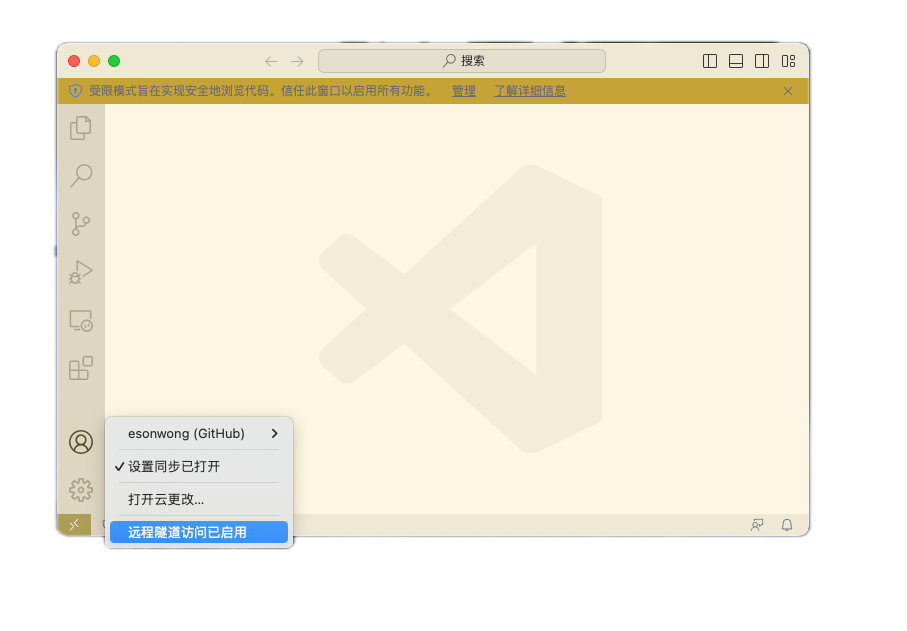
VS Code Server

在服务器上也可以使用 VS Code CLI 命令行工具来启动 VS Code Server。

1
code tunnel

网页上使用 VS Code 的体验相当完整。我使用的插件基本上都可以使用。本址端口也可以方便的转换成一个公网地址,可以在 iPad 上访问。对于前端开发来说,可以完全在 iPad 上完成开发。

唯一的问题是 tunnel 隧道的网络延迟会不稳定,影响开发体验。

ESC 键

我在 VS Code 上使用 Vim 插件,需要使用 ESC 键切换模式。但是在 iPad 大部份键盘上没有 ESC 键,command + . 可以代替。也可以修改修饰键映射来解决。

添加到主屏幕

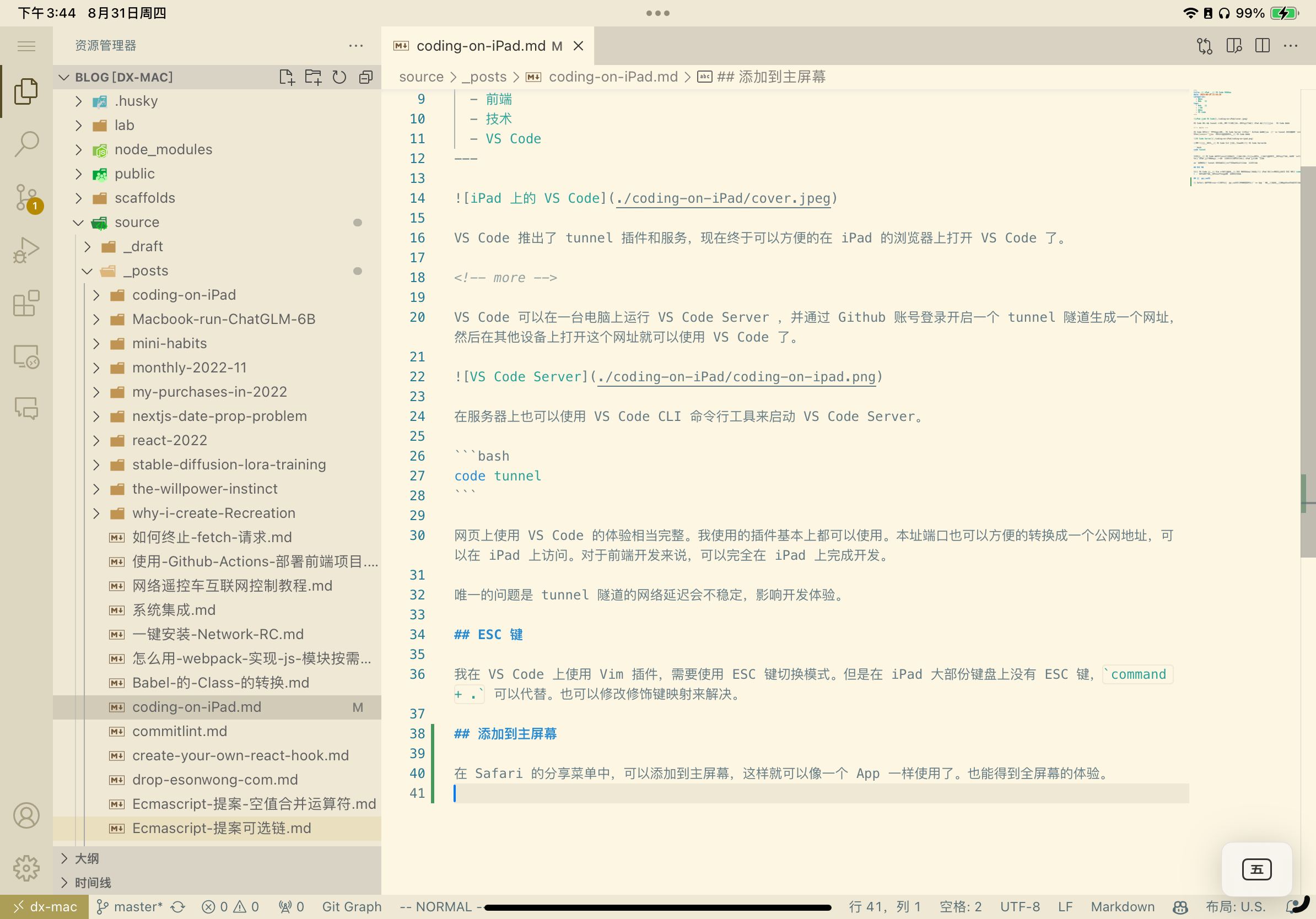
在 Safari 的分享菜单中,可以添加到主屏幕,这样就可以像一个 App 一样使用了。也能得到全屏幕的体验。
full screen