惯性聚合 高效追踪和阅读你感兴趣的博客、新闻、科技资讯
阅读原文 在惯性聚合中打开

推荐订阅源

D
Docker
爱范儿
爱范儿
T
The Exploit Database - CXSecurity.com
量子位
T
Tailwind CSS Blog
T
Threatpost
The GitHub Blog
The GitHub Blog
AWS News Blog
AWS News Blog
云风的 BLOG
云风的 BLOG
K
Kaspersky official blog
P
Proofpoint News Feed
博客园 - 司徒正美
L
LangChain Blog
T
Threat Research - Cisco Blogs
C
CERT Recently Published Vulnerability Notes
罗磊的独立博客
酷 壳 – CoolShell
酷 壳 – CoolShell
博客园 - 叶小钗
S
Secure Thoughts
The Last Watchdog
The Last Watchdog
Spread Privacy
Spread Privacy
H
Hacker News: Front Page
T
Troy Hunt's Blog
Cyber Security Advisories - MS-ISAC
Google DeepMind News
W
WeLiveSecurity
A
Arctic Wolf
Apple Machine Learning Research
cs.AI updates on arXiv.org
P
Proofpoint News Feed
T
Tor Project blog
T
The Blog of Author Tim Ferriss
I
Intezer
P
Privacy & Cybersecurity Law Blog
美团技术团队
N
Netflix TechBlog - Medium
博客园_首页
OSCHINA 社区最新新闻
OSCHINA 社区最新新闻
V
Vulnerabilities – Threatpost
Application and Cybersecurity Blog
G
Google Developers Blog
Attack and Defense Labs
T
Tenable Blog
月光博客
月光博客
Stack Overflow Blog
Stack Overflow Blog
J
Java Code Geeks
腾讯CDC
Microsoft Security Blog
A
About on SuperTechFans
Last Week in AI
Last Week in AI

星辰博客

24数证杯部分题目复现 — 星辰博客星辰博客 专为鸿蒙用户打造的 消息提醒 应用 — 星辰博客星辰博客 Umami - 网站流量分析工具 — 星辰博客星辰博客 Reqable——“国产级”新一代API开发工具 — 星辰博客星辰博客 Selenium入门配置和使用 — 星辰博客星辰博客 【取证】2025届盘古石计算机取证部分wp — 星辰博客星辰博客 svg文字动画效果 - 路径加载+加粗渐显 — 星辰博客星辰博客 ZIC云数据新春企划:数据赋能,新春新气象! — 星辰博客星辰博客 【资源】MSHR——CSS 渐变样式生成工具 — 星辰博客星辰博客
Neo4j知识图谱安装与使用教程 — 星辰博客星辰博客
StarChen · 2025-03-17 · via 星辰博客

This post was updated 453 days ago and some of the ideas may be out of date.

介绍

Neo4j是一个最流行且高性能的NOSQL图形数据库,它将结构化数据存储在网络(从数学角度叫做图)上而不是表中。

准备

JDK安装

根据Neo4j适用哪一个Java版本,安装相对应的Java版本,例如JDK21

Java Downloads | Oracle

Neo4j知识图谱安装与使用教程插图

下载完毕后,只需要根据安装包的提示,直接安装即可。

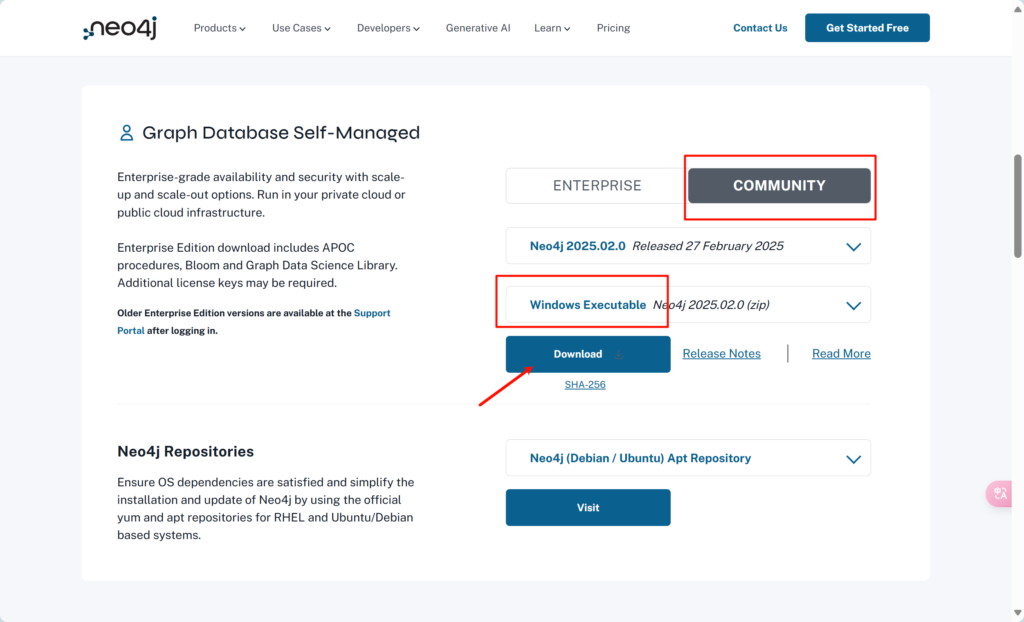
Neo4j Deployment Center - Graph Database & Analytics

进入网站后,往下拉到Graph Database Self-Managed,选择COMMUNITY(社区版),点击下载
Neo4j知识图谱安装与使用教程插图1

下载完成后,解压缩即可。

环境配置

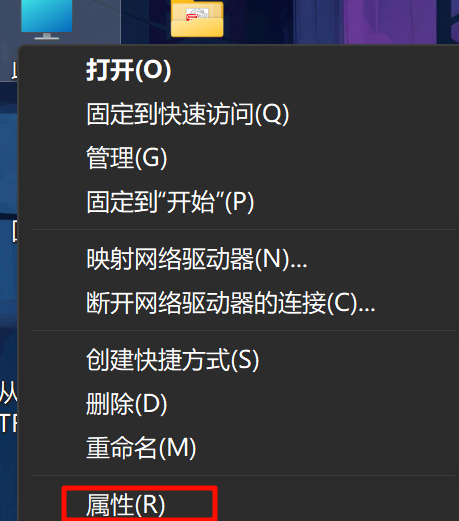
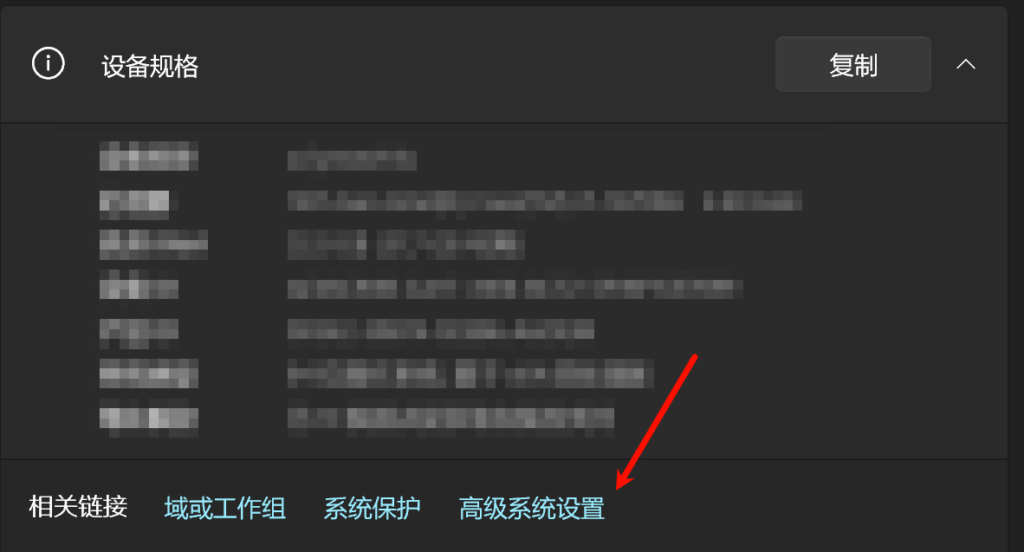
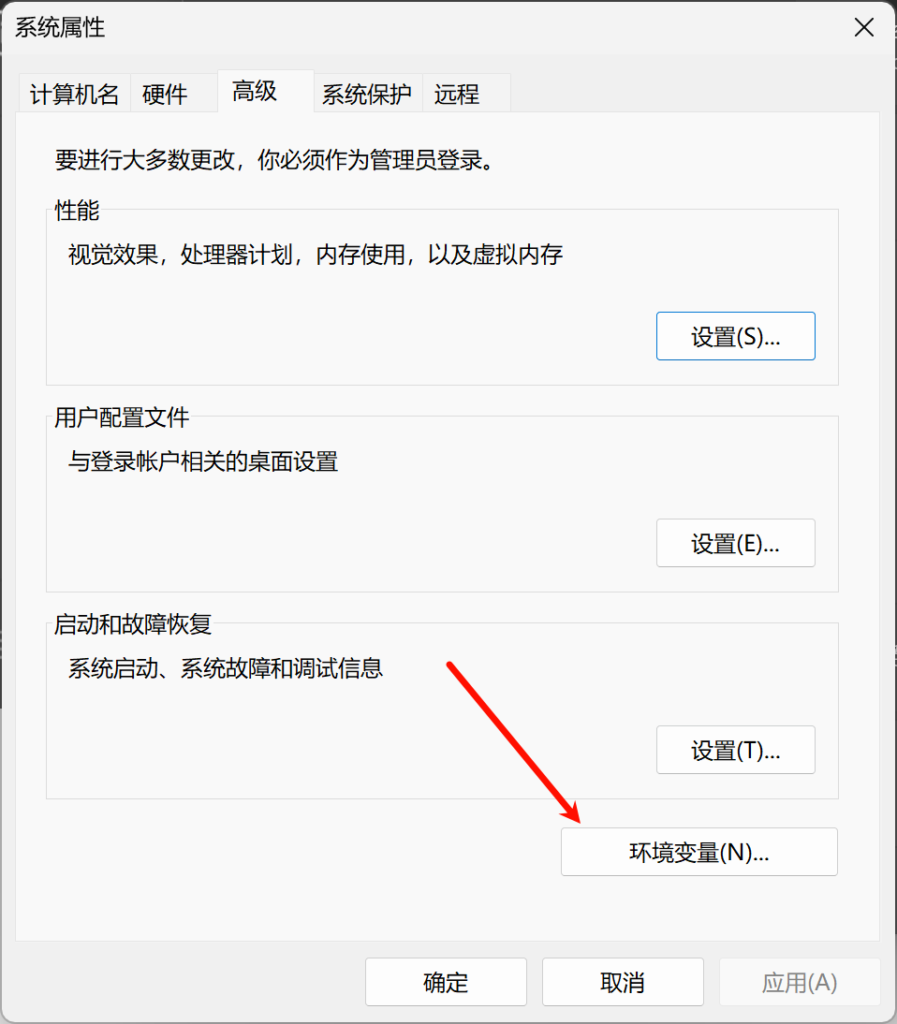
Window搜索框内输入:编辑系统环境变量——>点击环境变量

Neo4j知识图谱安装与使用教程插图2
Neo4j知识图谱安装与使用教程插图3
Neo4j知识图谱安装与使用教程插图4
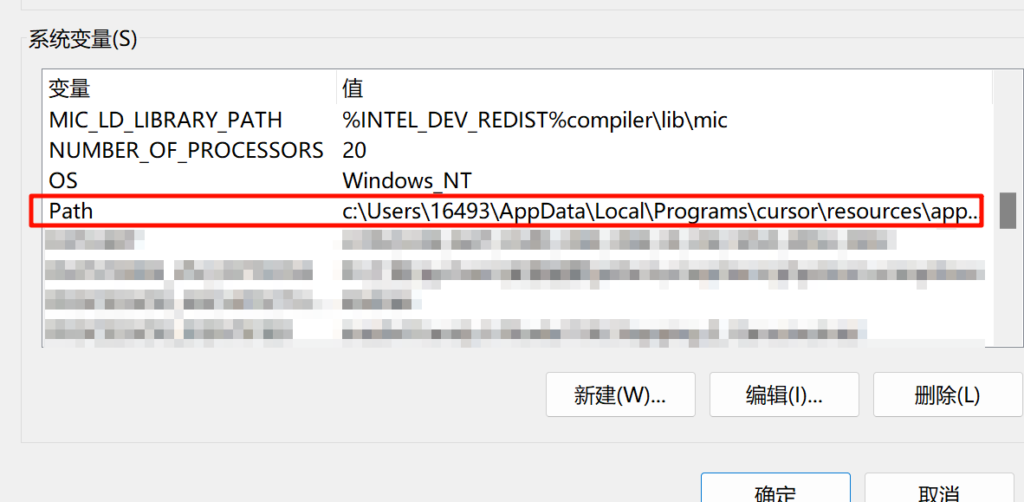
Neo4j知识图谱安装与使用教程插图5

选中系统变量中的Path,配置JDK和Neo4j的环境变量。

Neo4j知识图谱安装与使用教程插图6
Neo4j知识图谱安装与使用教程插图7

根据文件具体位置,修改位置至bin文件夹。

检查环境

检查JDK是否安装成功

Window+R——>Cmd——>输入 java -version

Neo4j知识图谱安装与使用教程插图8

检查Neo4j是否安装成功

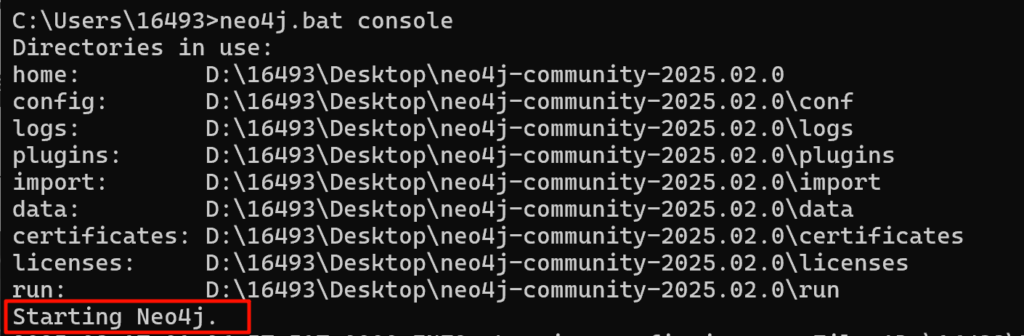
Window+R——>Cmd——>输入 neo4j.bat console
Neo4j知识图谱安装与使用教程插图9

显示Starting表示安装成功,可以运行。

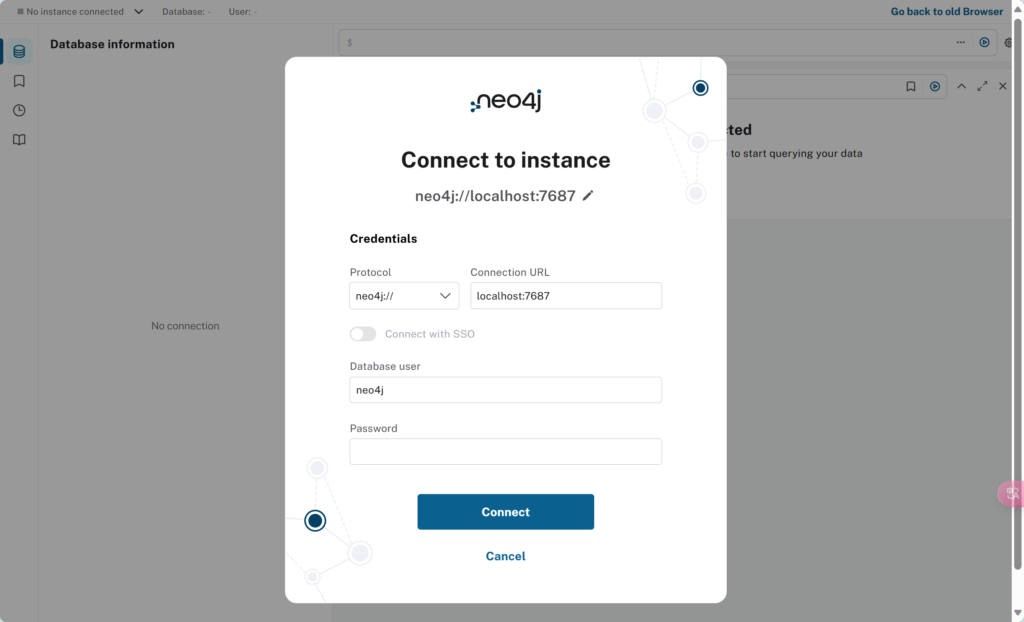
而后根据提供的url,按住ctrl点击url即可进入到Neo4j

Neo4j知识图谱安装与使用教程插图10

默认的用户名和密码均为neo4j。登录之后可自行修改密码。

Neo4j知识图谱安装与使用教程插图11