


Updated 5/15/26: Mux Robots free technical preview is extended through June 15, 2026. Billing will begin after that date. Learn more about Mux Robots pricing.
When we describe Mux as “Video infrastructure for developers”, most people think about delivery, playback, analytics, and the other machinery that takes a video from some cloud storage to customer eyeballs. But that is no longer the full story. Powerful multimodal AI models have changed what video can be: a source of data, context, and features. If you can easily turn video into “data”, you can do a lot more than just stream it.
We’ve seen so many customers taking advantage of Mux features like instant thumbnails, storyboards, and generated captions. Features we originally designed for enabling delightful playback experiences turned out to be the primitives that AI models crave. But building reliable AI workflows has its own infrastructure challenges.
And that's why we're excited to announce Mux Robots, our friendly little helpers for bringing your video into the AI age.
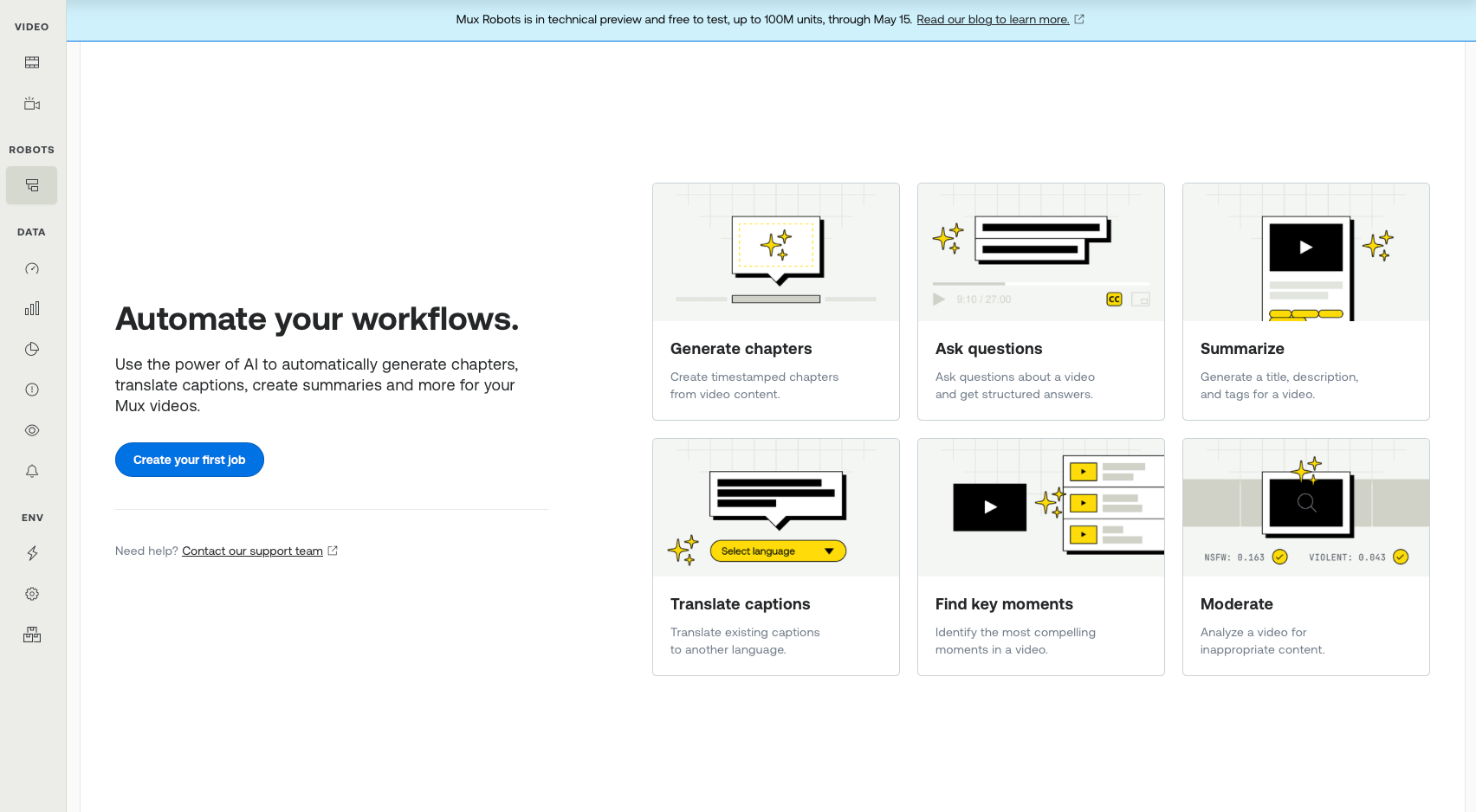
Mux Robots hosts AI workflows for your Mux assets. With simple API calls (or directly in the Mux dashboard) you can summarize a video, moderate it, translate captions, generate chapters, find key moments, and much more.
Mux Robots takes full advantage of the primitives that Mux already exposes (and some brand new ones coming soon). It also handles the operational work behind the scenes, including model evaluation, prompt tuning, orchestration, and the infrastructure required to keep those workflows reliable over time. The goal, as always: enable customers to build scalable, reliable, and cost effective video experiences that Just Work™️.
Using the API is straightforward, in the case of summarize it looks like this
Example of Summarize in Mux Robots
curl -X POST https://api.mux.com/robots/v0/jobs/summarize \
 -u $MUX_TOKEN_ID:$MUX_TOKEN_SECRET \
 -H "Content-Type: application/json" \
 -d '{"parameters" : {"asset_id": "abc123"}}'
Mux Robots jobs produce structured results, ready for use in your application. In the case of summarization, that can include a title, tags, and a description. In other workflows, it may be moderation signals, translated captions, chapter markers, or timestamps of key moments.
Read our guide to learn more about how to use the Mux Robots API. Note: Mux Robots is under a new permissions scope, so existing API keys won’t have the correct permissions. Generate new keys to start using the Mux Robots API.
To make it even easier to use, you will find a whole new Mux Robots section in the dashboard for running jobs on your assets. You can find it on the left-hand navigation, the assets list, or on your asset page.
Watch Joshua’s video to learn more about using Mux Robots in the dashboard.
A few months ago we launched an open source library for running AI workflows on Mux Assets: @mux/ai. This library provides a foundation for Mux Robots. If you need deep customization or want to bring your own infrastructure, @mux/ai will continue to be the supported open source path.
Mux Robots is launching in technical preview.
That means a few things.
First, we want people using it now. We want real workloads, customer feedback on the workflows we are shipping.
Second, we are still refining the product. The initial six workflows are just the start and far from the end goal. We’ll iterate on dashboard UX. The workflow list will grow. The API and supporting tools, like SDKs, will continue to evolve. Some of the rough edges you would expect from an early product are still visible, but we want to hear when you run into them.
Third, we are intentionally keeping the preview easy to try. Through May 15 June 15, 2026, usage is free (subject to some generous limits — up to 100M units). You can track usage for each job in the Mux Robots dashboard today, in the form of units. These units are generally accrued based on the duration of the video asset and the complexity of the Robots workflow. Read our guide for pricing details.
If you are wondering about the obvious data question, here it is plainly: we are not training on your data. Mux Robots is for inference only, no training by Mux or any AI providers.
We shipped six workflows first because they are useful immediately and represent common patterns we already see customers building — but our team is already working on more.
A Directive is the set-it-and-forget-it feature of Mux Robots. Instead of creating jobs one by one, you define what should happen as part of the asset lifecycle. For example: when a video is uploaded, automatically run summarization and moderation. That starts to connect video events and AI workflows into a single operational flow.
We also plan to keep adding workflows quickly. Some will be obvious extensions of the launch set, others will be things developers keep asking us for, and some will come from patterns we see emerge once people start using the product in ways we haven’t seen yet.
Just as important, we will keep refining the workflows that already exist. Model capabilities are changing fast and we'll keep evaluating and improving what sits behind each workflow.
We're continuing to invest in the underlying primitives in Mux Video and Mux Data — features that make your video better for playback and streaming on their own, but also give Mux Robots richer inputs to work with. New ones are just around the corner, so keep your eyes open.
Mux Robots is available today for all Mux Video customers, Pay as you go or above. It’s free to test, up to 100M units, through May 15 June 15, 2026.
To get started, have an admin in your organization log into the Mux Dashboard, click on "Jobs" under the new Mux Robots section, accept the AI Services Addendum, and enable it. Then you can run your first job right there in the dashboard or through the API.
We want to hear your feedback. Let us know what you think in the new feedback section at the top of your dashboard or reach out.
The Mux Robots technical preview is the first step toward something bigger: making video as programmable for AI workflows as it already is for delivery and playback. We’re opening it up to use today because the best way to build an infrastructure product is with real developers, real workloads, and real feedback. Try it in the dashboard or API, push it a little, and tell us what breaks, what works, and what you want us to build next!
此内容由惯性聚合(RSS阅读器)自动聚合整理,仅供阅读参考。 原文来自 — 版权归原作者所有。