





Day 2 of Launch Week brings Docs Feedback to your documentation.
Simple to use and intuitive in design, this new feature is the easiest way for you to create a direct channel for gathering feedback from your users 👍👎
With Docs Feedback, users upvote or downvote the helpfulness of a page and you can access that feedback right in your analytics.
Documentation is a powerful leverage for improving conversions and boosting customer success, but only if you can understand what your users are looking for and whether they can find what they need.
The best way to collect that information? By setting up a direct channel for user response.
With Docs Feedback, you can now easily identify which pages are underperforming, where there are gaps in content, and how to improve them.
On the analytics side, Posthog makes it exceptionally easy for you to track usage and feedback for their own products. At Mintlify, we use Posthog for our own product, and we love how the platform can do wonders for you, too.
To get Docs Feedback, simply enable documentation feedback in your mint.json file like so
"feedback": {
"thumbsRating": true
}
You can also enable your doc viewers to open Github issues and open PRs to suggest edits (for public repos)
"feedback": {
"suggestEdit": true,
"raiseIssue": true
}
You can see our Docs Feedback in action at the bottom of all of our pages, like here.
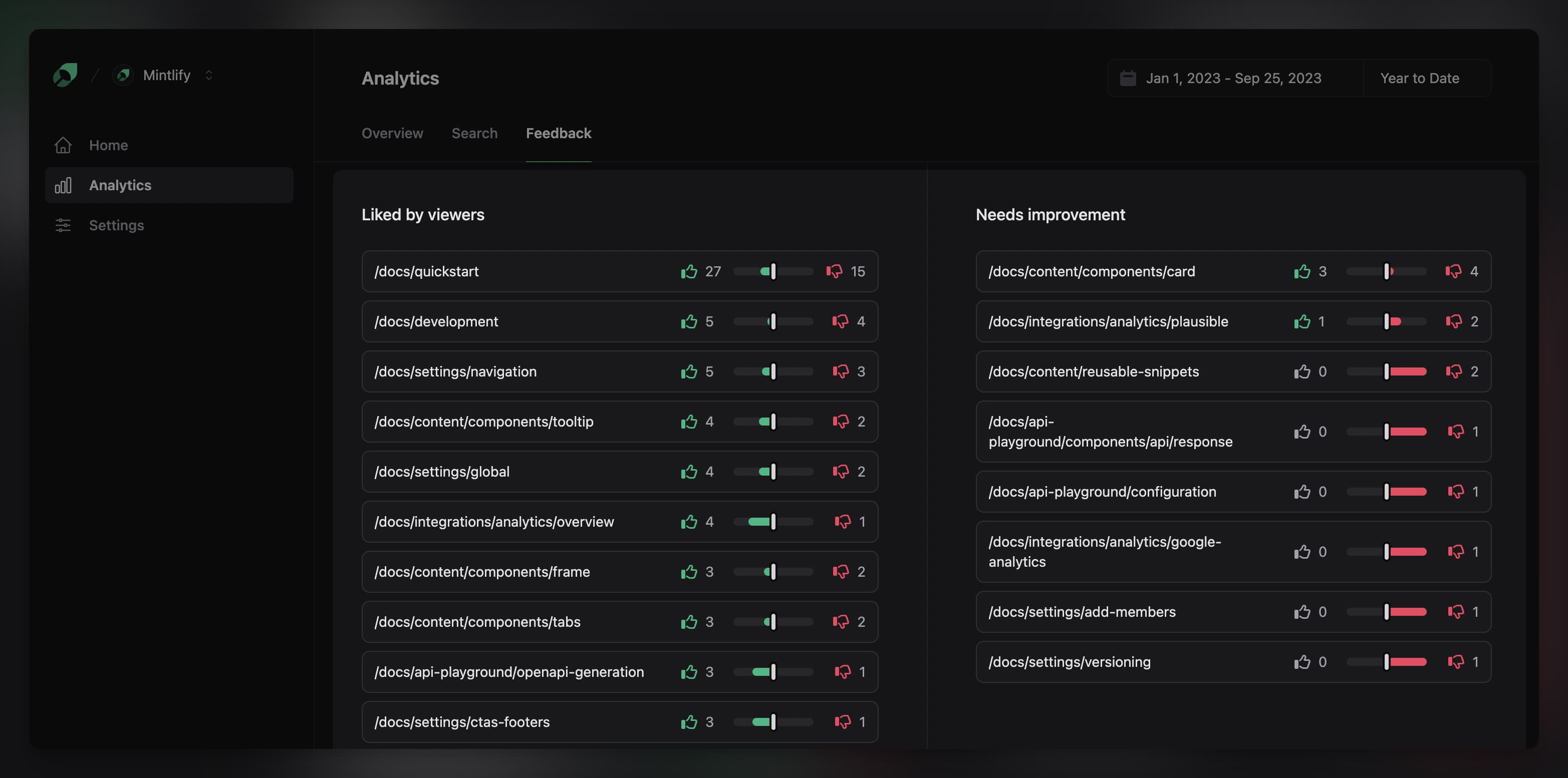
Here's a sneak peak of our own internal analytics from Docs Feedback, with our most helpful pages measured by number of upvotes versus downvotes.
Follow our Twitter or join the community to stay tuned for more!
此内容由惯性聚合(RSS阅读器)自动聚合整理,仅供阅读参考。 原文来自 — 版权归原作者所有。