


Developers love Mintlify because it fits naturally into their existing workflows. Teams can version documentation alongside their product, rely on GitHub for reviews and approvals, protect their main branch, and ship changes with confidence.
But as companies grow, knowledge management increasingly depends on contributors across the organization: product managers update feature docs, support teams refine troubleshooting guides, marketing and partnerships add content and examples, people teams build out internal knowledge bases.
To keep knowledge accurate across teams, Mintlify builds editing workflows for everyone, not just developers.
Before talking about what's new, its worth being clear about what's not changing.
Mintlify still supports strong docs-as-code workflows:
These workflows are not being replaced, they’re being extended.
From publishing to editing, each update to the editor builds toward a single goal: make it easy for everyone to maintain accurate knowledge systems.
Different teams have different levels of rigor around publishing documentation, and Mintlify now adapts to that.
Publishing can now be as simple as a clicking a button and changes immediately merge into your deployment branch.
But, you can still require pull requests for publishing by configuring a branch protection rule.
The improved web editor brings configuration, structure, content, and preview together into a single workspace.
Configuration that once lived in docs.json is now fully visual. Instead of editing a file, you can see and adjust your documentation structure, themes, colors, and more directly.
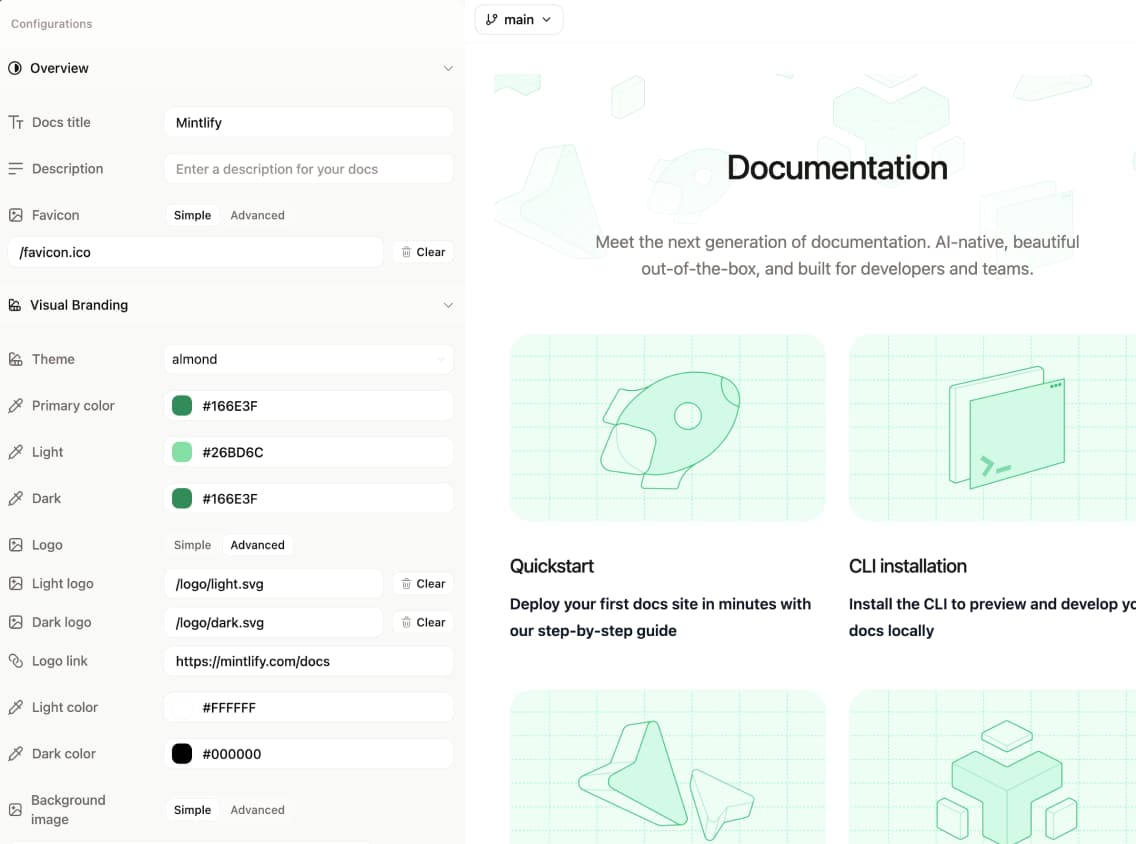
You can view your navigation visually as it mirrors your actual information architecture or still see it as a file tree. This makes it much easier to understand how content is organized and where new pages should live.
As you make changes, the live preview updates in real time. There is no need to run a local build or open a pull request just to see how something will render. What you see while editing is what your users will see when it is published.
When you need feedback, you can share a preview deployment with your team.
Media handling is also simpler. Images and other assets can be added with drag and drop, removing another common point of friction for contributors.
Many teams reuse the same patterns, examples, and components across pages.
The web editor includes a /snippet command that lets contributors quickly insert reusable snippets directly while editing. Typing /snippet opens a dropdown showing available snippets from your snippets folder, making it easy to find and add the right content without leaving the editor.
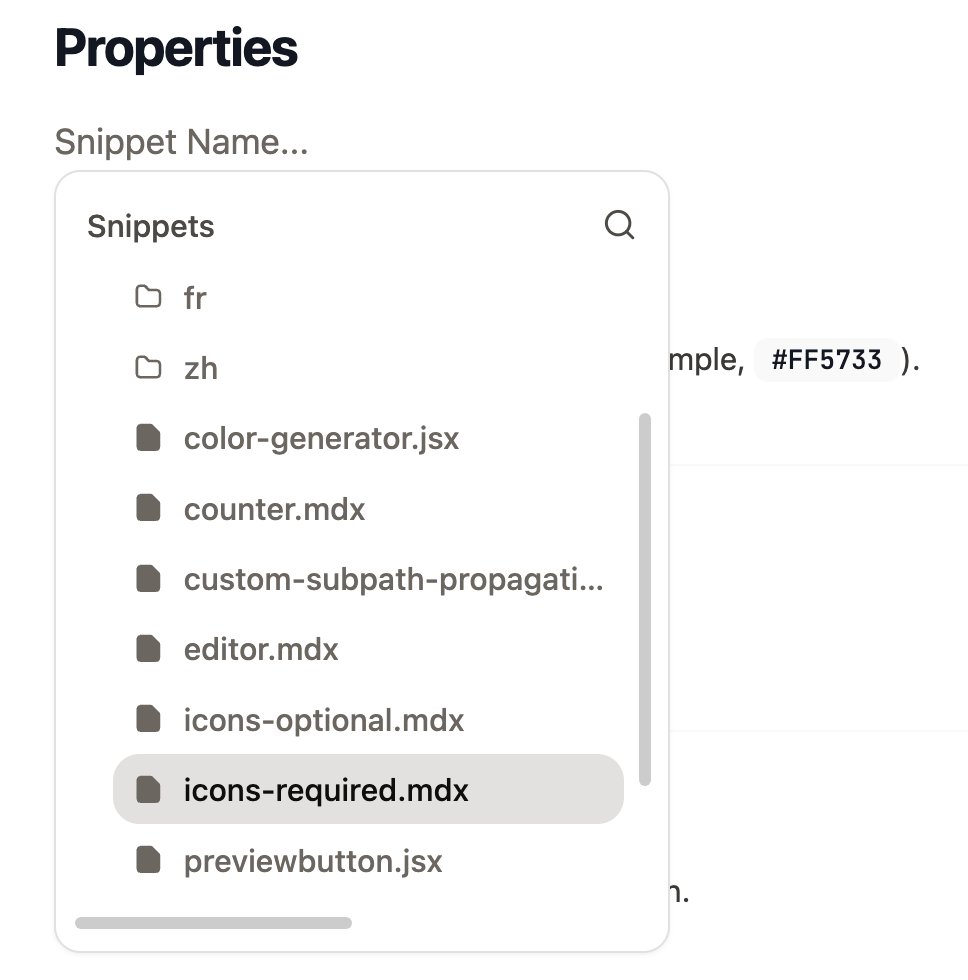
This makes documentation more consistent and faster to maintain as your product surface grows.
Maintaining accurate knowledge is a cross functional effort. By removing unnecessary barriers while preserving strong workflows for teams that need them, Mintlify makes it possible for the anyone across your company to contribute with confidence.
Try it out today and let us know what you think.
此内容由惯性聚合(RSS阅读器)自动聚合整理,仅供阅读参考。 原文来自 — 版权归原作者所有。