








I had a problem. We needed to move a significant amount of our internal documentation scattered across multiple platforms into a single knowledge base. Our team is growing so a single source of truth helps us onboard new team members faster and surface valuable knowledge that might be buried in a document only a couple people know about.
An added benefit of using Mintlify for a knowledge base is that people can either read pages or chat with the Mintlify assistant to get answers--both in the knowledge base and on Slack. Our team has multiple paths to getting information that don't rely on someone remembering where a particular file is located.
While the other platforms we were using had Markdown export, the content wasn't formatted using Mintlify's components or syntax. Exporting and copy-pasting would leave me with unformatted walls of text.
I had two priorities: speed and quality. I wanted to move fast so the knowledge base was available when our new team members joined, but I also wanted the content to be readable and accurate. It was important that I could focus on curating content and building the information architecture, not wrestling with syntax or making tedious formatting edits.
Here's how Mintlify's agent and web editor let me do exactly that.
The agent handled the heavy lifting of formatting and placement.
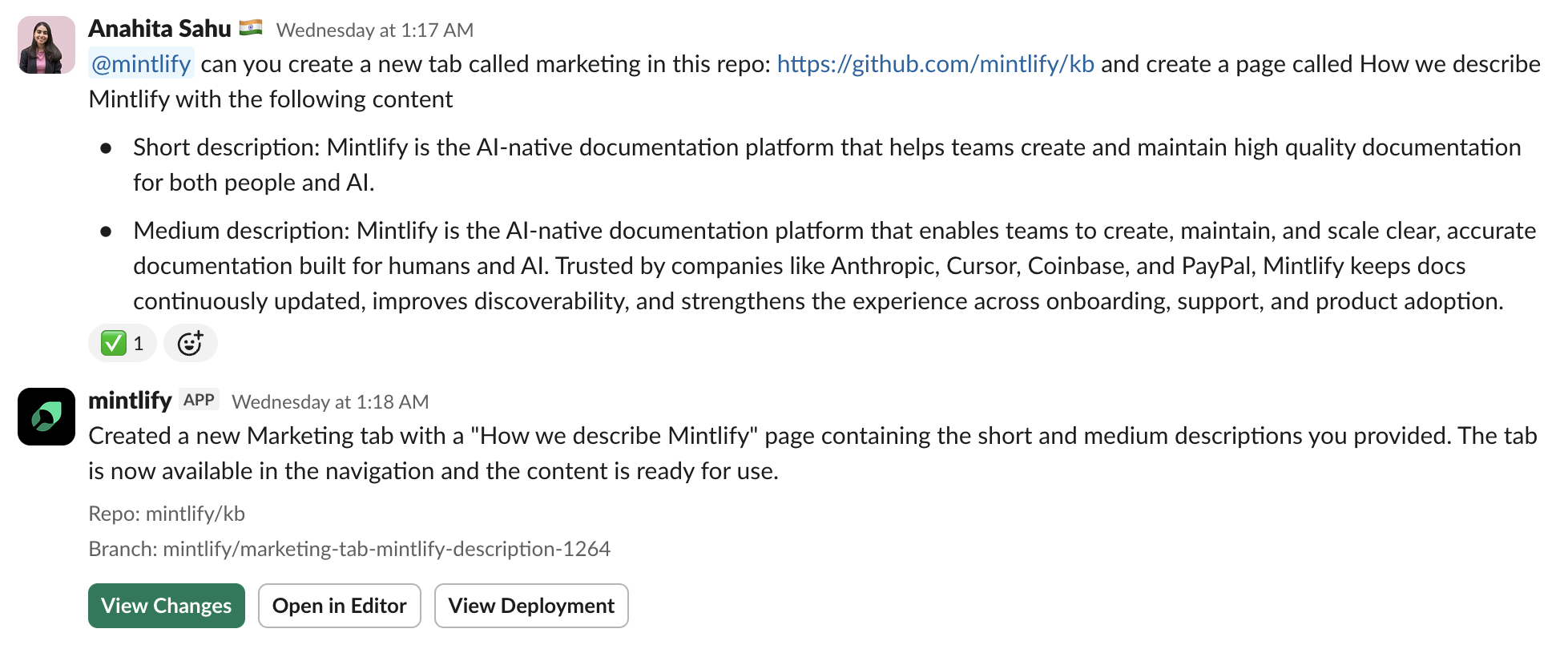
My workflow was simple: copy content from the original source, paste it into a Slack conversation with the agent, and tell it where to place the page. For example: "@mintlify can you add this page to the marketing tab under guides."
The agent formatted everything, converting different syntax to Mintlify's components. It structured the content with the proper frontmatter, headers, callouts, and formatting.
I migrated 10 pages in 5 minutes.
Once the content was in place, I wanted to adjust some of the navigation and refine the information architecture. I used the web editor for this because I wanted to see the changes I was making in real time.
My two favorite features of using the editor:
The editor was faster and more intuitive for me than working directly with Git, Markdown, and JSON. I could focus on organization and higher-level strategy rather than mechanics.
To help other people contribute to the knowledge base, I created an AGENTS.md file that specifies our formatting and style preferences. This file is included in the project so that it applies to every command people give to the agent, no matter what their local setup is. Updates to the knowledge base are more consistent and better structured since the agent has tailored context for our content.
This is useful for anyone managing documentation at scale and receiving contributions from many people. You can define your own conventions for the agent to follow.
Removing the mechanical work of migrating and formatting content meant that I could concentrate on what mattered.
Content strategy: Organizing information based on how our team actually works, not just copying existing structure.
Information architecture: Building navigation that helps people find answers quickly.
Quality: Making sure content was clear, useful, and technically correct.
The tools handled formatting. I handled the thinking.
I built our knowledge base in an afternoon. The content is properly formatted, well-organized, and easy to navigate. New team members can find what they need in the knowledge base or by asking the assistant in Slack.
I did all of this using just Slack DMs and a web browser.
If you're consolidating internal documentation or building a knowledge base, you can work the same way. The assistant handles migration and formatting. The web editor gives you precise control over organization. You can focus on making your documentation useful.
Good tools get out of your way and let you do your best work.
此内容由惯性聚合(RSS阅读器)自动聚合整理,仅供阅读参考。 原文来自 — 版权归原作者所有。