





Changelogs are an underrated but critical component of documentation.
A well-crafted changelog helps users understand what changed, why it matters, and how it affects them. More subtly, it lets users know you're constantly shipping code and improving your product.
After analyzing the changelogs from best-in-class brands like GitHub, Raycast, and Vercel, we've identified five principles that make changelogs more valuable for users.
Every changelog can tell two stories—what changed in the codebase and what improved for users. Your changelog should focus on the latter, making each entry meaningful to people who rely on your product.
The best changelogs focus less on technical tweaks and more on clear benefits. For example, instead of writing "Fix async loop timing”, you can reference the benefit with “Fix dashboard freezes during large report generation.”
Give special attention to breaking changes, since they have the potential to disrupt your users' workflows or break their applications when they upgrade. Prefix them with an identifier like "Breaking:" and explain what has broken and why your change is necessary.
For example, GitHub makes note of breaking changes in dedicated entries, increasing transparency and calling attention to them immediately. Each entry explains the thought process behind the change in detail, increasing transparency for users.
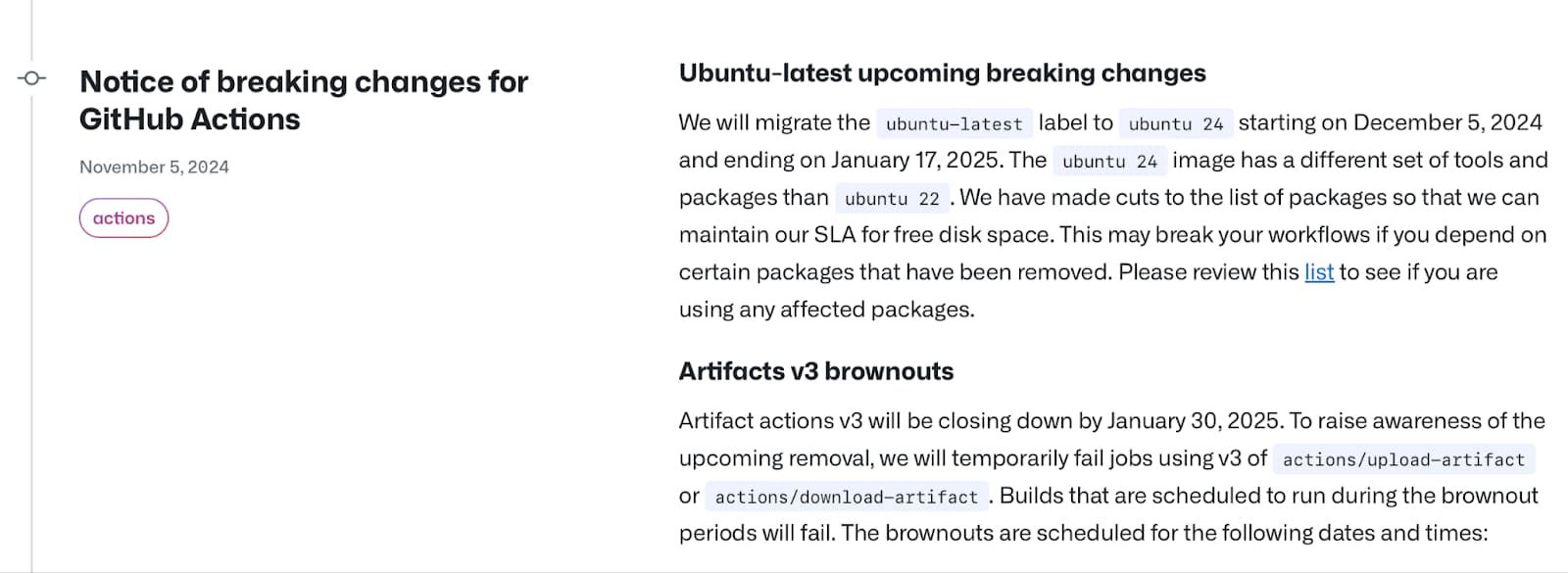
GitHub emphasizes breaking changes prominently
Keep entries as concise as possible but don't skip the details. When you write for human impact, you help users understand not just what changed, but why those changes matter.
Every update has a natural order of importance. Your changelog should reflect this through consistent organization and a visual hierarchy that guides readers to what matters most.
Begin each changelog entry with consistent versioning and a date format that sorts naturally in any system. Following this header, organize changes into intuitive categories that reflect their impact on your users.
For instance, you can categorize changelogs as new features (representing fresh capabilities), improvements (enhancing existing features), and fixes (resolving bugs). Within each of these categories, breaking changes should take precedence—mark them clearly to ensure they capture attention before users upgrade.
Raycast follows an instantly recognizable structure in its changelog entries. The team uses emojis and a fixed Notes, Improvements, and Fixes format, emphasizing changes visually and structurally.
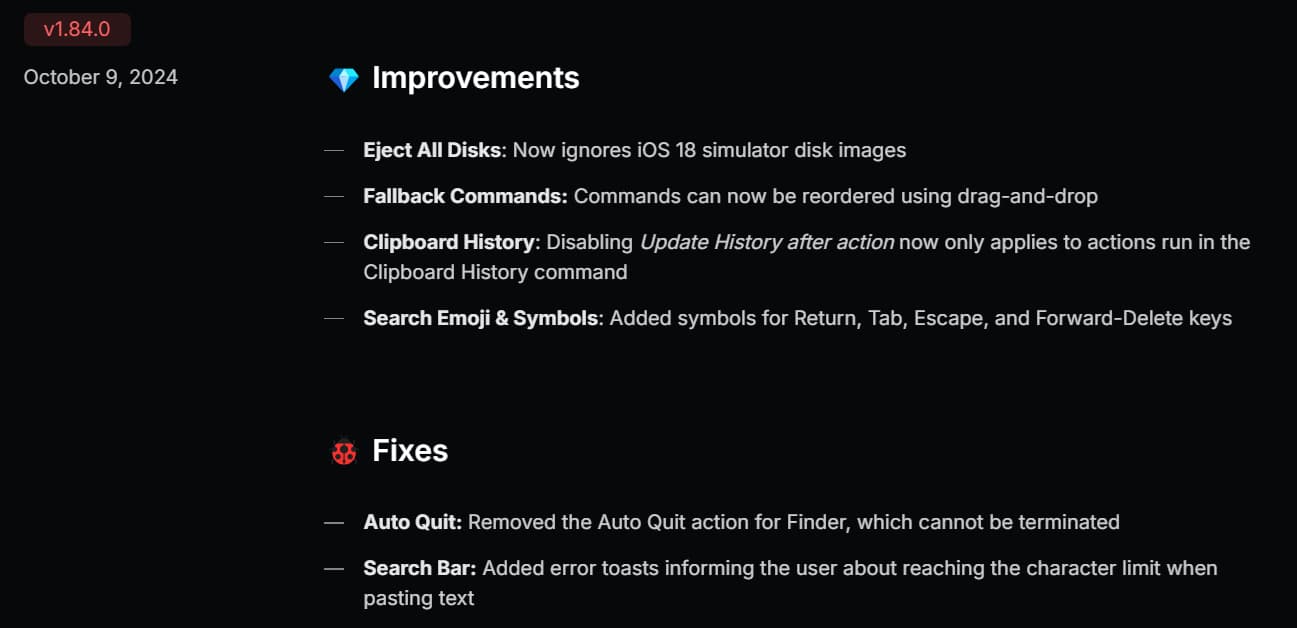
Raycast follows a consistent and visually appealing format
Use visual consistency to reinforce this structure. Some projects use emojis or icons to denote different changes, while traditional heading hierarchies can be equally effective at guiding readers through your changelog. The key is to create a familiar pattern that users can navigate intuitively.
This structured hierarchy transforms changelogs from mere lists into valuable documentation that serves both casual readers and technical users assessing the full scope of a release.
A valuable changelog builds connections between changes and the wider context of your product. Weave your changes into a broader narrative by linking them to issues, pull requests, and supporting documentation.
For example, when addressing a long-standing bug, link to the original issue where users reported it. For new features, link to the documentation containing implementation details.
When applicable, include visuals. Incorporate screenshots or short videos of updates to help users understand what to expect. If you're spotlighting technical changes, use code examples that demonstrate new patterns or migration paths.
Vercel, for instance, links to packages and other documentation to help users dive into more details, along with providing product screenshots in its changelog entries.
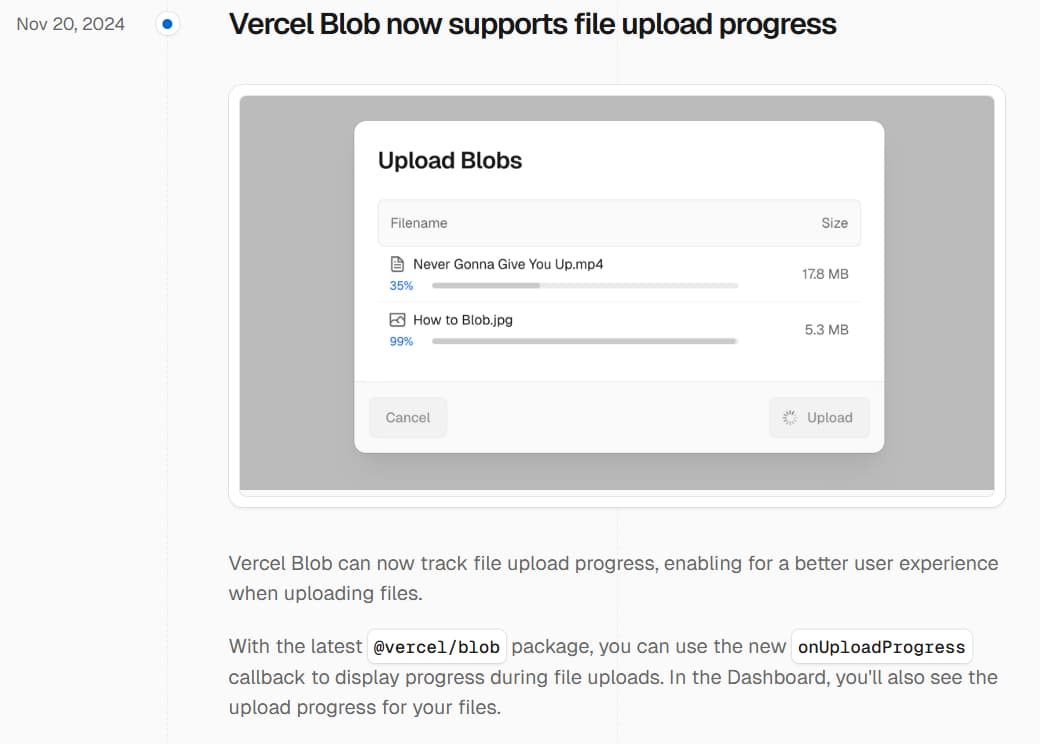
Vercel links to packages from its changelog, giving users more context
For platform-specific changes, indicate which versions are affected—whether it's operating system requirements or browser compatibility.
This interconnected approach shifts your changelog from a list of updates into a resource that guides users through your overall product.
Not every commit needs to be included in your changelog. Your changelog should focus on anything that affects user experience. Include changes that modify public APIs, add or remove features, or enhance performance. For bug fixes, focus on issues that directly impact users rather than internal code cleanup.
When sharing performance improvements, include concrete metrics. For instance, a message like "Reduced API response time by 35% for large datasets" tells users more than "Improved API performance."
Developers love additional technical context, so you may want to include configuration changes, dependency updates that require action, and modifications to extension points or plugins. However, those details are often too granular for your average reader—in that case, you can follow Stripe's footsteps by separating out your changelog entries and technical details.
Stripe's team includes technical details in a separate section in their changelog entries, giving readers who want more information the option to dive into them without overwhelming less technical users.
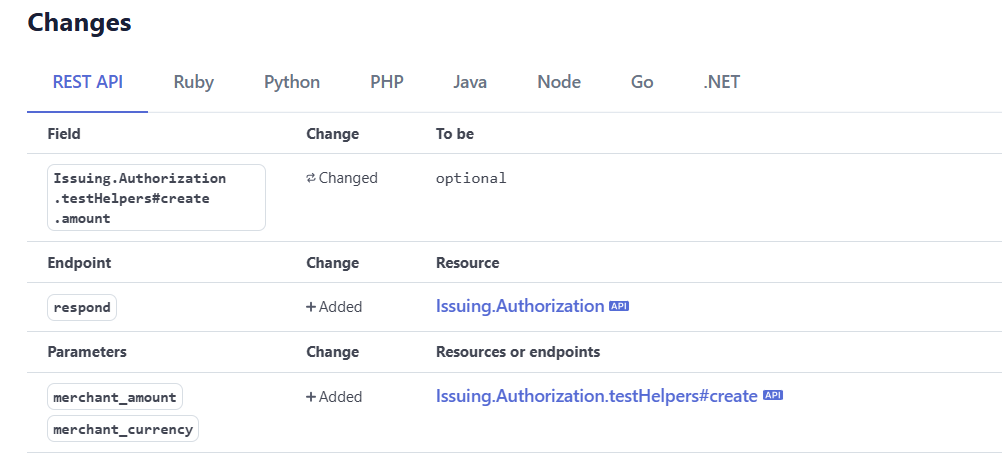
Stripe includes technical details in a separate section in each announcement
This focused approach ensures your changelog remains a practical guide to user-facing changes rather than an exhaustive record of development.
While CHANGELOG.md in your project's root directory may be the de facto standard, true discoverability extends far beyond file placement. Your changelog should be accessible wherever users interact with your product.
For instance, link to your changelog in product documentation or in your help center to help users discover it in their natural flows. Platforms like Mintlify allow you to host your changelog right in your documentation.
Integrate changelog entries directly into your release process by attaching them to Git tags and releases. Package registries like npm, PyPI, and Maven Central should display or link to relevant changelog sections alongside version information.
For web applications, consider surfacing major changes directly in your user interface, particularly when breaking changes require user action or when new features could benefit from user attention.
This approach to changelog visibility ensures users can track your product's evolution regardless of how they interact with it, whether through source code, package managers, documentation, or the application itself.
By focusing on human understanding, maintaining clear structure, connecting related resources, and improving discoverability, your changelog can be more than just a record of changes—it becomes a valuable tool that guides users through your product journey.
If you're interested in trying Mintlify's changelog or overall documentation solution, get in touch with us for a preview.
此内容由惯性聚合(RSS阅读器)自动聚合整理,仅供阅读参考。 原文来自 — 版权归原作者所有。