惯性聚合 高效追踪和阅读你感兴趣的博客、新闻、科技资讯
阅读原文 在惯性聚合中打开

推荐订阅源

P
Palo Alto Networks Blog
大猫的无限游戏
大猫的无限游戏
Martin Fowler
Martin Fowler
GbyAI
GbyAI
CTFtime.org: upcoming CTF events
量子位
T
The Blog of Author Tim Ferriss
Y
Y Combinator Blog
Microsoft Azure Blog
C
CERT Recently Published Vulnerability Notes
Recent Announcements
A
About on SuperTechFans
aimingoo的专栏
aimingoo的专栏
P
Privacy International News Feed
cs.CL updates on arXiv.org
博客园 - 叶小钗
L
Lohrmann on Cybersecurity
G
GRAHAM CLULEY
T
The Exploit Database - CXSecurity.com
Hugging Face - Blog
Hugging Face - Blog
P
Proofpoint News Feed
NISL@THU
NISL@THU
博客园 - Franky
C
Cybersecurity and Infrastructure Security Agency CISA
The Register - Security
M
MIT News - Artificial intelligence
Know Your Adversary
Know Your Adversary
A
Arctic Wolf
F
Full Disclosure
T
Threat Research - Cisco Blogs
P
Privacy & Cybersecurity Law Blog
The Hacker News
The Hacker News
博客园 - 【当耐特】
D
Docker
T
Tailwind CSS Blog
S
SegmentFault 最新的问题
Cyber Security Advisories - MS-ISAC
Jina AI
Jina AI
Help Net Security
Help Net Security
V
Visual Studio Blog
小众软件
小众软件
B
Blog
Vercel News
Vercel News
云风的 BLOG
云风的 BLOG
N
News and Events Feed by Topic
Forbes - Security
Forbes - Security
N
Netflix TechBlog - Medium
让小产品的独立变现更简单 - ezindie.com
C
Cisco Blogs
Security Archives - TechRepublic

Yunfeng's Simple Blog

2025年终总结 lyrichroma-一键将语音转换为视频的Python命令行工具 JiT论文阅读Back to Basics-Let Denoising Generative Models Denoise Lepton AI后续 llm-code-scorer wavlm-large模型onnx和mnn版本的导出与使用 解决Manus Blog自动跳转无法访问的问题 Pytorch转ONNX报错-Cannot insert a Tensor that requires grad as a constant 用MOSS-TTSD生成相声 张小珺明超平访谈观点总结 Qwen VLo 效果实测 美团 NoCode 简单使用体验 AI时代的产品文本化 Comma v0.1 -全开源数据训练的可复现大模型 repetition_penality的作用与实现 git lfs pointer 报错解决 bitnet-b1.58-2b-4t Neovim conceal机制导致markdown语法隐藏的问题 Quotation Armin Ronacher's Reflecting on Life
用gradio部署mcp server
Yunfeng Wang · 2025-06-04 · via Yunfeng's Simple Blog

1. 说明

mcp是一种创新的开源协议,用于规范大模型对外部工具的调用流程。mcp服务是供大模型调用的外部服务,用于增强大模型解决问题的能力。

mcp服务可以用mcp python-sdk来搭建,官方教程在这里。对第一次尝试的同学来说,官方的sdk还是有一定门槛的。

最近发现gradio 默认支持mcp server的部署,也就是launch一个gradio demo后,默认就起一个mcp服务,无需额外学习mcp python sdk的使用。这对于已经熟悉gradio demo搭建的同学来说,方便了不少。下面我将展示一个简单的基于gradio的mcp server搭建,以及在一个mcp client中调用。

2. mcp server搭建

首先需要安装graidio[mcp],一行命令搞定:pip install -U "gradio[mcp]"

使用时,在demo.launch函数调用中增加一个参数 mcp_server=True 即可,下面是一个最简单例子:

1
2
3
4
5
6
7
8
9
10
11
12
13
14
15
16
17
18
19
20
21
22
23
24
25
import gradio as gr

def sum_two_values(a, b):
"""
Sum value a and b

Args:
a (str): The first value
b (str): The second value

Returns:
int: result of a + b
"""
return int(a) + int(b)

demo = gr.Interface(
fn=sum_two_values,
inputs=[gr.Textbox(1024), gr.Textbox(512)],
outputs=[gr.Number()],
title="Sum Two Values",
description="Input two values and I will return the sum of them",
)

if __name__ == "__main__":
demo.launch(mcp_server=True)

我们写了一个把两个数相加的函数sum_two_values,通过详细的docstring对函数功能、输入参数、输出参数的类型、含义进行说明,这有助于大模型来正确地调用工具。

然后创建了一个gradio的Interface界面,设计输入输出,调用上面的函数。

最后启动interface界面,设置mcp_server=True

执行这个脚本后,log输出如下:

1
2
3
4
 Running on local URL:  http://127.0.0.1:7860
* To create a public link, set `share=True` in `launch()`.

🔨 MCP server (using SSE) running at: http://127.0.0.1:7860/gradio_api/mcp/sse

首先是跟普通的gradio demo一样,列出网页服务的ip和端口。

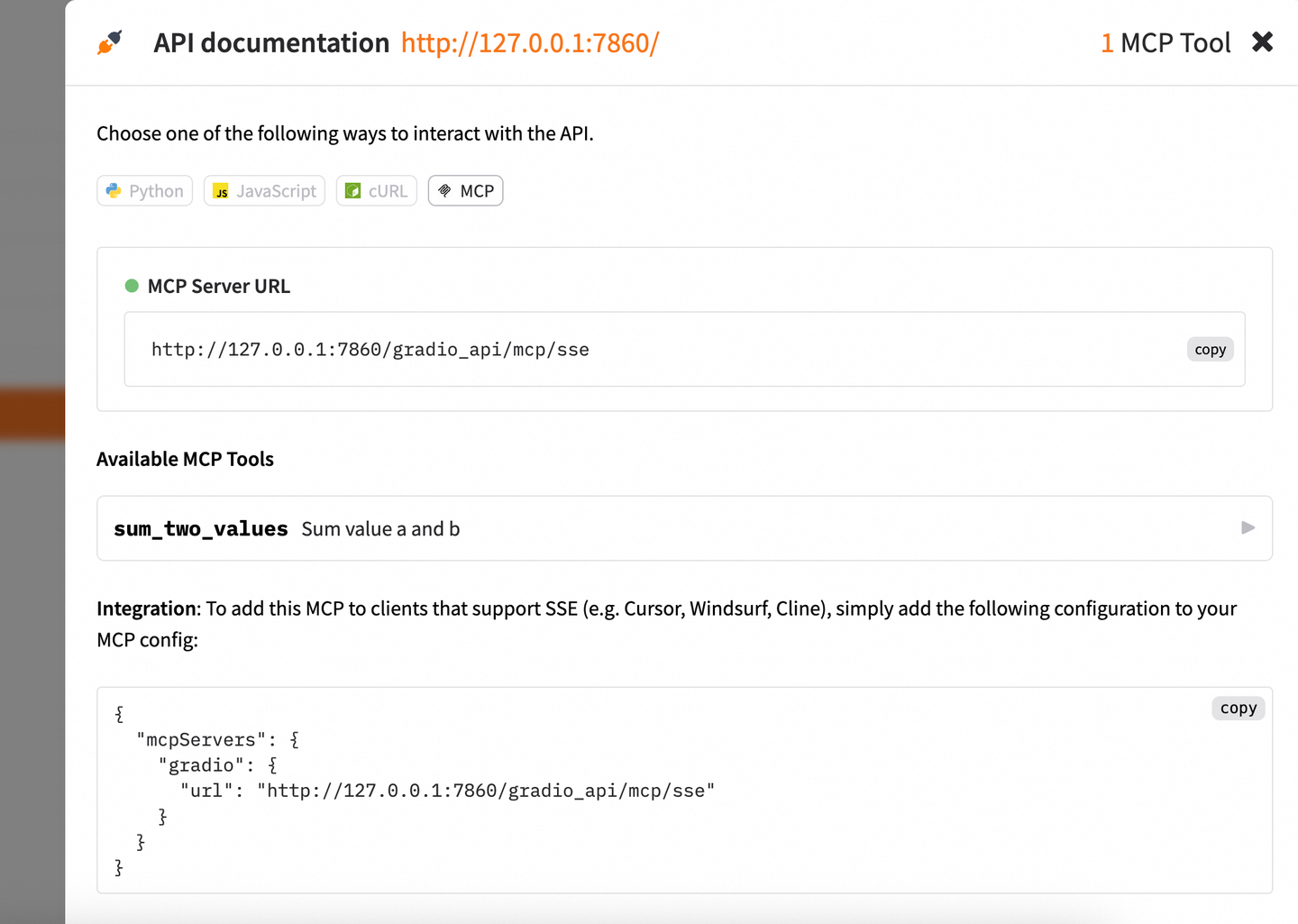
然后列出了mcp server的地址,这个地址就可以加到mcp client 里面,进行mcp server的调用(具体见下章节)。

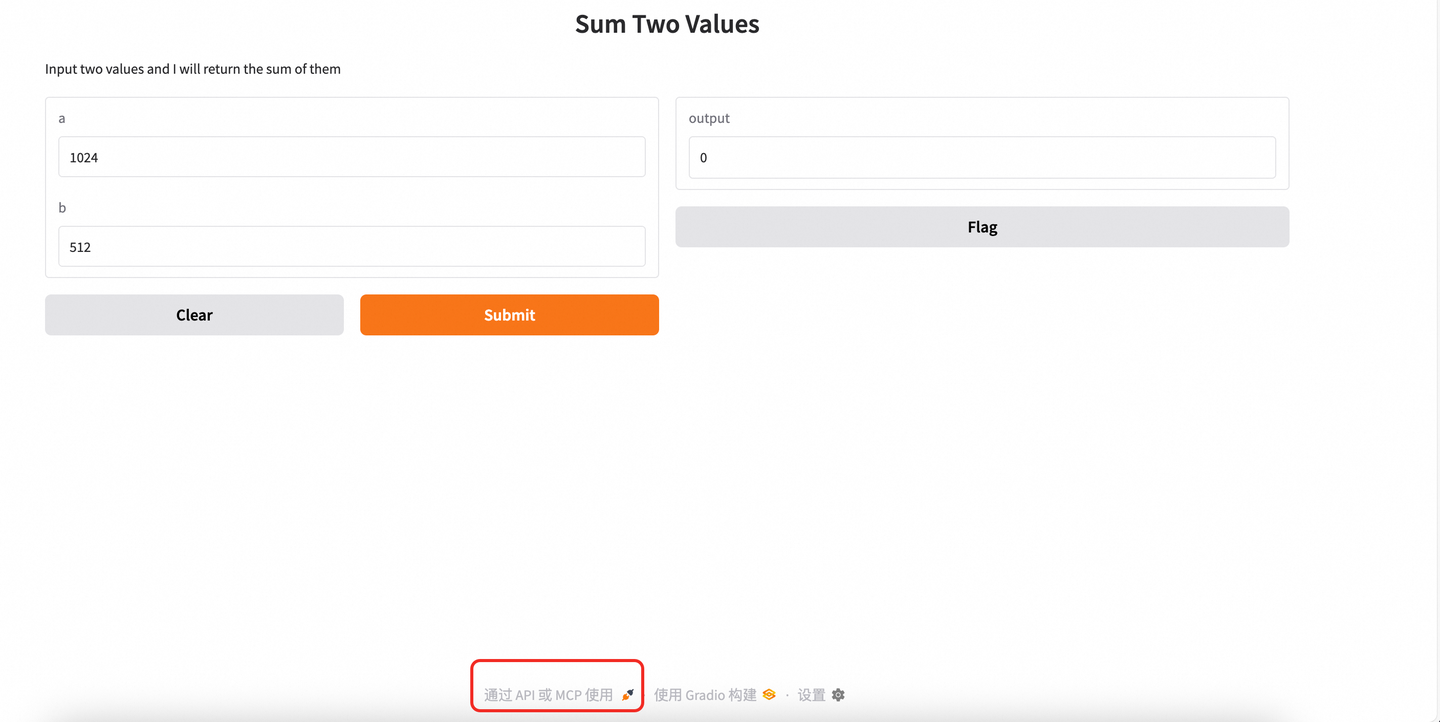
我们打开网页服务的网址,网页底下有通过 API 或 MCP 使用 按钮,点击之后选择MCP tab,也会给出MCP的地址:
3. mcp client中调用服务

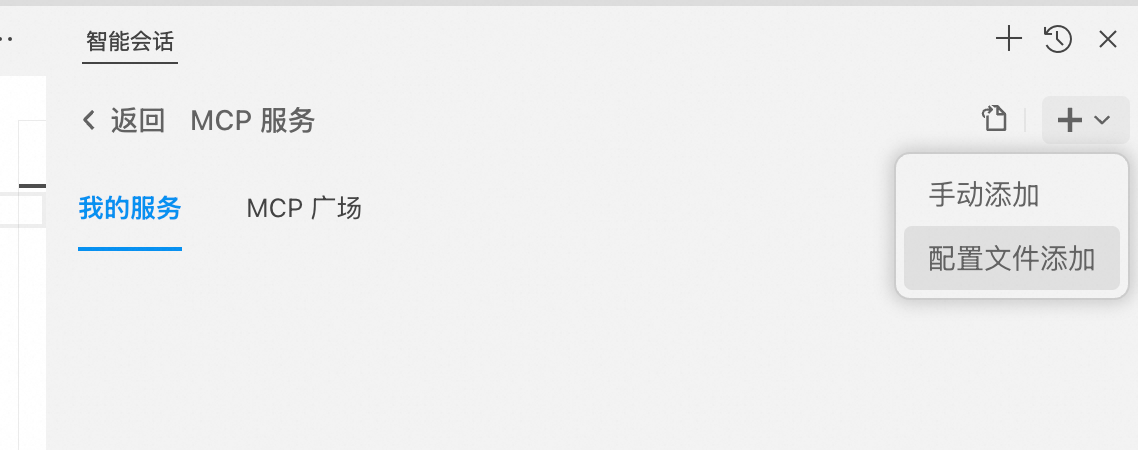
mcp client有很多选择,cursor, cline, trae,通义灵码等。这里以通义灵码 IDE为例,展示添加mcp server 地址并调用的流程,别的工具几乎也是一样的使用流程。

打开IDE,选择智能体模式,点击智能会话底部的MCP工具链接,进入配置:
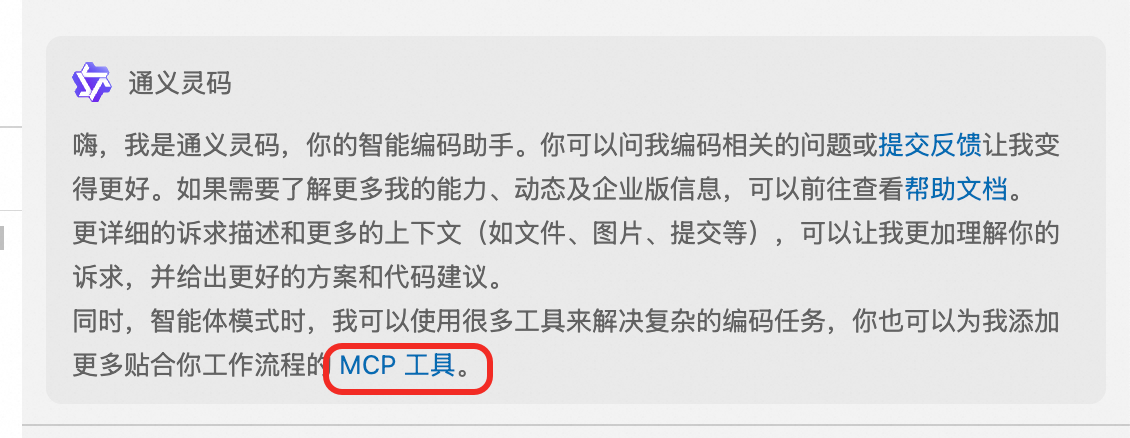
配置文件如下:

1
2
3
4
5
6
7
{
"mcpServers": {
"gradio": {
"url": "http://127.0.0.1:7860/gradio_api/mcp/sse"
}
}
}

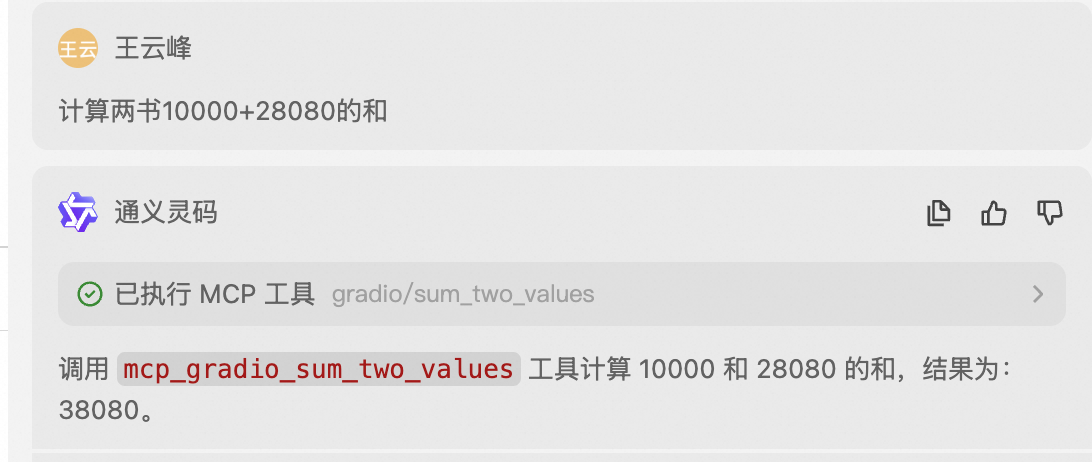
服务添加好以后,就可以在聊天的时候进行使用了:

mcp server的功能五花八门,通过这些工具,能对大模型的能力进行补充,完成更复杂的任务。