惯性聚合 高效追踪和阅读你感兴趣的博客、新闻、科技资讯
阅读原文 在惯性聚合中打开

推荐订阅源

Vercel News
Vercel News
博客园 - 【当耐特】
freeCodeCamp Programming Tutorials: Python, JavaScript, Git & More
小众软件
小众软件
Hugging Face - Blog
Hugging Face - Blog
aimingoo的专栏
aimingoo的专栏
WordPress大学
WordPress大学
G
Google Developers Blog
博客园 - 叶小钗
大猫的无限游戏
大猫的无限游戏
P
Proofpoint News Feed
J
Java Code Geeks
U
Unit 42
云风的 BLOG
云风的 BLOG
阮一峰的网络日志
阮一峰的网络日志
N
Netflix TechBlog - Medium
宝玉的分享
宝玉的分享
让小产品的独立变现更简单 - ezindie.com
D
Docker
V
Visual Studio Blog
Cyber Security Advisories - MS-ISAC
H
Help Net Security
V
V2EX
T
Tailwind CSS Blog

Show HN

GitHub - astefanutti/shaderbang: Shebang for Shaders Show HN: Generate Claude Code Workflows using Spec Driven Development approach Show HN: AI agents for UK GDAD PCF roles and their skills The Two Pillars: Mixer Mode and Meta-Software in the Reorganization of Software Work After AI GitHub - JaiCode08/teleport-env What 1,000+ Harness Experiments Taught Me About Self-Improving Agents Show HN: Liiists, a Markdown-first, iOS and CLI list app SwiperTab – Get this Extension for 🦊 Firefox (en-US) GitHub - kouhxp/fftext: Summarize, explain, fact-check, or translate any text, URL, or file. No GPU. No cloud. One command GitHub - sweetpad-dev/sweetpad: Develop Swift/iOS projects using VSCode GitHub - dogmaticdev/IRON: IRON a.k.a. Intermediate Representation Object Notation is a Interpreter/Database that is used to create Programming Languages. GitHub - sjhalani7/vaen: Package your AI coding harness into a portable .agent file, and share it across repos, teams, & the community without ever having to copy-paste instructions, skills, MCP config, or secrets. Show HN: Gandalf the Grader Show HN: Citadeld – replay any CI failure locally from a single file GitHub - tdortman/cuSBF: High-Performance GPU Super Bloom Filter coral-ai/claude-code-token-xray at main · Coral-Bricks-AI/coral-ai GitHub - ulyssestenn/funes: Funes is a Git-based framework for LLM-managed knowledge work: an AI Librarian ingests raw sources, builds an interlinked Markdown knowledge base, and uses it to produce cited reports, analyses, and other outputs. GitHub - ThatXliner/gah: Git Add Hunk, built for agents to use GitHub - harmont-dev/harmont-cli: Command-line client for the Harmont CI platform GitHub - brooksmcmillin/mcp-authflow: OAuth 2.0 Authorization Server framework for MCP servers GitHub - javaid-codes/audit-supply-chain-agents GitHub - amorey/gochan: A small library of common channel architectures for Go, inspired by Rust GitHub - arifozgun/OpenGem: Free, Open-Source AI API Gateway with Gemini, OpenAI & Anthropic Compatibility in 1 file GitHub - Pranesh950/BioPetals: 🌸 Run BIOxAI models at home, BitTorrent-style. Fine-tuning and inference up to 10x faster than offloading GitHub - cnguyen14/bounty-doctor: Diagnose a GitHub bounty issue before you waste hours: detects honeypot scam repos, AI-bot attempt swarms, and stale contests. Show HN: CoreMCP – MCP Server for On-Prem DBs Show HN: KittyHTML – Render HTML/CSS as an inline image in your terminal GitHub - bingud/filemat: Web-based file manager Show HN: TruthLens – Free multi-signal deepfake image detector GitHub - apexlocal-jz/claude-usage-tray: Windows system-tray app showing your Claude Code rate-limit usage at a glance. Zero deps, ~300 lines of PowerShell. Cross-IDE (works regardless of VS Code, Cursor, plain terminal).
ParseFlow — AI-Powered PDF Data Extraction for macOS
ParseFlow · 2026-06-28 · via Show HN

Extract data from any PDF.
Entirely on your Mac.

No cloud. No subscription. One-time purchase. Powered by open-source AI models running locally on Apple Silicon.
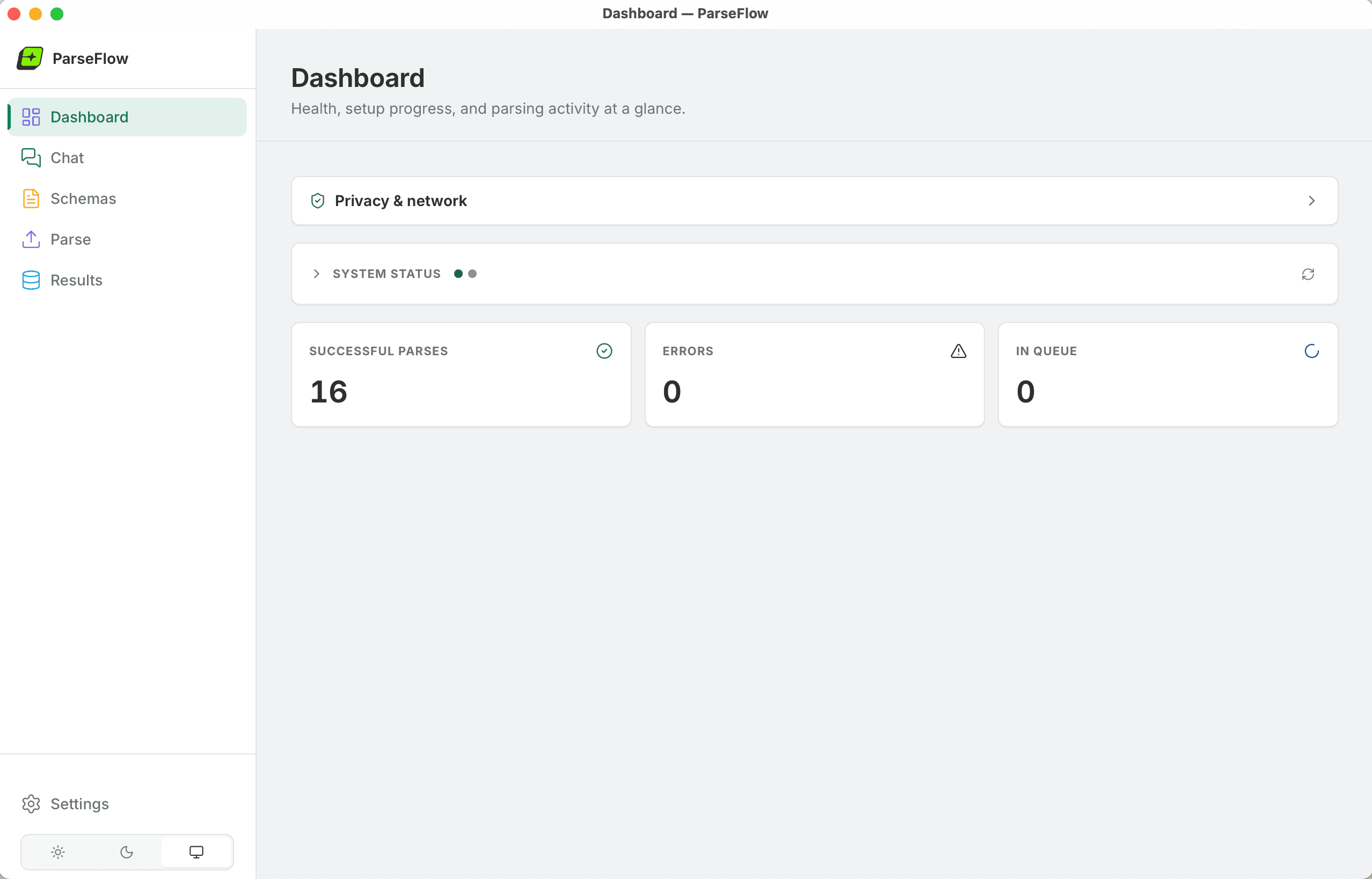
ParseFlow Dashboard — 16 successful parses, zero errors, privacy-first design running entirely on your Mac

Three steps to structured data

From PDF to spreadsheet in minutes — not hours.

Step 01

Define Your Schema

Tell ParseFlow what data to extract — invoice numbers, line items, dates, totals. Create reusable templates in seconds with a visual schema editor.
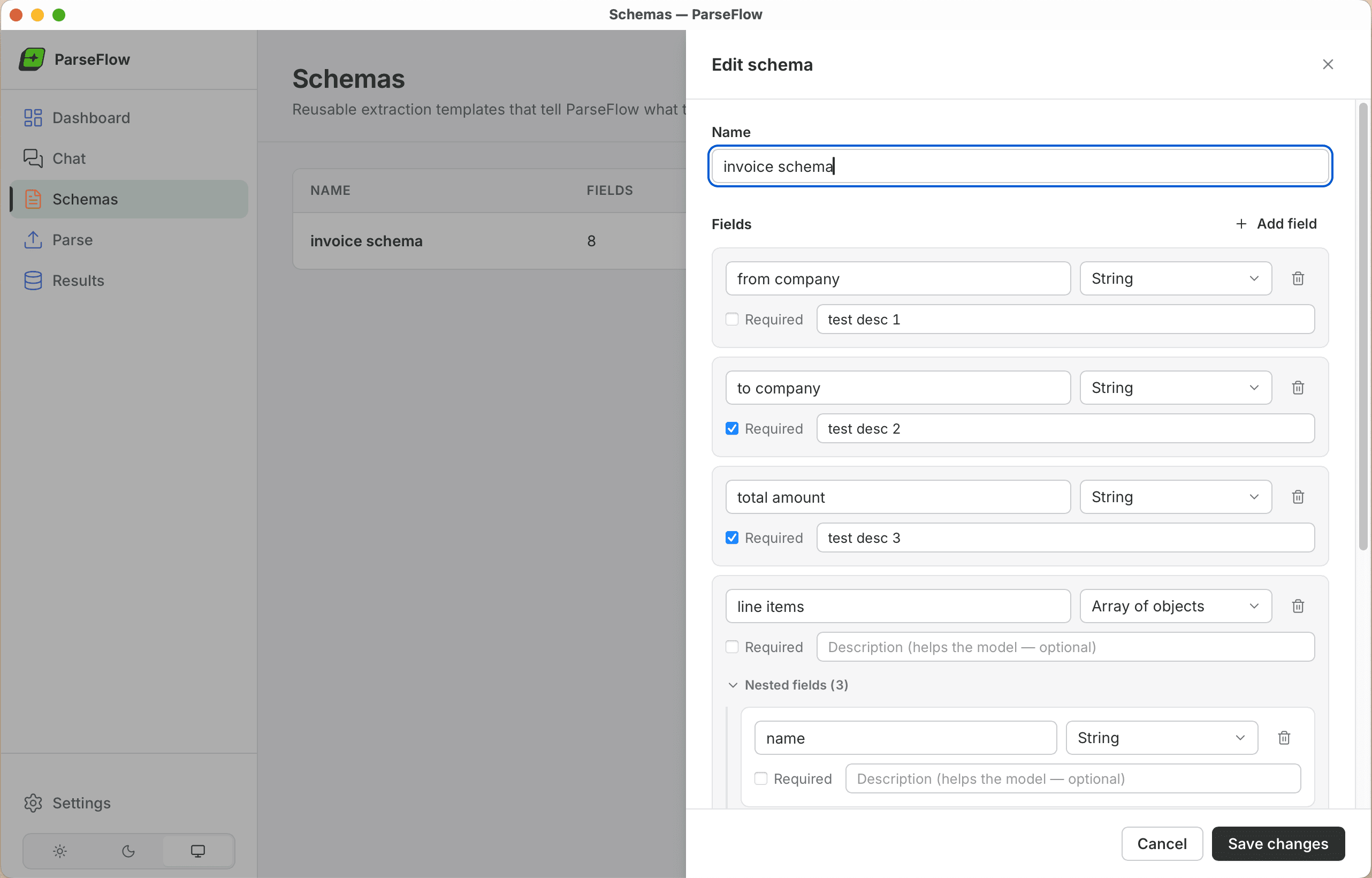
ParseFlow schema editor — defining named fields and types for invoice extraction

Step 02

Drop Your PDFs

Drag up to 100 PDFs at once. ParseFlow processes them in the background using a local AI model — no internet needed. Watch progress in real time.
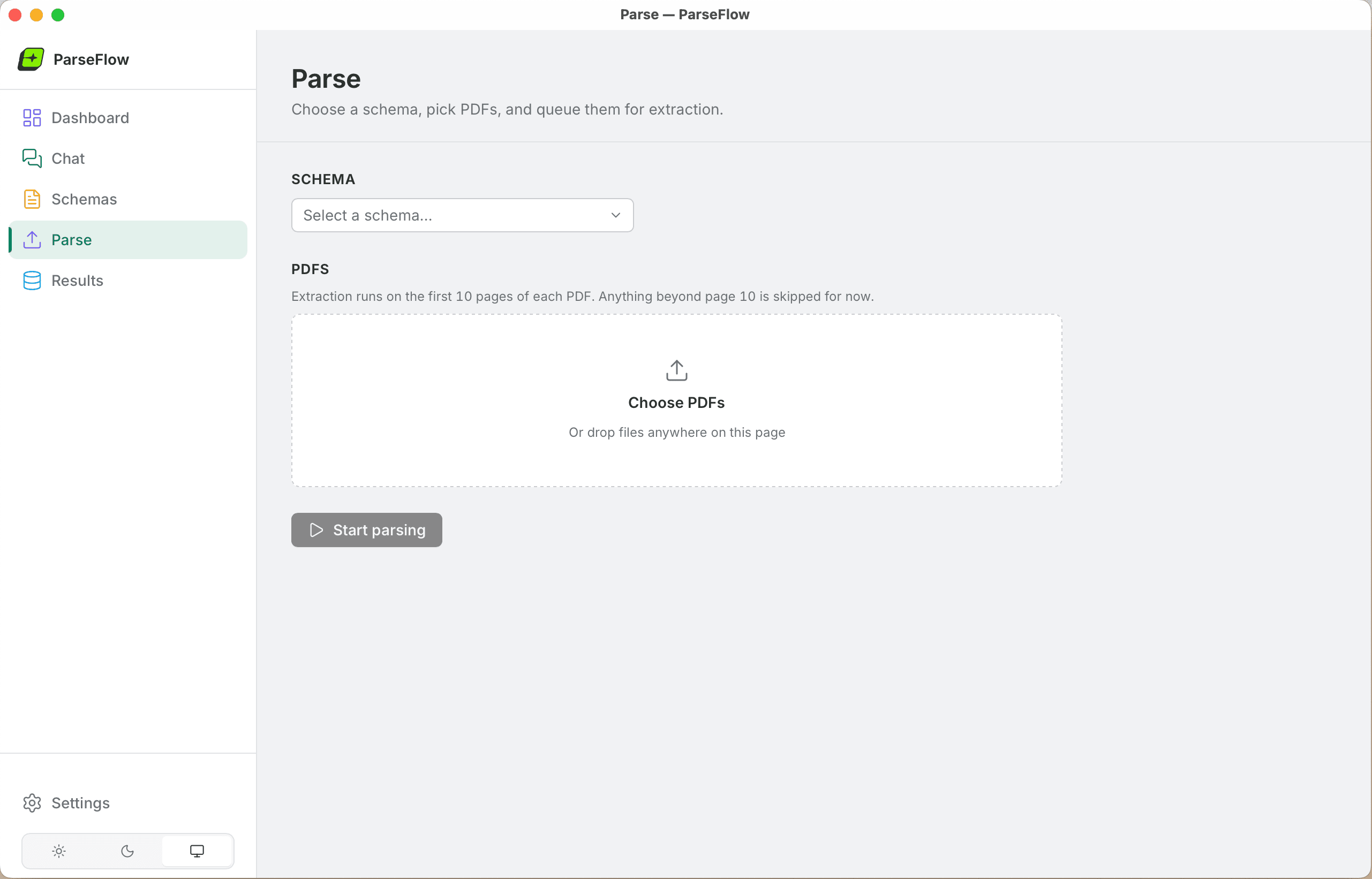
ParseFlow parse page — choose a schema, drop PDFs, and start extraction

Step 03

Export Your Results

Review extracted data side-by-side with the original PDF. Edit any field if needed. Export as CSV, JSON, or Excel with one click.
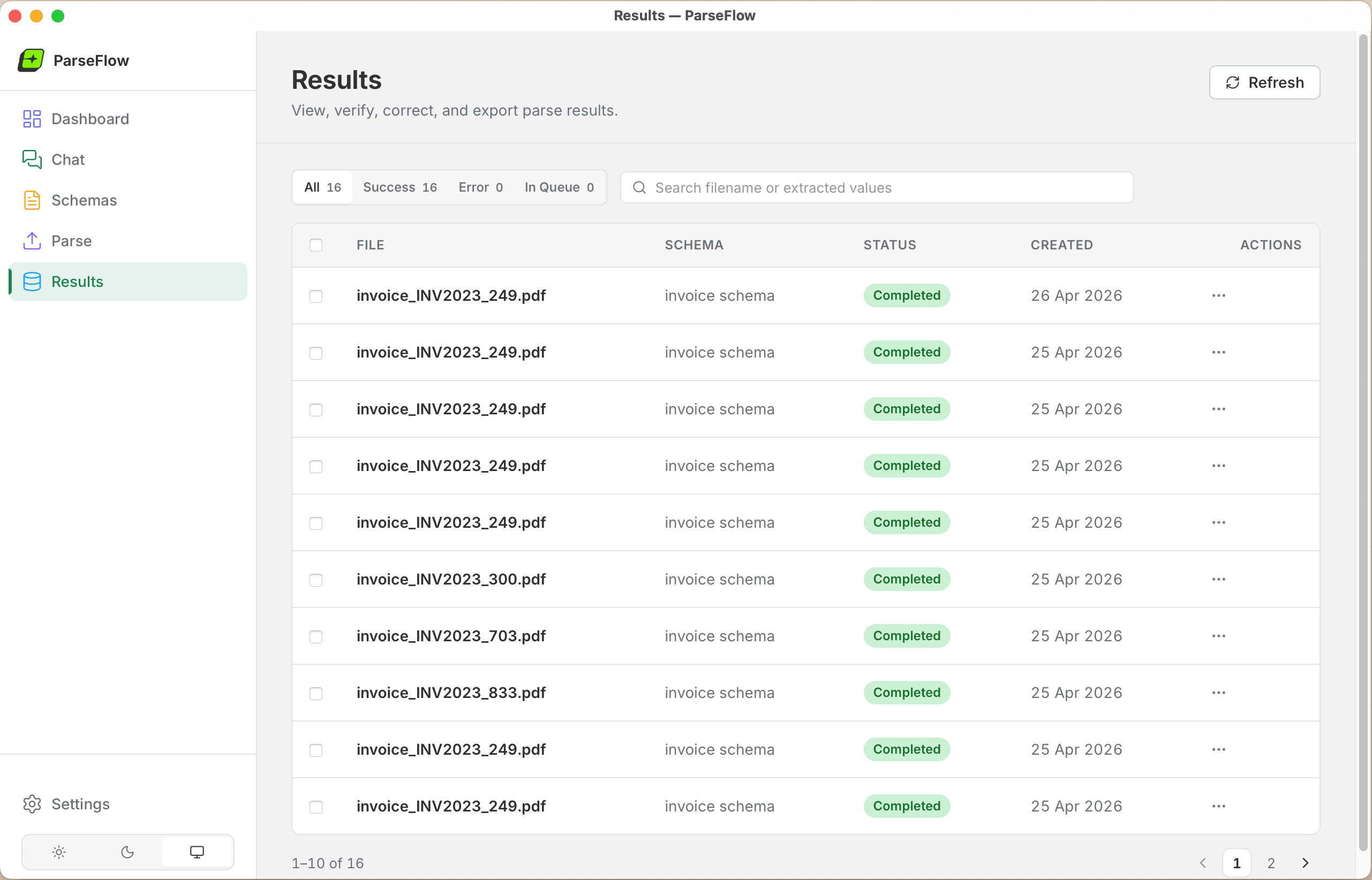
ParseFlow results page — 16 invoices parsed successfully, ready to export

Built different. Built better.

Every decision we made puts your privacy and productivity first.

100% Private

Your documents never leave your Mac. No cloud processing. No telemetry. Zero data transmission.

Open-source AI

Powered by Gemma 3, Google's open-source multimodal model, running locally via llama.cpp with Metal GPU acceleration.

One-Time Payment

Pay once, use forever. No subscriptions, no per-page fees, no usage limits. €17.99 and it's yours for life.

Native macOS

Built with Tauri and Apple's own PDFKit + Vision frameworks. Fast, lean, feels like it belongs on your Mac.

Made in Germany

Designed and built in Germany with strict privacy principles. GDPR-friendly by architecture, not just policy.

Batch Processing

Parse up to 100 PDFs in one go. Define a schema once, reuse it across thousands of documents.

Flexible Schemas

Create custom extraction templates for any document type — invoices, receipts, contracts, reports, forms.

Works Offline

After a one-time model download (~3GB), ParseFlow works without internet. Forever.

A closer look

Every feature designed for speed, accuracy, and ease of use.
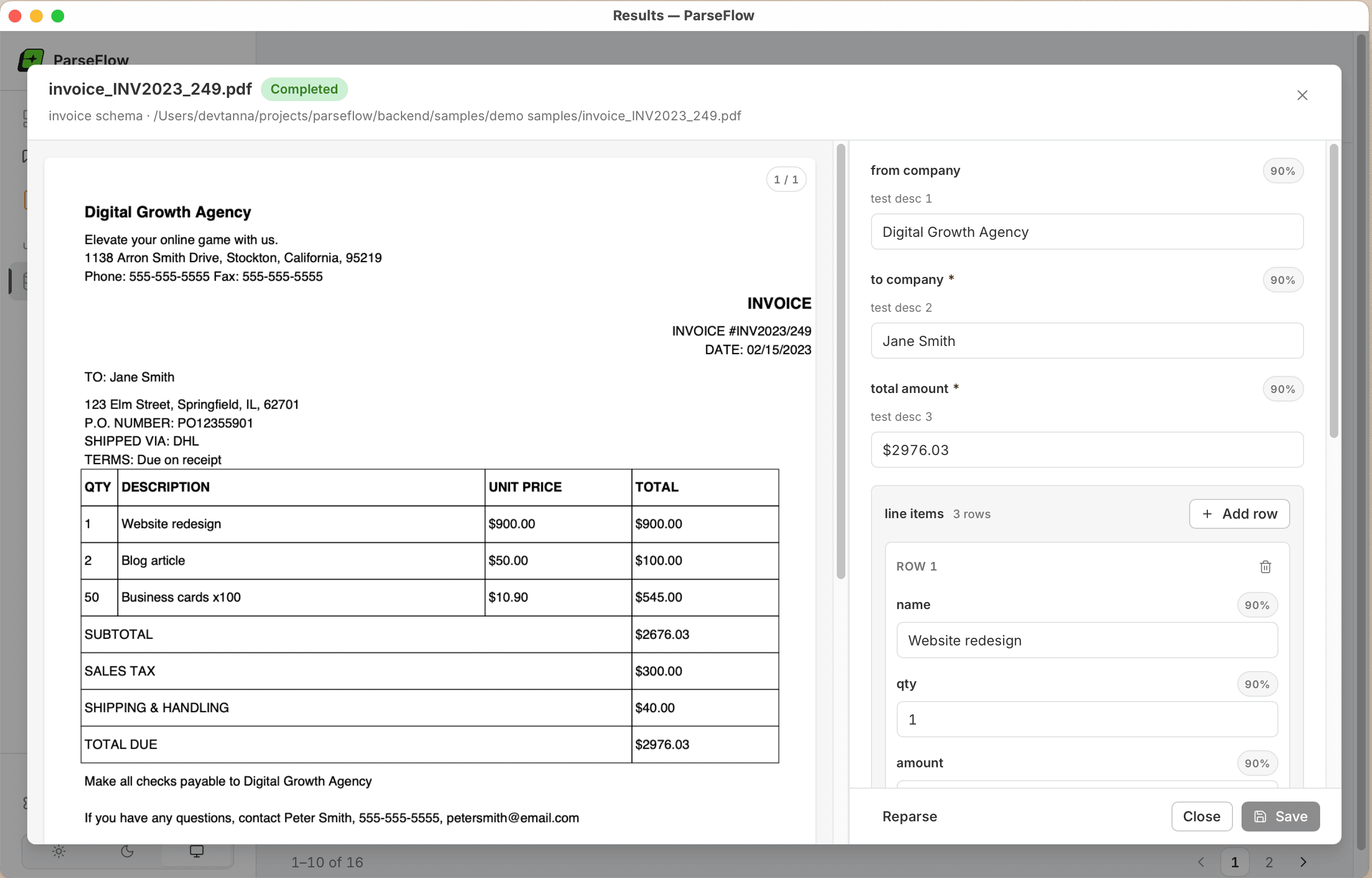
ParseFlow side-by-side PDF review — extracted fields shown next to the original invoice

Verify extractions against the original PDF

Side-by-Side Review

View extracted data alongside the original PDF. Click any field to see its confidence score, edit values inline if the AI got something wrong, then save with one click. Every extraction is fully auditable.
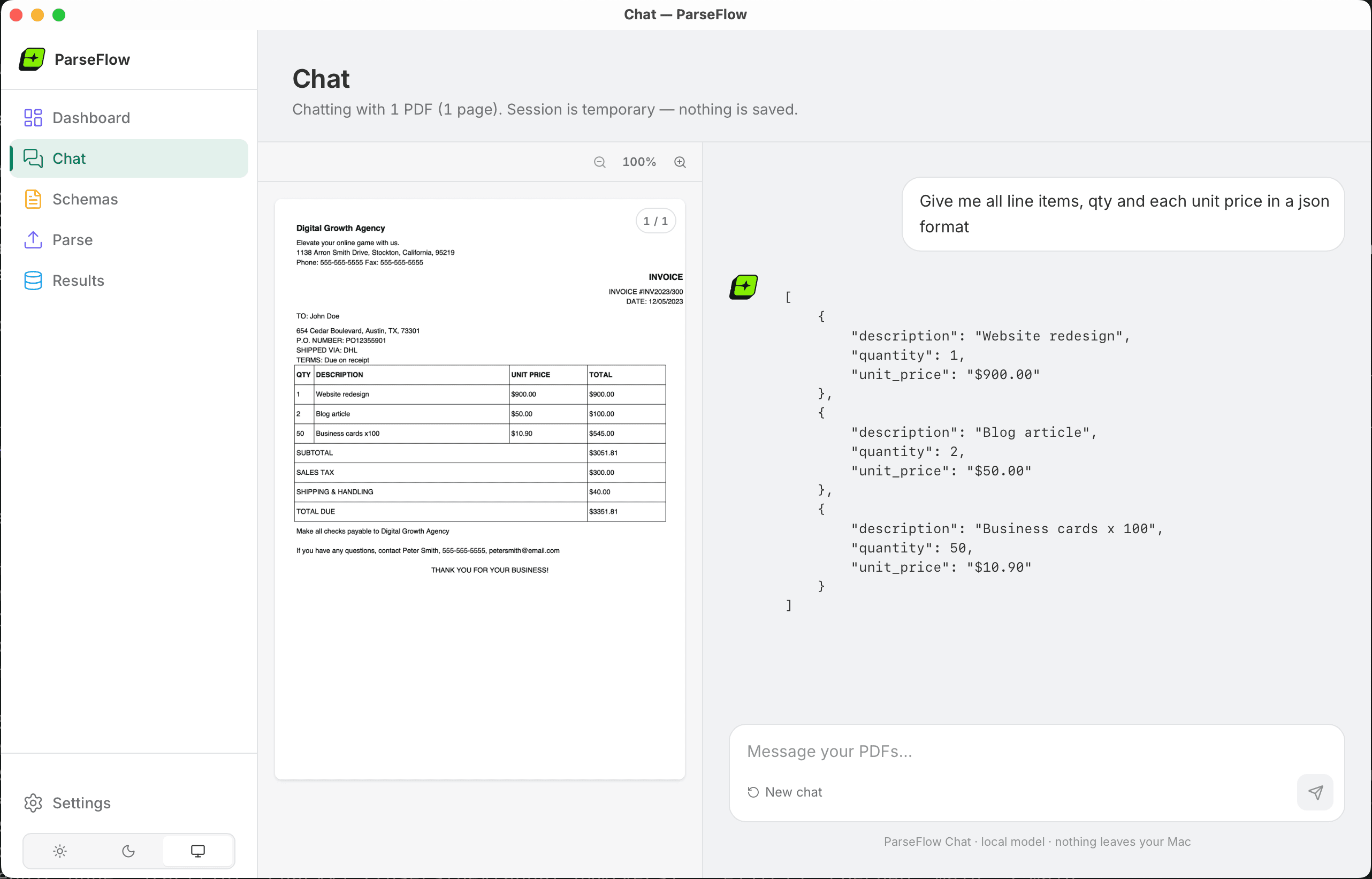
ParseFlow PDF chat — local AI answering 'what is the invoice total?' with EUR 87,20

Ask questions. Get instant local answers.

Chat with Your PDFs

Drop any PDF and ask questions in plain language — totals, dates, party names, anything. The local AI model answers instantly without sending a single byte to the cloud. Sessions are temporary and never saved.
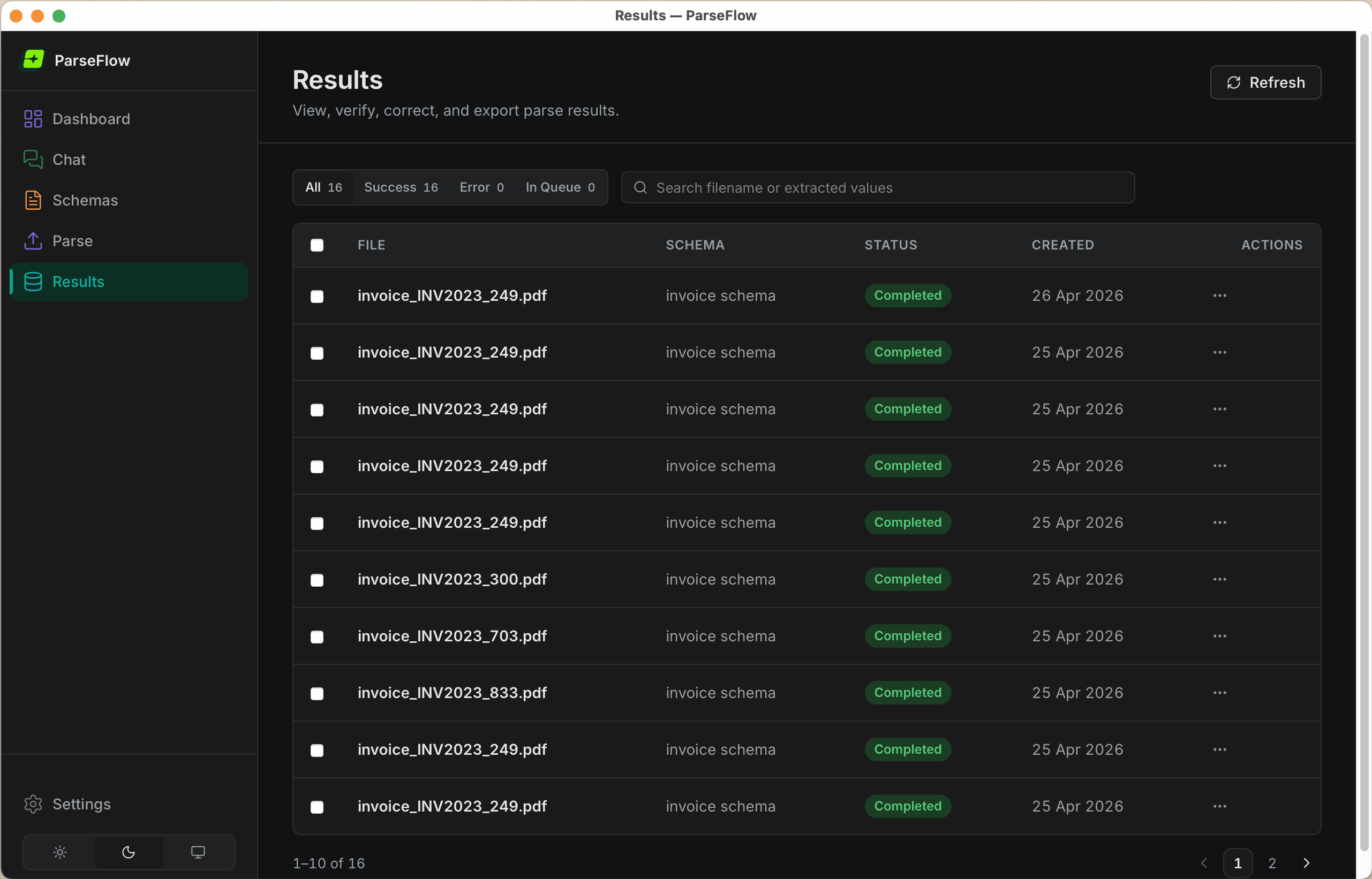
ParseFlow results page in dark mode showing 16 completed invoice parses

Manage, search, and export — your way

Dark Mode & Results

View all parsed documents in one place, filter by status, search by filename or extracted value, and bulk-export to CSV, JSON, or Excel. Native light and dark mode — it's a real Mac app.

Your documents are yours. Period.

No telemetry or analytics.

AI runs 100% on-device via Apple Metal GPU.

Open-source model weights you can verify.

We can't see your data even if we wanted to.
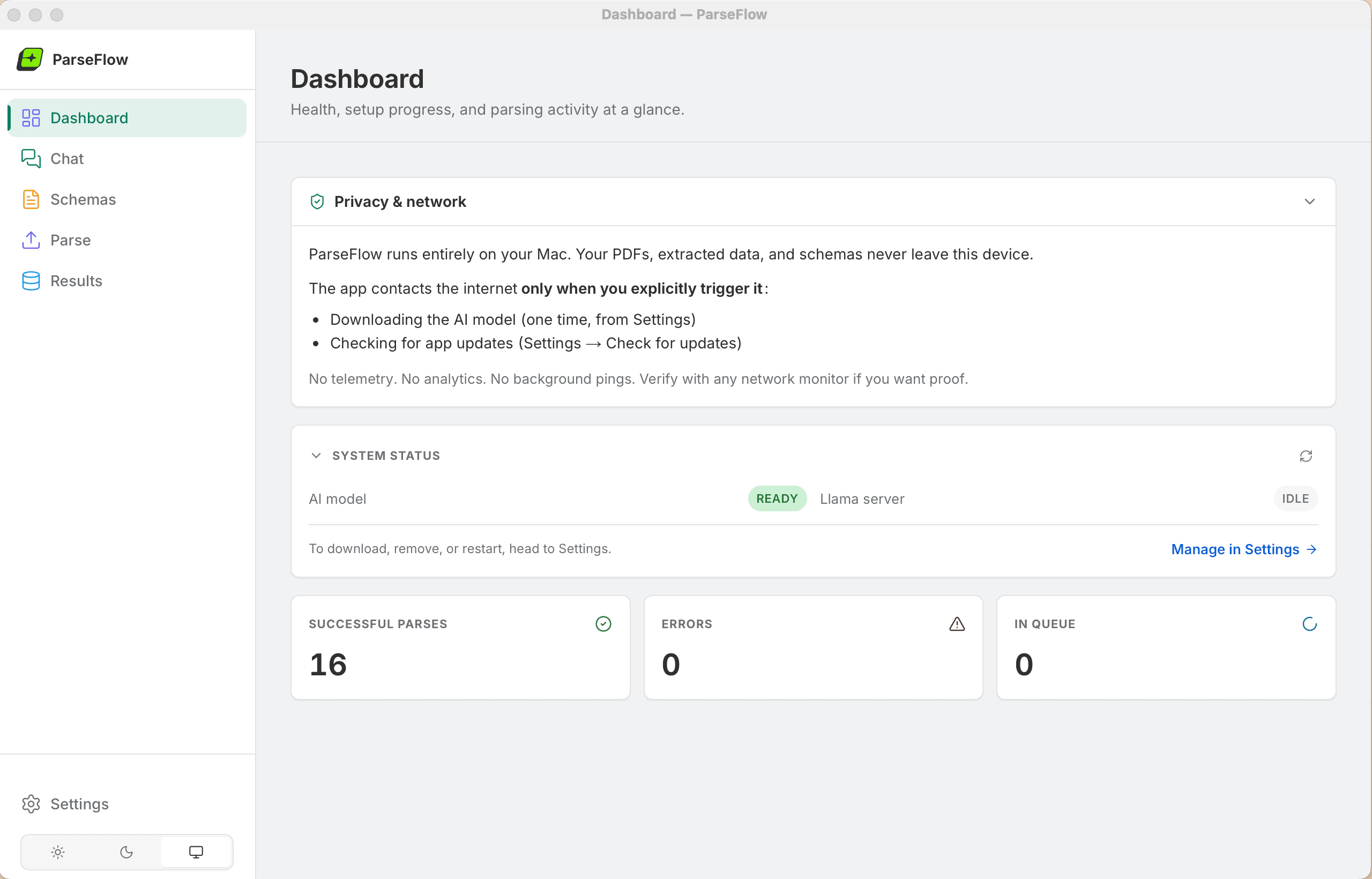
ParseFlow Privacy & Network panel confirming no telemetry and no data transmission

The Privacy & Network panel — open it any time to verify zero data transmission.

ParseFlow vs cloud alternatives

Cloud PDF extractors charge you forever. ParseFlow doesn't.

Simple, honest pricing

One product. One price. No tricks.

Cloud alternatives start at €30/month. ParseFlow pays for itself in the first week.

€17.99one-time

Pay once. Use forever.

  • All future updates included
  • Use on any of your personal Macs
  • No subscription. No hidden fees.
  • No per-page or per-document charges

Buy Now

System Requirements

Operating System

macOS 13+ (Ventura or later)

Processor

Apple Silicon (M1, M2, M3, M4 or later)

Disk Space

~4GB (app + AI model)
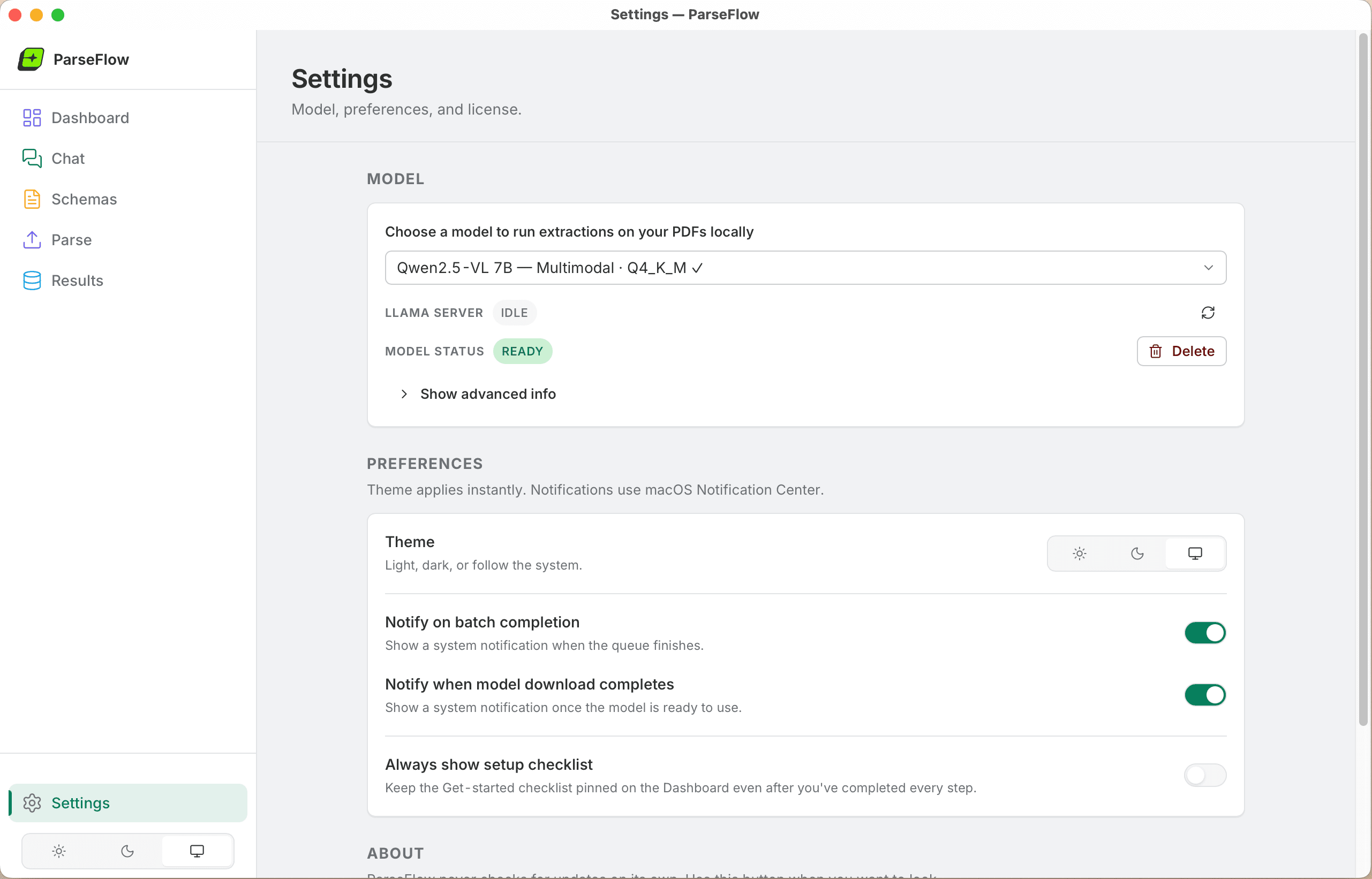
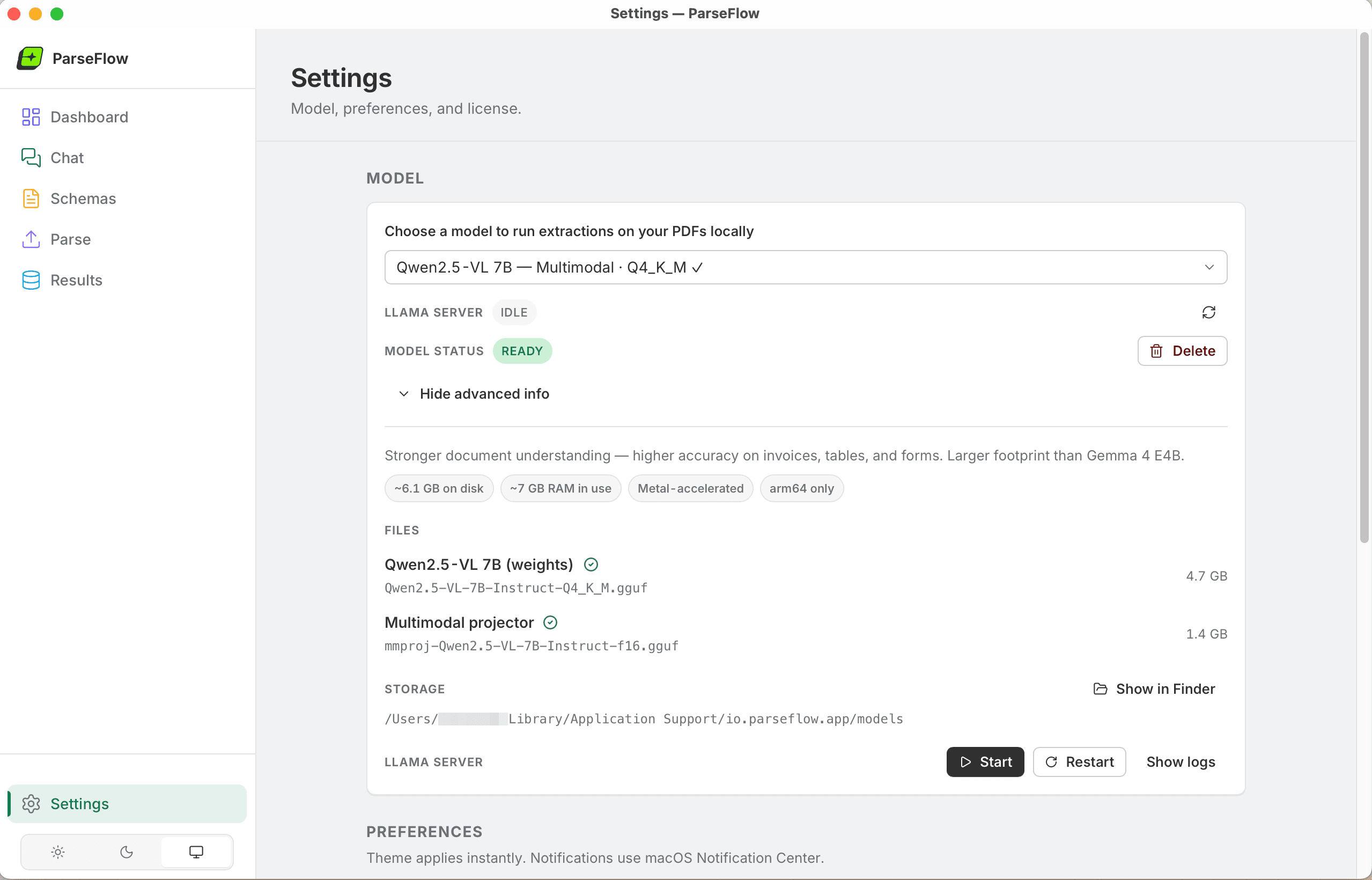
ParseFlow Settings — choose your AI model and configure preferences

ParseFlow Settings — advanced model info showing 4.7 GB model size and Metal acceleration

Download the AI model once from Settings — then it runs locally forever.

Frequently asked questions

Contact us

Questions, feedback, or need a hand? Send us a message — we usually reply within 24 hours.

Get in Touch

Ready to stop copying data from PDFs by hand?

Join professionals who save hours every week with ParseFlow. One-time purchase, works offline, your data never leaves your Mac.

Buy ParseFlow