



惯性聚合 高效追踪和阅读你感兴趣的博客、新闻、科技资讯
阅读原文 在惯性聚合中打开

推荐订阅源

G
Google Developers Blog
F
Fortinet All Blogs
Microsoft Azure Blog
腾讯CDC
Vercel News
Vercel News
Recent Announcements
博客园 - Franky
小众软件
小众软件
freeCodeCamp Programming Tutorials: Python, JavaScript, Git & More
The Cloudflare Blog
宝玉的分享
宝玉的分享
I
InfoQ
博客园 - 聂微东
Jina AI
Jina AI
J
Java Code Geeks
V
V2EX
U
Unit 42
Stack Overflow Blog
Stack Overflow Blog
奇客Solidot–传递最新科技情报
奇客Solidot–传递最新科技情报
Cyber Security Advisories - MS-ISAC
阮一峰的网络日志
阮一峰的网络日志
L
LangChain Blog
T
The Blog of Author Tim Ferriss
量子位

Show HN

Show HN: AI agents for UK GDAD PCF roles and their skills The Two Pillars: Mixer Mode and Meta-Software in the Reorganization of Software Work After AI GitHub - JaiCode08/teleport-env What 1,000+ Harness Experiments Taught Me About Self-Improving Agents Show HN: Liiists, a Markdown-first, iOS and CLI list app SwiperTab – Get this Extension for 🦊 Firefox (en-US) GitHub - kouhxp/fftext: Summarize, explain, fact-check, or translate any text, URL, or file. No GPU. No cloud. One command GitHub - sweetpad-dev/sweetpad: Develop Swift/iOS projects using VSCode GitHub - dogmaticdev/IRON: IRON a.k.a. Intermediate Representation Object Notation is a Interpreter/Database that is used to create Programming Languages. GitHub - sjhalani7/vaen: Package your AI coding harness into a portable .agent file, and share it across repos, teams, & the community without ever having to copy-paste instructions, skills, MCP config, or secrets. Show HN: Gandalf the Grader Show HN: Citadeld – replay any CI failure locally from a single file GitHub - tdortman/cuSBF: High-Performance GPU Super Bloom Filter coral-ai/claude-code-token-xray at main · Coral-Bricks-AI/coral-ai GitHub - ulyssestenn/funes: Funes is a Git-based framework for LLM-managed knowledge work: an AI Librarian ingests raw sources, builds an interlinked Markdown knowledge base, and uses it to produce cited reports, analyses, and other outputs. GitHub - ThatXliner/gah: Git Add Hunk, built for agents to use GitHub - harmont-dev/harmont-cli: Command-line client for the Harmont CI platform GitHub - brooksmcmillin/mcp-authflow: OAuth 2.0 Authorization Server framework for MCP servers GitHub - javaid-codes/audit-supply-chain-agents GitHub - amorey/gochan: A small library of common channel architectures for Go, inspired by Rust GitHub - arifozgun/OpenGem: Free, Open-Source AI API Gateway with Gemini, OpenAI & Anthropic Compatibility in 1 file GitHub - Pranesh950/BioPetals: 🌸 Run BIOxAI models at home, BitTorrent-style. Fine-tuning and inference up to 10x faster than offloading GitHub - cnguyen14/bounty-doctor: Diagnose a GitHub bounty issue before you waste hours: detects honeypot scam repos, AI-bot attempt swarms, and stale contests. Show HN: CoreMCP – MCP Server for On-Prem DBs Show HN: KittyHTML – Render HTML/CSS as an inline image in your terminal GitHub - bingud/filemat: Web-based file manager Show HN: TruthLens – Free multi-signal deepfake image detector GitHub - apexlocal-jz/claude-usage-tray: Windows system-tray app showing your Claude Code rate-limit usage at a glance. Zero deps, ~300 lines of PowerShell. Cross-IDE (works regardless of VS Code, Cursor, plain terminal). Release v0.1.2.1 · kouhxp/yapsnap GitHub - noopolis/moltnet: Self-hostable chat network for AI agents. Pre-built bridges for Claude Code, Codex, and the Claws. Rooms, DMs, history. No Slack bots, no Matrix, no glue code.
leaf : Terminal Markdown previewer — GUI-like experience.
RivoLink · 2026-05-31 · via Show HN

Markdown, beautifully rendered
in your terminal

A terminal-based Markdown previewer with a GUI-like experience. Rich rendering, interactive navigation, and editor integration — all without leaving your terminal.

leaf

════

Terminal Markdown previewer — GUI-like experience.

leaf lets you read Markdown files directly in the terminal with a clean, focused interface. Designed for developers, CLI users, and AI-assisted workflows.

Usage

─────

bash

12345

leaf README.md# Open a file

leaf -w README.md# Watch mode

leaf# Fuzzy picker

leaf --picker# Directory browser

cat file.md | leaf# Stdin

leaf leaf-summary.md ⟳ watch ctrl+e edit · ctrl+f find · t toc · ? help · q quit

Why leaf ?

Leave your terminal to preview?

Previewing Markdown shouldn't mean switching to a browser or a heavy GUI app.

Web viewers are overkill

For a quick preview, you don't need a full web application with login and setup.

CLI tools lack interactivity

Existing terminal tools dump Markdown as plain text — no navigation, no search, no style.

Syntax highlighting

Beautiful code blocks with syntax coloring for 40+ languages. Line numbers, decorative frames, and language labels included.
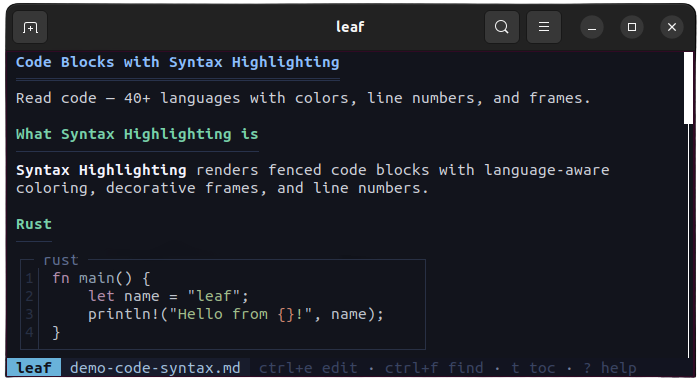
Syntax highlighting

Table rendering

Markdown tables rendered with Unicode box-drawing borders, column alignment, and inline code support.
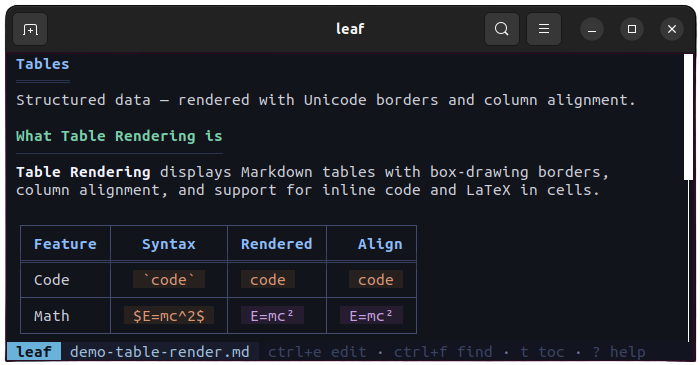
Table rendering

LaTeX math

Inline and block math formulas converted to Unicode symbols — no external renderer needed.
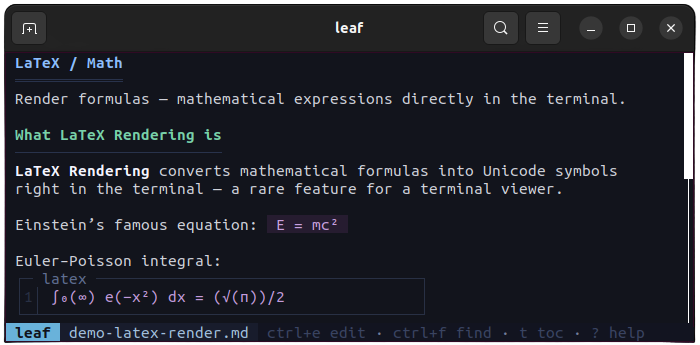
LaTeX math

Mermaid diagrams

Flowcharts, sequence diagrams, and pie charts rendered as ASCII art directly in the terminal.
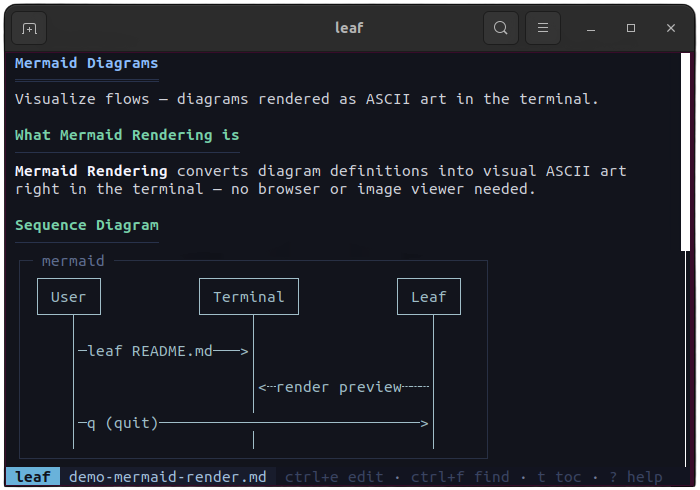
Mermaid diagrams

Watch mode

Auto-reload when the file changes on disk. Scroll position is preserved. Toggle with -w flag or press w.
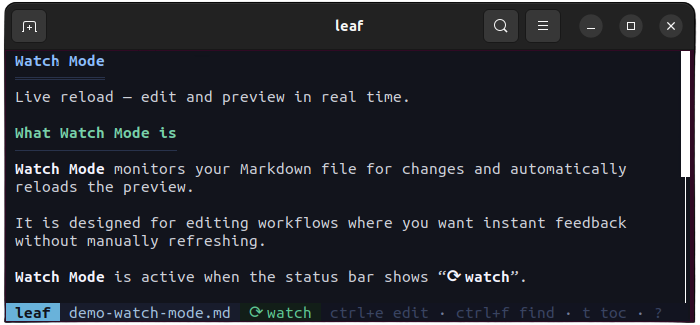
Watch mode

Editor integration

Press Ctrl+E to open in your editor. leaf detects vim, nano, VS Code, and more — reloads preview on return.
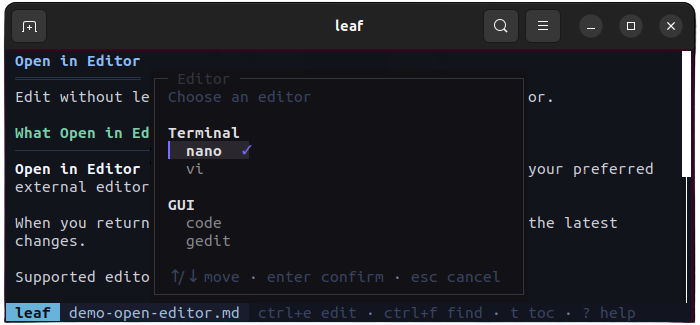
Editor integration

File picker

Fuzzy finder with Ctrl+P or directory browser with --picker. Scan and open any Markdown file instantly.
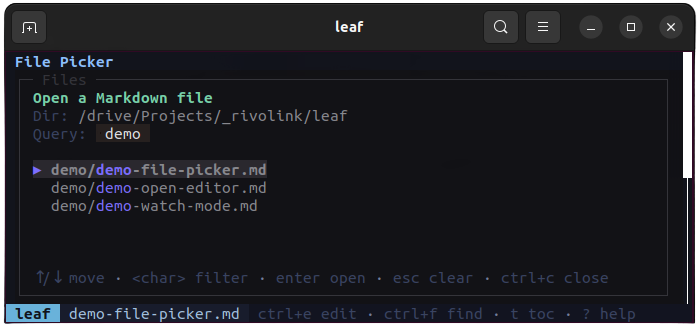
File picker

Table of contents

Sidebar TOC with heading hierarchy and active section tracking. Toggle with t, jump with 1-9.
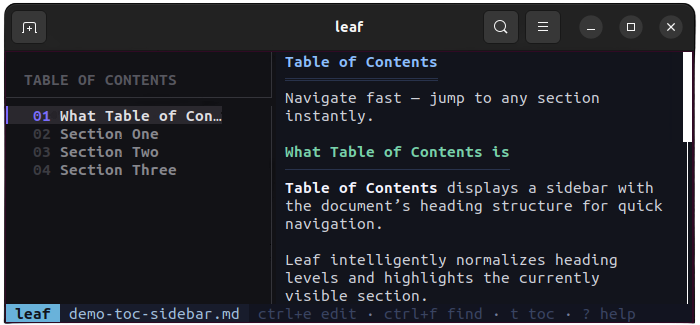
Table of contents

Full-text search

Press / to search. Matches are highlighted with a counter. Navigate with n/N.
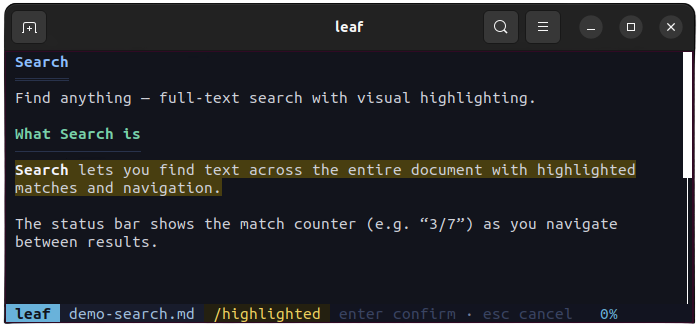
Full-text search

Keyboard navigation

Vim-like keybindings — j/k, d/u, g/G. Mouse scroll and scrollbar click supported too.
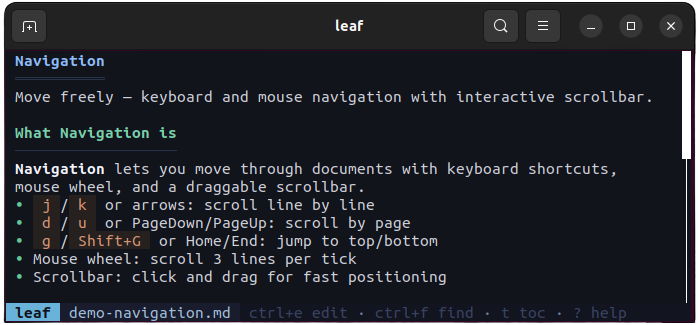
Keyboard navigation

Theme picker

4 built-in themes — Arctic, Forest, Ocean, Solarized-Dark. Live preview with Shift+T.
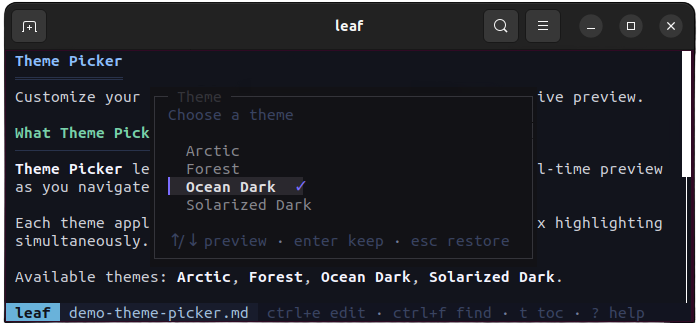
Theme picker

Everything you need

Syntax Highlighting

40+ languages with beautiful color themes.

4 Built-in Themes

Arctic, Forest, Ocean, Solarized-Dark with live preview.

Full-text Search

Find anything with highlighted matches and keyboard navigation.

TOC Sidebar

Interactive table of contents with active section tracking.

Stdin Support

Pipe output from any tool — claude, aichat, cat — directly into leaf.

Secure Auto-update

One-command update with SHA256 verification.

Install in seconds

Built for developers

Preview AI output

Pipe output from Claude, ChatGPT, or any AI tool directly into a beautiful preview.

$ claude "explain Rust" | leaf

Read docs while coding

Preview your README, CHANGELOG, or any docs with live reload as you edit.

$ leaf --watch README.md

Explore Markdown projects

Open fuzzy finder, navigate directories, and preview any Markdown file instantly.

$ leaf

Frequently Asked Questions

What platforms does leaf support?

leaf runs on macOS (Intel & Apple Silicon), Linux (x64 & ARM), Windows, and Android via Termux.

How do I update leaf?

Run `leaf --update` — it downloads the latest release and verifies it with SHA256.

Can I customize the appearance?

Yes! leaf ships with 4 themes (Arctic, Forest, Ocean, Solarized-Dark). Switch with Shift+T or set a default in config.toml.

Does leaf support piping from stdin?

Absolutely. Pipe any Markdown content: `cat notes.md | leaf` or `claude "explain X" | leaf`.

Is leaf open source?

Yes, leaf is MIT licensed and hosted on GitHub.

Try leaf now

Install in one command and start previewing Markdown in your terminal.

$ curl -fsSL https://leaf.rivolink.mg/install.sh | sh