


May 30, 2026 • By the Go Micro Team
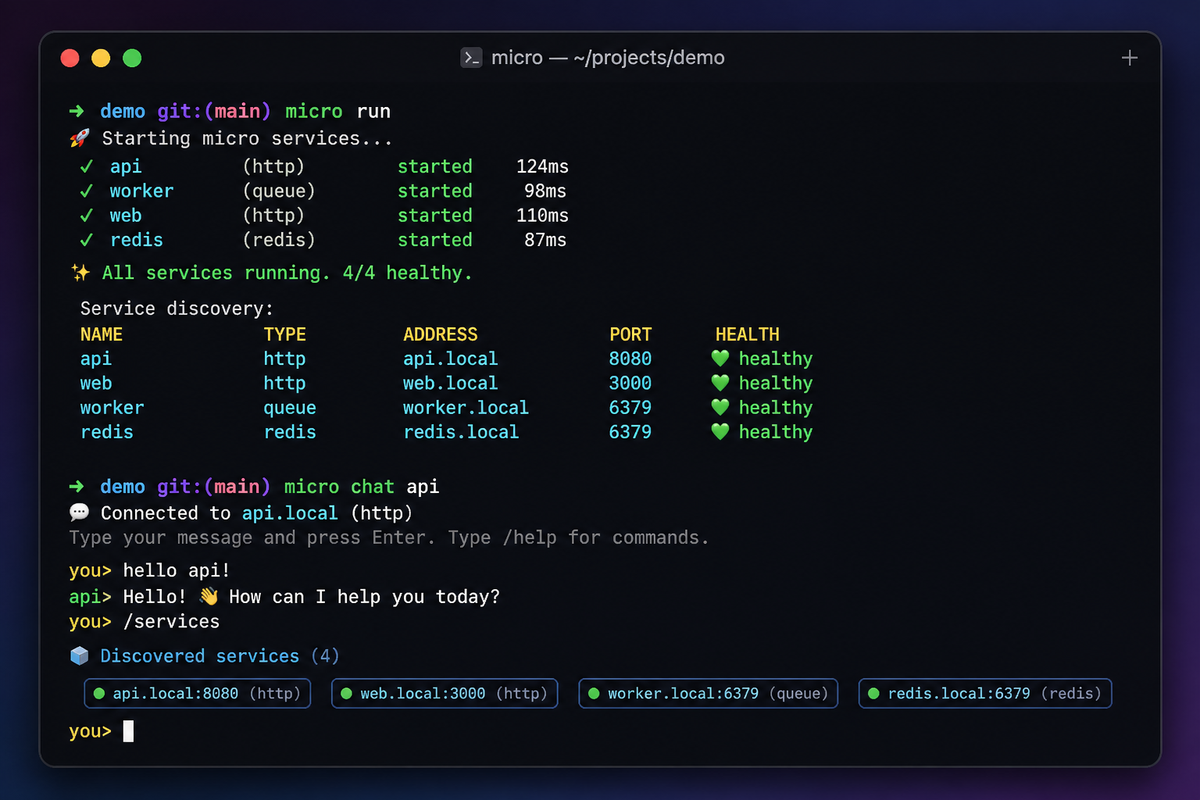
We introduced micro chat — a CLI that lets you talk to your microservices through an LLM. People asked how it works under the hood. The honest answer: it’s about 150 lines, and there’s no magic. This post walks through every piece so you can build your own — for go-micro, for your own framework, or for whatever services you have.
By the end, you’ll understand the four moving parts of any tool-calling agent and have working code you can adapt.
You have services. They do things — create users, send emails, query orders. You want to ask for those things in plain English and have the right service called automatically.
An LLM can do the reasoning (“the user wants to send an email, so call the email service”), but it needs three things from you:
That’s the whole problem. Let’s solve each part.
The LLM needs to know what’s available. In go-micro, every service registers its endpoints with the registry, including request types and field metadata. We turn that into a tool list:
tools := ai.NewTools(reg, ai.ToolClient(client))
discovered, err := tools.Discover()
discovered is a []ai.Tool — one per service endpoint. Each has a name (users_Users_Create), a description (from the handler’s doc comment), and a parameter schema (from the request struct’s fields).
If you’re not using go-micro, this is the part you’d write yourself: enumerate your functions/endpoints and build a list of {name, description, parameters}. The registry just makes it automatic.
m := ai.New("anthropic",
    ai.WithAPIKey(apiKey),
    ai.WithTools(tools),
)
Two things happen here. ai.New picks the provider (Anthropic, OpenAI, Gemini, etc. — all the same interface). ai.WithTools(tools) wires up the execution side: when the model says “call users_Users_Create with these args,” the handler routes it to the right RPC and returns the result.
That’s the second piece — the way to execute. The Tools object does double duty: Discover() builds the list, and its handler executes the calls.
hist := ai.NewHistory(50)
History is a plain message accumulator with a size limit. It’s not magic — it’s a []Message with Add, Messages, and Reset. You add the user’s prompt and the model’s reply after each turn, and pass the accumulated messages back on the next call. That’s how follow-up questions work.
Now wire it together. The core of ask is just this:
func ask(ctx context.Context, m ai.Model, hist *ai.History, tools []ai.Tool, prompt string) error {
    hist.Add("user", prompt)

    resp, err := m.Generate(ctx, &ai.Request{
        Prompt:       prompt,
        SystemPrompt: systemPrompt,
        Tools:        tools,
        Messages:     hist.Messages(),
    })
    if err != nil {
        return err
    }

    if resp.Reply != "" {
        hist.Add("assistant", resp.Reply)
        fmt.Println(resp.Reply)
    }
    for _, tc := range resp.ToolCalls {
        args, _ := json.Marshal(tc.Input)
        fmt.Printf("  → called %s(%s)\n", tc.Name, args)
    }
    if resp.Answer != "" {
        hist.Add("assistant", resp.Answer)
        fmt.Println(resp.Answer)
    }
    return nil
}
Read it top to bottom:
The model’s Generate does the heavy lifting: it decides whether to call tools, the handler (from step 2 of setup) executes them, and the model produces a final answer. We never wrote any “if user wants email, call email service” logic. The LLM does that reasoning from the tool descriptions.
Wrap ask in a read-loop and you have a chat:
scanner := bufio.NewScanner(os.Stdin)
for {
    fmt.Print("> ")
    if !scanner.Scan() {
        return nil
    }
    line := strings.TrimSpace(scanner.Text())
    switch line {
    case "":
        continue
    case "exit", "quit":
        return nil
    case "reset":
        hist.Reset()
        continue
    default:
        if err := ask(ctx, m, hist, discovered, line); err != nil {
            fmt.Printf("error: %v\n", err)
        }
    }
}
That’s it. Discover tools, create a model, track history, loop. Four pieces.
The brevity comes from the framework doing the right things:
@example tag gives the LLM a usage hint. You don’t hand-write tool schemas.// CreateUser creates a new user account.
// @example {"name": "Alice", "email": "alice@example.com"}
func (h *Users) CreateUser(ctx context.Context, req *pb.CreateRequest, rsp *pb.CreateResponse) error {
// ...
}
Providers are uniform. Anthropic, OpenAI, Gemini, Groq, Mistral, Together, Atlas Cloud — all behind one ai.Model interface. Switching is one string.
Execution is wired automatically. ai.WithTools(tools) connects tool calls to RPC dispatch. No glue.
If you stripped go-micro out and built this against raw HTTP services, you’d add maybe 50 lines: a function to enumerate your endpoints and a function to call one by name. Everything else stays the same.
The 150 lines are a starting point. Ideas for extending it:
ask, different input sourcemicro flow doesThe point of micro chat was never to be a finished product. It’s a demonstration that turning services into an agent is a small, comprehensible amount of code — not a framework you have to learn, just a pattern you can copy.
go install go-micro.dev/v5/cmd/micro@latest
micro run                                          # start your services
ANTHROPIC_API_KEY=sk-ant-... micro chat --provider anthropic
The full source is cmd/micro/chat/chat.go — about 220 lines including flags, help text, and provider env-var handling. The agent core is the ~40 lines you saw above.
Build your own. It’s more approachable than you think.
Go Micro is an open source framework for distributed systems development. Star us on GitHub.
此内容由惯性聚合(RSS阅读器)自动聚合整理,仅供阅读参考。 原文来自 — 版权归原作者所有。