惯性聚合 高效追踪和阅读你感兴趣的博客、新闻、科技资讯
阅读原文 在惯性聚合中打开

推荐订阅源

D
Docker
V
V2EX
OSCHINA 社区最新新闻
OSCHINA 社区最新新闻
云风的 BLOG
云风的 BLOG
Blog — PlanetScale
Blog — PlanetScale
Recent Announcements
Last Week in AI
Last Week in AI
博客园 - Franky
Microsoft Security Blog
Hugging Face - Blog
Hugging Face - Blog
H
Hackread – Cybersecurity News, Data Breaches, AI and More
Vercel News
Vercel News
MyScale Blog
MyScale Blog
大猫的无限游戏
大猫的无限游戏
罗磊的独立博客
H
Help Net Security
月光博客
月光博客
Martin Fowler
Martin Fowler
博客园 - 【当耐特】
宝玉的分享
宝玉的分享
P
Proofpoint News Feed
GbyAI
GbyAI
腾讯CDC
freeCodeCamp Programming Tutorials: Python, JavaScript, Git & More

Show HN

GitHub - astefanutti/shaderbang: Shebang for Shaders Show HN: Generate Claude Code Workflows using Spec Driven Development approach Show HN: AI agents for UK GDAD PCF roles and their skills The Two Pillars: Mixer Mode and Meta-Software in the Reorganization of Software Work After AI GitHub - JaiCode08/teleport-env What 1,000+ Harness Experiments Taught Me About Self-Improving Agents Show HN: Liiists, a Markdown-first, iOS and CLI list app SwiperTab – Get this Extension for 🦊 Firefox (en-US) GitHub - kouhxp/fftext: Summarize, explain, fact-check, or translate any text, URL, or file. No GPU. No cloud. One command GitHub - sweetpad-dev/sweetpad: Develop Swift/iOS projects using VSCode GitHub - dogmaticdev/IRON: IRON a.k.a. Intermediate Representation Object Notation is a Interpreter/Database that is used to create Programming Languages. GitHub - sjhalani7/vaen: Package your AI coding harness into a portable .agent file, and share it across repos, teams, & the community without ever having to copy-paste instructions, skills, MCP config, or secrets. Show HN: Gandalf the Grader Show HN: Citadeld – replay any CI failure locally from a single file GitHub - tdortman/cuSBF: High-Performance GPU Super Bloom Filter coral-ai/claude-code-token-xray at main · Coral-Bricks-AI/coral-ai GitHub - ulyssestenn/funes: Funes is a Git-based framework for LLM-managed knowledge work: an AI Librarian ingests raw sources, builds an interlinked Markdown knowledge base, and uses it to produce cited reports, analyses, and other outputs. GitHub - ThatXliner/gah: Git Add Hunk, built for agents to use GitHub - harmont-dev/harmont-cli: Command-line client for the Harmont CI platform GitHub - brooksmcmillin/mcp-authflow: OAuth 2.0 Authorization Server framework for MCP servers GitHub - javaid-codes/audit-supply-chain-agents GitHub - amorey/gochan: A small library of common channel architectures for Go, inspired by Rust GitHub - arifozgun/OpenGem: Free, Open-Source AI API Gateway with Gemini, OpenAI & Anthropic Compatibility in 1 file GitHub - Pranesh950/BioPetals: 🌸 Run BIOxAI models at home, BitTorrent-style. Fine-tuning and inference up to 10x faster than offloading GitHub - cnguyen14/bounty-doctor: Diagnose a GitHub bounty issue before you waste hours: detects honeypot scam repos, AI-bot attempt swarms, and stale contests. Show HN: CoreMCP – MCP Server for On-Prem DBs Show HN: KittyHTML – Render HTML/CSS as an inline image in your terminal GitHub - bingud/filemat: Web-based file manager Show HN: TruthLens – Free multi-signal deepfake image detector GitHub - apexlocal-jz/claude-usage-tray: Windows system-tray app showing your Claude Code rate-limit usage at a glance. Zero deps, ~300 lines of PowerShell. Cross-IDE (works regardless of VS Code, Cursor, plain terminal).
FramePin — Annotate Screen Recordings, Free, No Sign-up
ipselon · 2026-05-28 · via Show HN

Annotate your screen recordings. Share them as polished guides.

Drop in any recording, freeze the key moments, add callouts and arrows — then export as an annotated video or PDF.

No re-recording. No complex editor.

+ LIVE DEMO

Try FramePin no signup needed

Works in Chrome on Mac and Windows

Open your recording in FramePin
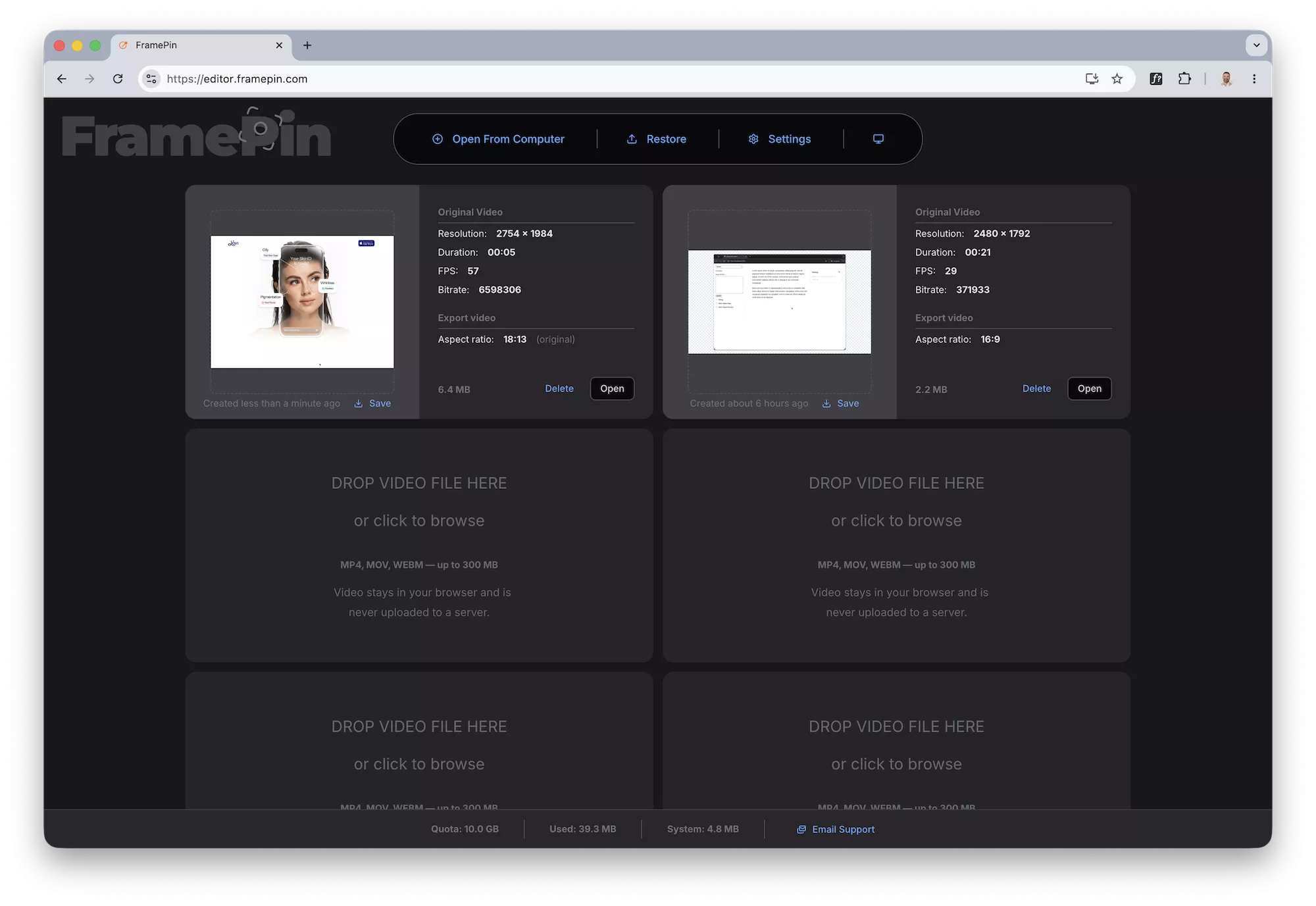
FramePin Editor - upload file FramePin Editor - freeze frames

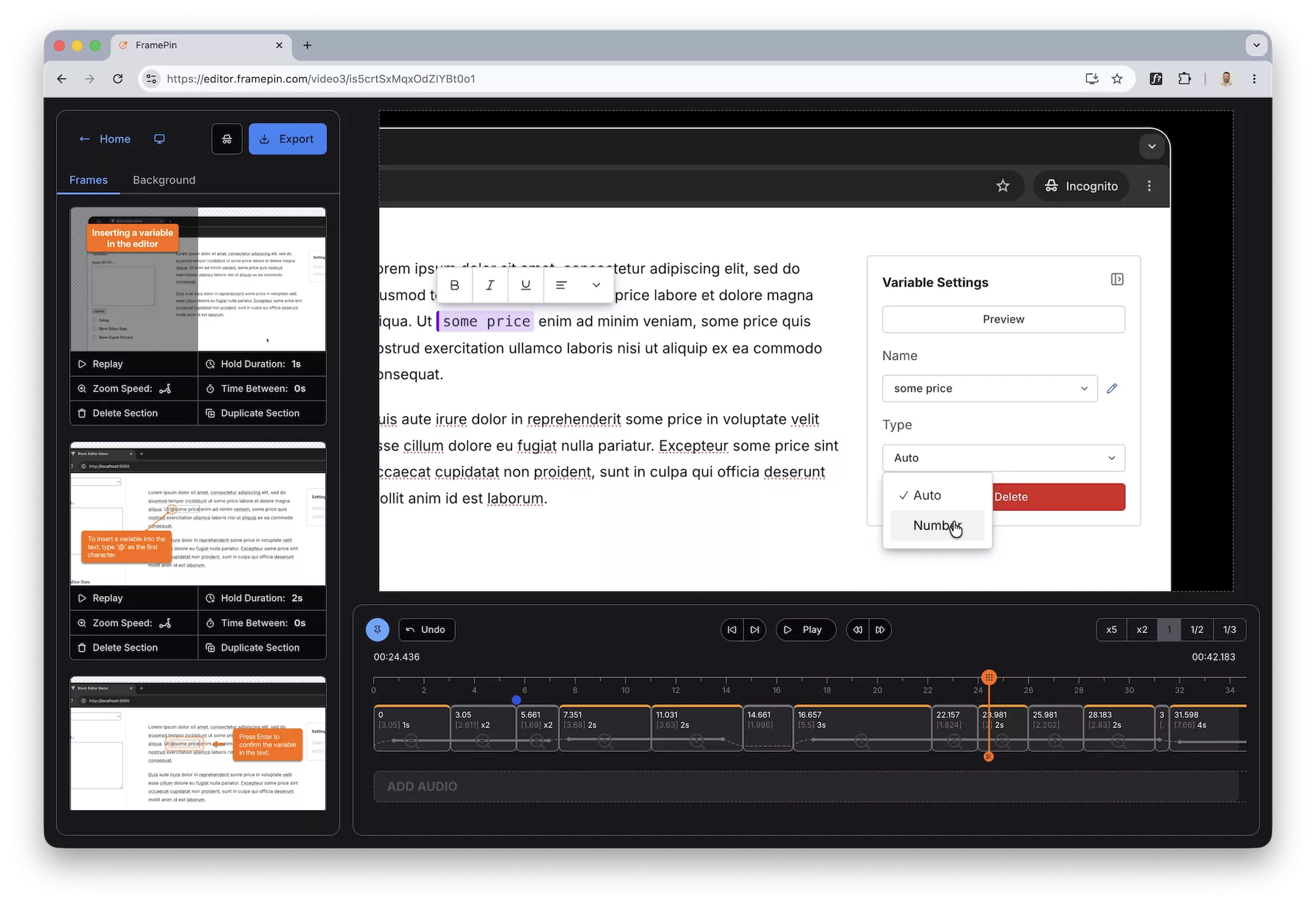
Drop a callout to explain what's happening
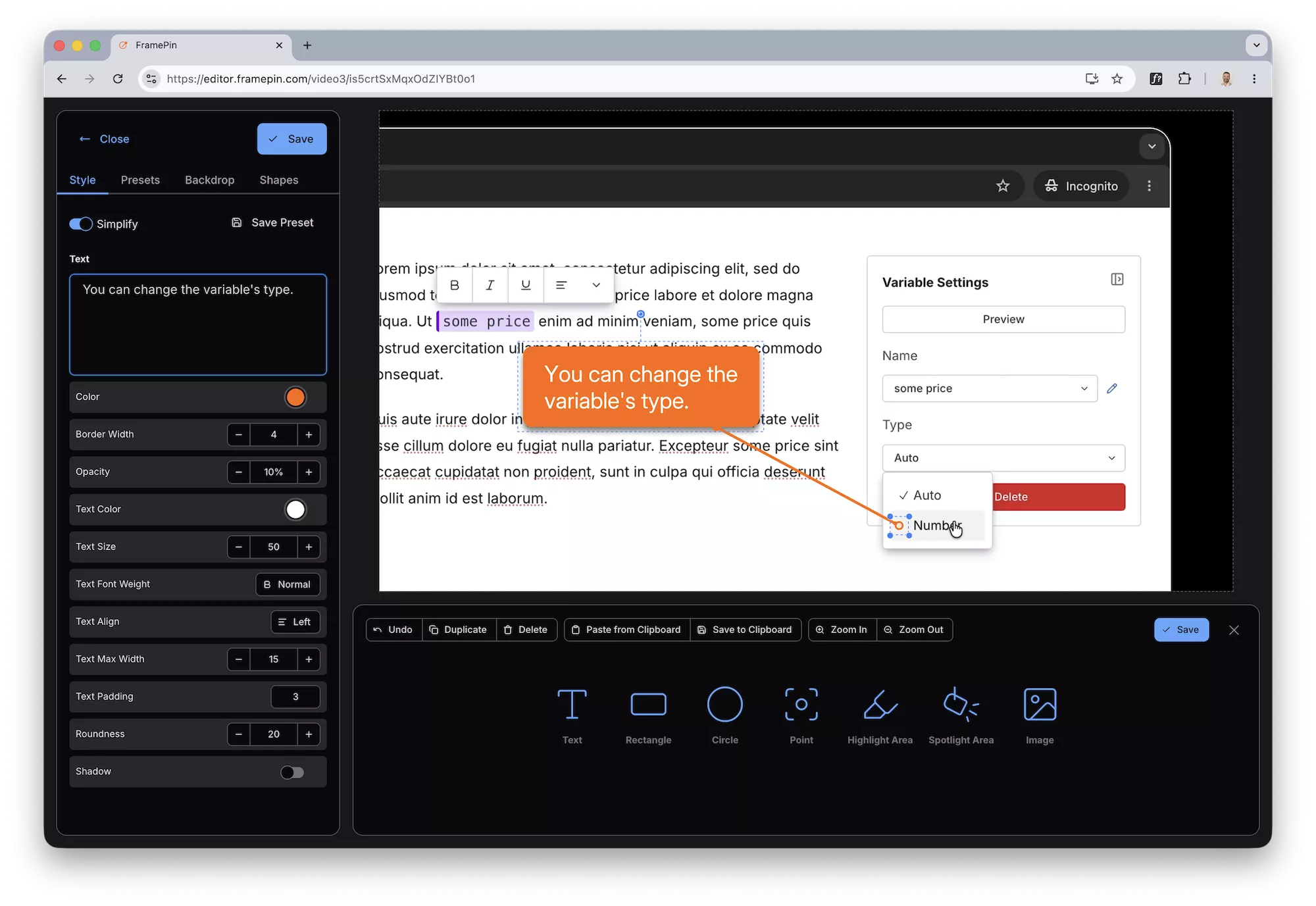
FramePin Editor - add callouts and arrows

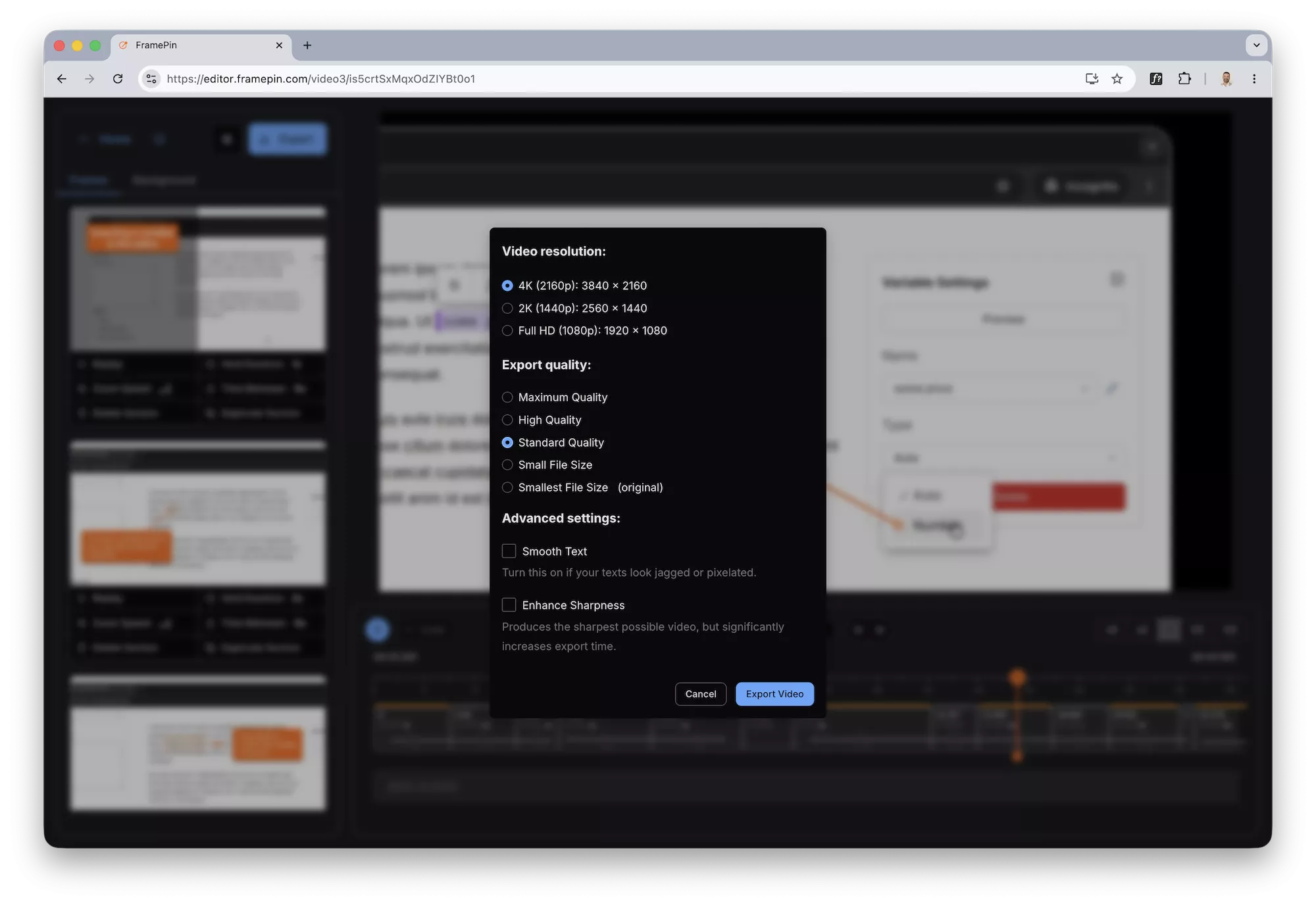
Export your recording as an MP4

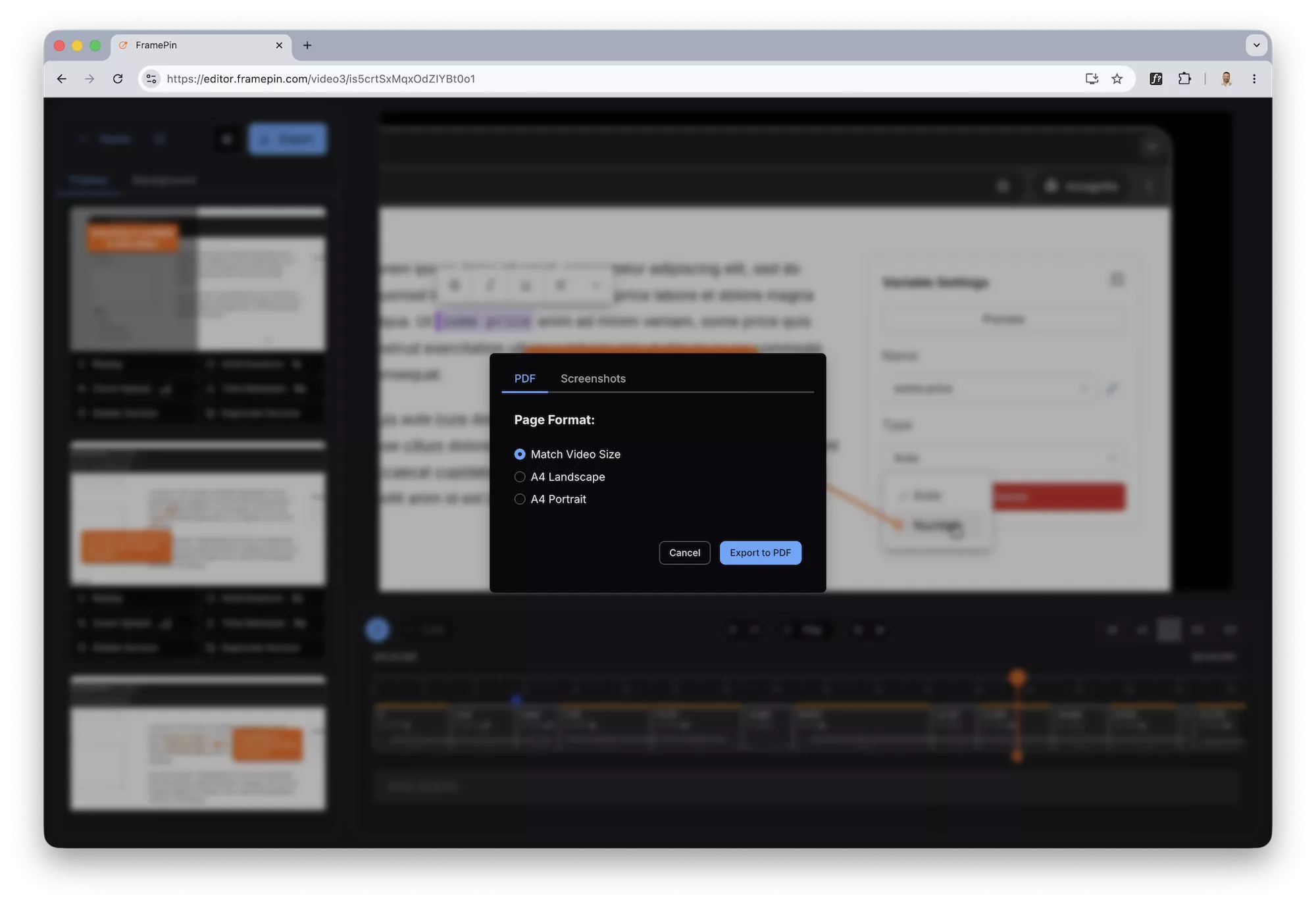
FramePin Editor - export video FramePin Editor - export pdf

1

You already have the recording

Loom, ScreenStudio, OBS, QuickTime, Zoom — it doesn't matter. If you recorded your screen, you're ready. No special format required.

2

Freeze any moment and add context

Open your recording in FramePin. Pause on any frame, draw a rectangle to highlight an area, drop a callout to explain what's happening.

Move to the next moment and repeat. Takes seconds per frame.

3

Export as an annotated video

Export your recording as an MP4 with annotations burned in.

Download the file, attach it to a ticket, drop it in Slack. Done.

4

Or export as a PDF walkthrough

Export every annotated frame as a high-resolution PDF or image pack.

Perfect for documentation, support tickets, or onboarding guides that live in Notion or Confluence.

Try it free no signup needed

Works in Chrome on Mac and Windows

Your video never leaves your computer

Everything runs locally in Chrome. Nothing is uploaded anywhere.

Built for non-editors

If you can click pause and draw a box, you can use FramePin.

Annotations that look professional in one click

Arrows, labels, highlights — pre-styled and ready to drop.

Try it free no signup needed

Works in Chrome on Mac and Windows