


惯性聚合 高效追踪和阅读你感兴趣的博客、新闻、科技资讯
阅读原文 在惯性聚合中打开

推荐订阅源

奇客Solidot–传递最新科技情报
奇客Solidot–传递最新科技情报
Jina AI
Jina AI
博客园 - Franky
Apple Machine Learning Research
酷 壳 – CoolShell
酷 壳 – CoolShell
阮一峰的网络日志
阮一峰的网络日志
量子位
雷峰网
雷峰网
宝玉的分享
宝玉的分享
V
Visual Studio Blog
博客园_首页
小众软件
小众软件
The Cloudflare Blog
让小产品的独立变现更简单 - ezindie.com
大猫的无限游戏
大猫的无限游戏
博客园 - 聂微东
S
SegmentFault 最新的问题
博客园 - 【当耐特】
OSCHINA 社区最新新闻
OSCHINA 社区最新新闻
博客园 - 叶小钗
月光博客
月光博客
博客园 - 三生石上(FineUI控件)
人人都是产品经理
人人都是产品经理
WordPress大学
WordPress大学

Show HN

GitHub - astefanutti/shaderbang: Shebang for Shaders Show HN: AI agents for UK GDAD PCF roles and their skills The Two Pillars: Mixer Mode and Meta-Software in the Reorganization of Software Work After AI GitHub - JaiCode08/teleport-env What 1,000+ Harness Experiments Taught Me About Self-Improving Agents Show HN: Liiists, a Markdown-first, iOS and CLI list app SwiperTab – Get this Extension for 🦊 Firefox (en-US) GitHub - kouhxp/fftext: Summarize, explain, fact-check, or translate any text, URL, or file. No GPU. No cloud. One command GitHub - sweetpad-dev/sweetpad: Develop Swift/iOS projects using VSCode GitHub - dogmaticdev/IRON: IRON a.k.a. Intermediate Representation Object Notation is a Interpreter/Database that is used to create Programming Languages. GitHub - sjhalani7/vaen: Package your AI coding harness into a portable .agent file, and share it across repos, teams, & the community without ever having to copy-paste instructions, skills, MCP config, or secrets. Show HN: Gandalf the Grader Show HN: Citadeld – replay any CI failure locally from a single file GitHub - tdortman/cuSBF: High-Performance GPU Super Bloom Filter coral-ai/claude-code-token-xray at main · Coral-Bricks-AI/coral-ai GitHub - ulyssestenn/funes: Funes is a Git-based framework for LLM-managed knowledge work: an AI Librarian ingests raw sources, builds an interlinked Markdown knowledge base, and uses it to produce cited reports, analyses, and other outputs. GitHub - ThatXliner/gah: Git Add Hunk, built for agents to use GitHub - harmont-dev/harmont-cli: Command-line client for the Harmont CI platform GitHub - brooksmcmillin/mcp-authflow: OAuth 2.0 Authorization Server framework for MCP servers GitHub - javaid-codes/audit-supply-chain-agents GitHub - amorey/gochan: A small library of common channel architectures for Go, inspired by Rust GitHub - arifozgun/OpenGem: Free, Open-Source AI API Gateway with Gemini, OpenAI & Anthropic Compatibility in 1 file GitHub - Pranesh950/BioPetals: 🌸 Run BIOxAI models at home, BitTorrent-style. Fine-tuning and inference up to 10x faster than offloading GitHub - cnguyen14/bounty-doctor: Diagnose a GitHub bounty issue before you waste hours: detects honeypot scam repos, AI-bot attempt swarms, and stale contests. Show HN: CoreMCP – MCP Server for On-Prem DBs Show HN: KittyHTML – Render HTML/CSS as an inline image in your terminal GitHub - bingud/filemat: Web-based file manager Show HN: TruthLens – Free multi-signal deepfake image detector GitHub - apexlocal-jz/claude-usage-tray: Windows system-tray app showing your Claude Code rate-limit usage at a glance. Zero deps, ~300 lines of PowerShell. Cross-IDE (works regardless of VS Code, Cursor, plain terminal). Release v0.1.2.1 · kouhxp/yapsnap
Figure — broken part, plain English, new STL
EddieLomax · 2026-06-02 · via Show HN

Desktop app

Figure is a desktop app for designing printable parts. Describe what you need, tweak the sliders, export the STL. The geometry is generated locally — OpenSCAD runs underneath.
The Figure app showing a 3D model of a replacement knob being designed from a chat conversation, with parameter sliders on the right.

How it works

From a description to a printed part, in three motions.

No CAD to learn. No code to read. The workflow is the conversation; the geometry follows.

Step 01

Describe what broke.

Type it, upload a photo, or drag in an STL. Plain English works — measurements help.
Step 02

The geometry takes shape.

The model builds from your description. Nudge it with sliders — no CAD, no commands, no code.
Step 03

Export and print.

Hit Export STL. Slice it in your usual tool. Print, fit-check, adjust if needed.

From the wild

Parts people actually printed.

Real outputs from the app — from a photo of a broken part to a one-line request, with room to iterate until it fits.

Example 01 — From a photo

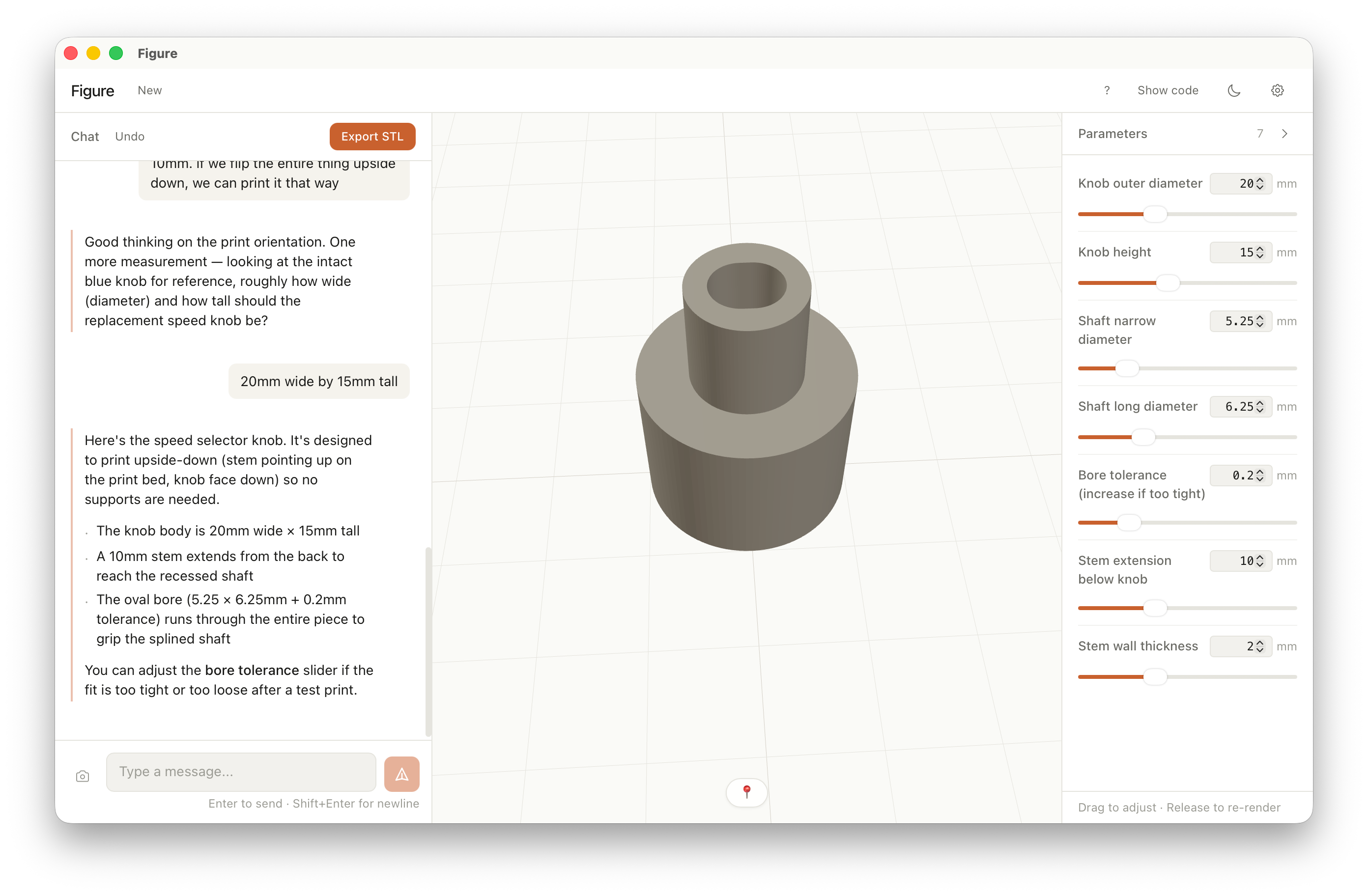
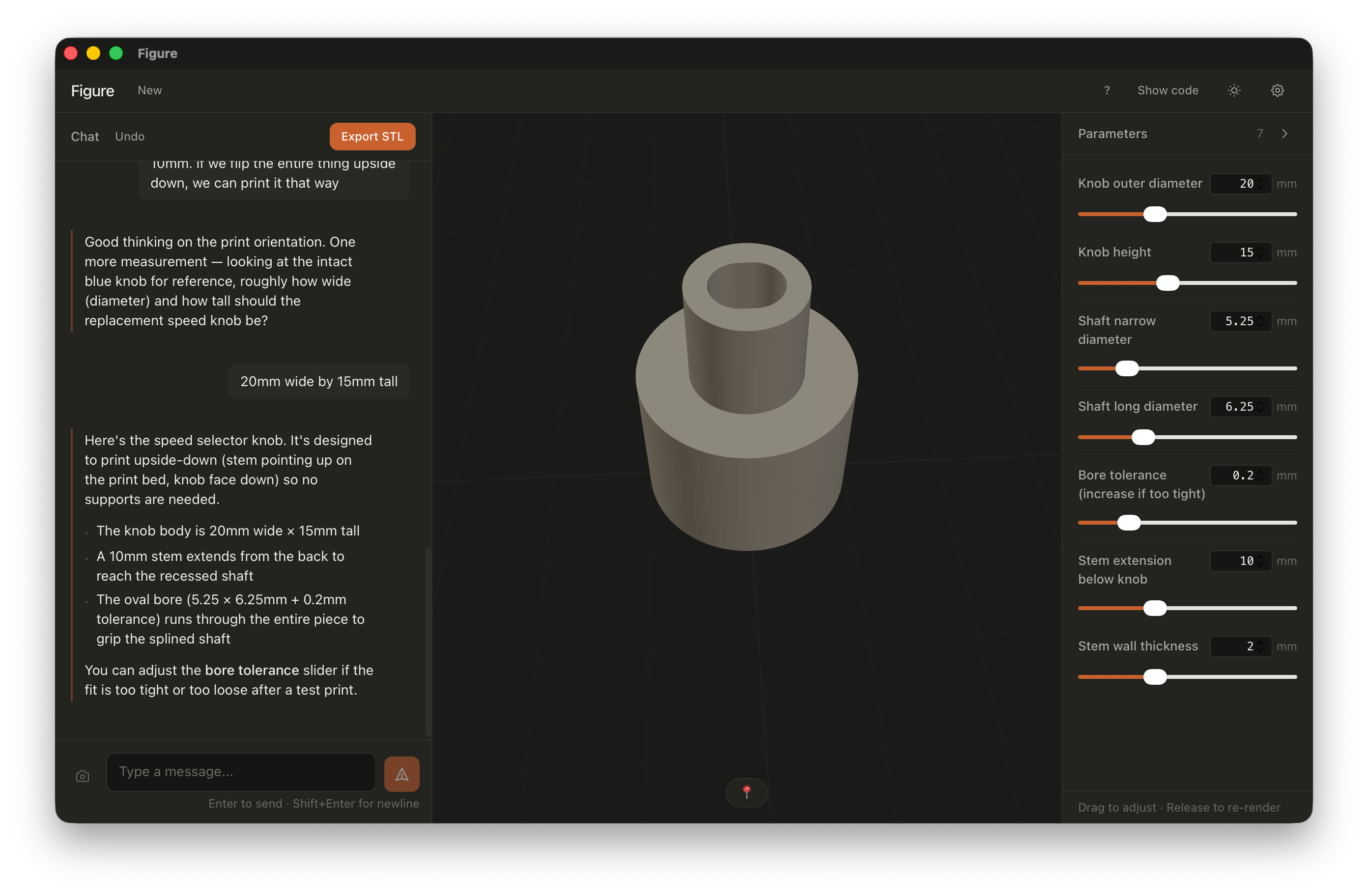
A replacement fan knob.

Reconstructed from a photo of the broken original. Measured with calipers, fit-tested on the third try.

"The oval bore (5.25 × 6.25 mm + 0.2 mm tolerance) runs through the entire piece to grip the splined shaft."
A 3D rendering of a small cylindrical knob inside the Figure app, with parameter sliders for knob diameter, height, shaft size, and bore tolerance.

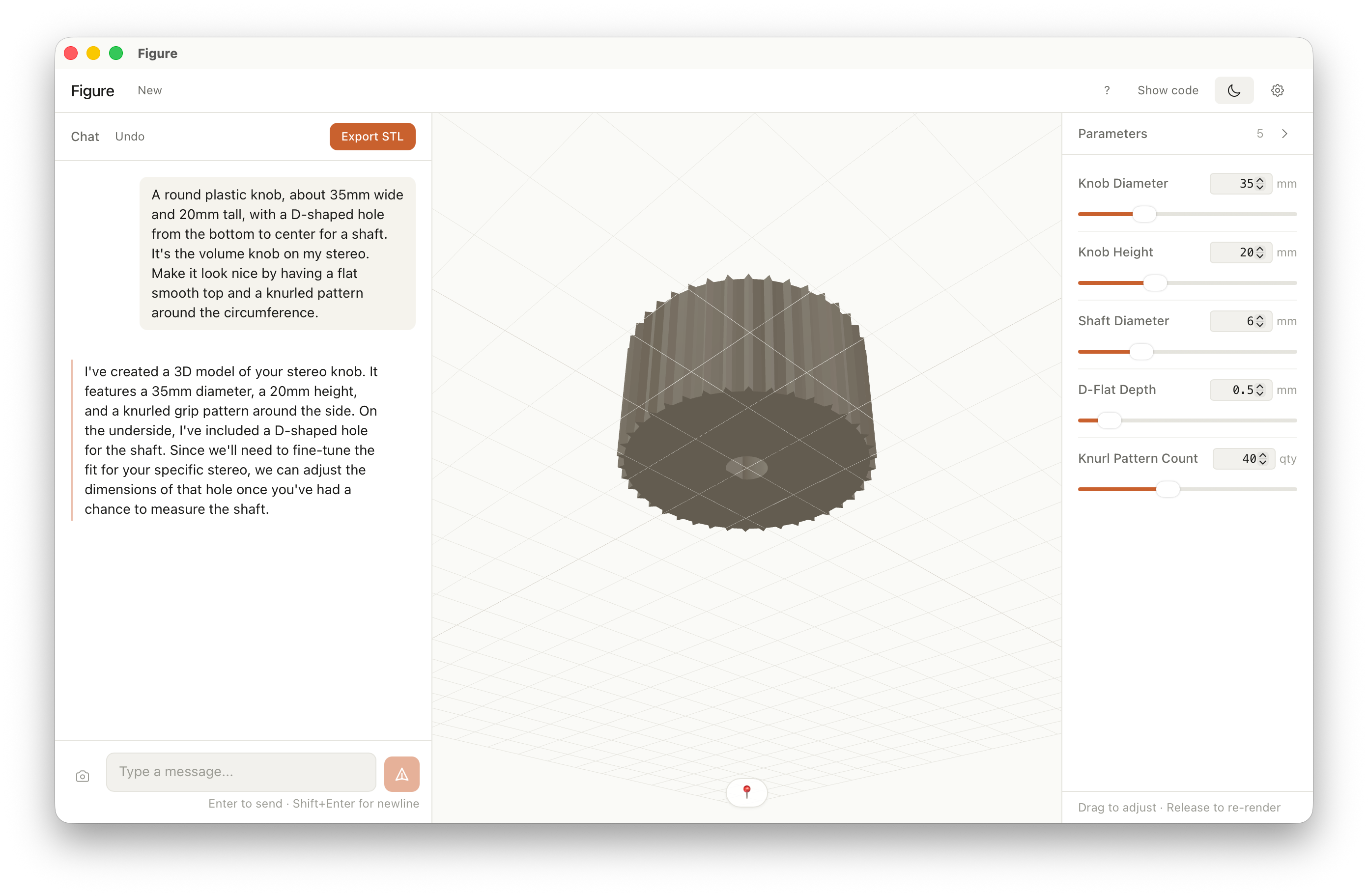
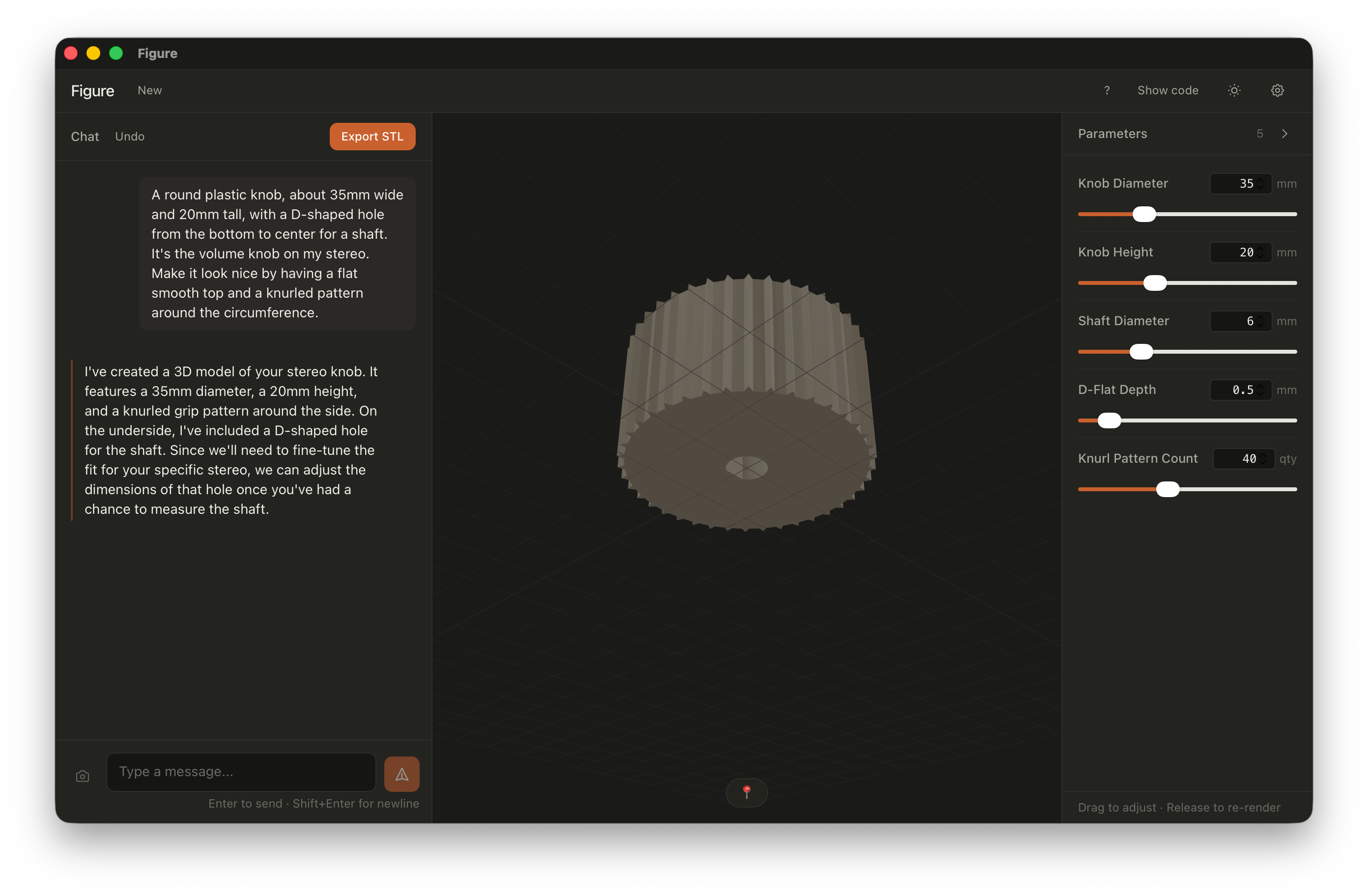
A 3D rendering of a knurled volume knob inside the Figure app in dark mode, with sliders for diameter, height, shaft, D-flat depth, and knurl count.

Example 02 — From a description

A stereo volume knob.

Built from one paragraph of description. Knurled grip, flat top, D-shaped bore — generated, then tuned to the shaft.

"A round plastic knob, about 35 mm wide and 20 mm tall, with a D-shaped hole from the bottom to center for a shaft. Make it look nice — flat top, knurled around the circumference."

Example 03 — From iteration

A screw-top jar and lid.

Started with a rough jar shape, then refined the threads and print orientation through back-and-forth in chat — helical threads, not concentric rings.

"The threads are concentric circles instead of spiral threads. Also the lid is upside down — the flat side should be on the print bed."
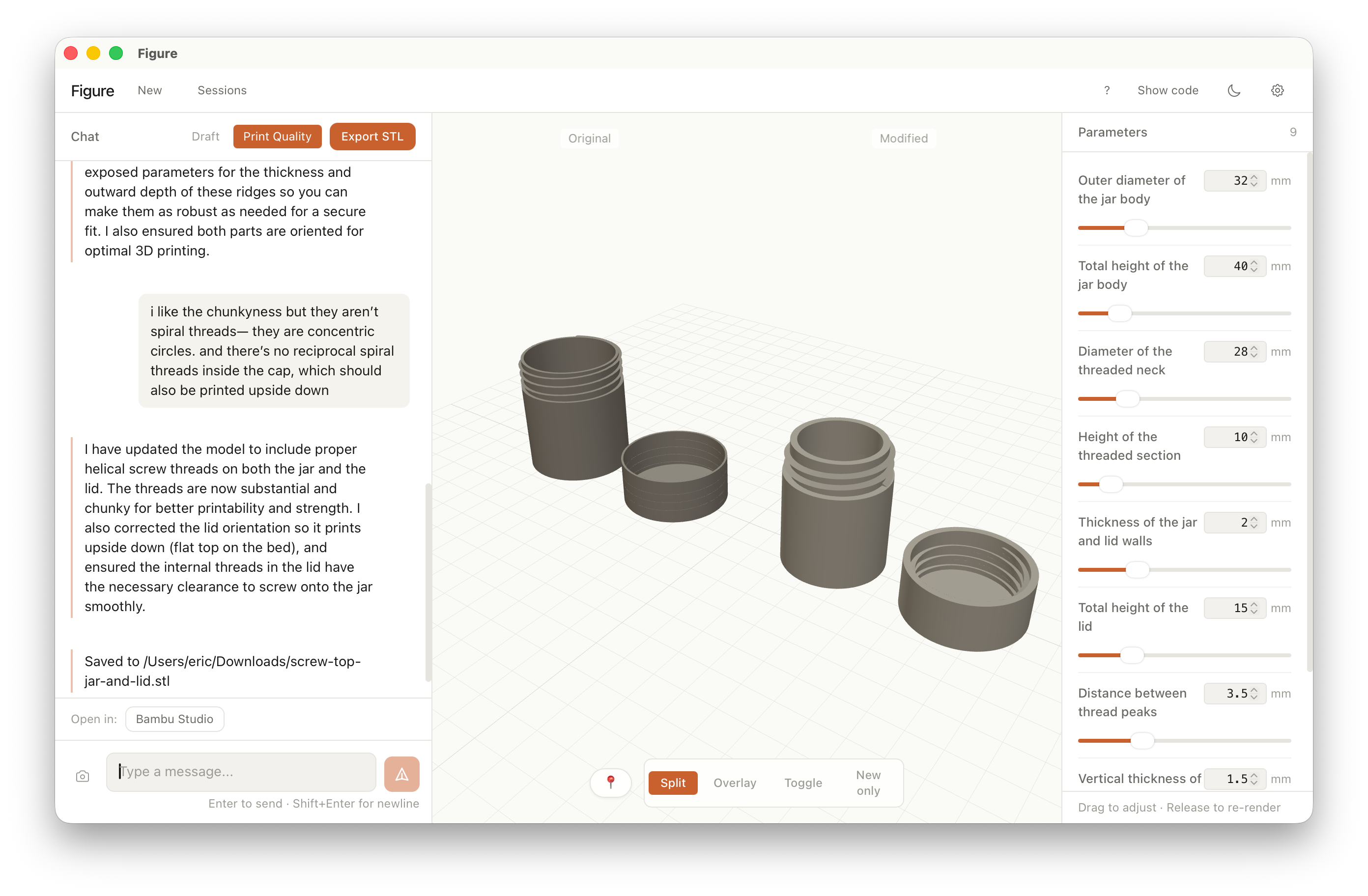
The Figure app showing a split view of a screw-top jar before and after thread refinement, with sliders for outer diameter, thread pitch, and wall thickness.

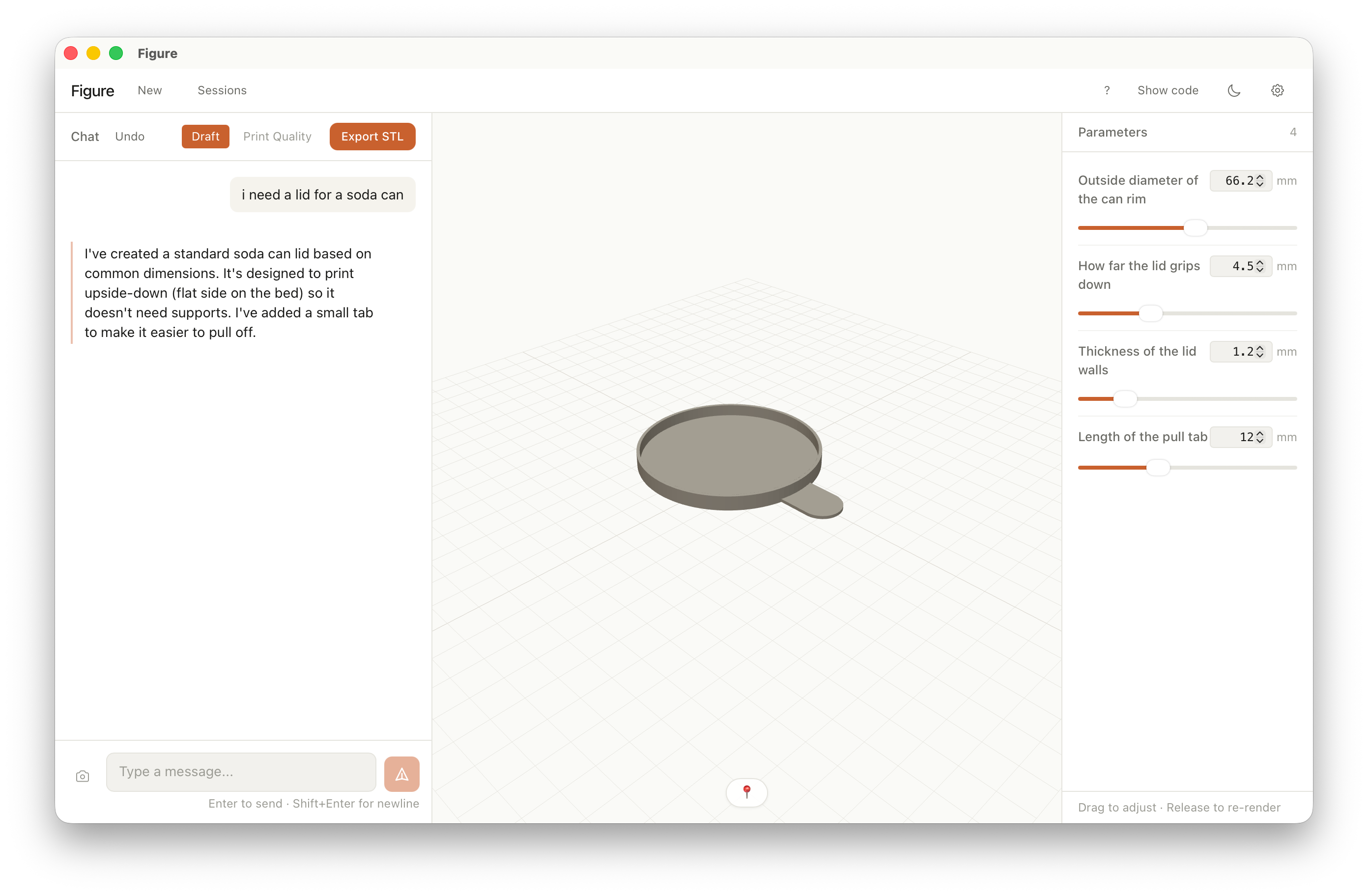
The Figure app showing a 3D model of a soda can lid with a pull tab, with sliders for rim diameter, grip depth, wall thickness, and tab length.

Example 04 — From a description

A soda can lid.

One sentence in chat. Standard can dimensions, a pull tab for easy removal, oriented flat-side-down so it prints without supports.

"i need a lid for a soda can"

Example 05 — From a back-and-forth

A 45 RPM record adapter.

A disc for the large hole in a 45 — center bore for the spindle, slight taper on top. One clarifying question in chat, then dialed in with sliders.

"Should the middle hole be a simple round circle, or does it need a special shape?" — "simple round circle"
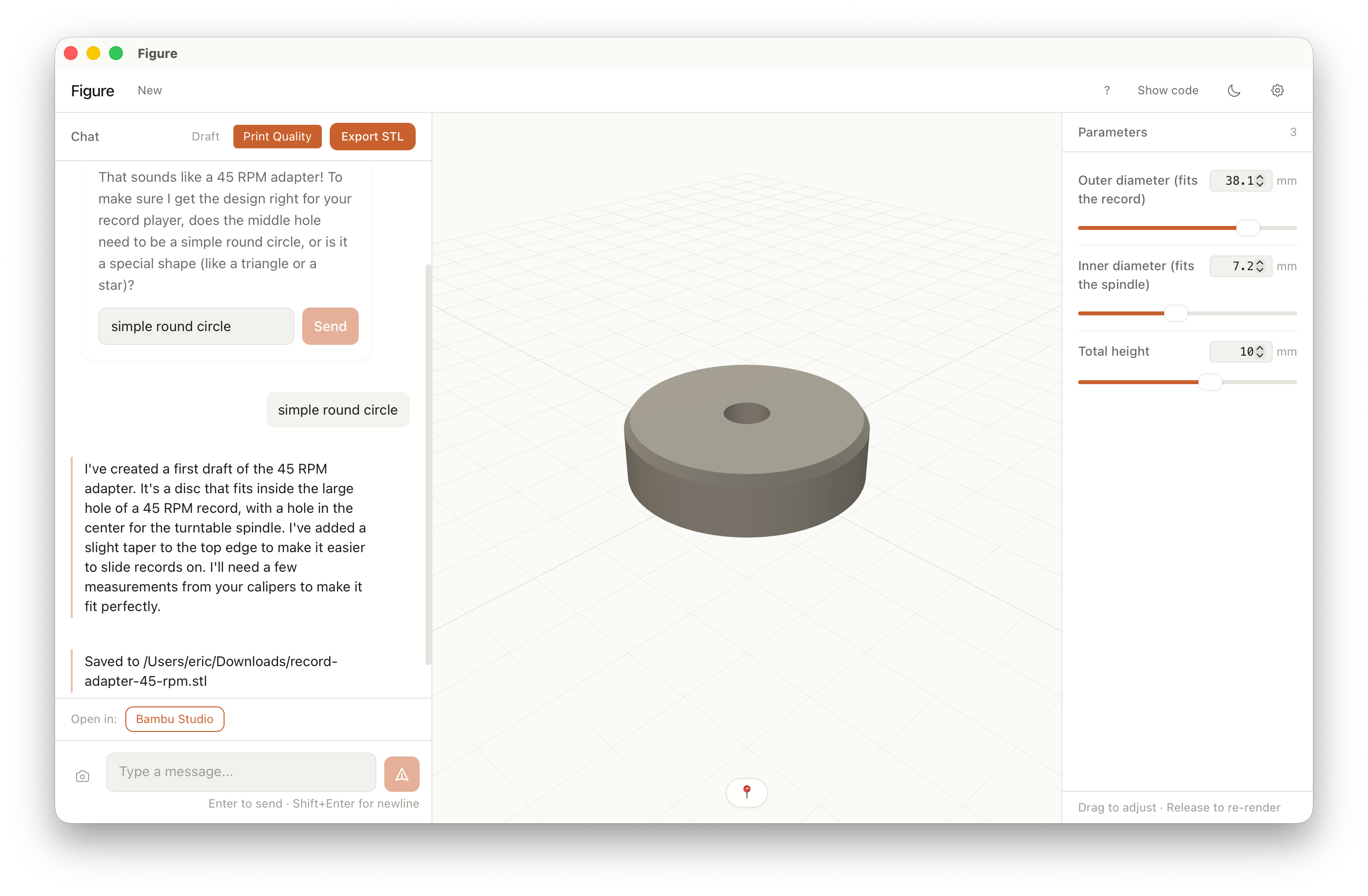
The Figure app showing a 3D model of a 45 RPM record adapter disc, with sliders for outer diameter, inner bore diameter, and height.

Works with your setup

Your model, your key, your machine.

The app collects zero data and runs no telemetry. Figure connects to the model provider you already pay for. Geometry is generated locally with OpenSCAD — nothing is rendered in a cloud you don't control.

  • Bring your own API key. Stored securely on your device. Never sent to us — we don't run a server.

  • OpenSCAD runs locally. The geometry engine ships inside the app. Your descriptions and STLs stay on your machine.

  • No subscription. No account. You pay your model provider for tokens; that's it.

  • Zero data collection. No telemetry. The app doesn't phone home — no usage tracking, crash reports, or analytics.
Figure app icon

Print the part.

Beta available for Mac on Apple Silicon (ARM64) as a disk image. No account required.