





A while ago I purchased this “cheap” Chinese label printer which can print different sized labels like these. Sadly, when I set it up under Linux, although somewhat supported, the print results were bad, while the same printer produced decent prints in Windows or via the Android app. I could not get better prints with CUPS no matter what I tried. I also tried to set some default paper sizes, but it was a huge pain.
Until recently I would send a PDF of the labels I wanted to print to my phone and use the app to print via Bluetooth. Alternatively, I would use a Windows VM to print via USB.
I thought there had to be a better way. So here is what I did.
Decompiling the android app
The android app works very well via Bluetooth and requires no setup. Perhaps I can get better prints via Bluetooth than via USB under Linux. I could then also place my printer further away from my PC.
So I extracted the APK from my phone using APK Extractor. https://play.google.com/store/apps/details?id=braveheart.apps.apkextract&hl=en
I then decompiled it using Jadx online and download those files.
Initially, my plan was to go through the code and figure out what Bluetooth characteristics I needed to use and what to send. This can get tedious fast and take a lot of time.
However I was feeling lazy and did not want to spend my day off deciphering decompiled code.
I decided to give it a try using Kilocode. Maybe an agentic AI has an easier time deciphering a decompiled APK than I do, and I recently set up a lot of new models in LiteLLM to work with my Kilocode setup.
I placed the extracted APK in a new project and told the agent that I wanted to to use the code to generate a go version. Why go? I have had a lot of good results with go vs python when using deepseek.
Using the code in com.print.label_v66/sources/com/print/label/bluetooth and the other folders. Write me a go script that can print a PDF via bluetooth on a Linux PC in the "desktop" folder. I also need to be able to set the paper size for the label to be printed. The printer's bluetooth ID is DD:0D:30:02:63:42Initially, I tried using DeepSeek Coder, which usually provides good results for dirt cheap, but I wasn’t getting anywhere. Although it would connect to the printer, it was not working. Something was off, but I did not know what. Most likely, some initialization was missing.
Before trying to debug it myself, I decided to first switch to Gemini 3 Pro. Although initially it also did not work, I was able to work with it until the printer responded.
Sadly, Gemini is slow and a lot of the time I get overload errors but eventually I got a go app that worked and I could call from the command line.
go run print_label.go \
--bluetooth \
--printer-id DD:0D:30:02:63:42 \
--tspl \
--paper-size 100 \
--paper-height 150 \
--pdf Labels-Sample.pdf \
--margin-x 5
After a few more back-and-forths with the agent, I had all the features I wanted working.
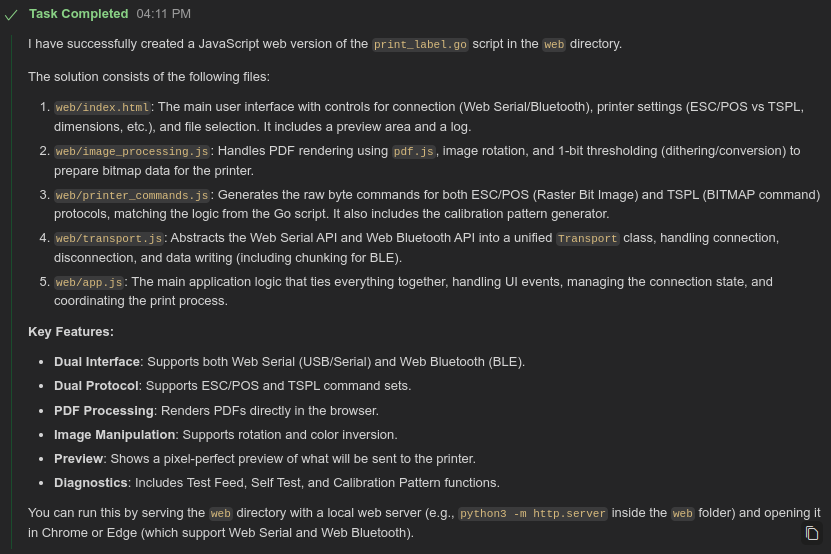
Once I had a working Go app, I asked the agent to make a new folder and build a web-only version for Chrome (not all browsers support Bluetooth). This worked in the first iteration.
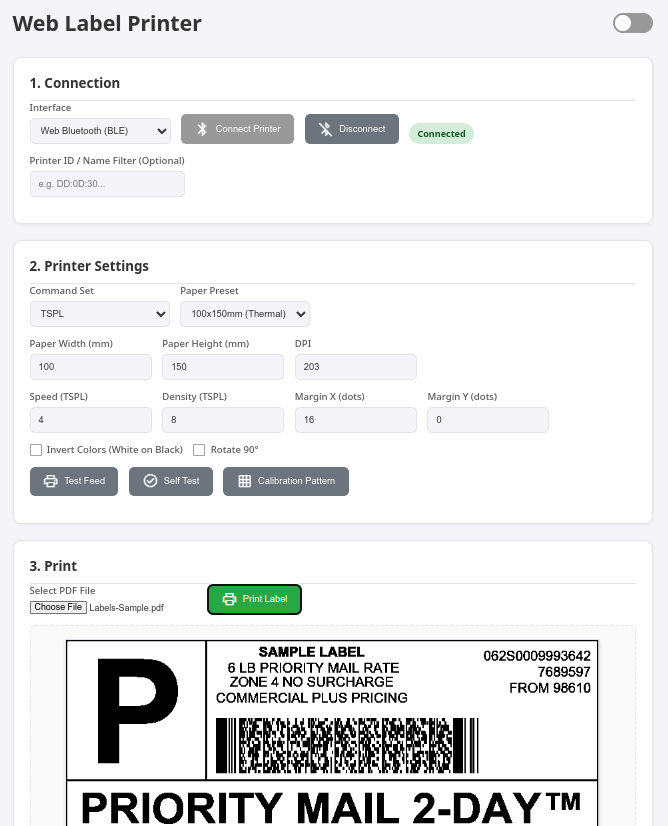
I now have a web UI where I can upload a PDF, convert it, and select from the options the printer offers. I can also print a test pattern to align the print, which the regular app or driver cannot do.
If you have a similar printer, I would be curious to know if it also works with yours.
You can download what the AI produced here (minus the decompiled APK, for reasons…). I haven’t reviewed the code, so there may be some oddities and dead ends…
I couldn’t let this project go so I ended up building a custom PCB and writing an ESP32 version that runs the entire thing standalone. It even gets its power from the printer and is a drop-in replacement for the existing bluetooth module, although at the moment it lacks the bluetooth functionality.
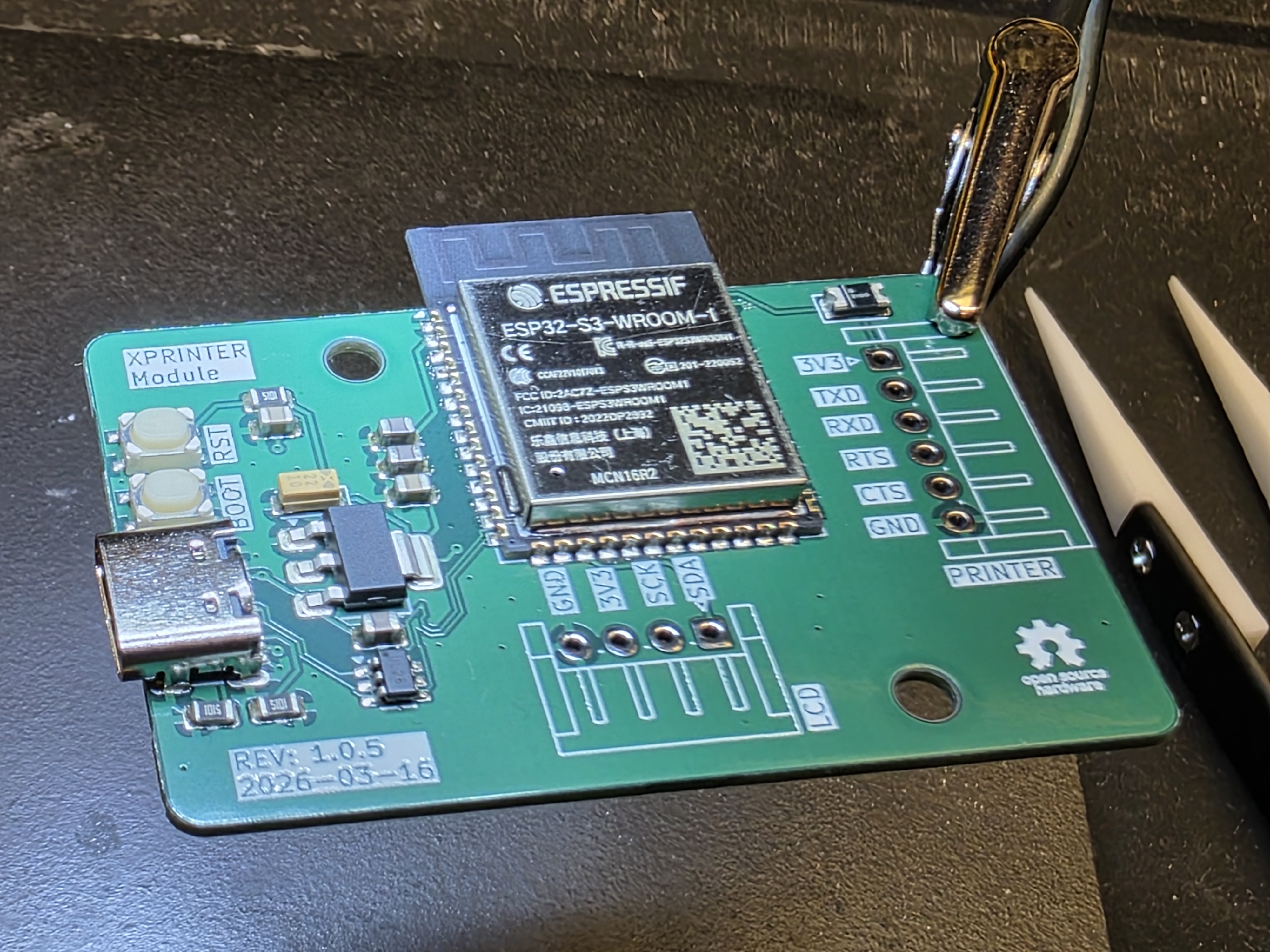
Additionally, it has an LCD that helps with the setup of the WiFi and displays the IP as well as the current status.
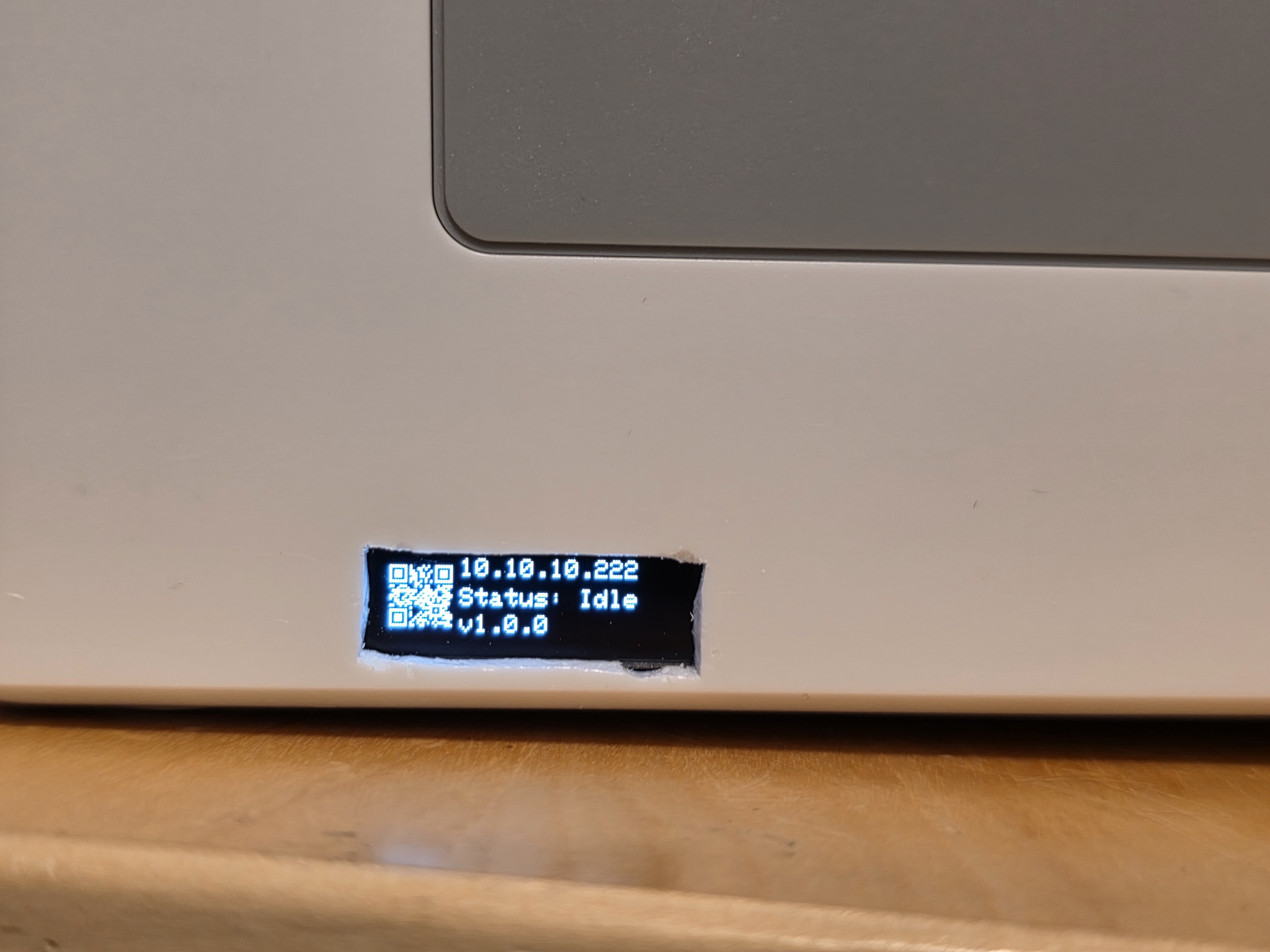
You can find the code and PCB here: https://github.com/sschueller/XPrinter-ESP32-S3