










ScrumSurvivor — a real-time Wav2Lip lip-sync avatar for mandatory camera meetings.
A few months ago a friend called me, frustrated. His company had just introduced a cameras-on policy for all internal meetings. The justification was engagement. The actual effect, as he described it, was 45 minutes a day of staring at a grid of tired faces in bad lighting while somebody narrated a PowerPoint everyone had already received by email.
He wasn’t looking to skip meetings or disappear. He attends every one, speaks when spoken to, and does his job. What he objected to was the compulsory performance of presence — the idea that a camera pointed at your face is evidence of engagement.
He asked if there was anything clever to be done about it.
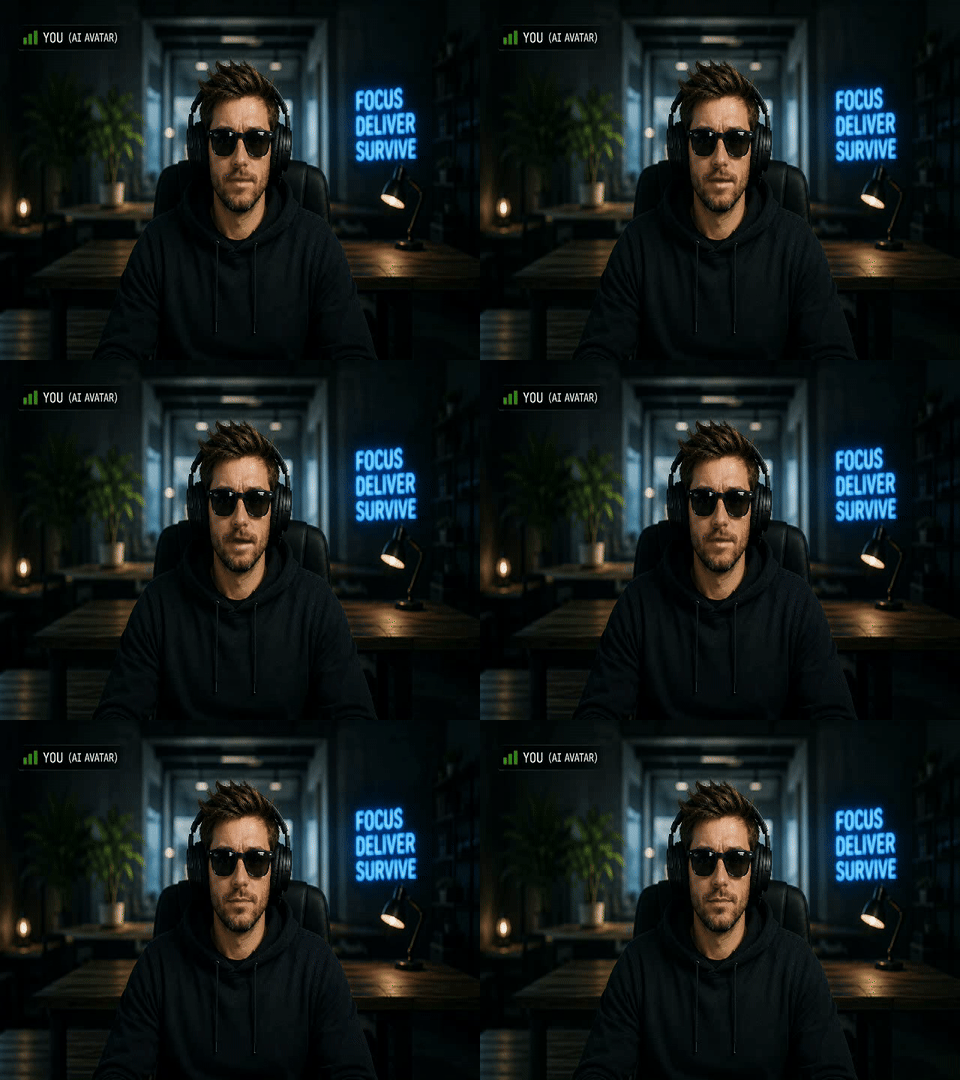
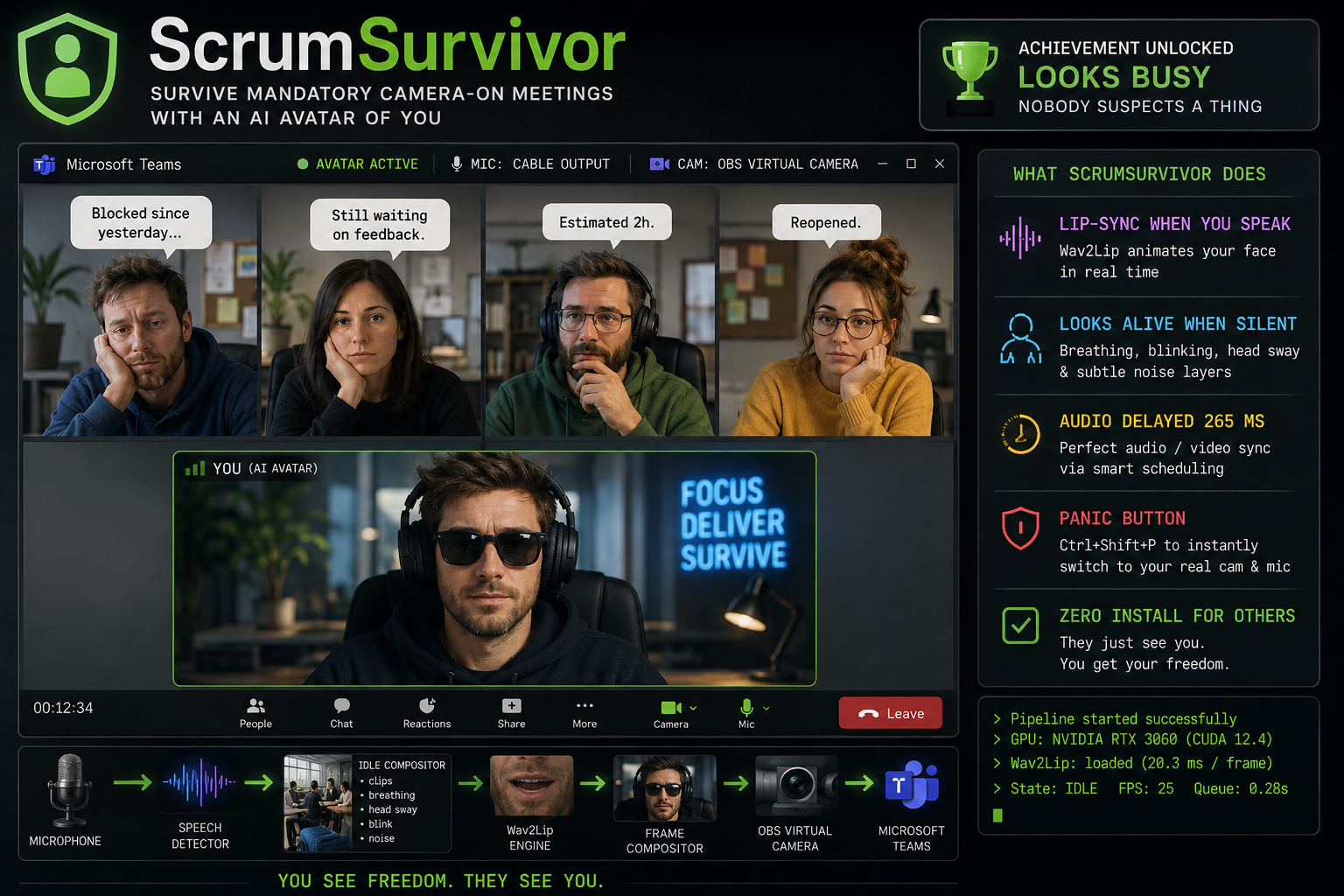
I spent a few weekends finding out. The result is ScrumSurvivor — an open source Windows application that replaces your webcam feed with a photorealistic AI avatar of yourself, rendered in real time. When you speak, Wav2Lip lip-syncs the avatar to your actual voice. When you’re silent, it breathes, blinks, and fidgets — generated procedurally so it never looks like a loop. Everything runs locally on a consumer NVIDIA GPU. No cloud, no subscription, no data leaving the machine.
Requirements: Windows 10 or 11 · NVIDIA GPU with CUDA support (4 GB VRAM minimum; RTX 3050 Laptop GPU tested) · Python 3.10+ · OBS Studio · VB-Audio Virtual Cable
How it actually works
The core idea is simple: intercept what the webcam and microphone send to Teams, process them, and replace them with synthesised versions before Teams ever sees them.
Microphone ──▶ Speech Detector ──────────────────────────────────────▶ VB-Cable ──▶ Teams (audio)
                                │  silent                │  speaking
                                ▼                        ▼
                         Idle Compositor           Wav2Lip Engine
                   (clips + breathing             (lip-syncs face crop
                    + head sway + blink            to mic audio,
                    + sensor noise)                265 ms delayed)
                                │                        │
                                └──────────┬─────────────┘
                                           ▼
                                  Frame Compositor
                             (overlay avatar on background
                              + smoothstep crossfade)
                                           │
                                           ▼
                               OBS Virtual Camera ──▶ Teams (video)
For video: OBS Virtual Camera acts as a perfectly normal webcam from Teams’ perspective. What it actually delivers is a 1280×720 composited frame at 25 fps — a static background photo of the user’s desk, plus an animated avatar layer on top.
For audio: VB-Audio Virtual Cable creates a virtual audio loopback. Teams records from “CABLE Output”; the application writes the processed microphone audio to “CABLE Input”. This gives a 265 ms window to process audio before Teams hears it — exactly enough time to run Wav2Lip inference on a mid-range laptop GPU.
For the face animation: Wav2Lip takes an 80-bin mel spectrogram window and a 96×96 face crop and produces an animated face with lips matching the audio. On an RTX 3050 Laptop GPU (4 GB VRAM) this runs in about 20 ms per frame — fast enough for 25 fps with headroom.
MediaPipe detects the face in a base photo once at startup. All subsequent inference uses that fixed crop — no per-frame face detection required. The face crop is composited back into the full frame with the background image as the backdrop.
The idle state
When the user isn’t speaking, the pipeline plays pre-recorded short video clips of them sitting quietly at their desk, cycling through them with randomised pauses. Clips alone would be unconvincing — a looping video is easy to spot.
On top of each clip, four independent procedural layers run simultaneously:
Breathing — a subtle vertical oscillation of the body region at ~0.25 Hz. Barely perceptible. Consistently present.
Head sway — a sum of two independent sinusoids per axis, giving a non-repeating micro-motion. No two seconds look the same.
Blink — a fast eyelid-close/reopen animation triggered every 4–8 seconds at a randomised interval.
Sensor noise — per-pixel Gaussian noise added to every frame to simulate the organic texture of a live camera sensor. Flat digital video has an uncanny stillness to it. This removes that.
All transitions between clips use a smoothstepped crossfade — no visible cuts.
My friend has been running this for several months. Nobody has said anything.
The hard part: audio sync
Getting audio and video to stay in sync was the most interesting engineering problem.
Wav2Lip takes ~20 ms of GPU time per frame. The audio is already playing by the time the video frame appears. Without compensation, the lips are always slightly behind the voice — an uncanny valley version of an already uncanny valley.
The solution: delay the audio output by exactly the same amount as the video processing latency. The AudioPresentationScheduler maintains a ring buffer of incoming microphone audio and schedules each chunk to be written to VB-Cable exactly audio_delay_ms milliseconds in the future. The video pipeline runs concurrently and produces frames corresponding to the same audio window — so both arrive at Teams simultaneously.
The cold GPU startup problem
There’s a subtlety. The first Wav2Lip inference on a cold CUDA GPU can take 1–2 seconds because NVIDIA’s driver compiles JIT kernels for your specific hardware on the first forward pass. If audio scheduling starts before those kernels are compiled, the audio backlog explodes to 18+ seconds — and stays there permanently.
The fix is a warmup loop at startup that runs up to 20 inferences using the actual face crop and monitors latency. Once inference time drops below 50 ms (typically 5–7 iterations), the pipeline opens for business.
# Warmup loop — runs until inference stabilises below 50 ms
for i in range(MAX_WARMUP_ITERS):
    t0 = time.perf_counter()
    wav2lip_engine.infer(face_crop, mel_chunk)
    elapsed_ms = (time.perf_counter() - t0) * 1000
    if elapsed_ms < WARMUP_TARGET_MS:   # 50 ms
        stable_count += 1
        if stable_count >= STABLE_REQUIRED:
            break
    else:
        stable_count = 0
Any remaining backlog from slow CUDA init is automatically discarded by a 2-second cap in the scheduler — it resets the pointer rather than letting stale audio pile up indefinitely.
What I deliberately did not build
No cloud inference. Everything runs locally. No face or voice data leaves the machine.
No real-time face re-enactment. Tools like Deep Live Cam do full face replacement and require a live webcam feed as input. ScrumSurvivor uses a static photo — simpler, more stable, no additional hardware dependency.
No identity swap. The avatar is always the user themselves, rendered from a photo they took. This is the most important design decision: the tool does not impersonate anyone. It is your face, your voice, your machine, your camera output.
Get it
ScrumSurvivor is open source (MIT). Setup takes about an hour — mostly recording your idle clips and installing OBS and VB-Cable.
Windows 10 / 11 only · NVIDIA GPU with CUDA required (4 GB VRAM minimum) · MIT License