




We are all familiar enough by now with the succession of boards that have come from Raspberry Pi in Cambridge over the years, and when a new one comes out we’ve got a pretty good idea what to expect. The “classic” Pi model B+ form factor has been copied widely by other manufacturers as has their current Compute Module. If you buy the real Raspberry Pi you know you’ll get a solid board with exceptionally good software support.
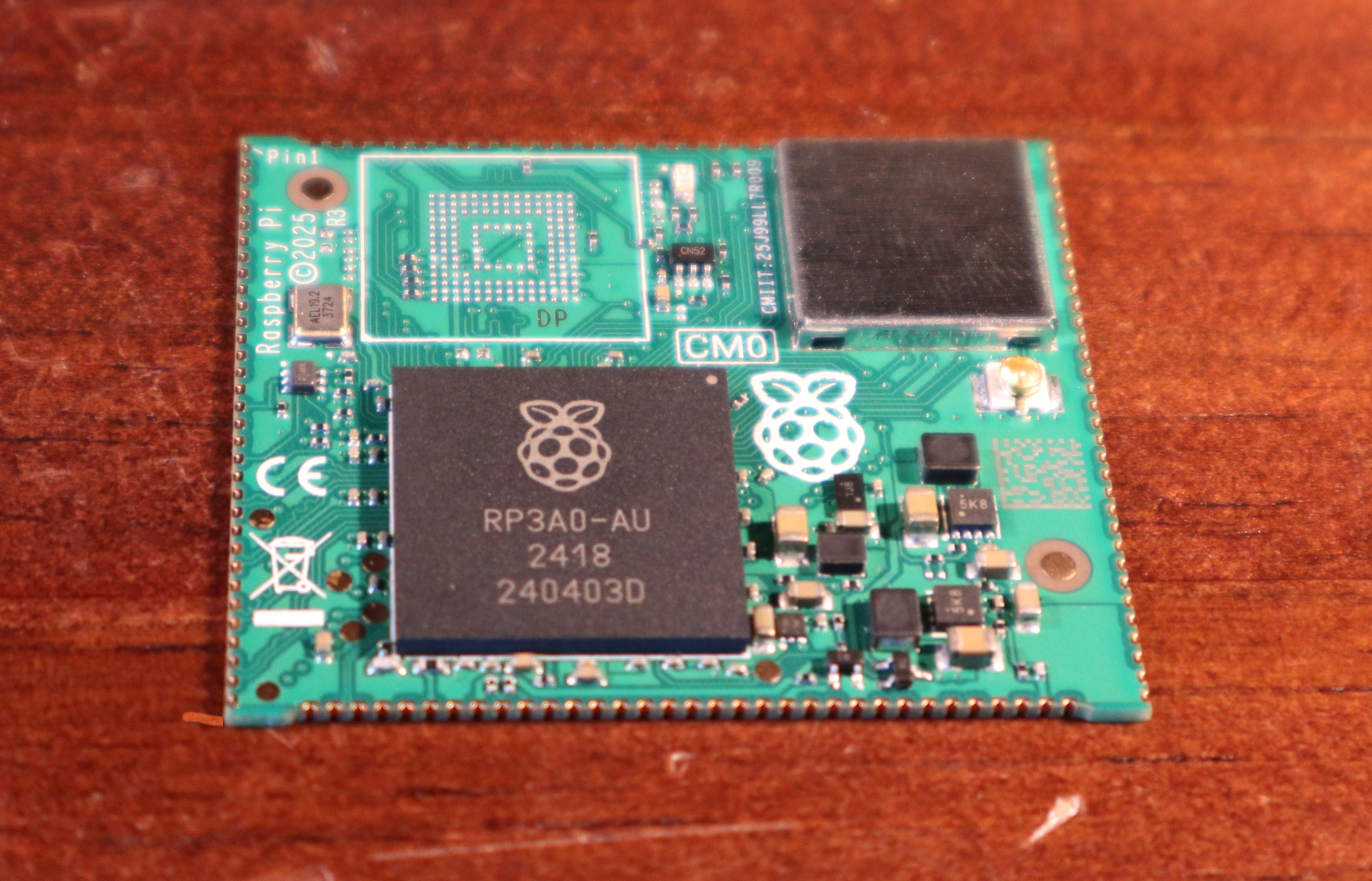
Every now and then though, they surprise us, with a board that follows a completely different path, which brings us to the one on our bench today. The Compute Module Zero packs the same quad-core RP3 system-on-chip (SoC) and Wi-Fi module as the Pi Zero 2 W with 512 MB of SDRAM onto a tiny 39 mm by 33 mm postage-stamp module. It’s a Pi, but not as you know it, so what is it useful for?
A Pi Zero 2 As You Haven’t Seen It Before

The first clue as to where this module sits in the Pi range comes from how it came to me. I have a bare module and the dev kit on loan from a friend who’s evaluating them with the idea of incorporating into a product. Instead of buying it from a store here in Europe he had to have it shipped from LCSC in China. It’s Chinese-made and distributed, and it’s not a consumer part in the way your Pi 5 is. Instead it’s an OEM part, and one which appears from where we’re sitting to be tailored specifically to the needs of OEMs manufacturing in China. Would you like a Linux computer with useful software updates and support built into your product? Look no further.
I put up a quick video showing it in detail which you can see at the bottom of the page. Physically it appears to carry the same parts we’re used to from the Zero 2, with the addition of an eMMC storage chip and with an antenna socket in place of the PCB antenna on the Zero. All the available interfaces are brought out to the edge of the board including some not seen on the Zero. The module is available with a variety of different storage options, including the version with no eMMC which my friend has. He’s also bought one with the storage on the dev board, so you can see both types.
The dev board is similar to a Pi model A+ in size, with a bit of extra PCB at the bottom for the USB and HDMI connectors. Like the Zero it has Micro-USB connectors for power and USB, but it carries a full-size HDMI socket. There are connectors for an LCD display, a camera, a micro SD card if you’re using the version without eMMC, and 40-pin GPIO header.
In addition, there’s an extrnal stick-on antenna in the box. Electrically it’s nothing you won’t have seen before, after all it’s little more than a Pi Zero 2 on a different board, and with less memory. This one is fresh from the box and doesn’t have an OS installed, but since we all already know how well a Pi Zero 2 runs and the likely implications of 512 MB of memory I’ve left it that way for my friend.
What Can This Board Do For Us?
The idea of a bottom-end Raspberry Pi as a component module for your Chinese assembly house is a good one. It has to be the RP3 on board, because as we’ve noted, the earlier Pi architecture is heading into the sunset and that is now their lowest-power 64-bit silicon. It could use more memory, but 512 MB is enough for many undemanding Linux applications and more than appears on many SoCs.
For tiny little computer applications, it’s an attractive component, but it’s a little bit expensive. Depending on the version, and whether it comes with the dev board, it ranges from about $25 to $38, and we can imagine that even with a quantity price break that may be too much for many manufacturers. A Chinese SoC, albeit with worse long-term Linux support, can be had for much less. If this SBC form factor catches on, we’d expect to see knockoff boards appear for a more reasonable price in due course.
Perhaps as the price of memory eventually comes down they will increase the spec a little, but we’d hazard a guess that a lower price would mean more success. A low power, plug-innable computer for $20 would be interesting for a number of projects where size really matters. Only time will tell, but meanwhile if you’re designing a product you have a new Linux option for it, and for the rest of us it’s time to look out for these modules appearing in things we buy.
Would you use one of these, and for what?


