


惯性聚合 高效追踪和阅读你感兴趣的博客、新闻、科技资讯
阅读原文 在惯性聚合中打开

推荐订阅源

Threat Intelligence Blog | Flashpoint
C
CERT Recently Published Vulnerability Notes
博客园 - 【当耐特】
有赞技术团队
有赞技术团队
Hugging Face - Blog
Hugging Face - Blog
Cisco Talos Blog
Cisco Talos Blog
爱范儿
爱范儿
cs.CL updates on arXiv.org
人人都是产品经理
人人都是产品经理
大猫的无限游戏
大猫的无限游戏
博客园 - 三生石上(FineUI控件)
Martin Fowler
Martin Fowler
量子位
Cyberwarzone
Cyberwarzone
腾讯CDC
博客园 - Franky
T
The Blog of Author Tim Ferriss
U
Unit 42
Engineering at Meta
Engineering at Meta
CTFtime.org: upcoming CTF events
小众软件
小众软件
酷 壳 – CoolShell
酷 壳 – CoolShell
G
GRAHAM CLULEY
L
LINUX DO - 最新话题
The Hacker News
The Hacker News
Security Latest
Security Latest
N
News and Events Feed by Topic
S
Schneier on Security
www.infosecurity-magazine.com
H
Hacker News: Front Page
Schneier on Security
O
OpenAI News
C
Cybersecurity and Infrastructure Security Agency CISA
月光博客
月光博客
美团技术团队
博客园_首页
V
V2EX
freeCodeCamp Programming Tutorials: Python, JavaScript, Git & More
T
Tailwind CSS Blog
雷峰网
雷峰网
WordPress大学
WordPress大学
GbyAI
GbyAI
C
Cisco Blogs
I
InfoQ
L
LINUX DO - 热门话题
Simon Willison's Weblog
T
Tor Project blog
让小产品的独立变现更简单 - ezindie.com
S
Securelist
F
Full Disclosure

Blog – Hackaday

Bavarian Court Tells Gemini It Can’t Be A Real Boy Until It Tells The Truth Why Not Yserver? It’s Xserver, But Rust-y. OpenCAL: Computed Axial Lithographic 3D Printing For Everyone Is A CS Degree DOA Thanks To LLMs? IEEE Says TBD. Double The VRAM Of An RTX 3070 The Pacemaker Patch Robot Chess But Each Piece Is A Small Robot Bambuddy Says Bye To Bambu Lab Cloud Services Converting A Scanning Electron Microscope Into A TEM Is Surprisingly Easy Custom Watch Is On The Case Patterns Everywhere Behold A 60 Hz Refresh Rate E-ink Monitor GentleOS, A Simple OS For Your Old PC Deeply Optimized MSX Emulation On ESP32-S3 With VGA Output Homebrew Macropad Looks Good The Air Position Indicator For The B-29 Building A 1:150 Scale Toyota ProBox Micro Remote Control Car Adding Weight To A 3D Print With Plaster Of Paris, Cleanly Hackaday Podcast Ep 373: GPS, Danger In Space, And Robby The Robot A Peek Inside The Secret Lagercrantz Suitcase Radio This Week In Security: Microsoft On Microsoft, Register Your Domains, Linux On ARM, And FreeBSD Joins The File Cache Club Glue-in Hinge Design Tries Something Different The Hackaday Communicator Badge, Re-Imagined With New Firmware Amiga 1232 Storm CD Packs Every Upgrade Into One Wedge So Many Analog To Digital Converters Repairing A Pair Of Voodoo 2 GPUs For Some SLI Action AI The Truly Environmentally Friendly Way Evidence For Water Vapor Plumes On Europa Vanishes In Re-Analysis Mechanical Stability For Your Coils 3D Printed Hose Sprayer Sets Phasers To Suds The Merits Of Comment-Driven Development As Counterweight To TDD Building A Desktop Catalytic Cracker Process 4 Billion Pixels Per Second From 16 DIY Cameras For The Best V-Tubing Rig Ever 3D Printing A Miniature CoreXY Printer An Unlikely Host For An 8080 Emulator Using Brand New NiMH Cells After Sitting 12 Years Unused Investigating The S3 Virge’s Reputation As A 3D Decelerator Card Over-Engineering An FDM Spool Holder From Prusa Mk4S Remains As It Turns Out, There’s More Than One Cassette Mechanism Being Made After All Using Windows 11 On An LGA 775 PC With AGP Videocard Hackaday Podcast Episode 372: PopTubers, Shifty Semiconductors, And Shelving Shelf Labels An Ethernet WiFi Router on a Pi Pico 2W This Week In Security: Messing With AI, 7Zip And Notepad++ Vulnerabilities, HTTP2 Bomb, And More Using Electrolysis For More Than Just Generating Hydrogen Vintage Turntable Gets Brain Transplant And Home Assistant Integration Connecting Your Car To Home Assistant Microsoft Claims 20 Second Qubits If You Want To Hack Me, Come In Through The Speaker Ways To Embed Magnets In 3D Prints And Not Ruin Printers An RGB Keyboard For Your Hackaday Communicator Badge The World’s First GPIB Speech Synthesizer, And It’s For A GRiD Compass Ask Hackaday: How Do You Feel About Electronic Shelf Labels? Make Your Ceiling Disappear With ADS-B And Short-Throw Projector Fixing A Nintendo Game Boy Clone That Runs Too Fast Web-Based Control For A CB Radio Distilling Stale Gasoline To Make It Usable Again DIY Ceramic Circuit Boards Surely Count As Solarpunk Texas Instruments Changes The NE5532 And Others Into Incompatible Versions Deltarune’s Tenna Brought To Life Linux Fu: Fake Webcams, GUI Edition Hydraulic Drive For Your Lawn Tractor But Just What Is This ‘Artificial Intelligence’? Game Dodecahedron Runs AArch64 Assembly A Diffraction Grating Makes This Clock Readable Turning An Old 3D Printer Into A Vinyl Cutter For Cheap A High-Vacuum Controller For An Eventual Electron Microscope Does Your Terminal Speak Morse? This One Does From Scrappy Pallet Wood To Fancy Tea Tray The 2026 EMF Badge Arrives, With An Add-On. As Expected, It’s Familiar Linux Fu: Taming Strace STM32 Handheld Has OpenGL And All The Classics Using A Mirror To 3D Scan Both Sides Of An Object At Once Cookies, Baked The 3D Printer Way Restoring Apple’s Terrible But Awesome IBook Laptop After The Dust Settles: Building Pebble Apps Bilingual E-paper News Feed Helps Brush Up Language Skills On The Wisdom Of Replacing A NiMH Module In A Prius Battery Pack Know Your Food: Cheesemaking Like A Wire Bender, But For Pop Tubes Revisiting Making Your Own Internet Router In 2026 Reverse Engineering A Rock Bottom NES Clone Classically-named Argus Robot Is Terminator Meets Tumbleweed Making a Zippy FDM Printer out of Wood Off-Grid OCR Server Powered By IPhone Hackaday Links: May 31, 2026 A Camera Viewfinder Makes A Great TV 4-bit Relay Logic Counter Begs To Have Its Buttons Pushed Loading Sega Genesis Games Off A Vinyl Record Ebike Display Uses Reflective LCD Modern Graphics Via DisplayLink For Your ISA-Era PC The Final Steps To A Sub-Minute Benchy Poking Around With JTAG On A Guitar Amp Keychain GameCube Controller Made Functional Breaking Enigma With An FPGA, Just Like At Bletchley Park The Uncooperative Mirror Will Not Help You Testing Various Ways To Waterproof FDM Printed Parts Cheap Yellow Display With Boosted PSRAM Turned Snazzy Emulator Station It’s Another Pi Handheld. But It’s A Really Good One Take The Reins Of This Unique Controller Be Your Own Oil Company With Desktop Fischer-Tropsch Process
Jenny’s Daily Drivers: Microsoft Windows 11
Jenny List · 2026-06-02 · via Blog – Hackaday

In our search for the unusual or interesting among the world of operating systems, it might seem unexpected that today’s choice for a Daily Driver is the latest version of Microsoft Windows. Aside from Hackaday perhaps having a larger than average percentage of viewers using Linux based operating systems and generally catering to open source enthusiasts, there’s hardly anything special about Windows, is there?

Oddly for me there is — because while it’s a common enough OS for the masses, the last time I had a Windows computer it ran XP. That venerable OS is a world away from today’s Windows 11, and thus as someone who’s exclusively sat in front of a GNOME desktop for much of the last two decades, it’s an entirely new operating system.

There’s no doubt that it will make a Daily Driver, because of course I’ll be able to do my work on it. Where the interest lies is in seeing what Windows has become. Is it still a useful general purpose operating system, or has it become the locked-down walled garden of crapware that its detractors warn you about? Time to dive in.

A Secret Windows Machine

I have had a Windows partition on this machine since I bought it back in 2024. It’s an ex-corporate laptop from a reseller, and those machines always come with a too-small flash drive and a Windows install. So when I bought a new much larger drive for my Linux install I dropped the Windows partition on it too. After all, you never know when you might need Windows for something, right? Two years later and I’ve never touched it, so my first task in my Windows 11 is to run a system update. I timed the start to 16:30, and left it running. I have a gigabit fibre connection so it should be quick, shouldn’t it. At 19:16 I was finally able to use the computer, but even then Microsoft wasn’t quite finished. There were a slew of permissions choices where I had to opt out of their various data slurps, and their offers and mail.
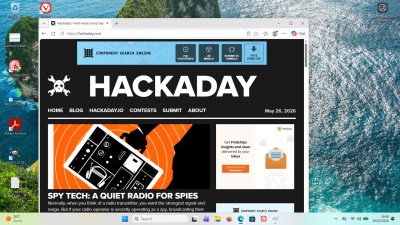
Coming back to the Windows desktop when your last experience was XP with the Windows 95 theme is a bit of a shock. You instinctively head for the Start menu in the bottom left corner and instead find a widget box full of news feeds and stock tickers you don’t want. Closer inspection shows they’ve chased a macOS style interface with a Windows logo on the bottom bar as the Start menu roughly where Mac users find their folder full of apps.

I’m trying to approach this think as a Windows user would, so instead of heading off and downloading open source installers as you might expect, I’m off to the Microsoft Store. Although Redmond has its hand on my shoulder I was able to find GIMP without issue, so the basic requirements for my normal daily use is sorted without any drama at all. It’s the ancient version 2.1 though, so it was off to gimp.org for the latest version. Installation was the same as any Windows install back in the day, there’s no locking down here.

Crapware’s a Bit Different

So I’ve got a Daily Driver, what are my impressions. After so long away and having missed the debacle of Windows 8’s Metro interface, I think the desktop interface is actually pretty good. It’s kept up with the times in a way macOS — with its barmy top-corner menus which just don’t work in a world of 4K screens — hasn’t. As to the commercial aspects of the OS, I was expecting it to ask me for a Microsoft account and it hasn’t, so that’s a plus. But the thing I had forgotten about was the ubiquity of nag screens. I haven’t had to click a “No, I don’t want to upgrade to your premium version” button in a very long time, and here I am suddenly having all manner of software wanting my attention. No Adobe Acrobat, I don’t want to give you any money! And then there’s the AI. Nothing in my Linux install is trying to offer me AI services, but it seems everything is here.

My jaunt into Windows land will be over when I’ve finished writing this piece, and I guess it’ll be as long again before I revisit this partition. Updating it took nearly three hours, and it’s constantly nagging me for paid upgrades, offering me news stories from sources I don’t like, and trying to push AI services on me. But is it a walled garden of crapware? That’s a more difficult question to answer. I’ve not had to enter a Microsoft account to use it, and I can install the software I want, so it’s not become the walled garden its detractors will tell you it has. The crapware though? Less clear cut.

This is a reseller laptop, so at least in theory, its original drive should have been wiped or even destroyed as part of a corporate data security scheme. So the reseller puts a cheap drive in and gives it a basic Windows install. It’s completely vanilla Windows 11, which is where it differs from many new laptops. There is no bundled software, no nagware, no commercial anti-virus, and no dubious-value security package. It’s as clean as Windows gets, but even so, there’s still too many features being pushed on me that I simply don’t want. It may not have old-style crapware installed, but the crap is still there.

So my final impression? This trip into Windows-land has been interesting, and I’ve found an OS better than I expected. But it’s reminded me again of the reasons why I moved on from dual-booting Windows XP all those years ago, with a lingering feeling that I still don’t quite own it.

Windows 11 then, it’s a daily driver for millions of people, but I still won’t be one of them.