





Powerful transaction monitoring now complements the availability and real user monitoring (RUM) capabilities in SolarWinds Observability SaaS to provide richer Digital Experience Monitoring.
With synthetic transaction and website availability monitoring, you can automate the testing of complicated website flows to identify broken links, latency, and availability issues before your users do and ensure a flawless user experience during every visit.
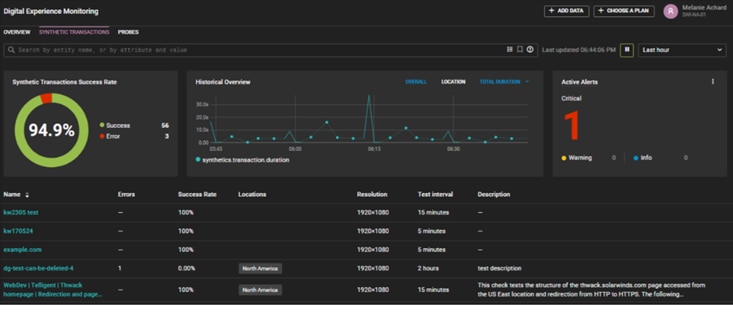
Synthetic transaction monitoring allows you to easily build multi-step tests to replicate a series of user actions and monitor both the speed and availability of the holistic flow as well as each step.
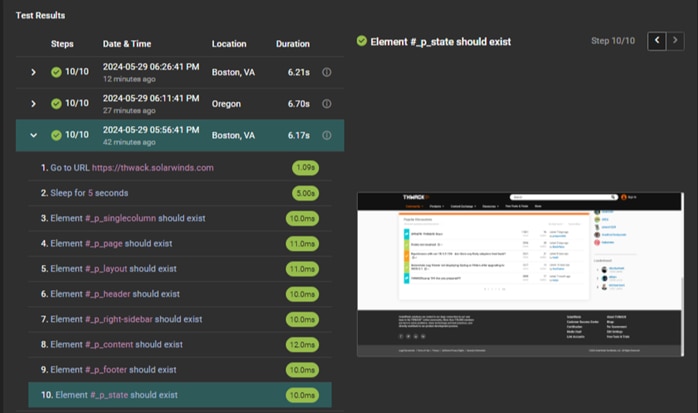
The ability to monitor multi-step transactions holistically ensures critical web flows like account login, shopping cart checkout, and item search work as expected. The availability and responsiveness metrics by step enable you to identify bottlenecks and troubleshoot issues more efficiently. The thumbnail images at each step help you identify where you are in the transaction.
SolarWinds Observability SaaS provides a point-and-click wizard that simplifies building monitoring for multi-step transactions. To add a synthetic transaction monitor, select Add Data, select Synthetic Transaction, scroll through the options, and choose the instruction from the list.
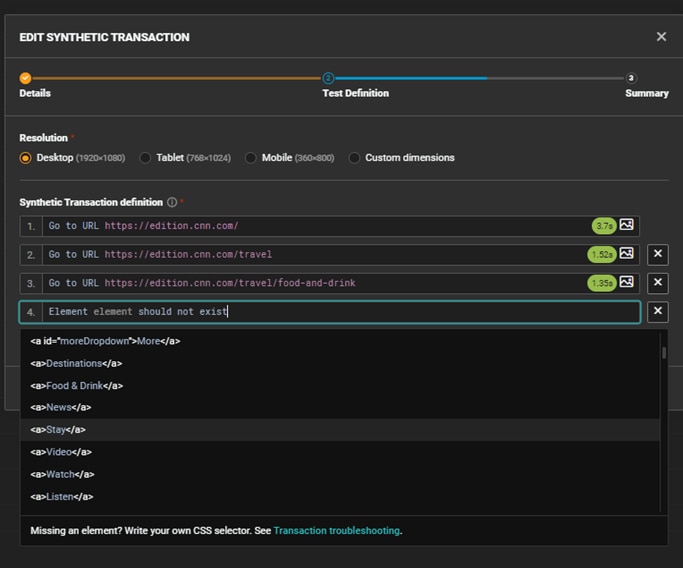
Using synthetic transaction monitoring, you can :
- Quickly and easily create basic to complex transaction tests
- Emulate the exact steps a user takes as frequently as every five minutes
- Visualize the user flow with screenshots generated at each step
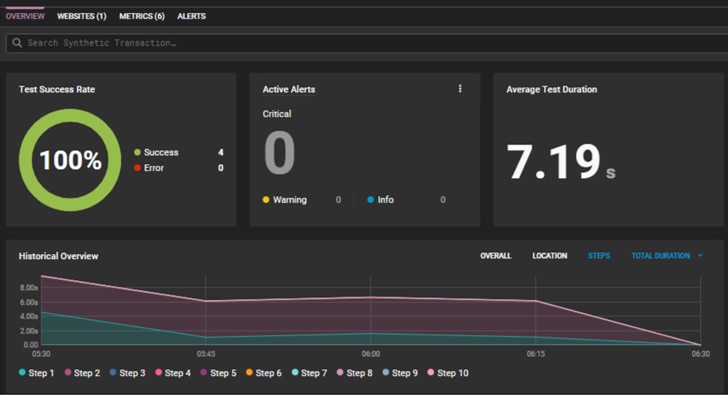
- Measure the response rate at each step of a web flow to tune performance
- Pinpoint performance bottlenecks in multi-step flows to identify enhancement opportunities
- Monitor the availability of third-party integrations to avoid performance issues due to external dependencies
Try it for yourself
If you are a current SolarWinds Observability SaaS user, select a website entity and select Add Synthetic Transaction to begin setting up transaction monitoring for yourself. If you are a SolarWinds Pingdom user, you can see the power of SolarWinds Observability SaaS Digital Experience Monitoring in our interactive demo environment or by starting your free trial of SolarWinds Observability SaaS.