






Bastille is an open-source system for automating deployment and management containerized applications on FreeBSD.
Bastille is more than just lightweight containers for FreeBSD. The template command allows you to automatically deploy a wide range of software! This post begins a series highlighting examples of deploying popular applications using Bastille on FreeBSD.
We begin the series with something I run in my homelab. I run three instances if I’m being honest. A network-wide service for blocking ads & online tracking, AdGuard Home.
AdGuard Home provides a privacy focused DNS server inside your home network giving you network-wide blocking of ads and tracking. This means ad blocking for your phones, laptops, desktops, TVs and any other Internet connected devices in your home all in one place. No apps to install or browser plugins to update. Simply point everything to the AdGuard Home server(s) and you’re done.
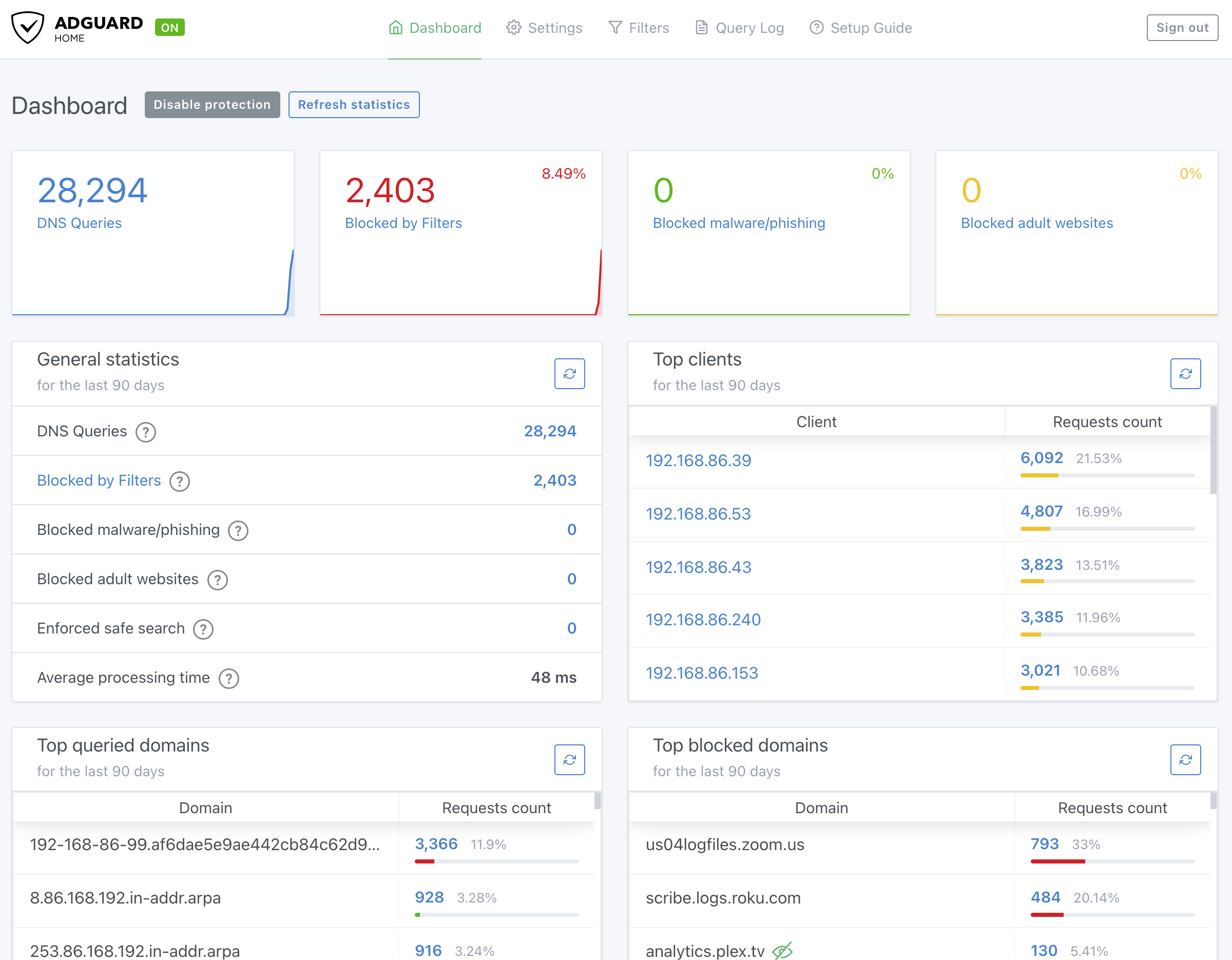
As I mentioned, I run three of these instances in my homelab supporting fifty devices. The dashboard results have been enlightening in understanding DNS behavior on my network. Who knew the streaming device connected to my TV would be a top offender!
If you’d like to run AdGuard Home with Bastille follow these steps:
bastille bootstrap https://gitlab.com/bastillebsd-templates/adguardhome
Output Example
ishmael ~ # bastille bootstrap https://gitlab.com/bastillebsd-templates/adguardhome
Cloning into '/usr/local/bastille/templates/bastillebsd-templates/adguardhome'...
warning: redirecting to https://gitlab.com/bastillebsd-templates/adguardhome.git/
remote: Enumerating objects: 30, done.
remote: Counting objects: 100% (15/15), done.
remote: Compressing objects: 100% (12/12), done.
remote: Total 30 (delta 4), reused 2 (delta 0), pack-reused 15
Receiving objects: 100% (30/30), 7.62 KiB | 7.63 MiB/s, done.
Resolving deltas: 100% (8/8), done.
Detected Bastillefile hook.
[Bastillefile]:
PKG ca_root_nss adguardhome
CP usr /
SYSRC adguardhome_enable=YES
SERVICE adguardhome start
RDR tcp 80 80
RDR udp 53 53

Template ready to use.
bastille create adguardhome 13.0-RELEASE 10.17.89.53 bastille0
Output Example
ishmael ~ # bastille create adguardhome 13.0-RELEASE 10.17.89.53 bastille0
Valid: (10.17.89.53).
Valid: (bastille0).

[adguardhome]:
adguard: created

[adguardhome]:
Applying template: default/thin...
[adguardhome]:
Applying template: default/base...
[adguardhome]:

[adguardhome]:
syslogd_flags: -s -> -ss

[adguardhome]:
sendmail_enable: NO -> NO

[adguardhome]:
sendmail_submit_enable: YES -> NO

[adguardhome]:
sendmail_outbound_enable: YES -> NO

[adguardhome]:
sendmail_msp_queue_enable: YES -> NO

[adguardhome]:
cron_flags:  -> -J 60

[adguardhome]:
/etc/resolv.conf -> /usr/local/bastille/jails/adguardhome/root/etc/resolv.conf

Template applied: default/base

Template applied: default/thin

[adguardhome]:
adguard: removed

[adguardhome]:
adguard: created
bastille template adguardhome bastillebsd-templates/adguardhome
Output Example
ishmael ~ # bastille template adguardhome bastillebsd-templates/adguardhome
[adguardhome]:
Applying template: bastillebsd-templates/adguardhome...
[adguardhome]:
Bootstrapping pkg from pkg+http://pkg.FreeBSD.org/FreeBSD:13:amd64/quarterly, please wait...
Verifying signature with trusted certificate pkg.freebsd.org.2013102301... done
[adguardhome] Installing pkg-1.17.5...
[adguardhome] Extracting pkg-1.17.5: 100%
Updating FreeBSD repository catalogue...
[adguardhome] Fetching meta.conf: 100%    163 B   0.2kB/s    00:01
[adguardhome] Fetching packagesite.pkg: 100%    6 MiB   6.7MB/s    00:01
Processing entries: 100%
FreeBSD repository update completed. 31159 packages processed.
All repositories are up to date.
Updating database digests format: 100%
The following 2 package(s) will be affected (of 0 checked):

New packages to be INSTALLED:
	adguardhome: 0.107.0.b.7
	ca_root_nss: 3.69_1

Number of packages to be installed: 2

The process will require 33 MiB more space.
6 MiB to be downloaded.
[adguardhome] [1/2] Fetching ca_root_nss-3.69_1.pkg: 100%  249 KiB 255.0kB/s    00:01
[adguardhome] [2/2] Fetching adguardhome-0.107.0.b.7.pkg: 100%    6 MiB   6.5MB/s    00:01
Checking integrity... done (0 conflicting)
[adguardhome] [1/2] Installing ca_root_nss-3.69_1...
[adguardhome] [1/2] Extracting ca_root_nss-3.69_1: 100%
[adguardhome] [2/2] Installing adguardhome-0.107.0.b.7...
[adguardhome] [2/2] Extracting adguardhome-0.107.0.b.7: 100%
=====
Message from ca_root_nss-3.69_1:

--
FreeBSD does not, and can not warrant that the certification authorities
whose certificates are included in this package have in any way been
audited for trustworthiness or RFC 3647 compliance.

Assessment and verification of trust is the complete responsibility of the
system administrator.


This package installs symlinks to support root certificates discovery by
default for software that uses OpenSSL.

This enables SSL Certificate Verification by client software without manual
intervention.

If you prefer to do this manually, replace the following symlinks with
either an empty file or your site-local certificate bundle.

  * /etc/ssl/cert.pem
  * /usr/local/etc/ssl/cert.pem
  * /usr/local/openssl/cert.pem
=====
Message from adguardhome-0.107.0.b.7:

--
You installed AdGuardHome: Network-wide ads & trackers blocking DNS server.

In order to use it please start the service 'adguardhome' and
then access the URL http://0.0.0.0:3010/ in your favorite browser.

[adguardhome]:
/usr/local/bastille/templates/bastillebsd-templates/adguardhome/usr -> /usr/local/bastille/jails/adguardhome/root/usr
/usr/local/bastille/templates/bastillebsd-templates/adguardhome/usr/local -> /usr/local/bastille/jails/adguardhome/root/usr/local
/usr/local/bastille/templates/bastillebsd-templates/adguardhome/usr/local/bin -> /usr/local/bastille/jails/adguardhome/root/usr/local/bin
/usr/local/bastille/templates/bastillebsd-templates/adguardhome/usr/local/bin/AdGuardHome.yaml -> /usr/local/bastille/jails/adguardhome/root/usr/local/bin/AdGuardHome.yaml

[adguardhome]:
adguardhome_enable:  -> YES

[adguardhome]:
Starting adguardhome.

tcp 80 80
udp 53 53
Template applied: bastillebsd-templates/adguardhome
Now that the container is running you can access the service through the host machine. Using the redirected ports on tcp/80 and udp/53 we can now point to the host system IP address and access the container service.
In this example the IP of the host machine is 192.168.86.2. Entering that IP
in my browser will show the AdGuard Home login page. The template sets the
default username to adguard and password to BastilleBSD!
Changing the password is done by editing the AdGuardHome.yaml located
alongside the main AdGuard binary. Note: stop the AdGuard Home service before
making changes to the configuration.
此内容由惯性聚合(RSS阅读器)自动聚合整理,仅供阅读参考。 原文来自 — 版权归原作者所有。