





We’ve introduced Bulk Testing and other bulk features and functionality to GTmetrix in this release.
New Bulk Functionality
In this release, GTmetrix has introduced various new bulk features and functionality, including:
- Bulk Testing
- Bulk Monitoring and Alerts
- Bulk History Export
The main goal behind introducing these features is to simplify the workflow for users who analyze many websites and work with large sets of performance data. This aligns with user feedback we’ve received in the past.
With these bulk features, users can now ingest, analyze, and export performance data for many websites/pages with just a few clicks.
Read on to learn more about what all is included in this release.
Bulk Testing Now Available
You can now launch multiple tests in one go by starting a bulk job. URLs can be inputted line-by-line or via CSV upload.
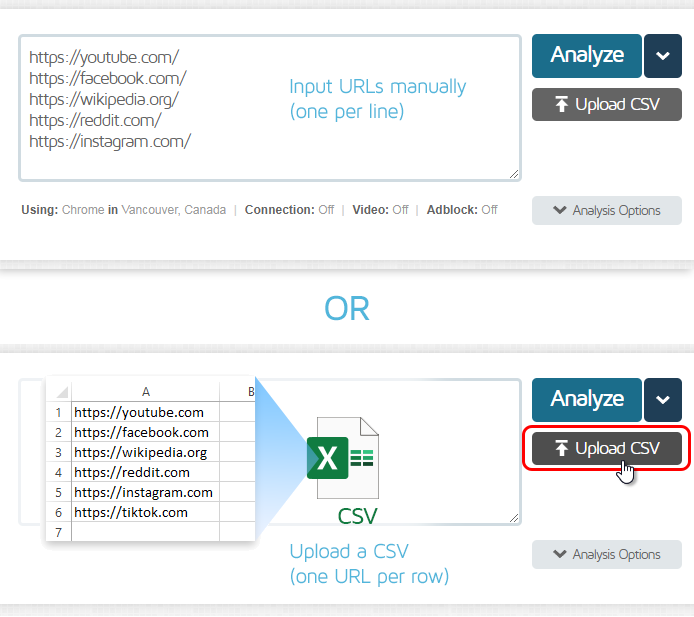
Input URLs manually or via a CSV file.
Bulk Tests use the same pool of On-Demand Test credits available on your account for single tests. When a bulk analysis is started, the full allocation of On-Demand Tests is immediately deducted from your account.
Each successful test consumes 1 credit while failed tests consume 0.5 credits.
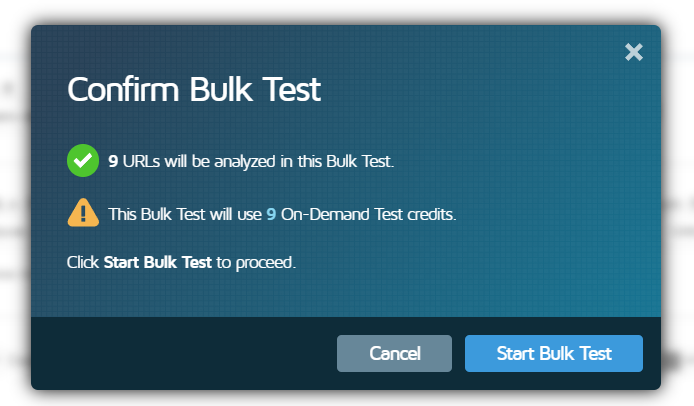
When you start a Bulk Test, the confirmation prompt shows you how many On-Demand Test credits will be immediately consumed.
Once a bulk job has been running, you can monitor the progress of the bulk analysis and view results in the Bulk Test Status “lobby” page.
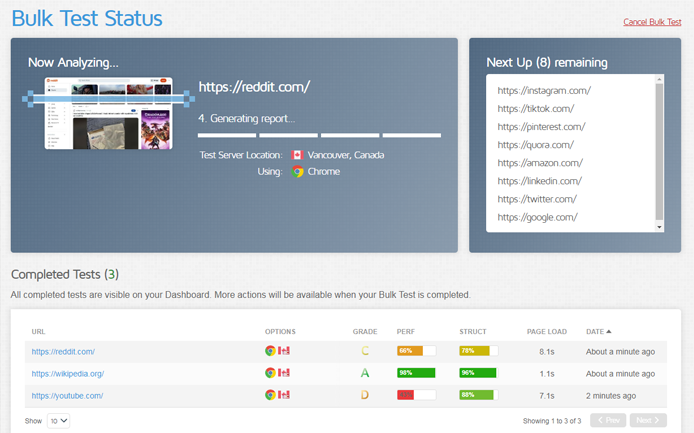
Monitor the progress of your Bulk Analysis on the Bulk Test Status page.
When the test is complete, you can access the Bulk Test Status (Completed) page.
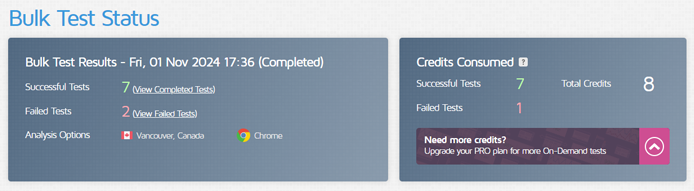
The Bulk Test Status (Completed) page gives you an overview of your results and how many test credits were consumed.
On this page, you can do things like:
- View a Summary of your results
- See how many On-Demand Test credits were consumed
- View successful reports
- View and learn why some reports may have failed
- Perform various bulk actions (e.g., monitoring/alerts/history export).
We’ve written a detailed guide on How to do Bulk Testing in GTmetrix.
We’ve added several new bulk actions/functionality that are now available on the Dashboard, as well as the Bulk Test Status (Completed) page.
Bulk Monitoring/Alerts
You can now enable Monitoring and set Alerts for multiple pages at a time.
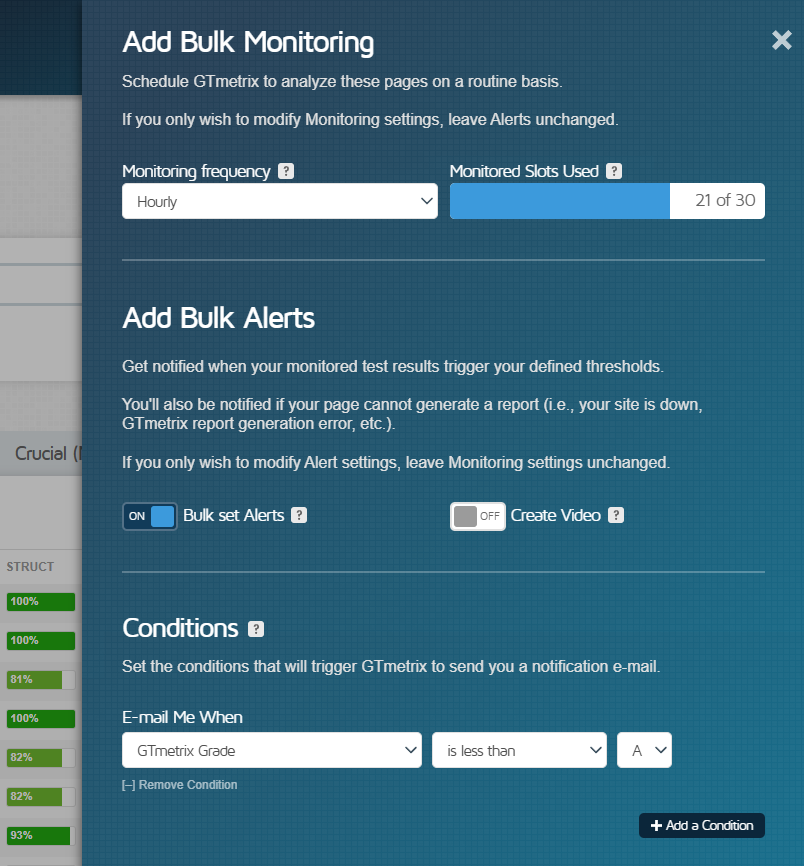
Enable/disable monitoring and alerts, and set various Alert conditions for multiple pages in one go.
You can also disable monitoring and alerts for a selection of pages in one go.
Learn how to bulk enable monitoring and alerts for your pages.
Bulk History Export
Previously, GTmetrix allowed you to export report history for one page. Now, you can export history for multiple pages in one go.
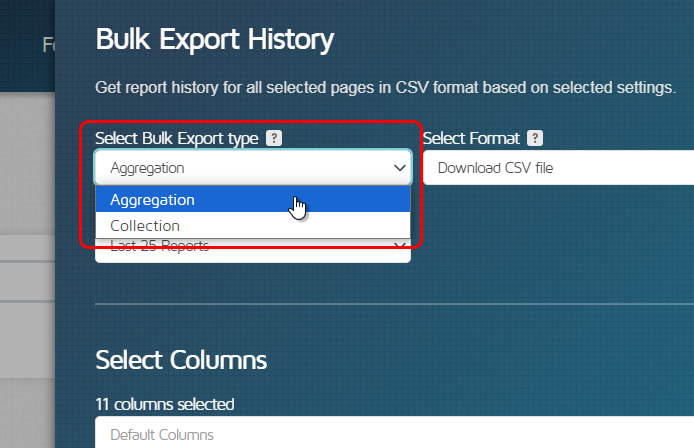
Export History for multiple pages in one go – either as an “Aggregation” or a “Collection”.
There are two types of export available – “Aggregation and “Collection”.
Aggregations compile various simple statistical analyses (e.g., Average, Min, Max, etc.) on the chosen metrics for each page, and export data for a selection of pages in a single CSV file.
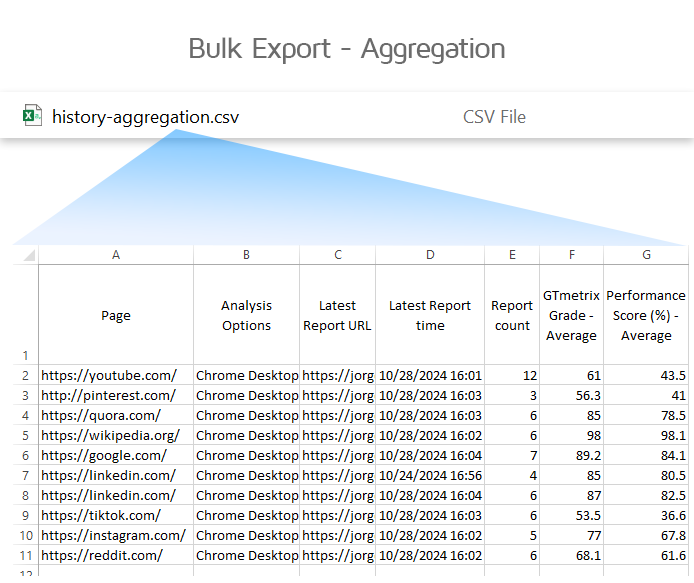
Aggregations compile all selected reports and provides statistical analysis on chosen metrics, all in a single CSV.
Collections let you export individual performance report data for multiple pages in a single zip file.
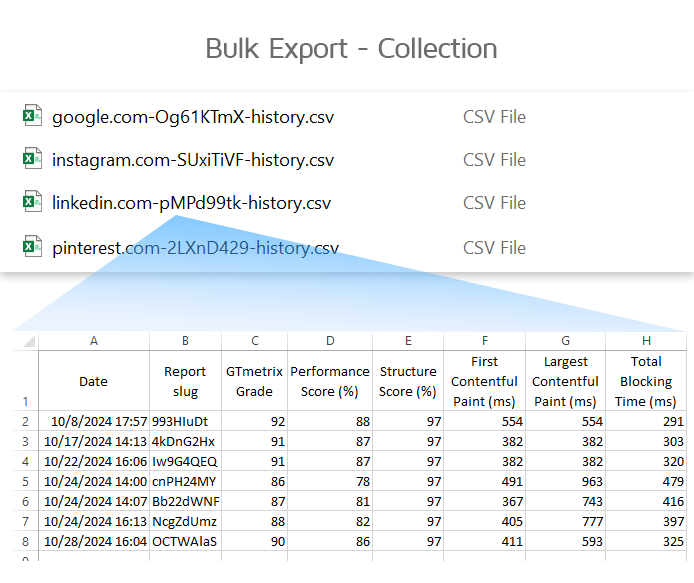
Collections provide a zip file of CSVs, with each containing individual report performance metrics for that page.
We’ve written a detailed guide on How to Bulk Export Report History.
With the introduction of more bulk features, we’ve revamped the Bulk Actions menu on the Dashboard.
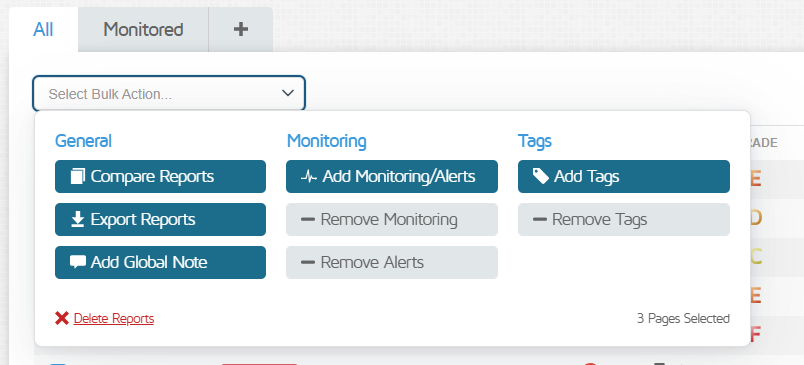
We’ve revamped the Bulk Actions dashboard for better organization of the different bulk actions.
The various bulk actions that are available on the Dashboard have been reorganized by function for ease and better visibility.
Let us know if you run across any bugs or issues and feel free to tell us your thoughts on Twitter (@gtmetrix) or contact us.
Test with different countries, speeds and options
Get access to more Test Locations, Analysis Options and Connection Speeds!
Sign up for a Basic GTmetrix account and see how your site performs in more scenarios – It’s FREE!