




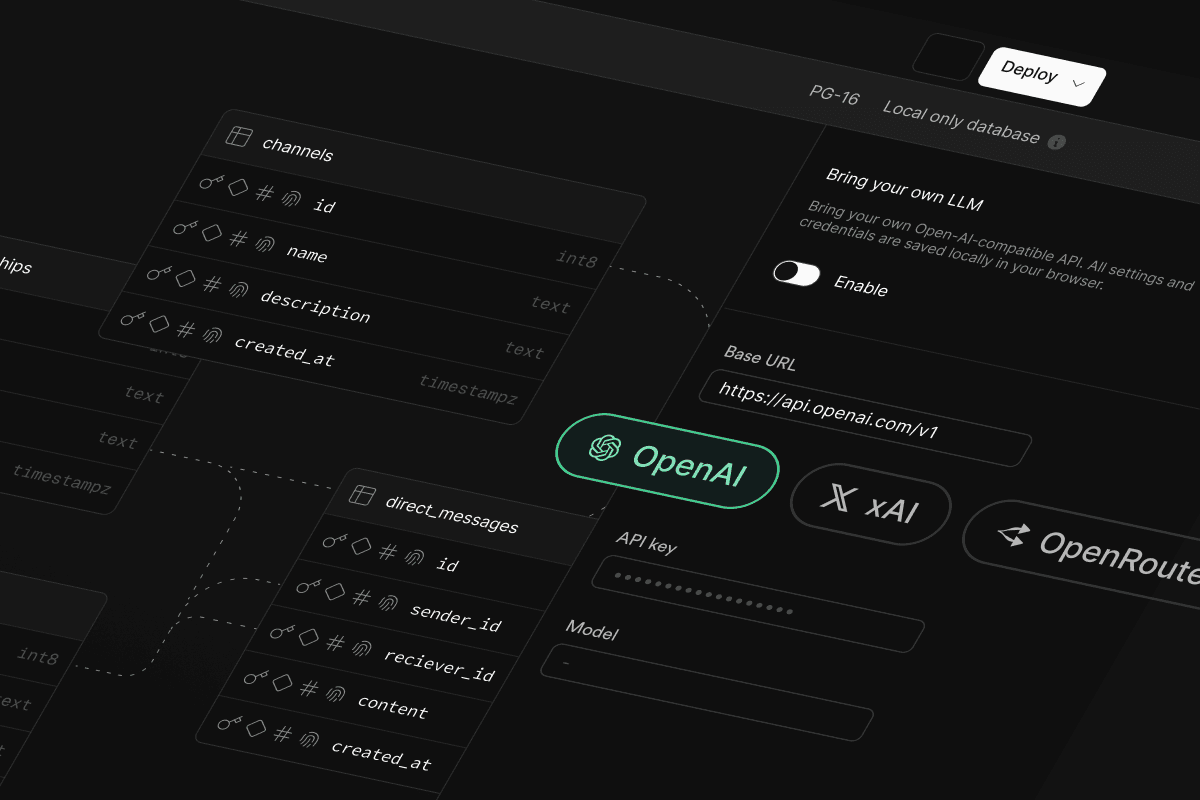
We've been hard at work since launching database.build (formerly postgres.new), and we're thrilled to unveil a lineup of new features, starting with: Bring-your-own-LLM.
You can now use your own Large Language Model (LLM) via any OpenAI-compatible provider.
In case you missed it, database.build is an in-browser Postgres sandbox with AI assistance. You can spin up an unlimited number of Postgres databases and interact with them using natural language (via LLM). This is possible thanks to PGlite - a WASM build of Postgres that can run directly in the browser.
With database.build, simply describe what you would like to build and AI will help you scaffold your tables. You can also drag-and-drop CSVs to automatically generate tables based on their contents, then query them using regular SQL.
Since day one, our goal has been to make database.build freely accessible to everyone. To achieve this while also mitigating abuse (and sky-high OpenAI bills), we required users to sign in with their GitHub accounts. We also introduced modest rate limits to throttle excessive AI usage and ensure fair access for everyone.
Though this setup has worked well for most users, power users have reported regularly hitting these rate limits. Others have expressed interest in experimenting with alternative models or even running database.build entirely locally. These are all valid use cases we're excited to support. That's why today, we're introducing a new option: connect your own Large Language Model (LLM) via any OpenAI-compatible provider.
When you bring your own LLM, you get:
- No login required: Build AI-assisted databases without needing a GitHub account.
- No rate limits: Your usage is only limited by your chosen provider.
- More control: Ensure your chat messages go only to providers you trust.
- Greater flexibility: Choose your model and customize prompts to suit your needs.
For organizations with strict AI policies or firewall restrictions, BYO-LLM makes it easy to route AI messages through company-approved API endpoints, like Azure's OpenAI Service.
OpenAI compatibility#
If you've worked with large language models, you've probably noticed that OpenAI's API structure has become an unofficial standard. Many LLM providers now offer OpenAI-compatible APIs, making it easier to use alternative models with existing tools and libraries built around OpenAI's APIs.
This is great news for BYO-LLM, as it means connecting to other LLM providers beyond OpenAI (such as xAI) is trivial - as long as they provide an OpenAI-compatible API.
You might be wondering: does this mean you connect database.build locally to Ollama, since it also has an OpenAI-compatible API? The answer is yes! But with a few limitations, keep reading!
How to use it#
At the left of database.build's header you'll find a new button labeled Bring your own LLM. Tap this button to open a sidebar where you can connect your own LLM provider.
From here, pass in your LLM provider's base URL, your associated API key, and the model you wish to use.
Note that all settings and keys are stored locally and never leave your browser. Even the API requests themselves are sent directly from the browser without a backend proxy - keep reading!
It's important to note that the model you choose will drastically impact your experience with database.build. To work properly, database.build requires a few key features from the model:
- Tool calling: In order to execute SQL on your behalf, generate charts, and everything else available today, the model needs to support tool (functional) calls. Recent state-of-the-art models support this, but many others still don't and won't work with database.build.
- SQL understanding: It sounds obvious, but without a model trained on a moderate-to-high amount of SQL knowledge, database.build will struggle to build anything useful.
- Chart.js knowledge: This is important if you plan on generating charts, since the model is responsible for generating the chart configuration passed into Chart.js.
Because of this, we recommend sticking with OpenAI's gpt-4o if you wish for the same experience you are used to. To save on API costs, you could try gpt-4o-mini, though keep in mind that it may sometimes miss important information or fail to build more complex schemas. If you're feeling a bit adventurous, we would love to see what other providers and models you try with database.build and your experience with each of them.
Finally, we give you the freedom to customize the system prompt passed to the model. So far this has been catered for interactions with gpt-4o, so you'll likely want to adjust this if you are using another model.
Under the hood#
To make this work in a privacy-first way, all LLM API requests are sent directly from the browser. This means that all of your messages, schema, data, and API keys will only be sent directly to your provider's API without routing through a backend proxy.
This is possible thanks to two important pieces:
- CORS-friendly APIs
- Service workers
CORS-friendly APIs#
If you've developed any browser app that connects to a backend API, you've likely experienced CORS. CORS stands for cross-origin-resource-sharing, and is a security mechanism built into browsers to prevent websites from connecting to APIs from a different domain. Quite often though there are legitimate reasons to connect to a different domain, and to support this, the server simply has to send back HTTP response headers that explicitly allow your app to connect to it.
In the case of database.build, we need to connect directly to APIs like OpenAI's https://api.openai.com/v1 or any other provider that you choose - and this will always be cross-origin since requests are coming from the browser. The good news is: most LLM providers add CORS headers by default which means we can connect directly to their APIs from the browser with no extra work. Without this, our only option would be to route every request through a backend proxy (which is not subject to CORS restrictions).
Service workers#
If you've ever dug into database.build's source code, you'll know that we heavily use Vercel's AI SDK to simplify LLM streaming and client side tool calls. Vercel has built a great DX around inference by providing convenient hooks like useChat() to manage AI chat messages in React.
The challenge with Vercel's AI SDK for BYO-LLM is that the SDK expects a client-server API structure. useChat() connects to a server-side /api/chat route that is responsible for sending these messages downstream to the appropriate provider. In normal situations, this is the best architecture to protect API keys and custom logic on the server side. In our case though where users dynamically provide their own API keys, our preference is to send downstream requests directly from the browser. If we wish to continue using our existing useChat() infrastructure, we need a way to intercept requests to /api/chat and handle them ourselves in-browser.
Service workers to the rescue! One of the core features of service workers is the ability to intercept fetch requests and handle them client side - exactly what we need. With this approach, we can simply leave our useChat() logic as-is, then create a lightweight service worker that does the following:
- Detects whether you're using your own model by reading local state from IndexedDB (service workers don't have access to local storage, so we opt for IndexedDB).
- If detected, it serves a local HTTP handler on
/api/chat, sending the request directly to your provider's API. - Otherwise, it forwards the request to our backend as it did before.
Worth mentioning - we later learned that useChat() allows you to pass a custom fetch function directly to the hook which we could use to intercept API requests in the same way. We might switch to this approach in the future to simplify the solution with less moving parts.
Ollama#
Can you connect database.build to Ollama for a fully local AI experience? Technically, yes—but there are a few caveats:
- Local models aren't great at tool calling (yet). While the latest state-of-the-art models like Llama 3.1/3.2 and Qwen 2.5 Coder technically support tool calls, versions that can run on consumer-grade hardware (like quantized models or lower-parameter variants) don't perform as consistently as their larger counterparts. These smaller models often fail to make tool calls when needed, call nonexistent tools, or pass invalid arguments.
- Tool streaming challenges. database.build relies on both tool calls and streaming to function. Ollama recently added support for tool streaming (shout out to @thanosthinking), making it possible to use with database.build as long as the model can handle tool calls correctly. However, while Ollama does provide a tool streaming API, the current behavior buffers the entire response until it's complete before sending it in a single delta message. This creates the impression of slower performance on the frontend, even though the backend processes normally. The Ollama team is actively working on improving this.
Even with these challenges, we'd love to see someone get a local model working. Feel free to experiment, tweak the system prompt to better steer the model, and let us know if you make it work!
Open-weight models are improving rapidly, and as consumer hardware continues to progress, local setups will likely become a more practical option for a broader range of use cases—including (hopefully) database.build.
Live Share allows you to connect to your in-browser PGlite databases from outside the browser—using any PostgreSQL client.
You could, for example, copy-paste the provided connection string into psql. Once connected, you can interact with your in-browser PGlite instance in real time as if it were any regular Postgres database.
Some other tools you might want to connect to this:
- pg_dump: export your in-browser databases to other platforms!
- ORM: test out your database directly within your app
- IDE: browse your data using your favorite database IDE
For a behind-the-scenes look at the engineering behind this, check out our dedicated blog post.
One of the most requested features has been a way to easily deploy your databases to the cloud with a single click.
As a quick reminder - all database.build databases run directly in your browser using PGlite. This client-side approach makes it easy to spin up virtually limitless databases for design and experimentation. But when it's time to use your database in production, the options have been somewhat cumbersome:
- Manually copy-pasting the generated migrations and running them against a real database
- Using Live Share with
pg_dumpandpg_restoreto back up and restore your browser database to a production-ready database
Now with deployments, you can deploy your database.build creations directly to a cloud database provider, starting with Supabase (and AWS coming soon).
Deploy to Supabase#
After building your database schema, click the Deploy button in the app's header.
The first time you deploy to Supabase, you will need to connect your database.build account with your Supabase account. If you don't already have a Supabase account, you'll be given the option to create a new one here. Supabase includes a Free plan, so if this is your first project there will be no cost to deploy. Follow the steps outlined in the dialog to connect your account with a Supabase org.
Once your account is connected you will be presented with a preview of the org and project name that will be created. If you are happy with this, click Deploy. Be sure to keep your browser tab open to ensure a successful deployment.
Finally you will be presented with connection strings and a password to connect to your new database.
Behind the scenes#
Getting deployments to work took quite a bit more engineering than it might seem at first glance. To copy your in-browser database to the cloud accurately, we needed a way to dump and restore.
We decided to piggyback on top of our existing Live Share feature, which creates a reverse connection between your in-browser database and an external PostgreSQL client. With Live Share enabled, we connect a server-side pg_dump program directly to your in-browser database. The resulting dump is then piped into pg_restore, which transfers it to your new cloud database.
Yes, it's a lot of moving parts! It's worth mentioning that Electric SQL just released a WASM version of pg_dump that we're excited to integrate in the future. Generating the dump directly in the browser will likely be faster and more reliable with less moving parts.
What about serverless PGlite?#
Back when we first launched database.build, we shared plans to explore a serverless PGlite deployment option. However as we moved forward, we encountered a number of small but significant challenges that added up over time. PGlite's memory usage in multi-tenant environments turned out to be higher than anticipated—a problem the ElectricSQL team is actively working to address. Given PGlite's single-connection limit, anything more than a few megabytes of RAM will not be practical in a serverless environment. Additionally, our initial reliance on s3fs for storage proved to be less reliable than expected, making it difficult to meet the requirements for a seamless serverless experience.
While these challenges have pushed us to focus on alternative deployment options for now, we remain committed to revisiting serverless options as these issues are resolved and the ecosystem continues to evolve.
You've always been able to drag and drop CSV files into the chat, but what about SQL files? In this new release, simply dropping a SQL file onto that chat will automatically load its contents into your browser DB.
This can be useful if you have existing schema or migrations that were designed elsewhere that you wish to extend or ask questions about.
You can now dump your in-browser database to a SQL file using a WASM version of pg_dump.
Previously when you went to download your database, we were exporting PGlite's internal pgdata directory as a .tar.gz file. This format was a bit cumbersome to work with, and was only compatible with other PGlite instances. Now when you hit Download, you'll get a .sql file that you can import into any Postgres database.
Kudos to the ElectricSQL team for continually breaking new ground with embeddable Postgres. WASM pg_dump is a huge step forward for the project, and we're excited to see what other tools they bring to the browser in the future.
We're thrilled to announce a complete redesign of database.build, bringing a sleek new look and enhanced functionality.
The update includes seamless support for both desktop and mobile platforms, ensuring a smooth and intuitive experience across all devices. Get ready to build your databases anytime, anywhere!
Mobile support#
Whether you're on the train, stuck in a meeting, or lounging on the couch, you can spin up databases and tweak your schema with just a few taps.
With mobile support, you officially have no excuse not to ship that feature you've been procrastinating on. We're excited to see what you build!
Everything we've shipped today - BYO-LLM, Live Share, Deployments, drag-drop SQL, and mobile support - is built on an open-source foundation. We believe in transparency, community collaboration, and making tools like database.build accessible to everyone.
If you're curious about how it all works under the hood or want to contribute, you can find the entire project on GitHub: https://github.com/supabase-community/database-build.
As always, we'd love to hear your feedback, ideas, or just see what you're building!