












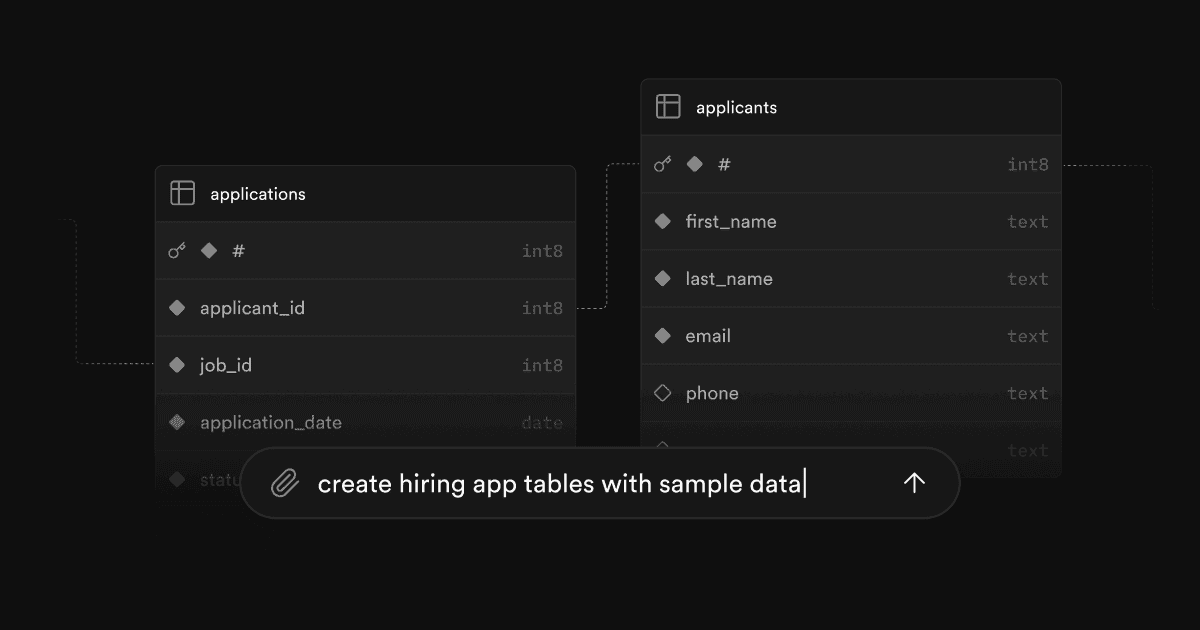
Introducing database.build (formerly postgres.new), the in-browser Postgres sandbox with AI assistance. With database.build, you can instantly spin up an unlimited number of Postgres databases that run directly in your browser (and soon, deploy them to S3).
Each database is paired with a large language model (LLM) which opens the door to some interesting use cases:
- Drag-and-drop CSV import (generate table on the fly)
- Generate and export reports
- Generate charts
- Build database diagrams
All while staying completely local to your browser. It's a bit like having Postgres and ChatGPT combined into a single interface:
In this demo we cover several interesting use-cases:
- You have a CSV file that you want to quickly query and visualize. You could load it into Excel, but you're SQL-savvy and really just wish you could query it like a database.
- You're asking ChatGPT to help you write some SQL, but ideally you'd like to run it against a real database to know if it's correct. LLMs aren't perfect after all.
- You're building your next side project and it's time to plan your database. You've done this 1000 times before and wish you could just “describe” what you want and have AI do the work creating ER diagrams and SQL migrations.
All queries in database.build run directly in your browser. There's no remote Postgres container or WebSocket proxy.
How is this possible? The star of the show is PGlite, a WASM version of Postgres that can run directly in your browser. Our friends at ElectricSQL released PGlite a few months ago after discovering a way to compile the real Postgres source to Web Assembly (more on this later).
There are a few things we wanted to achieve with database.build:
- AI-driven development: We wanted to re-imagine the interaction between Postgres and AI. This gives a lot of leniency for making mistakes, which AI sometimes make (and let's face it: developers too).
- Postgres sandboxing: we're big fans of sandboxes and notebooks. Since PGlite runs in the browser, it feels fast and disposable. You can spin up “a million little elephants” for doing data analysis using the same Postgres interface that we're familiar with in our daily development.
- Extremely cheap databases: we're always looking for ways to offer developers more databases for cheaper. PGlite is still nascent, but we can see its potential for spinning up millions of cheap databases that can be stored and read from S3. This covers a variety of use cases that we see in the Supabase community.
So what exactly can you do with database.build? How do these work under the hood?
AI assistant#
We pair PGlite with a large language model (currently GPT-4o) and give it full reign over the database with no restricted permissions or confirmations required from the user. This is actually an important detail - and has opened new doors that other AI + Postgres tools struggle with.
As an analogy, the most helpful team members are those that can do their work without constant micromanagement. They only come ask for help when they're really stuck or need a second opinion.
Giving an AI model full autonomy over the database means that it can run multiple operations back-to-back without delay. It makes AI feel even more human-like and useful. A disposable in-browser database is what really makes this possible since there's no need to worry about data loss.
CSV imports and exports#
Drag-and-drop a CSV file directly onto the chat to instantly receive a new table with the data automatically imported into it. The language model will scan the CSV's header and a few sample rows to decide which data types to use for each column:
Just like humans though, AI won't always get this right. There could have been a row of data it missed that didn't conform to the same data types that it expected, causing the import to fail. To solve this, we added the ability for AI to self-heal. Any SQL errors from Postgres are fed back to the language model so that it can try a few more attempts at solving the problem. This behaviour is triggered anytime AI executes SQL, not just CSV imports.
In addition to imports, you can ask AI to export any query to a CSV. This is useful if you wanted to quickly generate a few reports on a dataset then continue using that data in another program.
Charts#
Charts are a first-class feature within the chat. By simply adding the word “chart” (or similar) to your message, AI will execute the appropriate query using SQL then build a chart representing that data:
The goal is to make data visualization as fast as possible. You can generate everything you need from a single chat request rather than the usual steps of loading your CSV into Excel, tweaking the data, then navigating through the chart tools.
Under the hood we render these charts using Chart.js, one of the more mature charting libraries available in JavaScript. The choice a Chart.js was largely influenced by the language model (GPT-4o) which has a pretty good understanding of its syntax and configuration. The model will simply translate the SQL output to the equivalent Chart.js syntax, then render it onto the page. A nice side-effect from this is that you can ask AI to adjust the chart's type, colors, axises, title, or anything else you want to get it to render exactly as you wish, as long as Chart.js supports the feature you are requesting.
It's worth noting that Chart.js sometimes expects an inputs that can be a bit verbose, adding to cost and latency. In the future we'd like to experiment with other charting options that take a more terse input.
ER diagrams and migrations#
Usually ER diagrams are created before you write any SQL. After all, why get caught up in SQL syntax when you really only care about capturing your app's data and relationship requirements?
But with AI, this workflow shifts a bit. It's trivial for a language model to generate quality CREATE and ALTER statements in a matter of seconds. So why not let the model perform real DDL against a Postgres sandbox and simply generate the ER diagram based on these tables?
With this workflow, we can guarantee from the very beginning that the columns and relationships that we come up with can actually be implemented in a real database. If they can't, the database will just throw an error and AI will fix it. We then have the added bonus of accessing the real SQL code available when we're done, which can be copied over to our new app when we're ready:
Under the hood we use a browser-compatible version of postgres-meta to load PGlite tables into JavaScript, then render them using the schema visualizer. For migrations, we scan through the chat history and concatenate all DDL-related SQL queries into a single view.
In the future, we would also like to support a “seeds” section that outputs INSERT statements for sample data created by the language model. Unfortunately we can't simply concatenate these queries together like we do with migrations, since table and column structure can change over time and break earlier seeds. To make this work properly we'll need something like a WASM version of pg_dump that can dump all data at the end (stay tuned - the ElectricSQL team is working on it!)
Semantic search and RAG#
ElectricSQL has been working hard to support real Postgres extensions in PGlite (compiled to WASM). One extension that was high on the priority list was pgvector which enables in-browser vector search.
pgvector is enabled by default in database.build, meaning you can create and query vector columns on any table immediately. Of course, this is only useful if you have real embeddings to work with - so we gave AI access to Transformers.js which allows you to generate text embeddings directly in the browser, then store/query them in PGlite.
Under the hood, we store the embeddings in a meta.embeddings table then pass back to AI the resulting IDs for each embedding. We do this because embedding vectors are big, and sending these back and forth to the model is not only expensive, but also error prone. Instead, the language model is aware of the meta.embeddings table and simply subqueries to it when it needs access to an embedding.
We're excited to see what people do with this tool. We've found it has provided a perfect sandbox for experimenting with semantic search and RAG in a low risk environment.
Deployments#
With database.build we expect to have read-only deployments by the end of the week. This is important for one main reason: it's incredibly cheap to host a PGLite database in S3. While running a full Postgres database isn't that expensive, there are use-cases where developers would love most of the features of Postgres but without the cost of running a full database. PGLite, served via S3, will open the floodgates to many use-cases: a replicated database per user; read-only materialized databases for faster reads; search features hosted on the edge; maybe even a trimmed-down version of Supabase.
By itself PGlite is an embedded database which means you can't connect to it like a normal Postgres database via TCP connection. To support PGlite-backed deployments, we needed a way to recreate the TCP server component of Postgres and also parse real wire protocol messages so that people could connect to their database via any regular Postgres client.
This is how pg-gateway was born: a TypeScript library that implements the Postgres wire protocol from the server-side. It provides APIs you can hook into to handle authentication requests, queries, and other client messages yourself.
Under the hood, PGlite does support wire protocol messages (see more below), but only messages that you would see after the startup/auth handshake. So we designed pg-gateway handle the startup/TLS/authentication messages, then simply pass off future messages to PGlite.
There's a lot more juicy features we built into pg-gateway, but those will have to wait for its own blog post.
None of this would be possible without PGlite, developed by our friends at ElectricSQL.
What is PGlite?#
PGlite is a WASM (web assembly) build of Postgres packaged into a TypeScript/JavaScript client library. You can use it to run Postgres in the browser, Node.js, and Bun with no additional dependencies. This provides a number of use cases where it might be better than a full Postgres database:
- Unit and CI testing: PGlite is very fast to start and tear down. It's perfect for unit tests - you can have a unique fresh Postgres for each test.
- Local development: You can use PGlite as an alternative to a full local Postgres for development; simplifying your development environments.
- Remote development, or local web containers: As PGlite is so lightweight it can be easily embedded into remote containerised development environments, or in-browser web containers
Data persistence#
PGlite supports multiple backends for data persistence:
- the native file system when used in Node
- IndexedDB and OPFS when used in the browser
It's fast, with CRUD style queries executing in under 0.3 ms. It's ideal storing local state in a web app.
Extension support#
PGlite supports a large catalog of Postgres extensions. Here are two notable extensions that are useful in an embedded environment:
pgvector
pgvector can be used for indexing and searching embeddings, typically as part of a AI workflow (retrieval augmented generation). As AI moves towards the user's device, performing vector searches close to the model is essential for reducing latency.
live
This is a new extension developed by ElectricSQL as a client for their sync engine. It can synchronize a subset of your Postgres database in realtime to a user's device or an edge service.
A technical overview of PGlite#
Postgres normally runs under a multi-process forking model, each client connection is handed off to a child process by the postmaster process. However, in WASM there is no support for forking processes, and limited support for threads.
Fortunately, Postgres has a relatively unknown built-in “single user mode” that is both single-process, and single-threaded. This is primarily designed to enable bootstrapping a new database, or for disaster recovery.
PGlite builds on the single user mode by adding Postgres wire protocol support, as standard Postgres only supports a minimal basic cancel REPL in single user mode, this enables parametrised queries and converting between Postgres types and the host languages types.
There are a number of of other things in Postgres that PGlite modifies to enable its use with WASM. These include:
- Support for specifying a user for the connection when starting under single-user mode, allowing permissions and RLS to be applied.
- Support for
COPY, for loading CSVs or Postgres binary copy formats into the database. This was achieved by creating a virtual device on the VFS,/dev/blob, which you can read and write to with theCOPYcommand, and representing a JavaScript Blob object on the query. - The addition of
dumpDataDirandloadDataDirenabling the dumping and loading a tarball of the Postgres datadir. pg_notifyhas been modified to run in single-process mode, creating the foundations for a live reactive query interface on top ofNOTIFYandLISTEN.- A new OPFS (origin private filesystem) VFS for browsers, providing better performance and support for databases significantly larger than can fit in memory.
We like to ship early and often at Supabase, so there are a number of features in the backlog:
- Deploy your database: we're adding the ability to deploy your database to S3 and access it from anywhere on the internet (read-only to start).
- Support for more file types: we plan to add support for Word docs, images (via image embeddings), and more.
- Database sharing: Just like CodeSandbox, you'll soon be able to share databases with others using a unique URL.
- PGlite OPFS support: databases are currently stored in IndexedDB and we'll move this to OPFS to store files directly on the host filesystem.
- Database exporting: soon you'll be able to run a pg_dump of your database and restore it to any Postgres database.
As always, the work that we've done is open source and permissively licensed (as is the work by the Electric team). Here are all the open source repos if you want to give them a star, add an issue, or contribute some code yourself:
- PGlite (Apache 2.0): A WASM build of Postgres.
- pg-gateway (MIT): Postgres wire protocol for the server-side.
- database-build (Apache 2.0): The frontend for database.build.
- transformers.js: Run Transformers directly in your browser