


While Supabase Launch Weeks happen online, we love the idea of bringing everyone together as if it was an in-person conference. Our ticketing system is one of the ways that we emulate this.
We have been issuing tickets since Launch Week 5, and they were so successful that we have done them ever since. It’s become a challenge to outdo the previous effort with something better every time.
You've probably heard of this "AI" tech, and most likely tired of the low-effort SkyNet memes. We wanted to do something more integrated with our developer/designer workflow. Something that we could share with developers & designers that they might find useful.
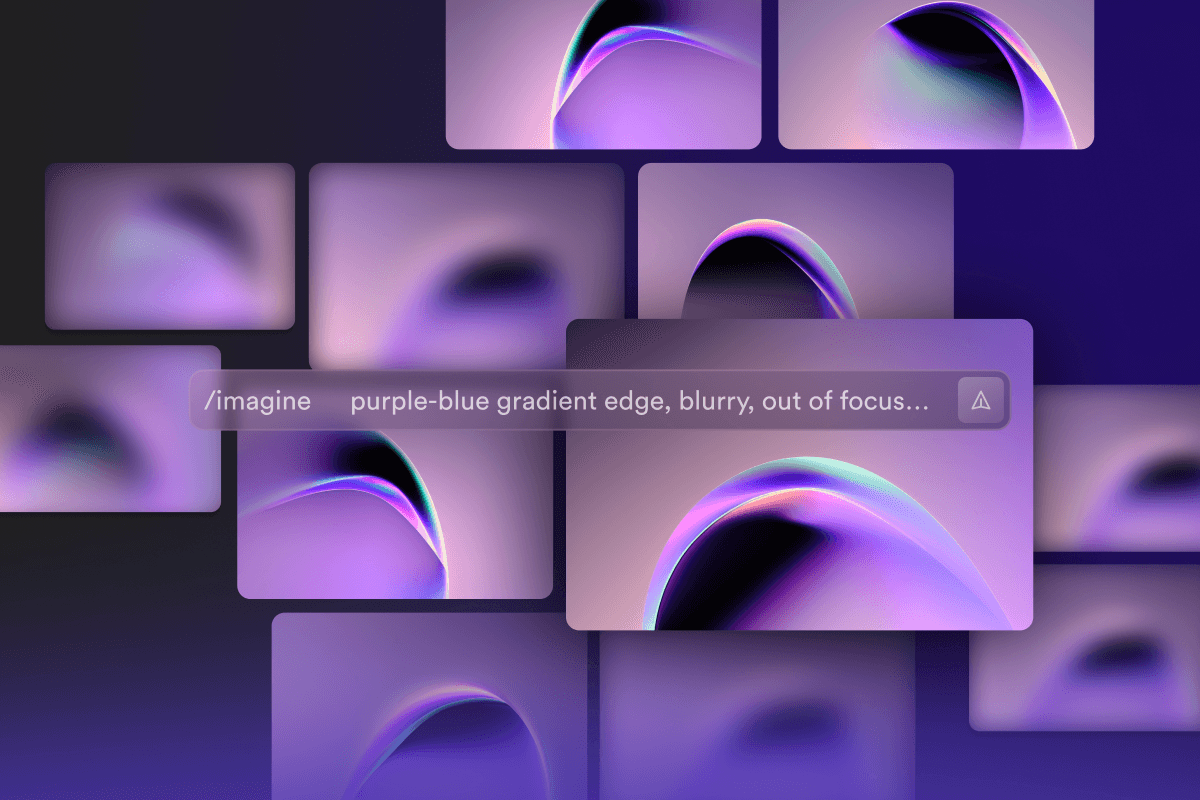
Midjourney was where we started for art generation. We experimented with prompts, blends, and colors to create eye-catching visuals for each ticket connected to a GitHub profile. Some first attempts and ideas included prompts like:
_10
/imagine abstract 3 layers of waves on a dark background with light refracting through it, very cool subtle minimal dark illustration, purple light leak with subtle highlights
In our exploration of different commands and prompts, we found that the /blend command was particularly enjoyable and helpful for creating the desired visuals. This command allowed us to quickly upload multiple images and experiment with different combinations and aesthetics to create a cohesive new image. For designers, the /blend command is like /imagine but visual, making it easy to visually experiment with different elements. Experiments included blurred edges, planetoid shapes, light leaks, shadows, swirls, motion blurs, waves, cubes, reflections, bokeh, and lots and lots of “make it look really really blurred”.
After exploring a variety of text prompts, blends, and styles, we decided that most of the visuals we generated were too chaotic and busy for our Launch Week tickets. Images felt cluttered and overwhelming, making it difficult to read overlaid text. We shifted our focus to creating a cleaner, simpler aesthetic. This required a selective approach to the visual components we wanted to include.
After what-seemed-like hours (okay, just a few), we were able to generate some interesting artwork that could be useful. We chose purple hues and simpler swirls - minimalist visuals that could serve as backgrounds for our tickets and landing page.
Chasing Gold Behind the Scenes#
When we were happy with the main visual for Launch Week 7, we also needed to create gold visuals for the extra special tickets, and those needed to look the same… but gold. Initially, we thought we could simply use the prompt /imagine *seed number* make it gold to generate the desired effect. To our surprise, MidJourney did not cooperate with this idea:
We tried excluding certain elements, such as faces or circles to refine the output, and at one point every prompt ended with a -- no faces, -- no circles, -- no gold bars ..., but the occasional gold bars still appeared.
We needed to come up with a different approach (even though this approach seemed more fun).
Eventually, we just added a golden overlay gradient to previously generated images and then used /blend to blend the purple and the gold together.
And voila, we had a baseline for generating variations:
The final visual that you see everywhere won us over because of its vibrant swirls. While each swirl looks slightly different, a consistent style is still maintained throughout.
Fortunately, we didn't require full-width images for each ticket. Upscaled MidJourney images sufficed. Nevertheless, we had to recreate the main visual on the landing page in vectors to use it effectively. You can view it in full glory at https://supabase.com/launch-week/7.
An important aspect of Launch Week tickets is their shareability. Each Launch Week we’ve been blown away by how many developers post their tickets on social channels (and we absolutely love seeing them!).
When you share your unique ticket URL, the image shown on the social preview is called an Open Graph image (or OG image for short).
These images are generated for each unique URL and ticket. This requires a bit of magic, which in our case means using a Supabase Edge Function together with Supabase Storage for smart caching.
Supabase Edge Function 🤝 Supabase Storage#
Our Edge Function handles the generation of each ticket image, and also does a bunch of other things under the hood, like detecting if the ticket was shared on socials. This will become important later!
_15
if (userAgent?.toLocaleLowerCase().includes('twitter')) {
_15
// Attendee shared on Twitter
_15
await supabaseAdminClient
_15
.from('lw7_tickets')
_15
.update({ sharedOnTwitter: 'now' })
_15
.eq('username', username)
_15
.is('sharedOnTwitter', null)
_15
} else if (userAgent?.toLocaleLowerCase().includes('linkedin')) {
_15
// Attendee shared on LinkedIn
_15
await supabaseAdminClient
_15
.from('lw7_tickets')
_15
.update({ sharedOnLinkedIn: 'now' })
_15
.eq('username', username)
_15
.is('sharedOnLinkedIn', null)
_15
}
We want to be as efficient as possible because generating a png file in an edge function is an expensive operation. We generate each ticket only once and then save it to Supabase Storage (which has a smart CDN cache built in).
So in the first step we check if we can fetch the user’s image from storage:
_10
// Try to get image from Supabase Storage CDN.
_10
storageResponse = await fetch(
_10
`${STORAGE_URL}/tickets/regular/${BUCKET_FOLDER_VERSION}/${username}.png`
_10
)
If we can’t find the image in storage, then we kick off the ticket generation pipeline, using Vercel’s awesome open-source satori library transforms HTML & CSS into svgs!
Each image includes the user’s GitHub details. We use supabase-js for authentication: users log in with their GitHub account and we store their username in a table in Postgres.
Since this table includes email addresses, we secure it using RLS to ensure each user can only view their own data. At the same time, we want these tickets to be publicly shareable, and that’s where Postgres Views come in handy.
By creating a view, we can selectively publicize parts of our table and also compute some additional values on the fly:
_36
drop view if exists lw7_tickets_golden;
_36
_36
create or replace view lw7_tickets_golden as
_36
with
_36
lw7_referrals as (
_36
select
_36
referred_by,
_36
count(*) as referrals
_36
from lw7_tickets
_36
where referred_by is not null
_36
group by referred_by
_36
)
_36
select
_36
lw7_tickets."id",
_36
lw7_tickets."name",
_36
lw7_tickets."username",
_36
lw7_tickets."ticketNumber",
_36
lw7_tickets."createdAt",
_36
lw7_tickets."sharedOnTwitter",
_36
lw7_tickets."sharedOnLinkedIn",
_36
lw7_tickets."bg_image_id",
_36
case
_36
when lw7_referrals.referrals is null then 0
_36
else lw7_referrals.referrals
_36
end as referrals,
_36
case
_36
when lw7_tickets."sharedOnTwitter" is not null
_36
and lw7_tickets."sharedOnLinkedIn" is not null then true
_36
else false
_36
end as golden
_36
from
_36
lw7_tickets
_36
left outer join lw7_referrals on lw7_tickets.username = lw7_referrals.referred_by;
_36
_36
select *
_36
from lw7_tickets_golden;
We can now retrieve that username by using the following code:
_10
// Get ticket data
_10
const { data, error } = await supabaseAdminClient
_10
.from('lw7_tickets_golden')
_10
.select('name, ticketNumber, golden, bg_image_id')
_10
.eq('username', username)
_10
.maybeSingle()
_10
if (error) console.log(error.message)
_10
if (!data) throw new Error('user not found')
_10
const { name, ticketNumber, bg_image_id } = data
_10
const golden = data?.golden ?? false
You can now probably guess why our edge function was tracking requests from the Twitter and LinkedIn bots! That’s exactly the condition used to turn your ticket golden. How cool is that, with the power of Postgres, we can do all of this within the Database, absolutely mind-blowing. Also, we can easily track a referral count. Relational DBs for the win!
With our public view in place, we can now easily retrieve the relevant ticket details needed to generate the image, via supabase-js:
The ticket image itself is just a layering of some background images, your GitHub profile picture, and some text elements, et voila you’ve got yourself a unique ticket image!
Main background image
Once generated, we can conveniently upload the image to Supabase Storage using supabase-js. This ensures fast response times as well as efficient resource usage.
_10
const type = golden ? 'golden' : 'regular'
_10
_10
// Upload image to storage.
_10
const { error: storageError } = await supabaseAdminClient.storage
_10
.from('images')
_10
.upload(`lw7/tickets/${type}/${BUCKET_FOLDER_VERSION}/${username}.png`, generatedImage.body, {
_10
contentType: 'image/png',
_10
cacheControl: '31536000',
_10
upsert: false,
_10
})
And of course, all of this is open source, you can find the full function code here. Please feel free to utilize it for your own Launches!
Turning tickets golden in realtime#
Using the power of the entire Supabase stack, we’ve designed a pretty neat mechanic to allow users to turn their tickets golden.
In previous Launch Weeks, we employed the fibonacci sequence to sprinkle golden tickets around using the ticket number sequence. This time around we wanted to make it more interactive and allow the user to earn their golden ticket, increasing their chance to win swag.
Remember the Twitter and LinkedIn bot detection from above? We use those to generate the golden column in our public view:
_10
case
_10
when lw7_tickets."sharedOnTwitter" is not null
_10
and lw7_tickets."sharedOnLinkedIn" is not null then true
_10
else false
_10
end as golden
As folks are sharing their tickets on socials to earn their gold status, we also want to give them realtime feedback on their progress. Luckily we also have a feature for that, Supabase Realtime.
Something that would have been a headache in the past is just a couple of lines of client-side JavaScript:
_22
const channel = supabase
_22
.channel('changes')
_22
.on(
_22
'postgres_changes',
_22
{
_22
event: 'UPDATE',
_22
schema: 'public',
_22
table: 'lw7_tickets',
_22
filter: `username=eq.${username}`,
_22
},
_22
(payload) => {
_22
const golden = !!payload.new.sharedOnTwitter && !!payload.new.sharedOnLinkedIn
_22
setUserData({
_22
...payload.new,
_22
golden,
_22
})
_22
if (golden) {
_22
channel.unsubscribe()
_22
}
_22
}
_22
)
_22
.subscribe()
Interested to know how this fits within your Next.js application? Find the code here.
We have some images, so how can we now display them somewhere? @Francesco Sansalvadore saw one of our team members trying to “swipe” on the tickets slider component on the launch week page and he thought, why not feature all the fantastic people who generated tickets on a single page?
We built a ticket wall that you can scroll endlessly. We approached it with an infinite scroll technique, lazy-loading a few tickets at a time.
If you’re interested in a more detailed step-by-step guide to reproduce this effect, take a look at the Infinite scroll with Next.js, Framer Motion, and Supabase blog post.
You too can also be Charlie Bucket and have a Golden Ticket. There is no chocolate factory, however, but we do have some amazing swag to win.
Up for grabs are:
- Supabase mechanical keyboard. In fact, we have 3 of them to give away!_ Guaranteed to annoy your co-workers/cat/partner/ yourself.
- Socks: Perfect for your
<footer>. Right?!.. anyway. - T-shirts - Just don’t put them in a tumble dryer
- and; of course a bunch of stickers.