


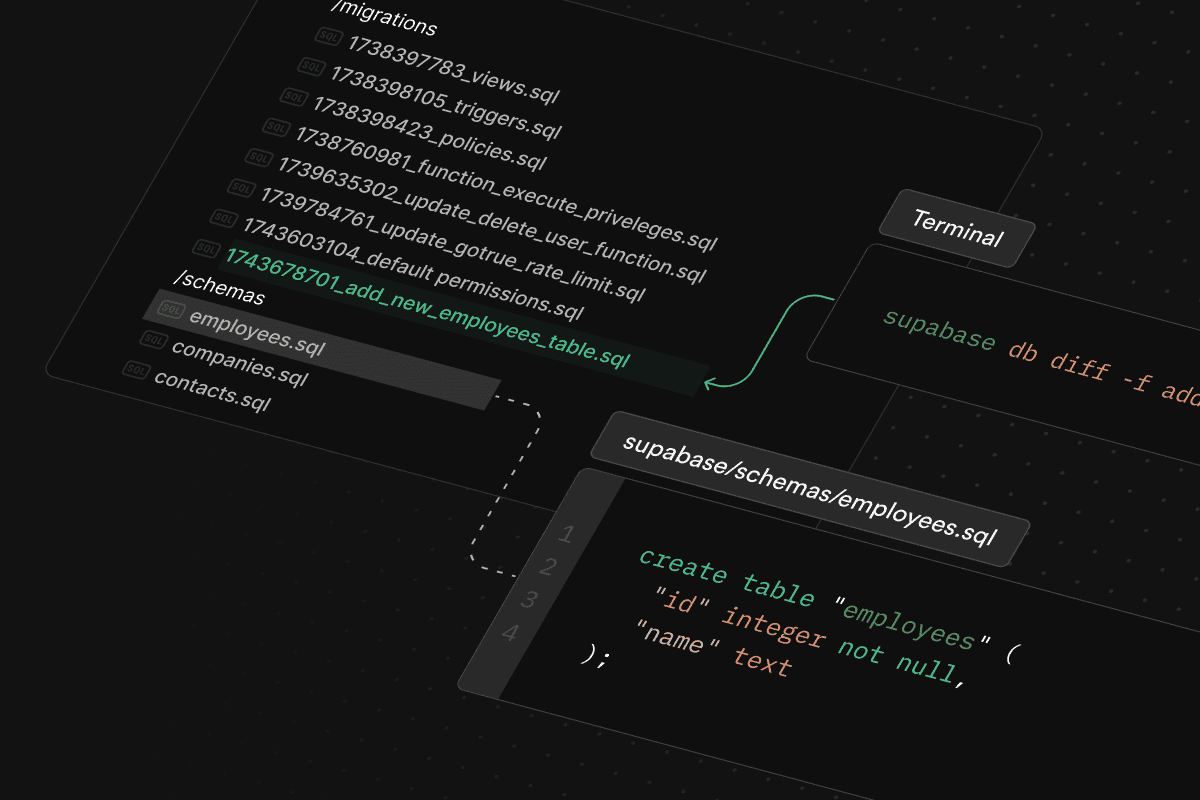
Today we’re releasing declarative schemas to simplify managing and maintaining complex database schemas. With declarative schemas, you can define your database structure in a clear, centralized, and version-controlled manner.
Declarative schemas store the final desired state of the database in .sql files that can be saved and versioned alongside a project. For example, here is the declarative schema for a classic products table:
_10
create table "products" (
_10
id bigint generated by default as identity,
_10
name text not null,
_10
category text,
_10
price numeric(10, 2) not null,
_10
created_at timestamptz default now()
_10
);
_10
_10
alter table "products"
_10
enable row level security;
Declarative schemas offer numerous benefits over making changes to your database schema directly:
- Single pane of glass. Maintain your entire database schema in one place, reducing redundancy and potential errors.
- Versioned migrations. Automatically generate migration files, ensuring consistent schema updated across environments. Store your declarative schema files alongside your project files in your version control system.
- Concise code reviews. Easily review changes to tables, views, and functions without manually repeating complex migration scripts.
It's best practice to use Migrations to track and apply changes to databases. Every time you make a change, you create a new file with all the changes, keeping changes versioned and reproducible.
However, as the complexity of a database schemas grows, it becomes increasingly difficult to develop using versioned migrations as there isn't a single place to see the entire database schema.
For example, at Supabase we have a complex and frequently-updated projects table. Here's partially what it looks like with RLS enabled:
_32
create table private.projects (
_32
id bigint not null,
_32
name text not null,
_32
organization_id bigint not null,
_32
inserted_at timestamp not null,
_32
updated_at timestamp not null
_32
);
_32
_32
alter table private.projects
_32
enable row level security;
_32
_32
create policy projects_insert
_32
on private.projects
_32
for insert
_32
to authenticated
_32
with check auth.can_write(project_id);
_32
_32
create policy projects_select
_32
on private.projects
_32
for select
_32
to authenticated
_32
using auth.can_read(project_id);
_32
_32
-- Users can only view the projects that they have access to
_32
create view public.projects as select
_32
projects.id,
_32
projects.name,
_32
projects.organization_id,
_32
projects.inserted_at,
_32
projects.updated_at
_32
from private.projects
_32
where auth.can_read(projects.id);
The projects table is created in a private schema, with a public view exposed for reads. Attribute-based access control (ABAC) is implemented on top of RLS policies to ensure queries only return projects that the user has access to.
Since Postgres views are not updatable by default, we have defined trigger functions to cascade writes to the underlying table when a Supabase user creates a new project. This makes development easier because the projects view can be inserted with regular PostgREST calls while invoking the appropriate RLS policies on the underlying table.
_24
-- Triggers to update views from PostgREST: select('projects').insert({ ... })
_24
create function public.public_projects_on_insert() returns trigger
_24
as $$
_24
begin
_24
insert into private.projects(
_24
name,
_24
organization_id,
_24
inserted_at,
_24
updated_at
_24
) values (
_24
NEW.name,
_24
NEW.organization_id,
_24
coalesce(NEW.inserted_at, now()),
_24
coalesce(NEW.updated_at, now())
_24
) returning * into NEW;
_24
return NEW;
_24
end
_24
$$ language plpgsql;
_24
_24
create trigger public_projects_on_insert
_24
instead of insert
_24
on public.projects
_24
for each row
_24
execute function public.public_projects_on_insert();
This complexity slows down development velocity, as changes to the table might break other views or functions. Back in early 2022, a simple change to add a new column involved the following steps.
- Find the latest schema for
projectstable in our migration files or by querying our database. - Write the
alter tablestatement in a new migration file. - Copy and update the
projectsview definition to include the new column. - Copy and update the trigger function definition to include the new column.
- Add new pgTAP tests and verify that existing tests pass.
- Submit the new migration file for review, which would be at least a few hundred lines.
This process is tedious and it's frustrating to have multiple engineers working on the projects table concurrently. Merging PRs would result in a merge conflict that must be resolved by repeating steps 1-5.
Adopting declarative schemas gave our engineers a single pane of glass when updating database schemas. Instead of manually duplicating affected postgres entities in a migration file, we only need to change the schema definition in one place.
We then use a schema diff tool, like migra, to figure out the necessary updates to views and functions when generating the migration file.
For example, adding a new metadata column to the projects table now becomes a single line diff.
_10
--- a/supabase/schemas/projects.sql
_10
+++ b/supabase/schemas/projects.sql
_10
@@ -2,6 +2,7 @@ create table private.projects (
_10
id bigint not null,
_10
name text not null,
_10
organization_id bigint not null,
_10
+ metadata jsonb,
_10
inserted_at timestamp not null,
_10
updated_at timestamp not null
_10
);
The same process also applies to views, database functions, RLS policies, role grants, custom types, and constraints. While manual reviews are still required on the generated migration file, it has cut down our development from hours to minutes. It's also much easier to rebase on merge conflicts introduced by other PRs.
Declarative schemas are available today on Supabase.
- Read the documentation to learn how to manage your database schemas in one place and generate versioned migrations.
- Sign up for Supabase and get started today.
We added the same set of tools that we used internally for the last 2 years to Supabase CLI. Whether you are just getting started with migrations or already fed up with managing hundreds of migration files, give declarative schemas a try as it will likely simplify your development process.
Check out our blog post on Postgres Language Server for better tooling and IDE integration when developing with declarative schemas.