





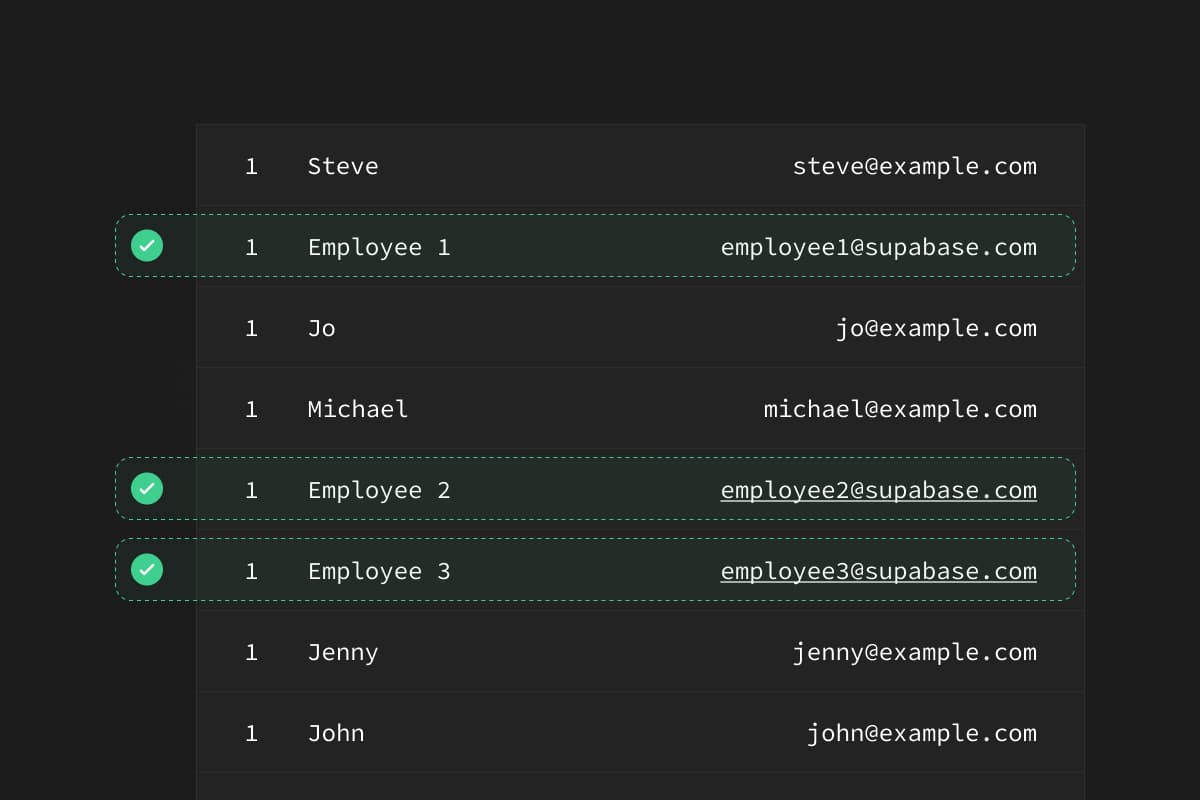
When working with databases, it's common to create a seed.sql file which contains a subset of production data for testing.
During early development, it's fine to dump the entire database and restore it on your development machine. However, once you have production users this becomes a security issue - do you really want to dump your users' data onto your local machines?
There are many ways to solve this, but recently I stumbled upon a neat way to do it using PostgreSQL's Row Level Security (RLS).
The concept is simple:
- Create a database user with restricted access.
- Define some RLS rules for that user, limiting what data they can access.
- Run
pg_dumpas that user.
For this scenario, let's imagine that you have a table called profiles in your database:
_10
create table profiles (
_10
id serial primary key,
_10
name text,
_10
email text
_10
);
id | name | email |
|---|---|---|
1 | Employee 1 | employee1@supabase.com |
2 | Employee 2 | employee2@supabase.com |
3 | Employee 3 | employee3@supabase.com |
4 | Jenny | jenny@example.com |
5 | Joe | joe@example.com |
In this case, if we ran a pg_dump we will save Jenny and Joe's personal data. We don't want that, so let's create a Postgres user called exporter, who can only dump the data we want.
Step 1: Prepare a user#
Create a user to connect to the database. We'll call them exporter and grant them access to the public schema:
_10
-- Create a new user with login privileges
_10
create user exporter
_10
with password 'exporter_secure_password';
_10
_10
-- Allow this user to select the rows we need
_10
grant usage on schema public to exporter;
_10
grant select on profiles to exporter;
Step 2: Create data access rules#
Let's turn on RLS for this table and limit the data which exporter can access:
_11
-- Turn on Row Level Security
_11
alter table profiles
_11
enable row level security;
_11
_11
-- Only dump data for internal team members 1, 2, 3
_11
create policy "Data dump rule" on profiles
_11
for select
_11
to exporter
_11
using (
_11
id in (1, 2, 3)
_11
);
Step 3: Export the data#
Now we can use pg_dump to get only the data that we need.
Run the dump with the exporter user that we created above and use the --enable-row-security flag to ensure that the dump succeeds.
_11
# Dump all the data into a "seed.sql" file
_11
# which we can use to restore our local databases.
_11
pg_dump \
_11
-h db.host.supabase.co \
_11
-U exporter \
_11
-d postgres \
_11
-n public \
_11
--data-only \
_11
--enable-row-security \
_11
--table=profiles \
_11
> seed.sql
_10
-h db.host.supabase.co \
And that's it. You can follow this same pattern for any tables that you want to dump.
RLS is a bit like appending a “where” clause to a select, so you can create all sorts of data access patterns. Let's see a few more which are useful for extracting seed data.
Using email rules#
Instead of using hardcoded numbers in our RLS policies, we could use email extensions to determine the users who we want to export:
_10
-- Only dump data for supabase employees
_10
create policy "Data dump rule" on profiles
_10
for select
_10
to exporter
_10
using (
_10
substring(email from '@(.*)$') = 'supabase.com'
_10
);
Only recent data#
If we have a table with a lot of data, like an analytics table, we might only care about the last 2 months of data.
_18
-- A fake analytics table where we store actions a user takes
_18
create table analytics (
_18
id serial primary key,
_18
ts timestamptz default now(),
_18
profile_id references profiles,
_18
event text
_18
);
_18
alter table profiles
_18
enable row level security;
_18
_18
-- Here is an "age" rule so that we only dump the most recent analytics
_18
create policy "Data dump rule" on logs
_18
for select
_18
to exporter
_18
using (
_18
profile_id in (1, 2, 3) and
_18
ts > now() - interval '2 MONTHS' -- here's the magic
_18
);
Using flags#
If you don't mind having some additional columns in you database, you can add flags to each row to determine whether it's safe to export.
_14
create table profiles (
_14
id serial primary key,
_14
name text,
_14
email text,
_14
is_exportable boolean -- make this "TRUE" if you want to allow access
_14
);
_14
alter table profiles
_14
enable row level security;
_14
_14
-- Only dump data for internal team members 1, 2, 3
_14
create policy "Data dump rule" on profiles
_14
for select
_14
to exporter
_14
using ( is_exportable = true );
Using seed data isn't the only way to run development environments. It's also possible to run fully-masked copies of your database using tools like
Snaplet.
We're also bullish on copy-on-write strategies which allow users to "fork" a database at a point in time, a strategy used by Database Lab Engine. DLE uses the ZFS file system to achieve this, but it's within reach of the Postgres core once alternative storage strategies become easier to implement.
If you want to try out the steps we described in this article, fire up a full PostgreSQL database: database.new