









There are many different types of vulnerabilities that can occur when setting up CORS for your web application, and insecure usage of CORS frameworks and logic errors in homemade CORS implementations can lead to serious security vulnerabilities that allow attackers to bypass authentication. What’s more, attackers can utilize CORS misconfigurations to escalate the severity of other existing vulnerabilities in web applications to access services on the intranet.
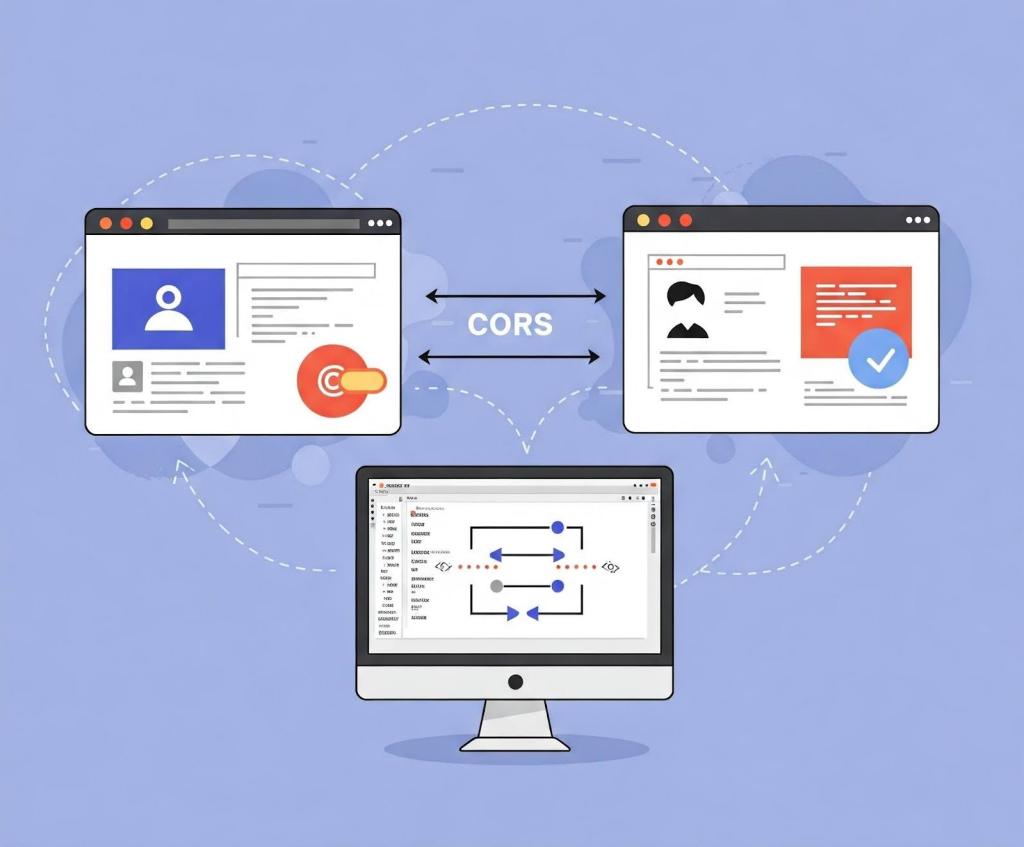
In this blog post, I’ll show how developers and security researchers can use CodeQL to model their own libraries, using work that I’ve done on CORS frameworks in Go as an example. Since the techniques that I used are useful for modeling other frameworks, this blog post can help you model and find vulnerabilities in your own projects. Because static analyzers like CodeQL have the ability to get the detailed information about structures, functions, and imported libraries, they’re more versatile than simple tools like grep. Plus, since CORS frameworks often use set configurations via specific structures and functions, using CodeQL is the easiest way to find misconfigurations in your codebases.
When adding code to CodeQL, it’s best practice to always check the related queries and frameworks that are already available so that we’re not reinventing the wheel. For most languages, CodeQL already has a CORS query that covers many of the default cases. The easiest and simplest way of implementing CORS is by manually setting the Access-Control-Allow-Origin and Access-Control-Allow-Credentials response headers. By modeling the frameworks for a language (e.g., Django, FastAPI, and Flask), CodeQL can identify where in the code those headers are set. Building on those models by looking for specific header values, CodeQL can find simple examples of CORS and see if they match vulnerable values.
In the following Go example, unauthenticated resources on the servers could be accessed by arbitrary websites.
func saveHandler(w http.ResponseWriter, r *http.Request) {
    w.Header().Set("Access-Control-Allow-Origin", "*")
}
This may be troublesome for web applications that do not have authentication, such as tools intended to be hosted locally, because any dangerous endpoint could be accessed and exploited by an attacker.
This is a snippet of the Go http framework where CodeQL models the Set method to find security-related header writes for this framework. Header writes are modeled by the HeaderWrite class in HTTP.qll, which is extended by other modules and classes in order to find all header writes.
 /** Provides a class for modeling new HTTP header-write APIs. */
  module HeaderWrite {
    /**
     * A data-flow node that represents a write to an HTTP header.
     *
     * Extend this class to model new APIs. If you want to refine existing API models,
     * extend `HTTP::HeaderWrite` instead.
     */
    abstract class Range extends DataFlow::ExprNode {
      /** Gets the (lower-case) name of a header set by this definition. */
      string getHeaderName() { result = this.getName().getStringValue().toLowerCase() }
Some useful methods such as getHeaderName and getHeaderValue can also help in developing security queries related to headers, like CORS misconfiguration. Unlike the previous code example, the below pattern is an example of a CORS misconfiguration whose effect is much more impactful.
func saveHandler(w http.ResponseWriter, r *http.Request) {
    w.Header().Set("Access-Control-Allow-Origin",
    r.Header.Get("Origin"))
    w.Header().Set("Access-Control-Allow-Credentials",
    "true")
}
Reflecting the request origin header and allowing credentials permits an attacking website to make requests as the current logged in user, which could compromise the entire web application.
Using CodeQL, we can model the headers, looking for specific headers and methods in order to help CodeQL identify the relevant security code structures to find CORS vulnerabilities.
/**
 * An `Access-Control-Allow-Credentials` header write.
 */
class AllowCredentialsHeaderWrite extends Http::HeaderWrite {
    AllowCredentialsHeaderWrite() {
        this.getHeaderName() = headerAllowCredentials()
    }
}

/**
 * predicate for CORS query.
 */
predicate allowCredentialsIsSetToTrue(DataFlow::ExprNode allowOriginHW) {
        exists(AllowCredentialsHeaderWrite allowCredentialsHW |
                allowCredentialsHW.getHeaderValue().toLowerCase() = "true"
Here, the HTTP::HeaderWrite class, as previously discussed, is used as a superclass for AllowCredentialsHeaderWrite, which finds all header writes of the value Access-Control-Allow-Credentials. Then, when our CORS misconfiguration query checks whether credentials are enabled, we use AllowCredentialsHeaderWrite as one of the possible sources to check.
The simplest way for developers to set a CORS policy is by setting headers on HTTP responses in their server. By modeling all instances where a header is set, we can check for these CORS cases in our CORS query.
When modeling web frameworks using CodeQL, creating classes that extend more generic superclasses such as HTTP::HeaderWrite allows the impact of the model to be used in all CodeQL security queries that need them. Since headers in web applications can be so important, modeling all the ways they can be written to in a framework can be a great first step to adding that web framework to CodeQL.

Rather than setting the CORS headers manually, many developers use a CORS framework instead. Generally, CORS frameworks use middleware in the router of a web framework in order to add headers for every response. Some web frameworks will have their own CORS middleware, or you may have to include a third-party package. When modeling a CORS framework in CodeQL, you’re usually modeling the relevant structures and methods that signify a CORS policy. Once the modeled structure or methods have the correct values, the query should check that the structure is actually used in the codebase.
For frameworks, we’ll look into Go as our language of choice since it has great support for CORS. Go provides a couple of CORS frameworks, but most follow the structure of Gin CORS, a CORS middleware framework for the Gin web framework. Here’s an example of a Gin configuration for CORS:
package main

import (
  "time"

  "github.com/gin-contrib/cors"
  "github.com/gin-gonic/gin"
)

func main() {
  router := gin.Default()
  router.Use(cors.New(cors.Config{
    AllowOrigins:     []string{"https://foo.com"},
    AllowMethods:     []string{"PUT", "PATCH"},
    AllowHeaders:     []string{"Origin"},
    ExposeHeaders:    []string{"Content-Length"},
    AllowCredentials: true,
    AllowOriginFunc: func(origin string) bool {
      return origin == "https://github.com"
    }
  }))
  router.Run()
}
Now that we’ve modeled the router.Use method and cors.New — ensuring that cors.Config structure is at some point put into a router.Use function for actual use — we should then check all cors.Config structures for appropriate headers.
Next, we find the appropriate headers fields we want to model. For a basic CORS misconfiguration query, we would model AllowOrigins, AllowCredentials, AllowOriginFunc. My pull requests for adding GinCors and RSCors to CodeQL can be used as references if you’re interested in seeing everything that goes into adding a framework to CodeQL. Below I’ll discuss some of the most important details.
 /**
   * A variable of type Config that holds the headers to be set.
   */
  class GinConfig extends Variable {
    SsaWithFields v;

    GinConfig() {
      this = v.getBaseVariable().getSourceVariable() and
      v.getType().hasQualifiedName(packagePath(), "Config")
    }

    /**
     * Get variable declaration of GinConfig
     */
    SsaWithFields getV() { result = v }
  }
I modeled the Config type by using SSAWithFields, which is a single static assignment with fields. By using getSourceVariable(), we can get the variable that the structure was assigned to, which can help us see where the config is used. This allows us to find track variables that contain the CORS config structure across the codebase, including ones that are often initialized like this:
func main() {
...
// We can now track the corsConfig variable for further updates,such as when one of the fields is updated.
corsConfig:= cors.New(cors.Config{
...
})}
Now that we have the variable containing the relevant structure, we want to find all the instances where the variable is written to. By doing this, we can get an understanding of the relevant property values that have been assigned to it, and thus decide whether the CORS config is misconfigured.
 /**
   * A write to the value of Access-Control-Allow-Origins header
   */
  class AllowOriginsWrite extends UniversalOriginWrite {
    DataFlow::Node base;

	// This models all writes to the AllowOrigins field of the Config type
    AllowOriginsWrite() {

      exists(Field f, Write w |
        f.hasQualifiedName(packagePath(), "Config", "AllowOrigins") and
        w.writesField(base, f, this) and

		// To ensure we are finding the correct field, we look for a write of type string (SliceLit)
        this.asExpr() instanceof SliceLit
      )

    }

    /**
     * Get config variable holding header values
     */
    override GinConfig getConfig() {
      exists(GinConfig gc |
        (
          gc.getV().getBaseVariable().getDefinition().(SsaExplicitDefinition).getRhs() =
            base.asInstruction() or
          gc.getV().getAUse() = base
        ) and
        result = gc
      )
    }
  }
By adding the getConfig function, we return the previously created GinConfig, which allows us to verify that any writes to relevant headers affect the same configuration structure. For example, a developer may create a config that has a vulnerable origin and another config that allows credentials. The config that allows credentials wouldn’t be highlighted because only configs with vulnerable origins would create a security issue. By allowing CORS relevant header writes from different frameworks to all extend UniversalOriginWrite and UniversalCredentialsWrite, we can use those in our CORS misconfiguration query.
CORS issues are separated into two types: those without credentials (where we’re looking for * or null) and CORS with credentials (where we’re looking for origin reflection or null). If you want to keep the CodeQL query simple, you can create one query for each type of CORS vulnerability and assign their severity accordingly. For the Go language, CodeQL only has a “CORS with credentials” type of query because it’s applicable to all applications.
Let’s tie in the models we just created above to see how they’re used in the Go CORS misconfiguration query itself.
from DataFlow::ExprNode allowOriginHW, string message
where
  allowCredentialsIsSetToTrue(allowOriginHW) and
  (
    flowsFromUntrustedToAllowOrigin(allowOriginHW, message)
    or
    allowOriginIsNull(allowOriginHW, message)
  ) and
  not flowsToGuardedByCheckOnUntrusted(allowOriginHW)
...
select allowOriginHW, message
This query is only interested in critical vulnerabilities, so it checks whether credentials are allowed, and whether the allowed origins either come from a remote source or are hardcoded as null. In order to prevent false positives, it checks if there are certain guards — such as string comparisons — before the remote source gets to the origin. Let’s take a closer look at the predicate allowCredentialsIsSetToTrue.
/**
 * Holds if the provided `allowOriginHW` HeaderWrite's parent ResponseWriter
 * also has another HeaderWrite that sets a `Access-Control-Allow-Credentials`
 * header to `true`.
 */
predicate allowCredentialsIsSetToTrue(DataFlow::ExprNode allowOriginHW) {
  exists(AllowCredentialsHeaderWrite allowCredentialsHW |
    allowCredentialsHW.getHeaderValue().toLowerCase() = "true"
  |
    allowOriginHW.(AllowOriginHeaderWrite).getResponseWriter() =
      allowCredentialsHW.getResponseWriter()
  )
  or
...
For the first part of the predicate, we’ll use one of the headers we previously modeled, AllowCredentialsHeaderWrite, in order to compare headers. This will help us filter out all header writes that don’t have credentials set.
  exists(UniversalAllowCredentialsWrite allowCredentialsGin |
    allowCredentialsGin.getExpr().getBoolValue() = true
  |
    allowCredentialsGin.getConfig() = allowOriginHW.(UniversalOriginWrite).getConfig() and
    not exists(UniversalAllowAllOriginsWrite allowAllOrigins |
      allowAllOrigins.getExpr().getBoolValue() = true and
      allowCredentialsGin.getConfig() = allowAllOrigins.getConfig()
    )
    or
    allowCredentialsGin.getBase() = allowOriginHW.(UniversalOriginWrite).getBase() and
    not exists(UniversalAllowAllOriginsWrite allowAllOrigins |
      allowAllOrigins.getExpr().getBoolValue() = true and
      allowCredentialsGin.getBase() = allowAllOrigins.getBase()
    )
  )
}
If CORS is not set through a header, we check for CORS frameworks using UniversalAllowCredentialsWrite.To filter out all instances whose corresponding Origin value is set to “*”, we use the not CodeQL keyword on UniversalAllowAllOriginsWrite, since these are not applicable to this vulnerability. flowsFromUntrustedToAllowOrigin and allowOriginIsNull follow similar logic to ensure that the resulting header rights are vulnerable.
When you model CodeQL queries to detect vulnerabilities related to CORS, you can’t use a one-size-fits-all approach. Instead, you have to tailor your queries to each web framework for two reasons:
For example, we saw before in Gin CORS that there is an AllowOriginFunc. After looking at the documentation or experimenting with the code, we can see that it may override AllowOrigins. To improve our query, we could write a CodeQL query that looks for AllowOriginFuncs that always return true, which will result in a high severity vulnerability if paired with credentials.
Once you understand the behavior of web frameworks and headers with CodeQL, it’s simple to find security issues in your code and reduce the chance of vulnerabilities making their way into your work. The number of CodeQL languages that support CORS misconfiguration queries is still growing, and there is always room for improvement from the community .
If this blog has been helpful in helping you write CodeQL queries, please feel free to open anything you’d like to share with the community in our CodeQL Community Packs.
Finally, GitHub Code Security can help you secure your project by detecting and suggesting a fix for bugs such as CORS misconfiguration!
Explore more GitHub Security Lab blog posts >

Build what’s next on GitHub, the place for anyone from anywhere to build anything.

Catch up on the GitHub podcast, a show dedicated to the topics, trends, stories and culture in and around the open source developer community on GitHub.
此内容由惯性聚合(RSS阅读器)自动聚合整理,仅供阅读参考。 原文来自 — 版权归原作者所有。

