Pick any game engine, and you are maybe a third of the way to having the tools you need to ship a game. But there are also elements that live outside the engine: the asset pipelines your artists depend on, the level editors your designers build in, the audio tools your sound team cleans up with, to name a few. Open source has tools for those workflows and more.
Most of these open source projects exist because someone decided their team’s biggest pain point was worth fixing for everyone. The 10 below can help game developers with their common pain points, and every one of them can plug into your pipeline whether you ship on Godot, Unity, Unreal, MonoGame, or your own custom engine.
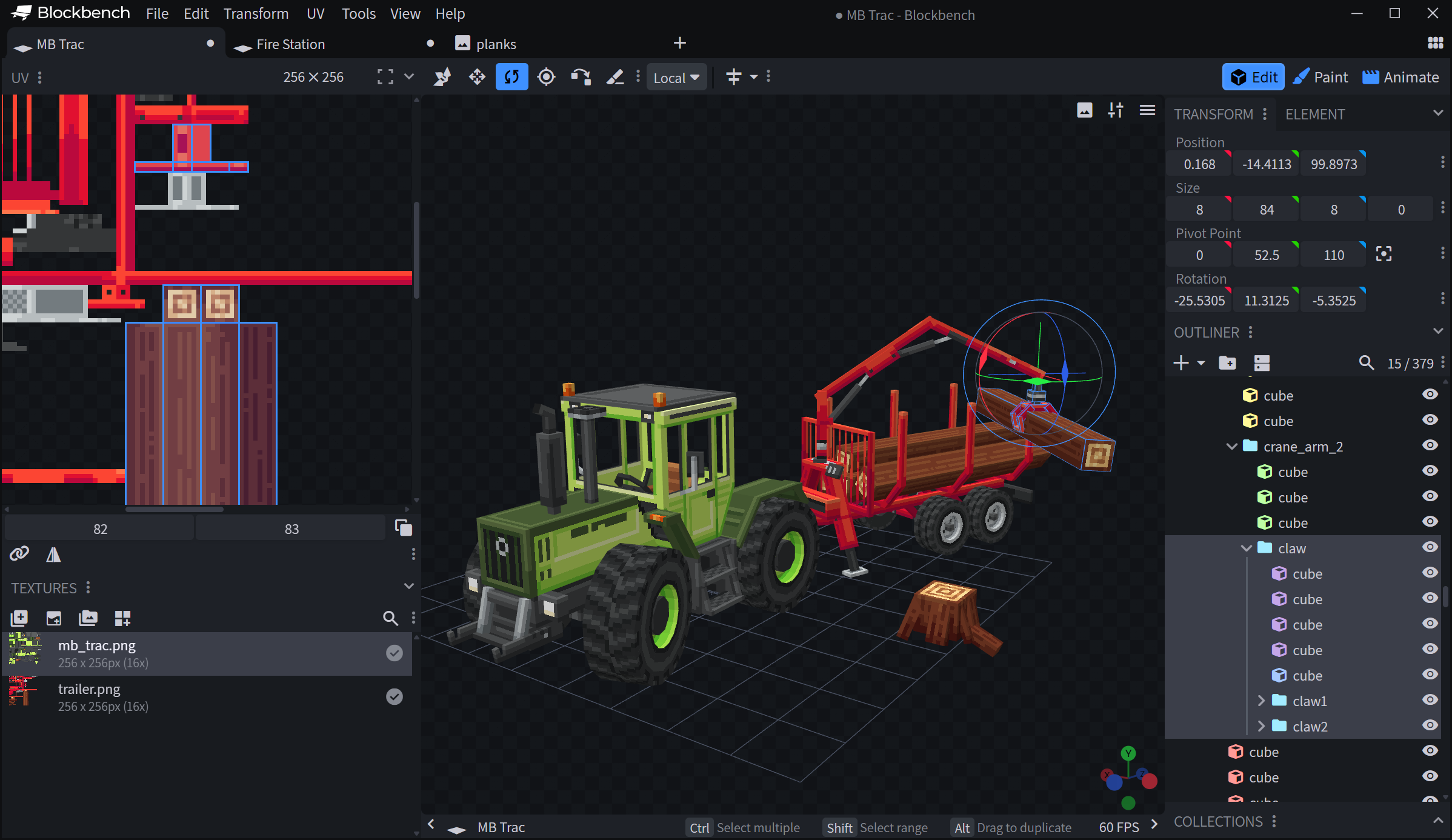
1 Blockbench: Low poly 3D modeling
Blockbench is a 3D model editor purpose built for low poly models with pixel art textures. It started life as a Minecraft model editor. That lineage shows in the interface, which is built around cubes, planes, and meshes you can animate without setting up a full rigging pipeline. Since then, the project has grown into a general purpose tool with texture painting, UV mapping, paint directly on the model in 3D, a keyframe animation timeline with a graph editor, a plugin store, and exports to glTF, OBJ, and a long list of game specific formats.
Why it matters: A focused tool is a fast tool. Because Blockbench commits to one slice of 3D, an artist can go from a blank scene to a textured, animated, exported asset in a single afternoon without learning a full content pipeline first. That low time to first asset is what makes it stick.
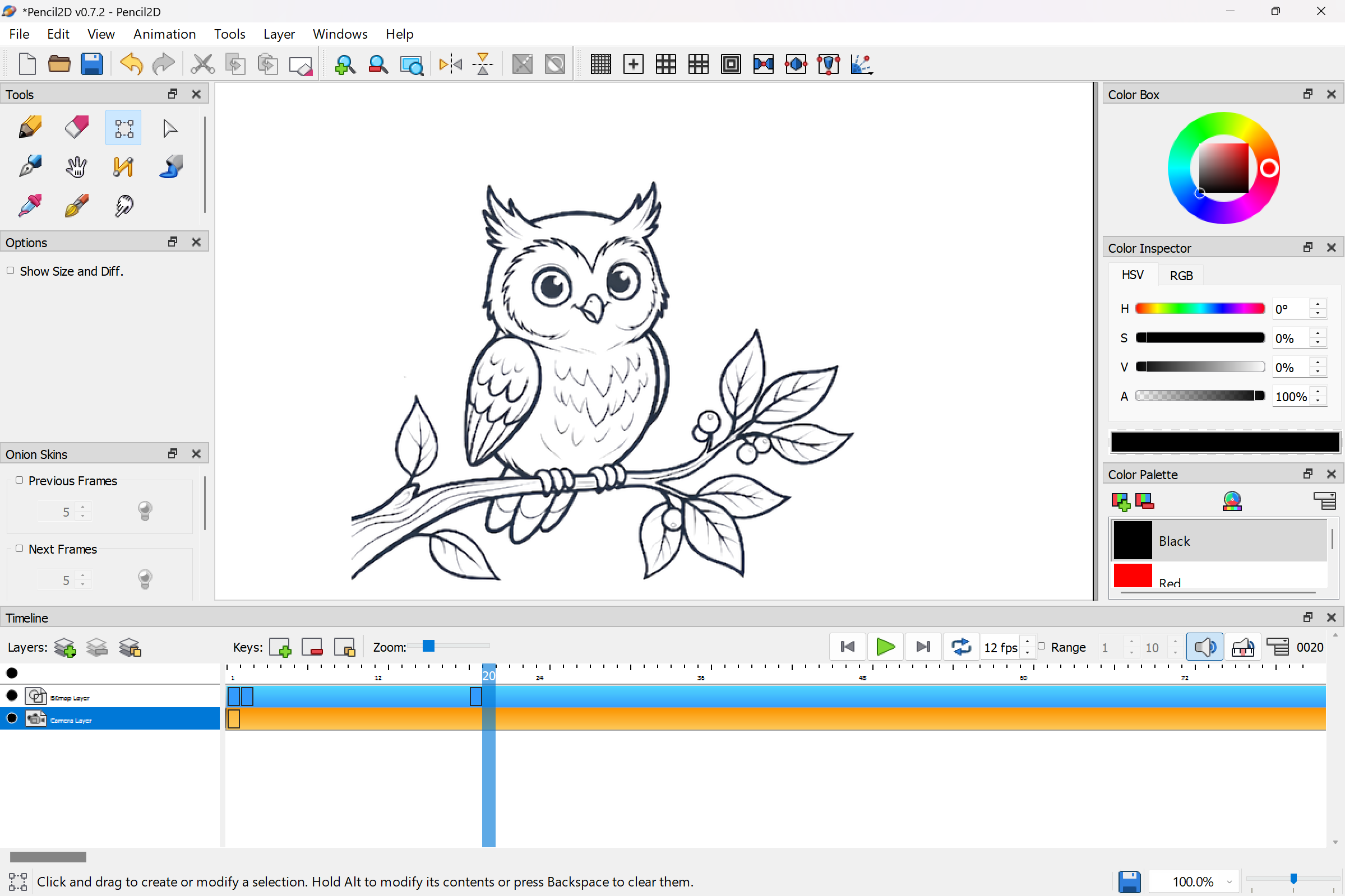
2 Pencil2D: Traditional 2D animation
Pencil2D is a hand- drawn 2D animation tool aimed at frame-by-frame drawing. It supports bitmap and vector layers, with onion skinning and a redesigned camera system. Perspective grids and adjustable layer and keyframe opacity make clean fades easy. Exports go to image sequences and common video formats, which you can slice into spritesheets for your engine of choice. Pencil2D runs on Windows, macOS, Linux, and FreeBSD, including older hardware most modern creative tools have left behind.
Why it matters: Pencil2D makes it easy to learn the craft of frame-by-frame animation. Roughing in raster strokes and inking on a vector layer above them happens in one timeline, no round trip to another app. The footprint stays small enough to run on a classroom laptop, which makes it one of the few places a beginner can sit down and learn timing and spacing from first principles.
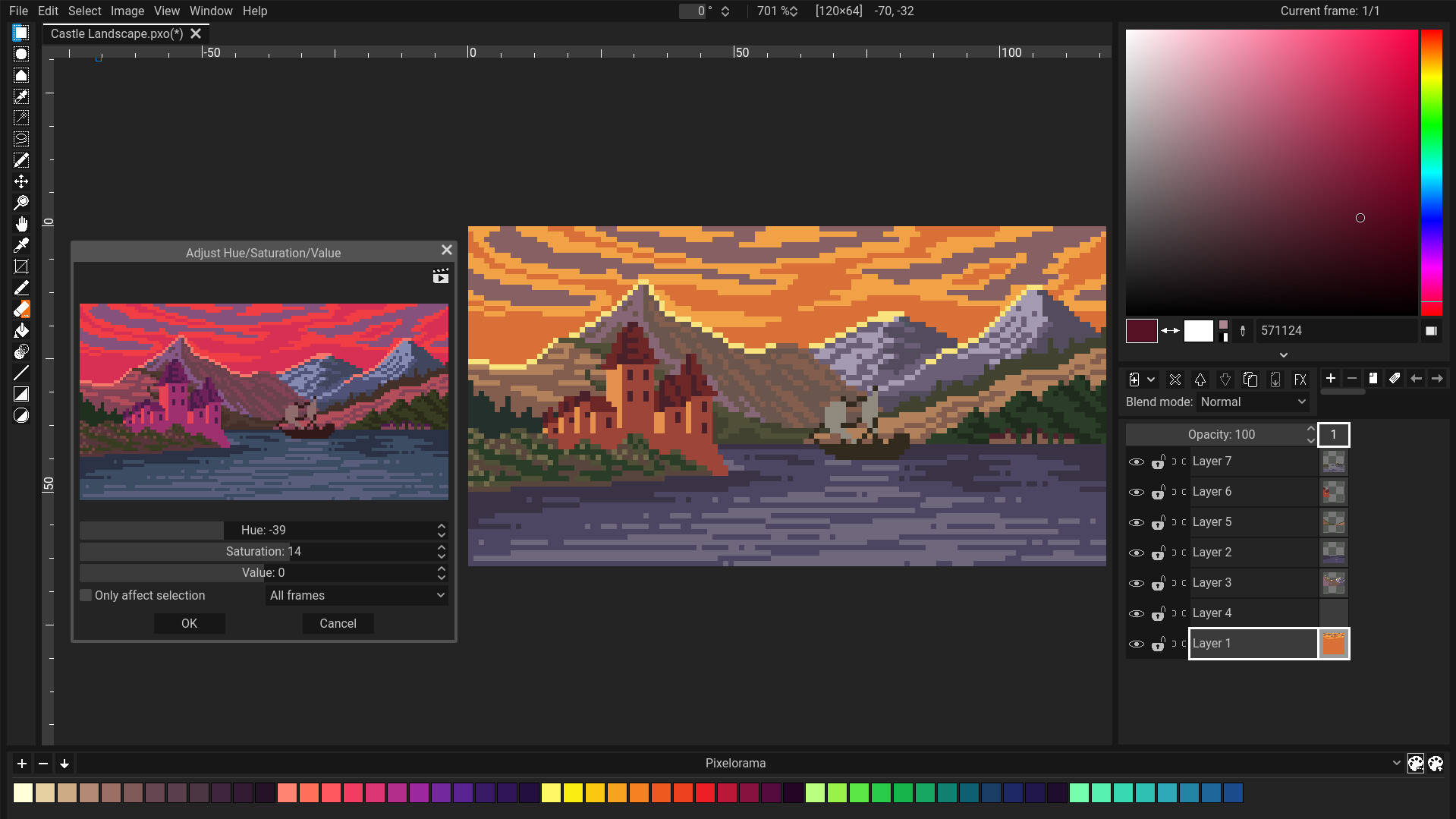
3 Pixelorama: Pixel art built for game developers
Pixelorama is a pixel art tool built specifically for game development workflows, which means sprites, tilesets, and animations are first class, not features bolted onto a general purpose paint program. You get onion skinning, tile mode for seamless patterns, an animation timeline, and exports to PNG sequences and spritesheets that drop straight into an engine importer. It is built in Godot and runs on Windows, Linux, macOS, and the web, including a browser build that lets an artist open a project on a Chromebook.
Why it matters: Because Pixelorama treats sprites and animations as the primary unit of work, the path from idea to a frame in your game is short. Tile mode, onion skinning, and the spritesheet exporter sit one click away on the toolbar instead of buried behind a plugin. That focus is what makes it the natural reach for a 2D pipeline.
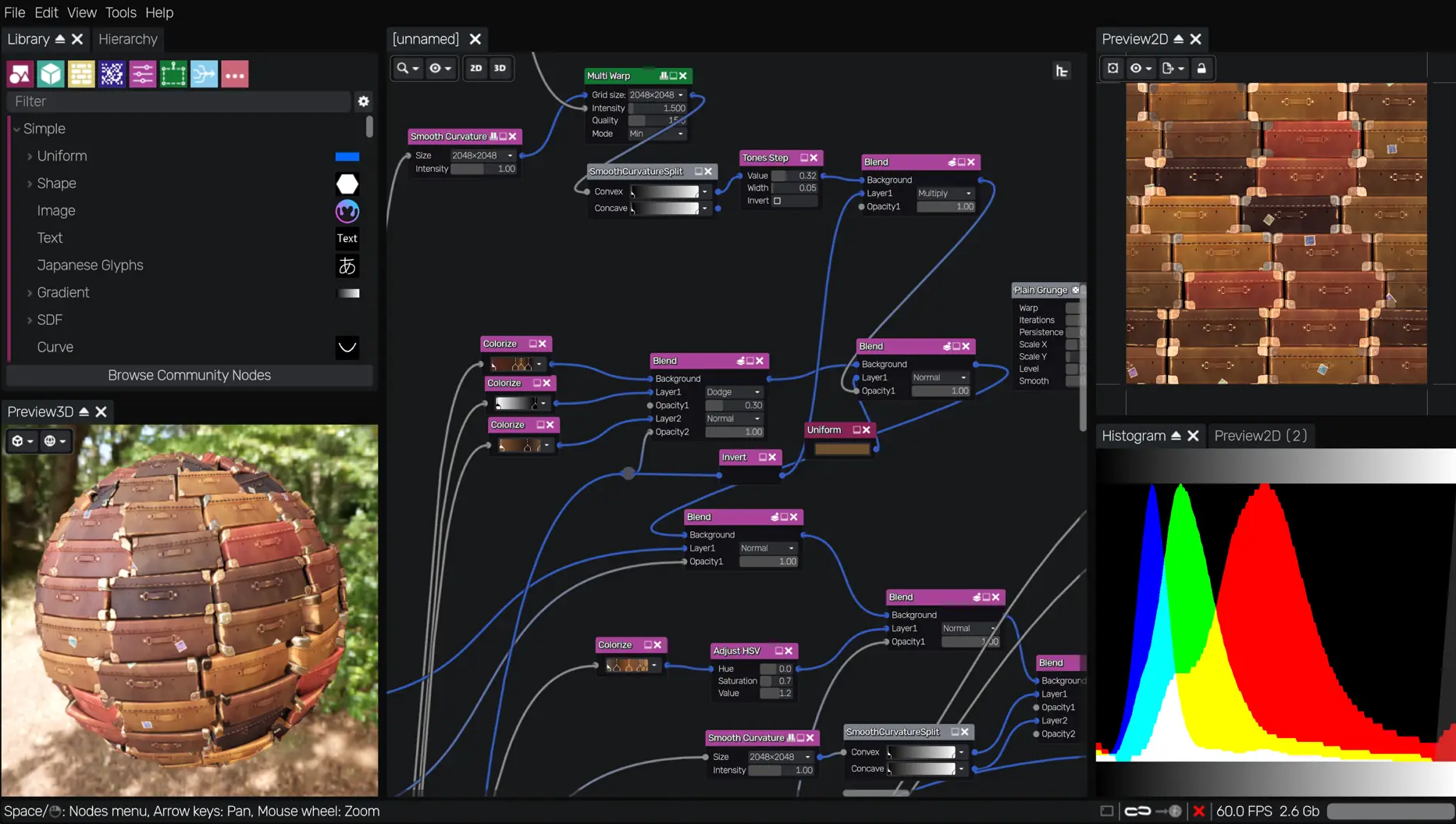
4 Material Maker: Procedural texture authoring
Material Maker is a node based procedural texture authoring tool. You build a graph of generators, filters, and blends. Out the other end, you get PBR texture sets ready for a real time renderer. Like Pixelorama, it is built in Godot, which makes it a second entry on this list where an open source content tool runs on top of an open source game engine.
Why it matters: Procedural authoring trades a one-off painted texture for a graph you can constantly adjust for new textures. Crank up the moss and instead of a newly painted stone wall you have one that looks like it’s been sitting in the woods for a decade. Multiply that across every surface in your game, and texture work starts to scale with the project instead of fighting it every time the art direction shifts.
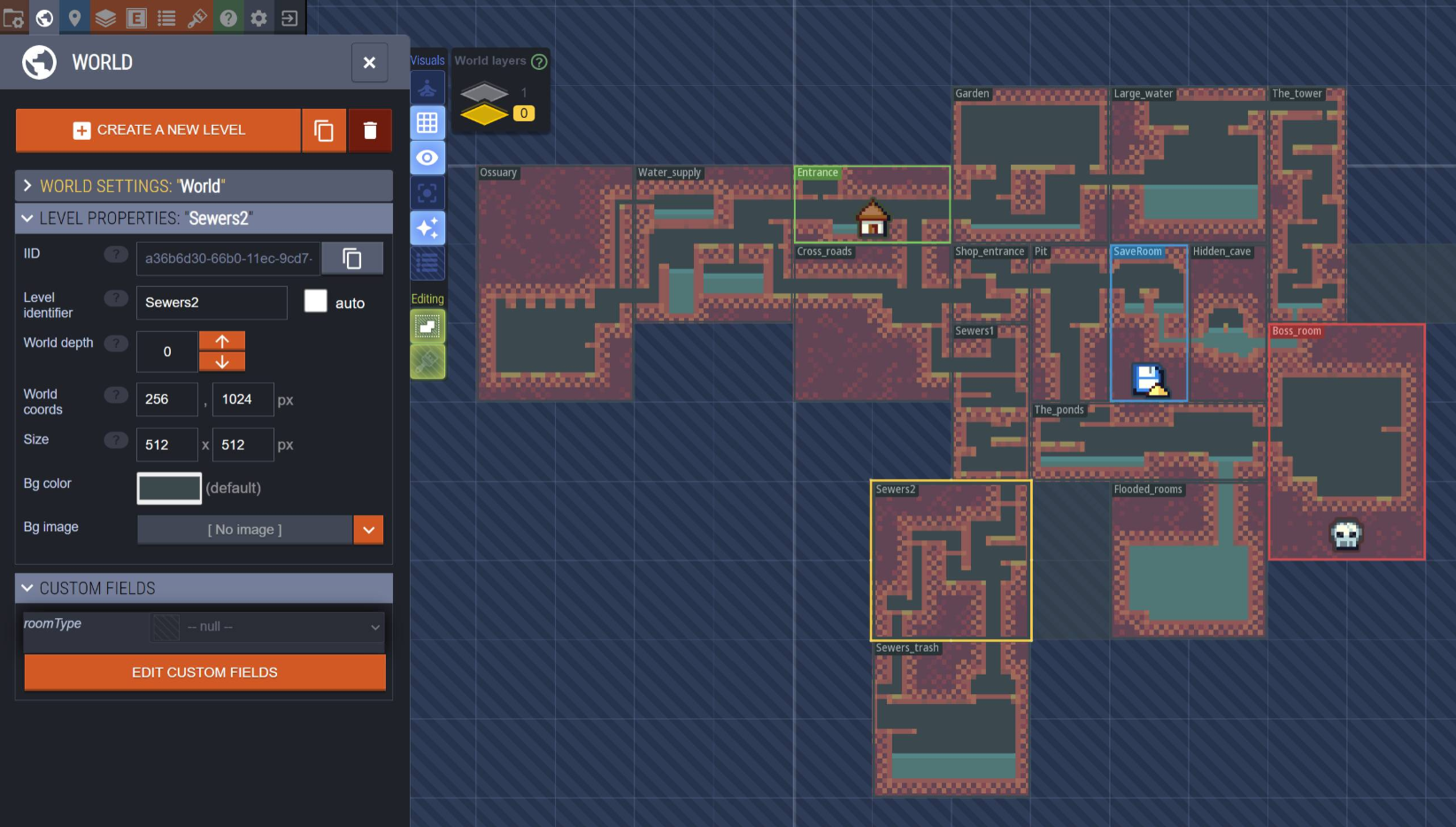
5 LDtk: A level editor built around entities
LDtk is an entity-driven 2D level editor, which means you define your entity types up front, set up auto tiling rules, and use enums to keep your data clean as the project grows. The editor pushes you toward workflows that hold up at production scale instead of letting you paint yourself into a corner six months in. Exports are clean JSON, and there are official integration libraries for many engines.
Why it matters: LDtk is opinionated on purpose. The entity first model, the auto tiling rules, and the typed enums all push you toward a project structure that survives the messy middle of production. It is the rare level editor where the constraints are the feature.
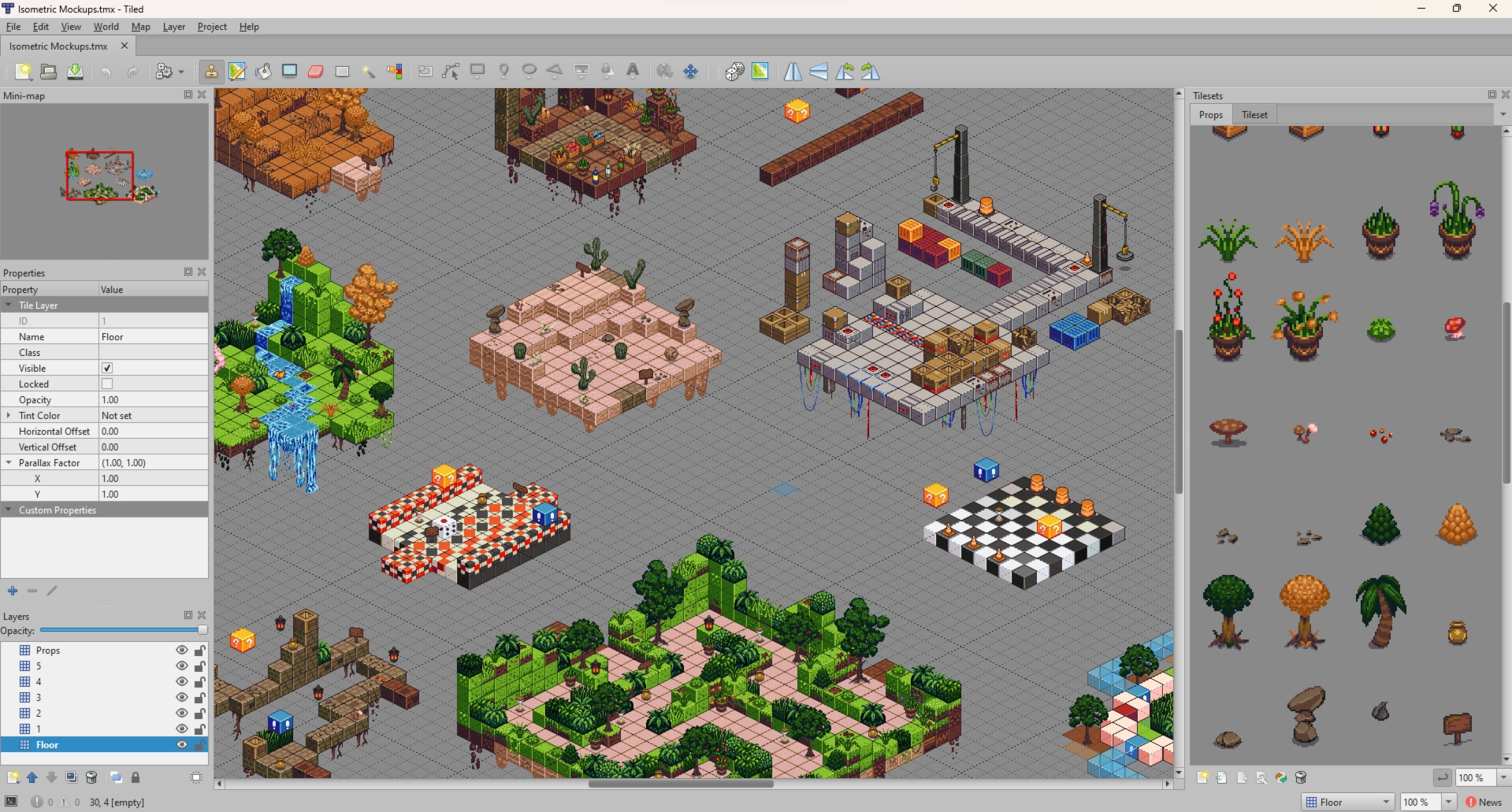
6 Tiled: The everywhere tilemap editor
Tiled is one of the longest running and most broadly supported tilemap editors in the open source space. It supports unlimited layers, configurable tile sizes, object layers with arbitrary properties, and exports to TMX and JSON. Tiled is engine agnostic by design. Native loaders exist for Godot, Unity, MonoGame, libGDX, Pygame, and basically anything else with a community.
Why it matters: Tiled does one thing, 2D tilemaps, and does it everywhere. A level designer can learn Tiled once and bring that skill to every project they work on, which is rare in tooling. Over 15 years of continuous development means the file format is also stable enough to bet a pipeline on.
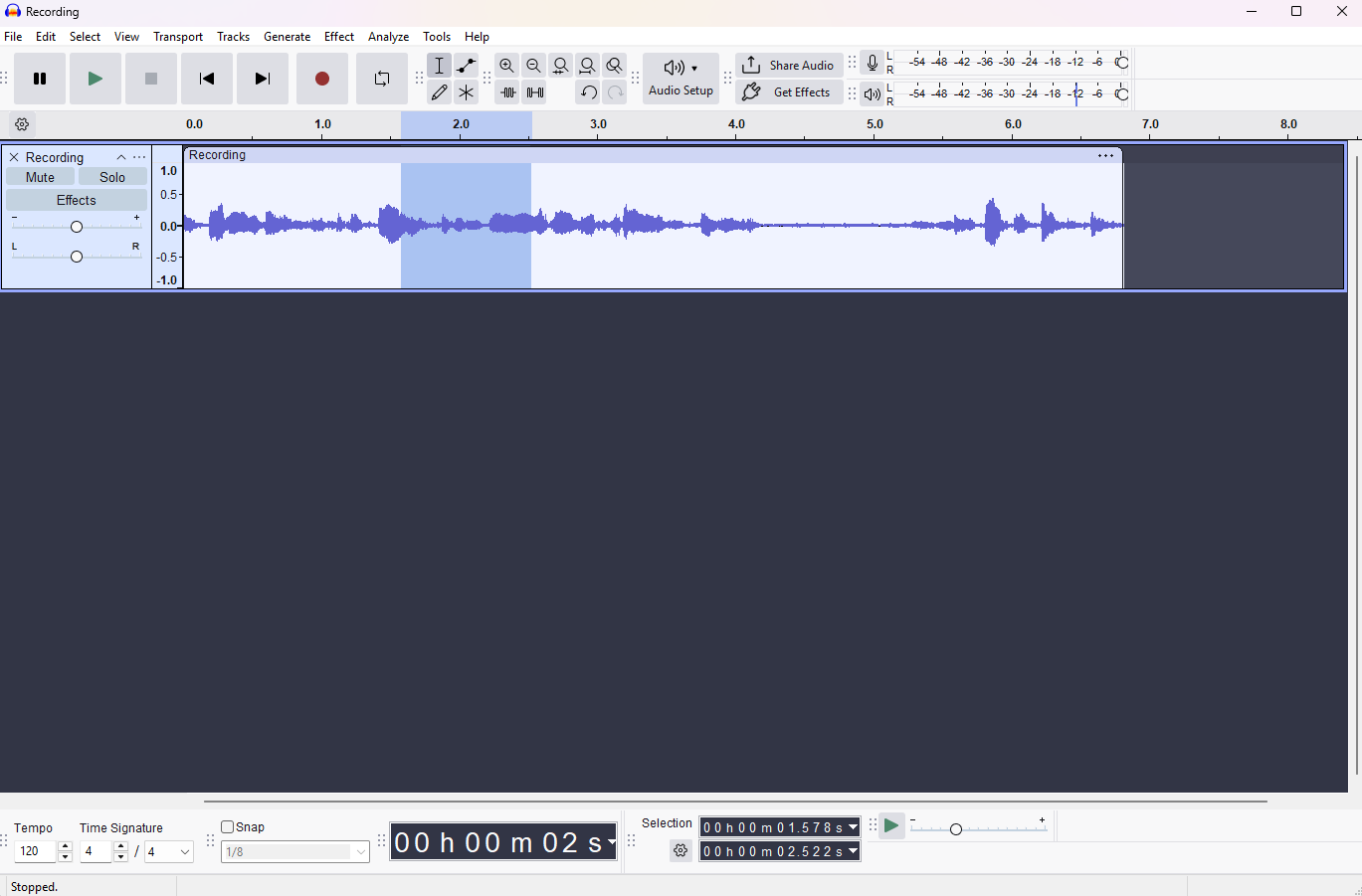
7 Audacity: A fast, focused audio editor
Audacity is the audio editor most game developers reach for when they need to clean up a recording, trim a music loop, batch convert formats, or chop up sound effects. It is multi-track, non-destructive, and handles the formats engines care about (WAV, OGG, FLAC, MP3) with full control over sample rate and bit depth. Spectral editing lets you surface and remove problems like room hum or a chair squeak that a waveform view would never reveal, and the macro system can run the same cleanup chain across an entire folder of SFX in one pass.
Why it matters: Audacity owns the editing and asset prep layer that sits in front of any audio runtime. It is fast to launch, fast to cut a loop, and fast to export, which is exactly what an audio pass on a build actually needs. The version 4 rewrite is a signal that the project is investing in the next decade rather than coasting on the last one.
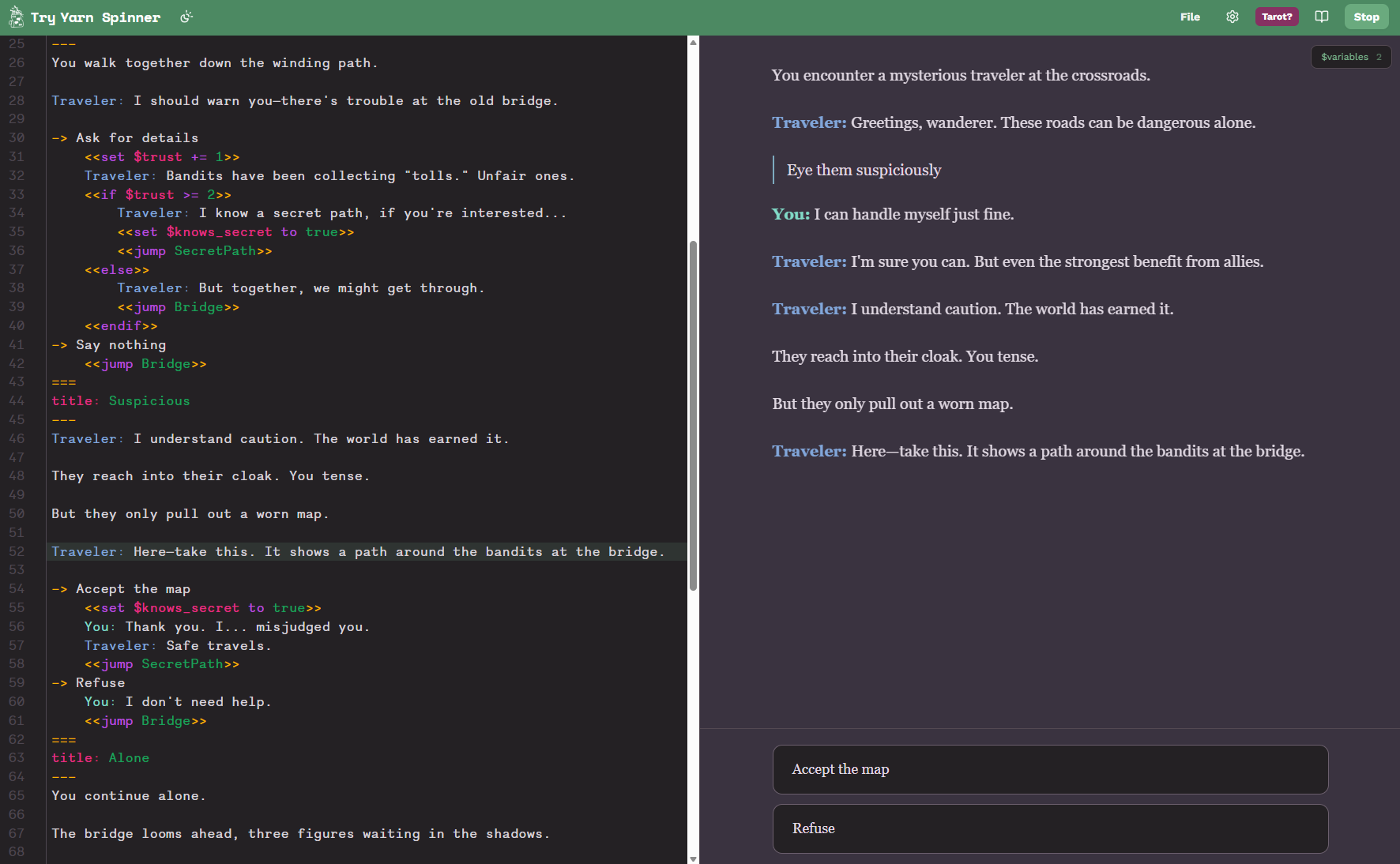
8 Yarn Spinner: Dialogue for narrative games
Yarn Spinner is a dialogue system for branching narrative. Writers author conversations in a markup language that reads like a screenplay, and programmers wire up the runtime separately. The two roles stay out of each other’s way, which is the entire point. It has runtime integrations for Unity, Godot, and a generic C# layer for everything else, and it powers the dialogue in Night in the Woods, A Short Hike, and DREDGE (which won a BAFTA).
Why it matters: Yarn Spinner is built around one decision: the writer’s tool and the programmer’s runtime are separate surfaces. That separation is what makes a branching script of any size actually maintainable, and it is why a writer can own a dialogue layer end to end without waiting on engineering for every conversation tweak.
9 Gum: A layout engine and visual editor for in-game UI
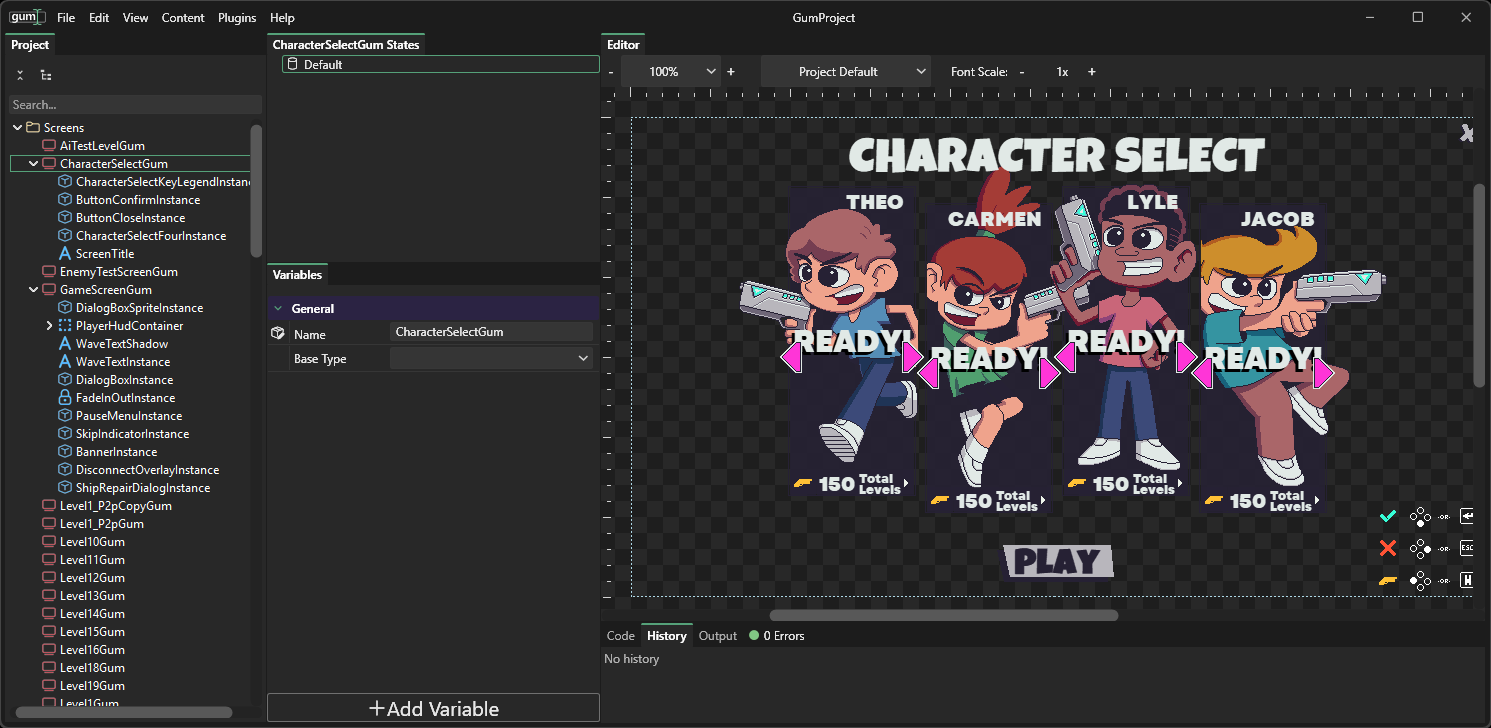
Gum is a general purpose UI layout tool for the menus, HUDs, and screens that ship inside your game. The visual editor handles the layout work (anchoring, stretching, nested containers, states for things like hover and pressed) and exports human readable XML that runtime libraries load at game time. Native integrations exist for many frameworks such as MonoGame, FNA, WPF, MAUI, Avalonia, and more.
Why it matters: Most engines ship their own UI system, but if you are working in MonoGame, FNA, raylib, or any of the lighter weight frameworks, you usually end up writing menus by hand or pulling in something heavier than you wanted. Gum fills that gap with a real visual designer and a small runtime, which is why it has become a default in the .NET game ecosystem.
10 Dear ImGui: The debug UI library half the industry runs on
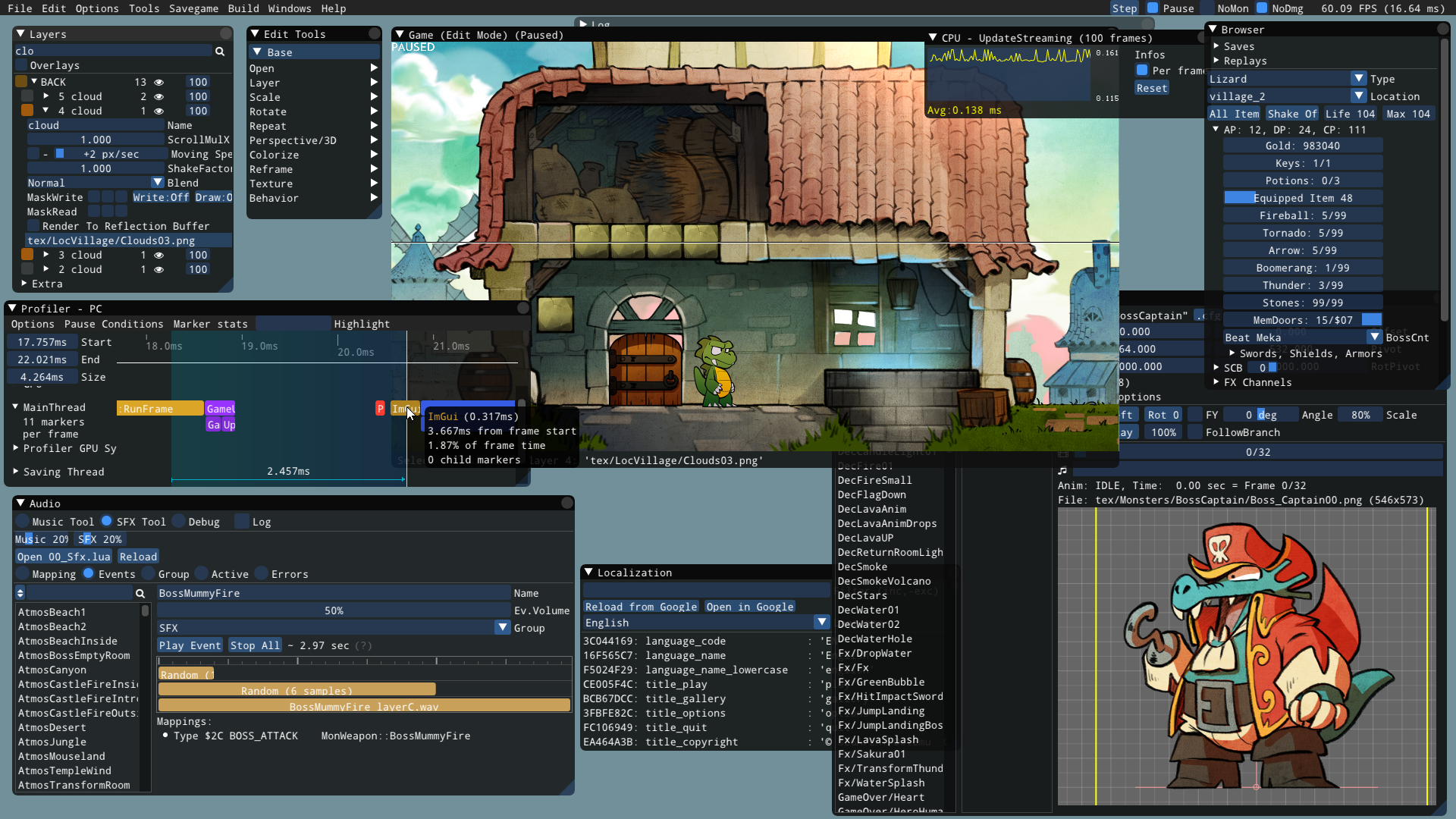
Dear ImGui is an immediate mode GUI library for building tools, debug overlays, and editors inside your game. It works in every engine, has bindings in 30- plus programming languages, and the API is designed so you can put a debug panel together in a few lines of code without thinking about layout systems.
Why it matters: The immediate mode model is what makes ImGui different. There is no scene graph and no widget tree to manage, you just call functions each frame. That collapses the cost of adding a debug knob from a half day of UI plumbing to a single line, which is exactly why it has spread across the industry as the default in game tooling layer.
Get involved
These projects are maintained by people who care about making games easier to build. A few ways to support that work:
- Star the repos. It is free and it tells maintainers their work is being used.
- Open issues with real reproductions. A good bug report is one of the highest value contributions you can make.
- Pick up a “good first issue.” Many projects tag them.
- Sponsor a maintainer. Several of these projects accept funding through GitHub Sponsors.
Want to take a break from building a game and play a game instead? Check out these 10 roguelikes, maintained by their awesome communities!
Written by
Stacey Haffner is the Director of Microsoft's OSPO and a developer advocate, where she focuses on open source, AI, and the future of developer tools. For over a decade she's been a product leader, builder, and teacher, working across startups and big tech on .NET, Xbox, Unity, and much more. She's also an independent game developer and teaches on YouTube at youtube.com/@staceyhaffner.