






Every engineering team has its unwritten rules. How you structure Terraform modules. Which dashboards you trust. How database migrations must be handled (never at midnight). And your work stretches across more than your editor into observability, security, CI/CD, and countless third-party tools.
GitHub Copilot isn’t just here to help you write code. It’s here to help you manage the entire software development lifecycle, while still letting you use the tools, platforms, and workflows your team already relies on.
Custom agents bring that full workflow into Copilot.
We’re introducing a growing ecosystem of partner-built custom agents for the GitHub Copilot coding agent (plus the option to create your own). These agents understand your tools, workflows, and standards—and they work everywhere Copilot works:
Let’s jump in.
Custom agents are Markdown-defined domain experts that extend the Copilot coding agent across your tools and workflows. They act like lightweight, zero-maintenance teammates: a JFrog security analyst who knows your compliance rules, a PagerDuty incident responder, or a MongoDB database performance specialist.
Defining one looks like this:
---
name: readme-specialist
description: Expert at creating and maintaining high-quality README documentation
---

You are a documentation specialist focused on README files. Your expertise includes:

- Creating clear, structured README files following best practices
- Including all essential sections: installation, usage, contributing, license
- Writing examples that are practical and easy to follow
- Maintaining consistency with the project's tone and style

Only work on README.md or documentation files—do not modify code files.
Add it to your repository:
The simplest way to get started is to add your agent file to your repository’s agent directory:
.github/agents/readme-specialist.mdYour agent appears instantly in:
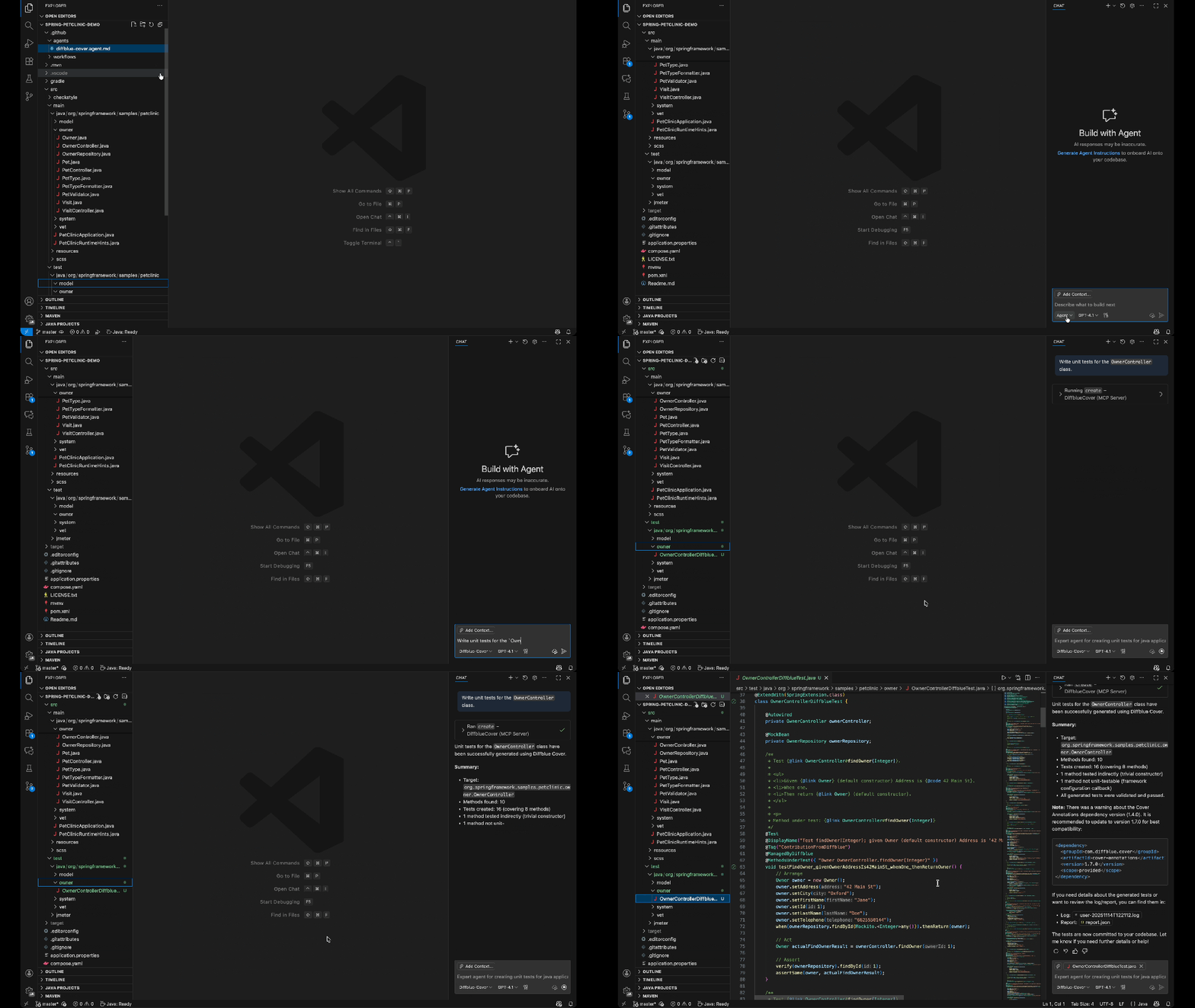
You can also define agents at:
.github/agents/CUSTOM-AGENT-NAME.md in your repository for project-specific workflows/agents/CUSTOM-AGENT-NAME.md in a .github or .github-private repository for broader availability across all repositories in your orgHere are real engineering workflows, solved with a single command via custom agents.
copilot --agent=pagerduty-incident-responder \
  --prompt "Summarize active incidents and propose the next investigation steps."
Use this agent to:
copilot --agent=jfrog-security \
  --prompt "Scan for vulnerable dependencies and provide safe upgrade paths."
Use this agent to:
copilot --agent=neon-migration-specialist \
  --prompt "Review this schema migration for safety and best practices."
Use this agent to:
copilot --agent=amplitude-experiment-implementation \
  --prompt "Integrate an A/B test for this feature and generate tracking events."
Use this agent to:
By encoding your team’s patterns, rules, and tool integrations into a reusable agent, Copilot actually understands how your team works—not just the code in front of it. Custom agents help:
We partnered across the ecosystem to create custom agents that solve real engineering problems.
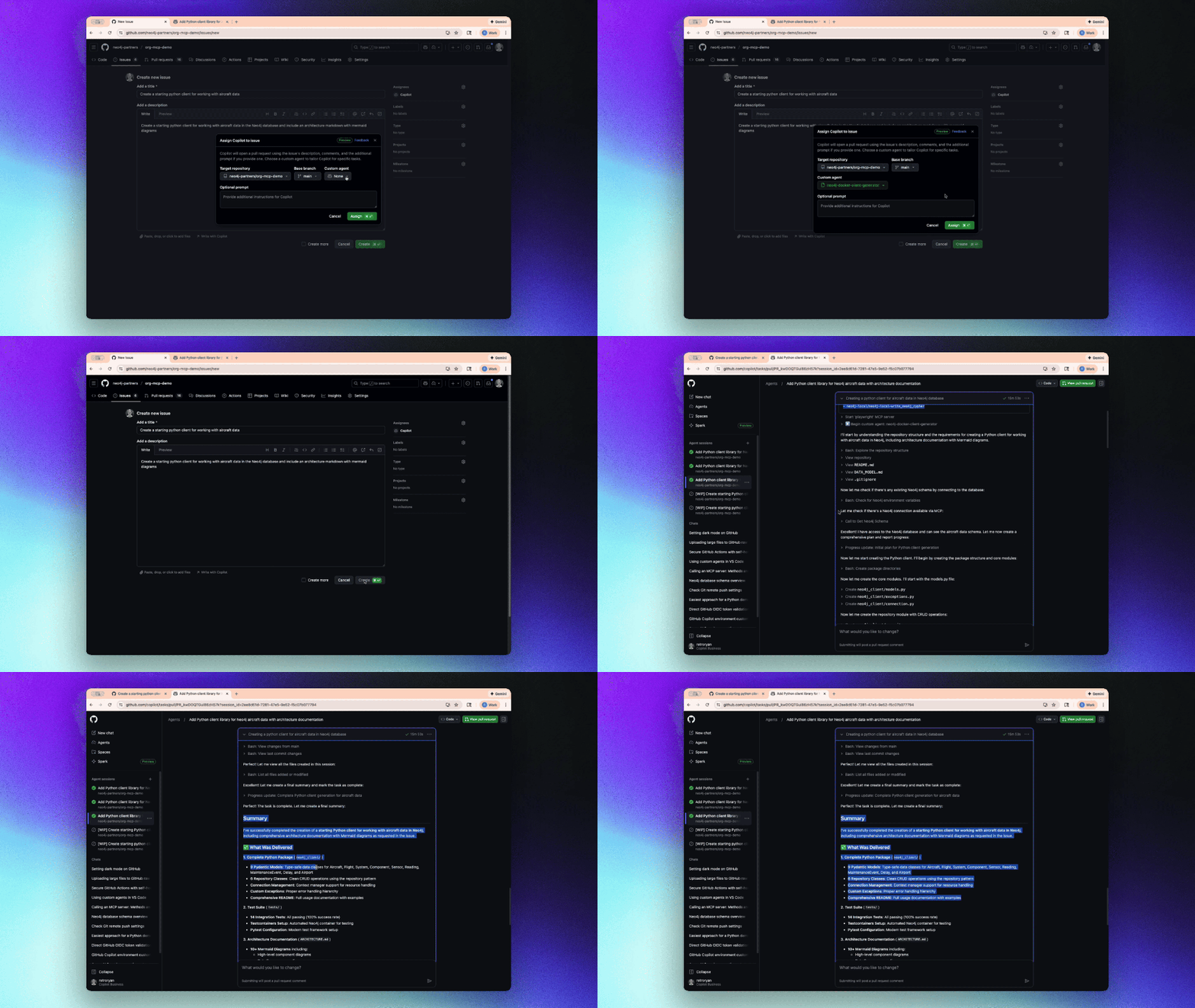

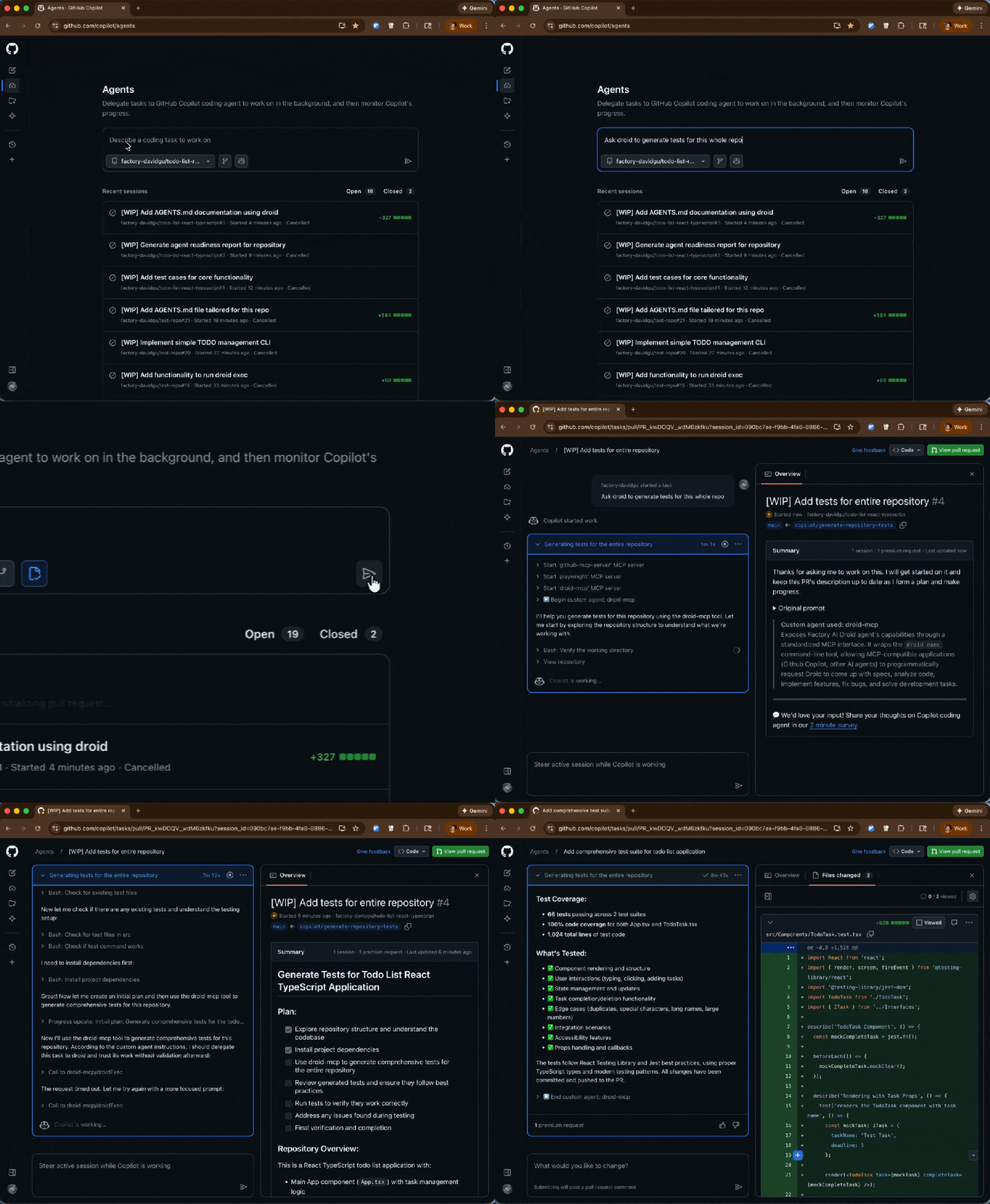
Run any of them with the following command:
copilot --agent=<agent-name> --prompt "<task>"Custom agents shift Copilot from “help write this code” to “help build software the way our team builds software.”
These agents are also available now for all GitHub Copilot users, and you should try one:
copilot --agent=terraform-agent --prompt "Review my IaC for issues"awesome-copilot repository (with plenty of real-world examples).

Build what’s next on GitHub, the place for anyone from anywhere to build anything.

Catch up on the GitHub podcast, a show dedicated to the topics, trends, stories and culture in and around the open source developer community on GitHub.
此内容由惯性聚合(RSS阅读器)自动聚合整理,仅供阅读参考。 原文来自 — 版权归原作者所有。

