惯性聚合 高效追踪和阅读你感兴趣的博客、新闻、科技资讯
阅读原文 在惯性聚合中打开

推荐订阅源

Y
Y Combinator Blog
博客园 - 司徒正美
TaoSecurity Blog
TaoSecurity Blog
Martin Fowler
Martin Fowler
T
Threat Research - Cisco Blogs
Blog — PlanetScale
Blog — PlanetScale
S
Secure Thoughts
博客园 - 三生石上(FineUI控件)
K
KPMG report finds enterprise disconnect between AI and its ROI | CIO
K
Kaspersky official blog
cs.CL updates on arXiv.org
Cisco Talos Blog
Cisco Talos Blog
H
Help Net Security
博客园 - 叶小钗
爱范儿
爱范儿
GbyAI
GbyAI
I
Intezer
M
MIT News - Artificial intelligence
Latest news
Latest news
Schneier on Security
T
Tor Project blog
Simon Willison's Weblog
I
InfoQ
Threat Intelligence Blog | Flashpoint
Cyber Security Advisories - MS-ISAC
C
CXSECURITY Database RSS Feed - CXSecurity.com
罗磊的独立博客
N
News and Events Feed by Topic
T
The Blog of Author Tim Ferriss
V2EX - 技术
V2EX - 技术
B
Blog
T
Tailwind CSS Blog
N
Netflix TechBlog - Medium
Security Latest
Security Latest
V
V2EX
F
Fortinet All Blogs
Forbes - Security
Forbes - Security
Application and Cybersecurity Blog
The Hacker News
The Hacker News
Scott Helme
Scott Helme
P
Privacy International News Feed
P
Palo Alto Networks Blog
H
Heimdal Security Blog
C
Cisco Blogs
T
The Exploit Database - CXSecurity.com
博客园 - Franky
酷 壳 – CoolShell
酷 壳 – CoolShell
G
Google Developers Blog
W
WeLiveSecurity
L
LINUX DO - 最新话题

Kali's Blog

不会找漏洞 试试Nuclei这款神器 浅谈OpenVpn原理及一键部署 超低成本,搭建自己的户外气象基站! Windows Server 2025安装指南 新手必看! 【故障解决】Kali Linux桌面图标丢失和文字乱码 Hermes接BurpSuite 法力无边!(附视频教学) Windows中查看已连接WiFi密码 这些技能你知道吗? 除了Kali Linux 这些渗透系统你知道吗? Hermes 修改MSF特征 轻松逃逸安全软件 这些常见的反编译工具 你用过吗? 社工密码字典生成工具Cupp Kali 配置HexStrike AI 进行安全测试 Kali Linux 如何正确更新系统? 一款跨平台C2工具-Havoc Kali Linux 2026.1都更新了什么? ESP-Claw零代码玩转物联网
Kali Linux部署Codex 开发学习两不误
博主: 逍遥子 · 2026-06-22 · via Kali's Blog
在上期文章中我们讲到了在Windows环境下部署Codex的教程,本篇文章,我们讲解在Kali中如何快速部署Codex+DeepSeek。

安装Codex

接下来,我们在Kali中安装Codex,因为Nodex等环境在Kali中已经默认安装,因此只需执行一条命令即可。

npm install -g @openai/codex

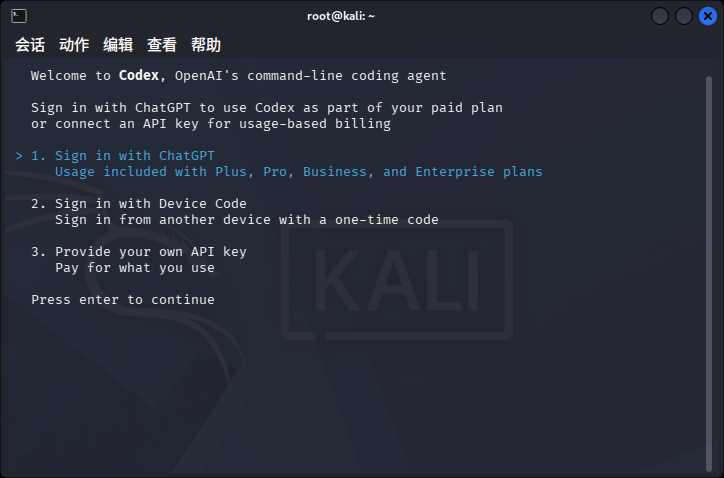
安装完成后,在终端执行codex命令。效果如下:

这时,我们便成功安装了Codex,关闭当前终端,执行下面步骤。

安装CC Switch

还是和之前一样,我们不能直接让Codex使用DeepSeek。需要用CC转发下。访问

项目地址:https://github.com/farion1231/cc-switch/releases

根据自己处理器下载安装包。
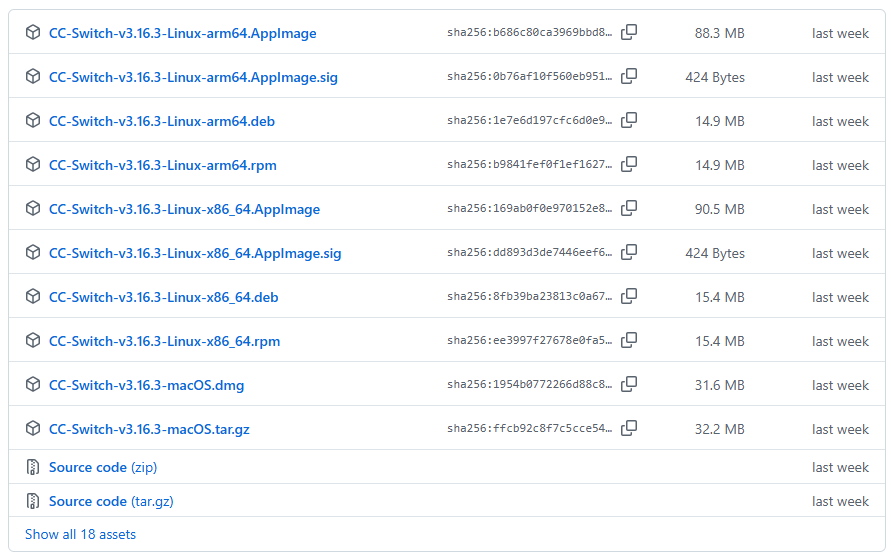
通过dpkg -i命令进行安装。完成后,在菜单中运行程序。
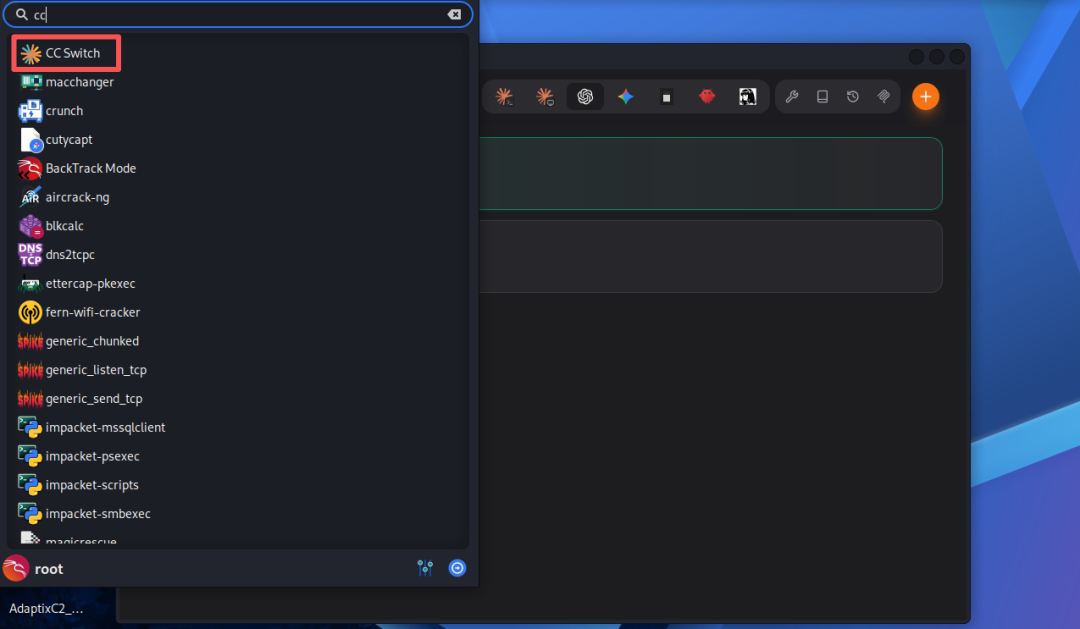
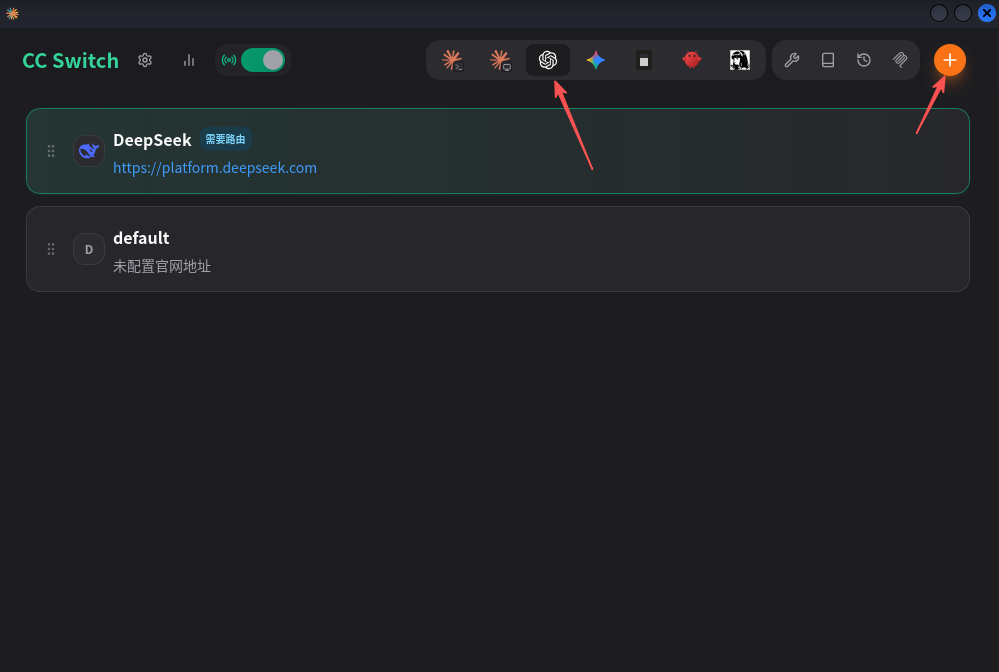
接下来添加模型,选择codex,添加模型API。
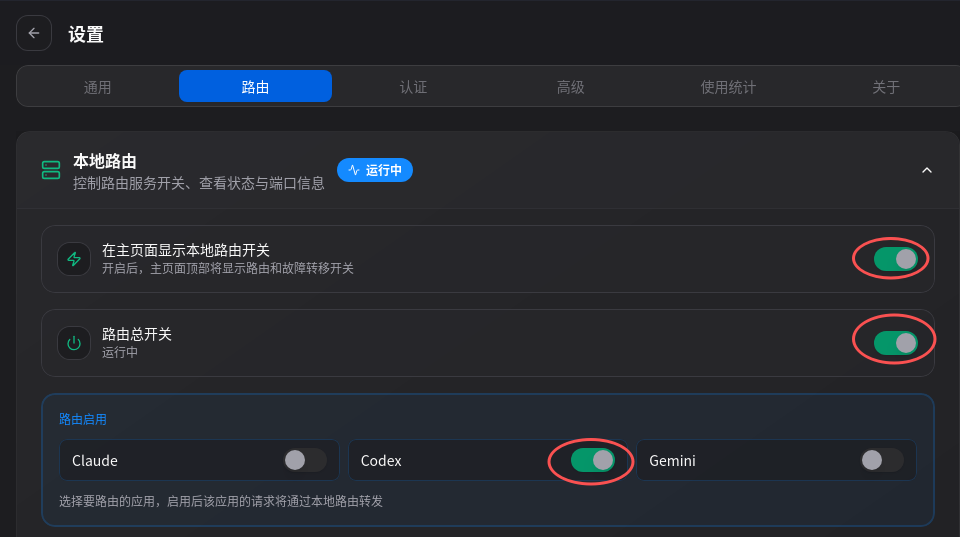
开启路由
点击设置-路由按下图配置。
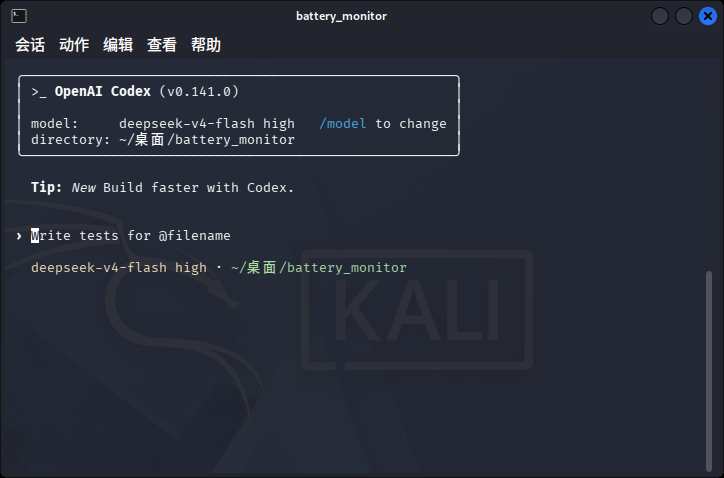
测试

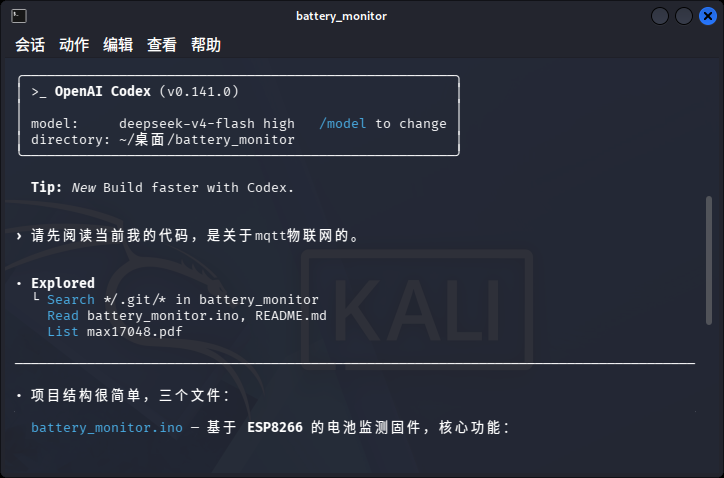
在你的项目文件夹下运行命令codex。便可以开始工作了!
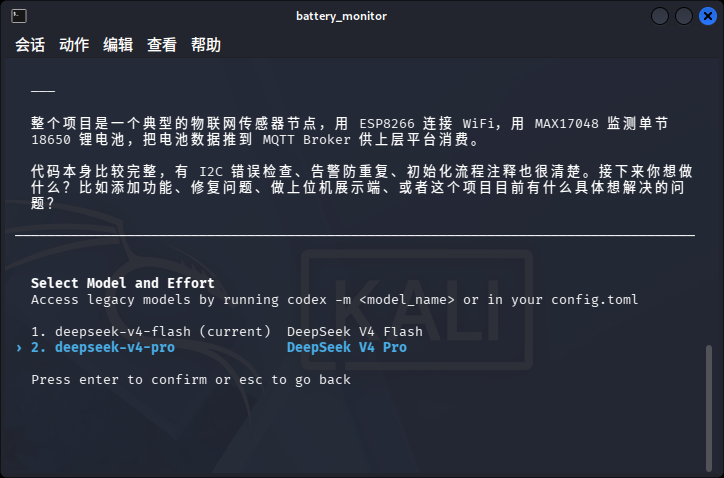
模型切换
在开发过程中,我们需要切换模型。输入/model便可以切换模型了。
 
更多精彩文章 欢迎关注我们


本文首发于微信公众号,原文链接:Kali Linux部署Codex 开发学习两不误


版权属于:逍遥子大表哥

本文链接:https://blog.bbskali.cn/4950.html

按照知识共享署名-非商业性使用 4.0 国际协议进行许可,转载引用文章应遵循相同协议。

赞赏作者

可怜可怜吧!正在沿街乞讨~